



Live wallpapers add motion and personality to your iPhone’s Lock Screen, turning static images into subtle animations that respond to touch. At the time of writing, iOS still supports Live Photos as wallpapers on compatible iPhone models, making third-party live wallpaper apps a practical way to customize your device without jailbreaking or advanced setup.
The best live wallpaper apps for iPhone focus on smooth animations, high-resolution visuals, and simple setup. Many also let you turn videos or GIFs into Live Photos, giving you full control over how your screen looks and feels.
How Live Wallpaper Apps Work On iPhone
Most live wallpaper apps create or download Live Photos, which iOS treats as animated wallpapers. These animations activate when you press and hold the Lock Screen on supported devices using Haptic Touch.
Some apps specialize in curated collections, while others focus on tools that convert videos into live wallpapers. The experience depends on your device model and iOS version.
Best Live Wallpaper Apps For iPhone
Cool Live Wallpaper Maker

This app combines a large library of animated wallpapers with tools for creating your own Live Photos. It stands out for its color-based search, which matches wallpapers to tones from your photos.
It also supports converting short videos into live wallpapers, making it a flexible option for users who want both ready-made and custom content.
Live Wallpapers For Me
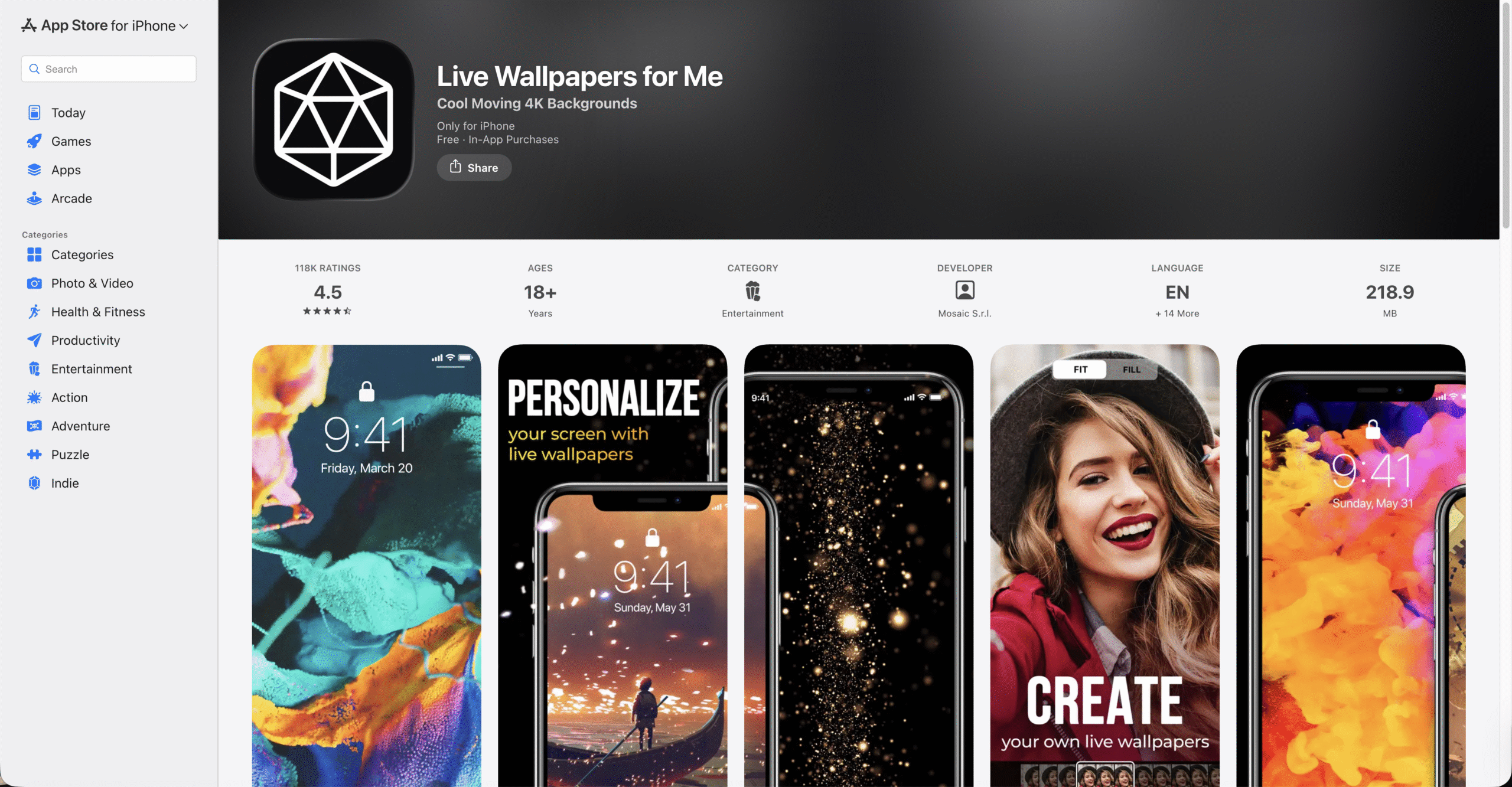
Live Wallpapers For Me focuses on variety, offering time-lapse scenes, abstract animations, quotes, and themed collections. The interface keeps categories easy to browse.
It includes a built-in live wallpaper maker, though free users should expect ads when unlocking content.
intoLive
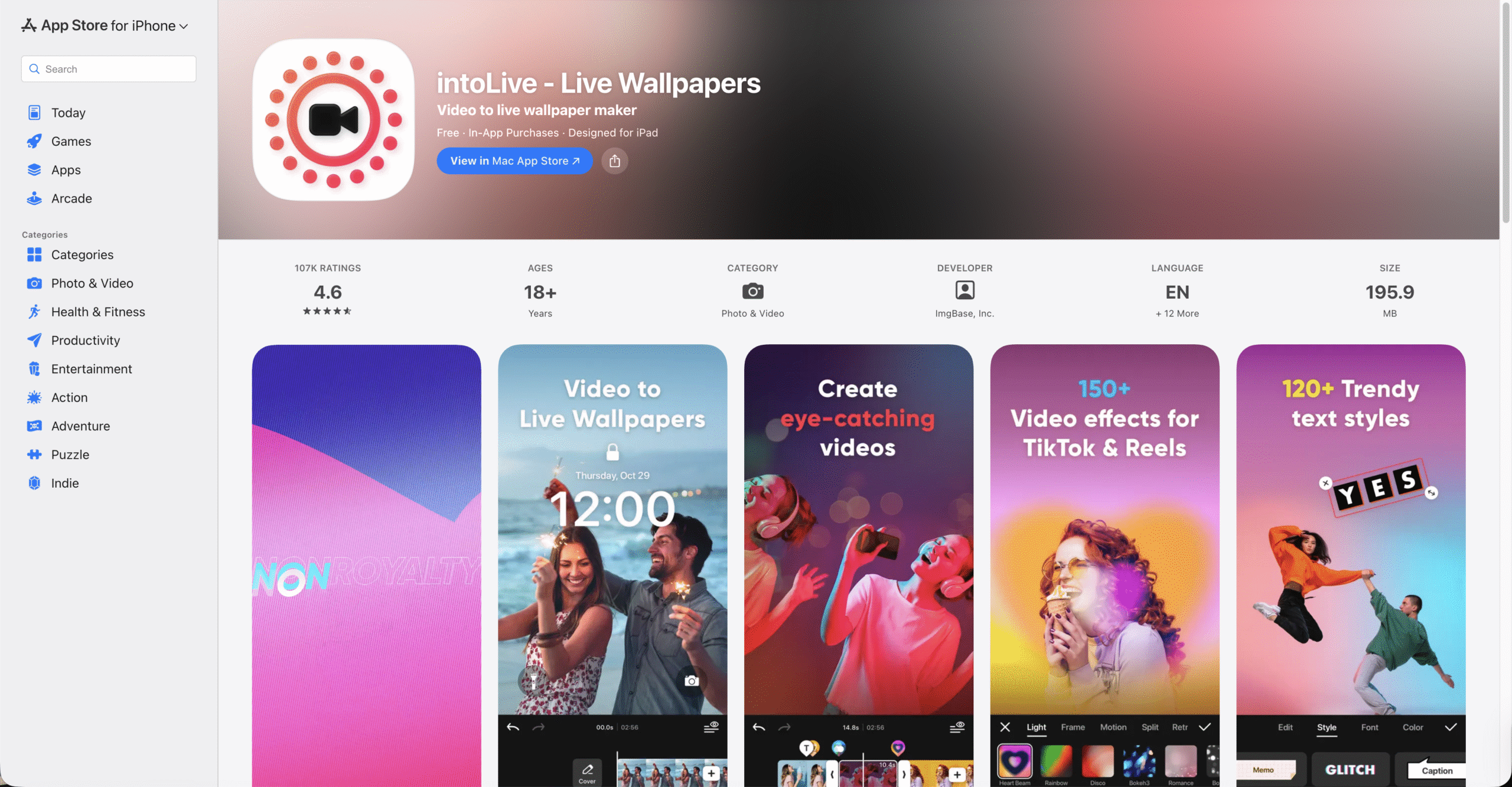
intoLive is designed for users who want to turn videos or GIFs into live wallpapers. The editing tools let you trim clips, adjust playback, and add backgrounds before exporting.
The app keeps its layout minimal, making it easy to create Live Photos without a steep learning curve.
Wallcraft
Wallcraft offers high-resolution live wallpapers tailored to specific iPhone models. Its collection ranges from nature and space to 3D art and minimal designs.
Customization tools allow resizing and cropping, though most premium wallpapers require a subscription or ad-based credits.
ZEDGE Live Wallpapers
ZEDGE pairs live wallpapers with a strong creator community, giving users access to both curated and user-generated animations. The app also includes ringtones and static wallpapers.
An AI wallpaper generator adds creative flexibility, but free selections are limited.
How To Set A Live Wallpaper On iPhone
After downloading or creating a Live Photo, you can apply it directly from the Photos app or through the wallpaper app itself.
- Open the Settings app.
- Tap Wallpaper.
- Select Add New Wallpaper.
- Choose Live Photo and pick your image.
- Confirm and set it as your Lock Screen wallpaper.
Troubleshooting Common Problems
If a live wallpaper does not animate, the issue is often related to device compatibility or settings.
- Make sure Live Photos are enabled during wallpaper setup.
- Confirm your iPhone supports Haptic Touch or 3D Touch.
- Disable Low Power Mode, which can limit animations.
- Restart the device after applying a new wallpaper.
Tips
- Use shorter video clips to avoid choppy animations.
- Choose darker live wallpapers to reduce battery impact.
- Test wallpapers on the Lock Screen before finalizing.
- Keep storage space available for Live Photo files.
FAQ
Do live wallpapers drain battery on iPhone?
Live wallpapers have a minor battery impact since animations only play when pressed on the Lock Screen.
Can live wallpapers be used on the Home Screen?
No, iOS limits live wallpapers to the Lock Screen only.
Do all iPhones support live wallpapers?
Most modern iPhones do, but support depends on Haptic Touch availability.
Can I make my own live wallpaper?
Yes, many apps let you convert videos or GIFs into Live Photos.
Summary
- Live wallpaper apps add motion to the iPhone Lock Screen.
- Some apps focus on curated collections, others on creation tools.
- Live Photos power all iOS live wallpapers.
- Compatibility depends on device and iOS features.
Conclusion
Live wallpaper apps offer an easy way to personalize your iPhone without changing how the system works. Whether you prefer animated scenery or custom video wallpapers, the right app can turn your Lock Screen into a dynamic, personal space.


Discussion (0)
Be the first to comment.