




Apple Watch reminders help you stay organized, improve focus, and build healthier daily habits without relying on your phone. From task alerts to health reminders, the Apple Watch makes it easy to stay on track throughout the day using subtle, wrist-based notifications.
Below are the most useful Apple Watch reminders you can set to boost productivity, improve wellness, and manage daily responsibilities more efficiently.
Drink Water Reminders

Hydration reminders help you maintain energy levels and avoid fatigue during long workdays. Since the Apple Watch does not include a built-in hydration tracker, third-party apps can send regular water reminders and sync data with Apple Health.
- Install a hydration tracking app on your iPhone and Apple Watch
- Set a daily water intake goal
- Enable smart reminders at regular intervals
Eye Health And Screen Break Reminders
Eye strain is common when working on screens for long periods. Apple Watch timers help you follow break routines like the 20-20-20 rule to reduce eye fatigue and maintain focus.
- Open the Timer app on Apple Watch
- Set a repeating break timer
- Restart the timer after each break
Stand And Move Reminders
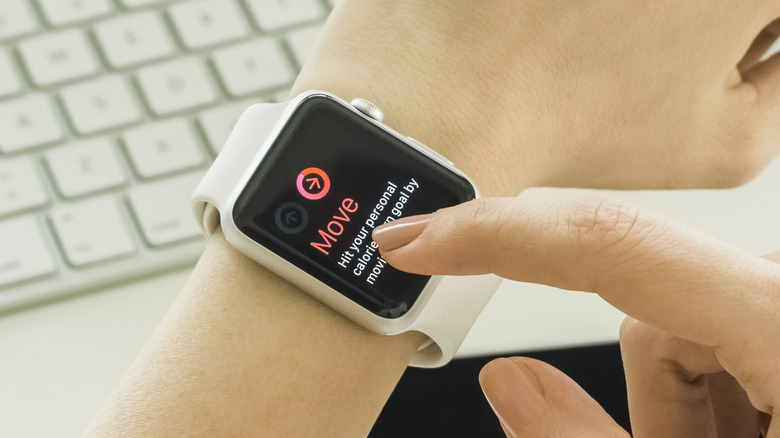
Apple Watch stand reminders encourage movement if you remain inactive for too long. This feature helps reduce health risks associated with prolonged sitting.
- Open the Watch app on iPhone
- Go to Activity settings
- Turn on Stand Reminders
Medication Reminders

Medication reminders ensure you never miss scheduled doses. The Health app allows you to set medication schedules that sync directly with your Apple Watch.
- Open the Health app on iPhone
- Add medications with dosage and timing
- Enable notifications for reminders
Mindfulness And Breathing Reminders
Mindfulness reminders promote stress reduction and mental clarity. Apple Watch breathing alerts help you pause and reset during busy days.
- Open the Watch app on iPhone
- Go to Mindfulness settings
- Schedule reminder times
Pomodoro Timer For Focused Work
Pomodoro timers improve productivity by alternating focused work sessions with short breaks. Apple Watch timers or third-party apps can manage these cycles efficiently.
- Set a 25-minute timer on Apple Watch
- Work until the timer ends
- Take a short break before restarting
Task And To-Do Reminders
Task reminders keep important deadlines visible throughout the day. Apple Watch task notifications ensure you never miss essential activities.
- Open the Reminders app
- Create a new task with time or date
- Enable alerts on Apple Watch
Motivational Reminders
Motivational reminders provide encouragement and help maintain discipline. These reminders can display quotes or affirmations at scheduled times.
- Create motivational reminders in the Reminders app
- Set recurring alert times
Calendar Event Reminders
Calendar reminders notify you of upcoming meetings and events. These alerts sync automatically between your iPhone and Apple Watch.
- Add events in the Calendar app
- Set alert times
Location-Based Reminders
Location-based reminders trigger alerts when you arrive at or leave specific places. This feature is ideal for errands and travel-related tasks.
- Create a reminder in the Reminders app
- Enable location-based alerts
- Select the desired location
Troubleshooting Common Problems
If reminders do not appear, check notification permissions, ensure Bluetooth is enabled, and confirm your Apple Watch is synced with your iPhone.
Tips
- Use subtle notification sounds to avoid distractions
- Group similar reminders to reduce alert fatigue
- Enable recurring reminders for daily habits
FAQ
Can I set reminders on Apple Watch without my iPhone nearby? Yes, reminders can be created directly on the watch.
Do Apple Watch reminders sync across devices? Yes, reminders sync through your Apple ID.
Can I use location-based reminders on Apple Watch? Yes, location alerts work through the Reminders app.
Summary
- Apple Watch reminders improve productivity and wellness
- Health, task, and focus reminders work together seamlessly
- Most reminders sync automatically with iPhone apps
Conclusion
Apple Watch reminders provide an efficient way to manage tasks, health habits, and daily routines. With the right setup, your watch becomes a powerful productivity companion that keeps you focused without constant phone use.



Discussion (0)
Be the first to comment.