



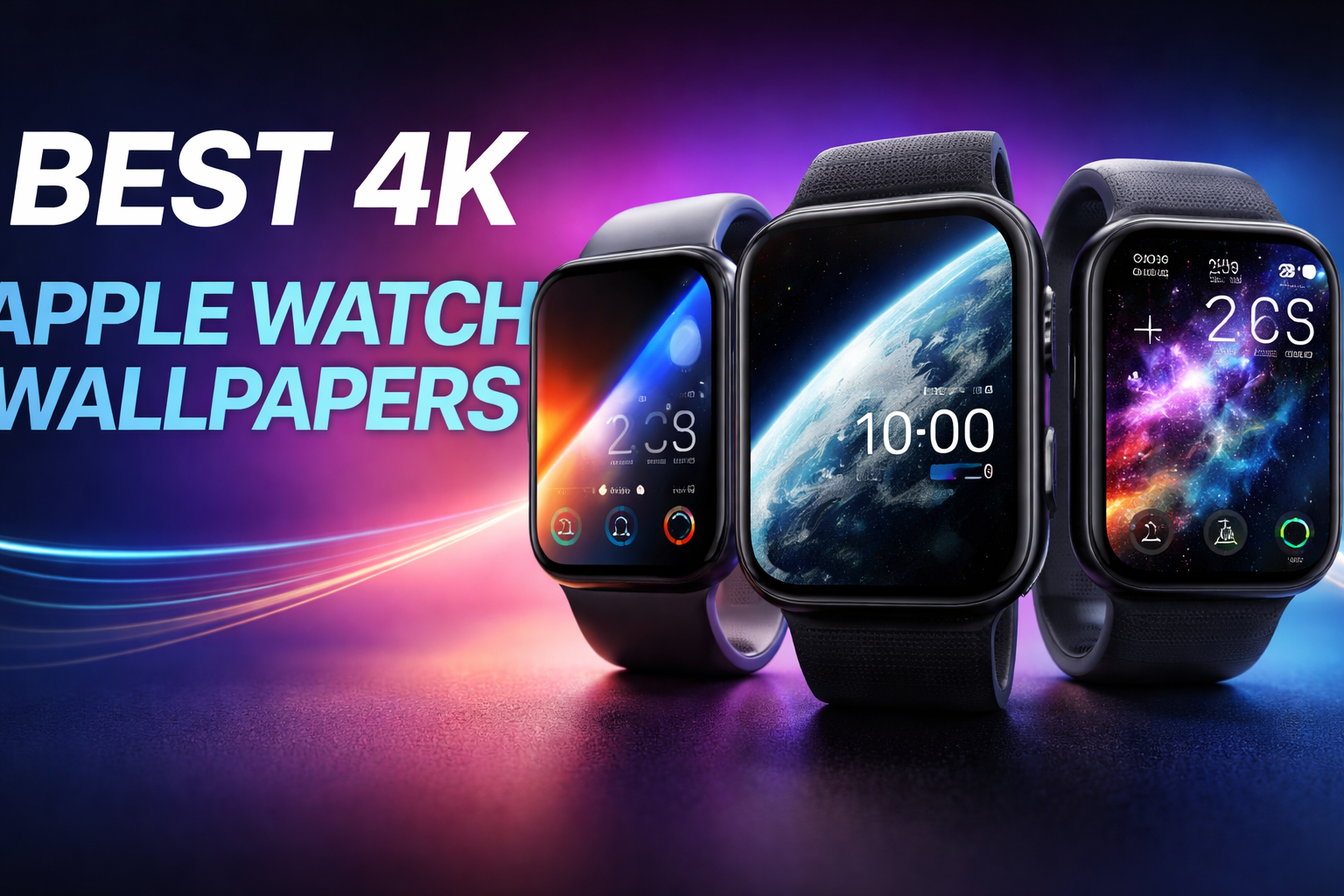
Sharp wallpapers make a visible difference on the Apple Watch, especially on newer OLED displays. A true 4K source keeps details crisp after cropping and prevents blur when complications overlay the image. This guide highlights high-quality 4K wallpapers that work well with real Apple Watch faces, not just phone screens.
Table of contents
- 1) Minimal gradient black-to-gray
- 2) Soft beige paper texture
- 3) Monochrome concrete surface
- 4) Deep space star field
- 5) Black marble macro shot
- 6) Dark nebula cloud
- 7) Mountain ridge at sunrise
- 8) Forest fog panorama
- 9) Ocean wave freeze frame
- 10) Earth from orbit (ISS)
- 11) Abstract fluid ink motion
- 12) Geometric light lines
- Best wallpapers for each Apple Watch face type
- How to apply 4K wallpapers to Apple Watch correctly
- Common mistakes that ruin Apple Watch wallpaper quality
- Tips for choosing the right wallpaper for your Apple Watch
- FAQs about 4K Apple Watch wallpapers
- Summary
1) Minimal gradient black-to-gray
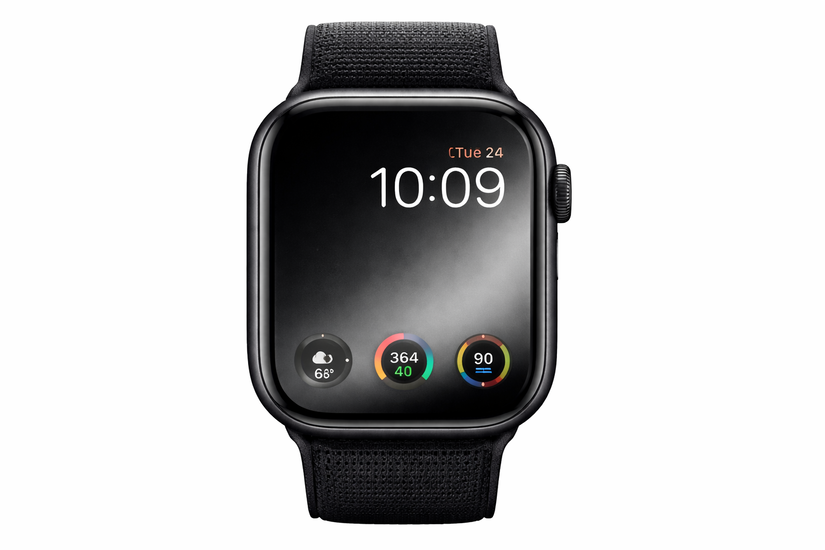
This wallpaper uses a smooth vertical gradient rendered in full 4K resolution. The soft transition keeps complications readable while avoiding banding on OLED panels. It works especially well with Modular and Infograph faces.
2) Soft beige paper texture
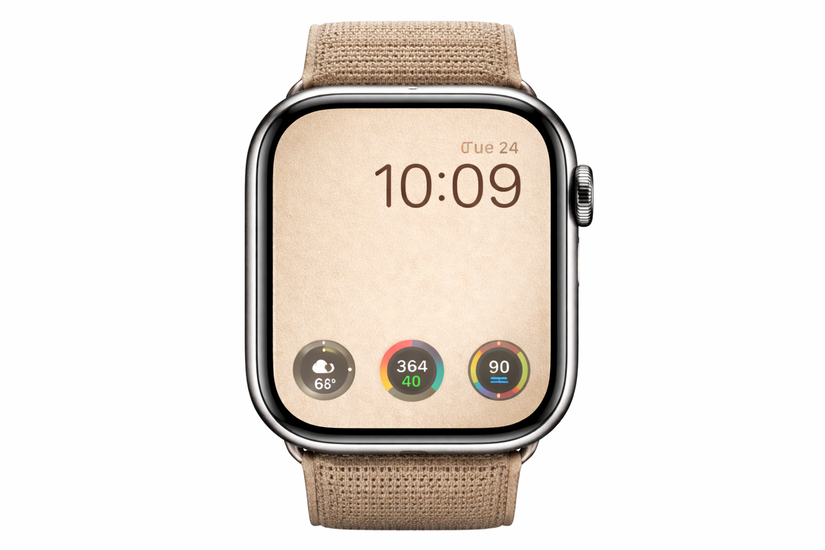
This subtle paper-style texture comes from a studio 4K scan rather than a digital pattern. Fine-grain details stay sharp even after aggressive cropping. The neutral tone pairs well with analog faces like California.
3) Monochrome concrete surface
Captured in 4K with controlled lighting, this concrete texture adds depth without visual noise. It keeps time and complications easy to read. Dark Mode users benefit from its low-glare finish.
4) Deep space star field
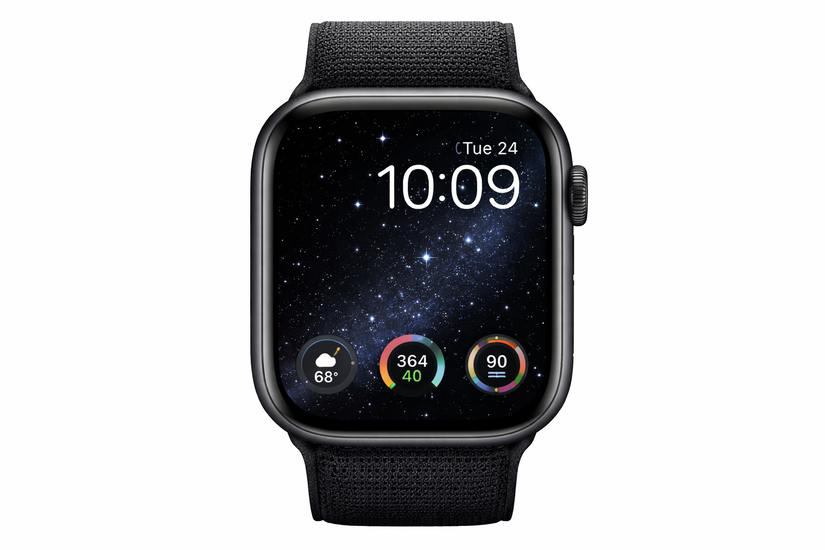
This NASA-sourced 4K star field uses true black backgrounds with pinpoint highlights. OLED pixels remain fully off in dark areas, improving battery efficiency. The wallpaper suits Solar and Modular faces with bright complications.
5) Black marble macro shot
This macro photograph captures natural marble veins in ultra-high resolution. Subtle highlights prevent the screen from looking flat. The image keeps a premium look on stainless steel and Ultra models.
6) Dark nebula cloud
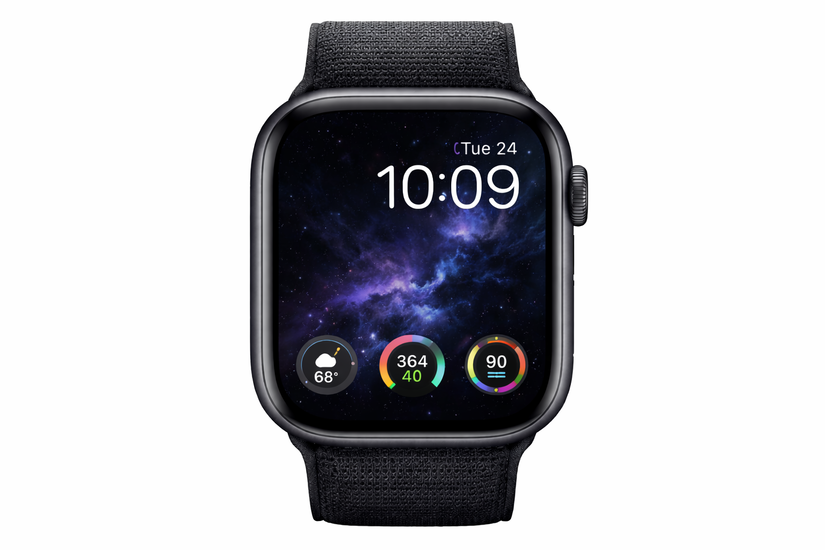
This abstract nebula image uses deep blues and purples against near-black space. The 4K source prevents color smearing after cropping. It adds visual interest without overpowering complications.
7) Mountain ridge at sunrise
Shot in native 4K, this landscape places the horizon low for better cropping flexibility. Warm highlights contrast well with white or yellow complications. The image works best on rectangular faces.
8) Forest fog panorama
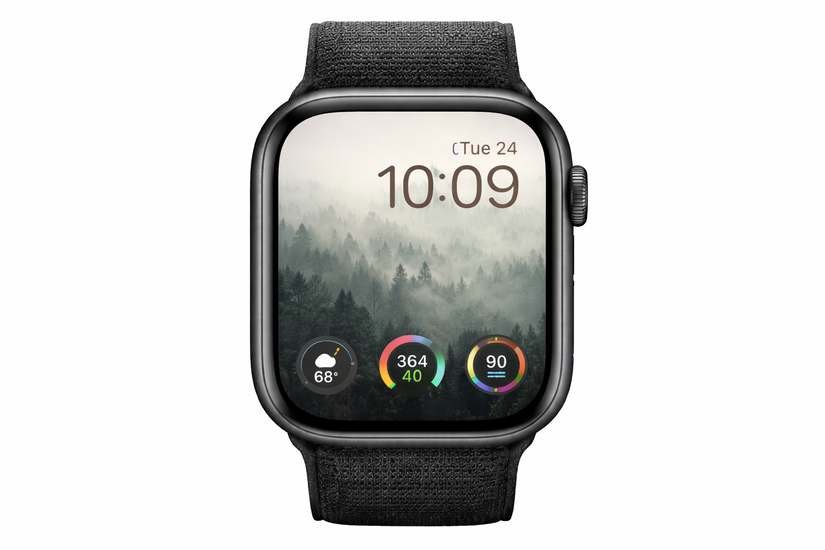
This high-resolution panorama compresses well into circular crops. The foggy layers preserve depth even on smaller screens. It pairs nicely with green or white complication colors.
9) Ocean wave freeze frame
Captured at high shutter speed in 4K, this wave image preserves fine water texture. The darker lower half keeps text legible. It looks excellent on Infograph faces with corner complications.
10) Earth from orbit (ISS)
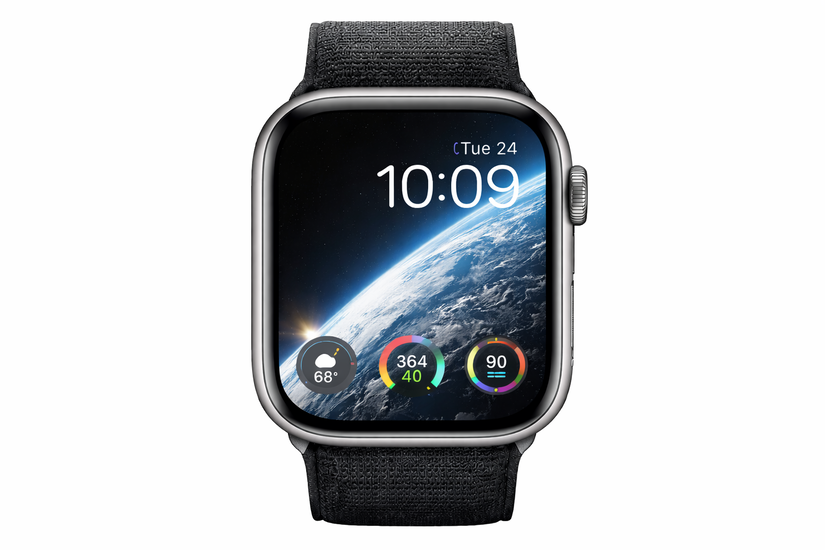
This official 4K ISS image shows Earth curvature with strong contrast. The planet edge creates natural framing for the time display. It feels especially fitting on the Apple Watch Ultra.
11) Abstract fluid ink motion
This ink-in-water shot uses slow-motion 4K capture for sharp swirls. The organic shapes survive circular cropping cleanly. Bright complications stand out clearly against the dark background.
12) Geometric light lines

This digitally rendered 4K wallpaper uses precise vector-based light streaks. Lines guide the eye toward the center without clutter. It complements modern digital watch faces.
Best wallpapers for each Apple Watch face type
Portrait face wallpapers
Portrait-style wallpapers need strong subject separation. Images with clear foreground placement prevent time overlays from blocking key details. High-resolution sources allow fine depth effects without artifacts.
Modular and Infograph faces
These faces demand negative space for complications. Textured or gradient wallpapers work best here. Busy images reduce glance readability during daily use.
California, Solar, and Utility faces
Analog faces benefit from balanced compositions. Avoid bright focal points near the center. High-contrast edges help hands remain visible.
How to apply 4K wallpapers to Apple Watch correctly
Setting wallpapers via iPhone Photos
Save the original 4K file to Photos before syncing. Avoid screenshots or compressed downloads. Sync directly through the Watch app to preserve quality.
Cropping and positioning tips
Crop with the watch face preview visible. Leave extra space near edges for circular faces. Test multiple crops before finalizing.
Common mistakes that ruin Apple Watch wallpaper quality
Using phone-optimized wallpapers
Phone wallpapers often stretch poorly on Watch screens. This is because the iPhone wallpaper size and aspect ratio mismatch cause blur or awkward crops. Always start with oversized sources.
Overcrowded designs and poor contrast
Busy images hide complications. Low contrast reduces readability outdoors. Simpler designs perform better in real use.
Tips for choosing the right wallpaper for your Apple Watch
- Prioritize contrast over detail
- Leave room for complications
- Match brightness to daily lighting conditions
FAQs about 4K Apple Watch wallpapers
Does Apple Watch really support 4K wallpapers?
The watch downsamples images, but higher-resolution sources preserve sharpness after cropping.
Do dark wallpapers improve battery life?
Yes, OLED displays consume less power when showing true black pixels.
Why do some wallpapers look blurry after syncing?
Compression or low-resolution sources usually cause this issue.
Which Apple Watch models benefit most from high-resolution images?
Series 7 and newer models show the biggest improvement due to larger displays.
Summary
- True 4K sources ensure clean crops and sharp results.
- Different watch faces require different wallpaper styles.
- Dark wallpapers improve readability and battery efficiency.
- Proper syncing prevents compression artifacts.
A well-chosen 4K wallpaper makes the Apple Watch feel more refined and easier to read. High-resolution sources combined with smart cropping deliver the best results across all watch faces. Once you find a wallpaper that balances contrast and simplicity, you rarely need to change it again.


Discussion (1)
Where’s the download links for the wallpapers? so useless.