



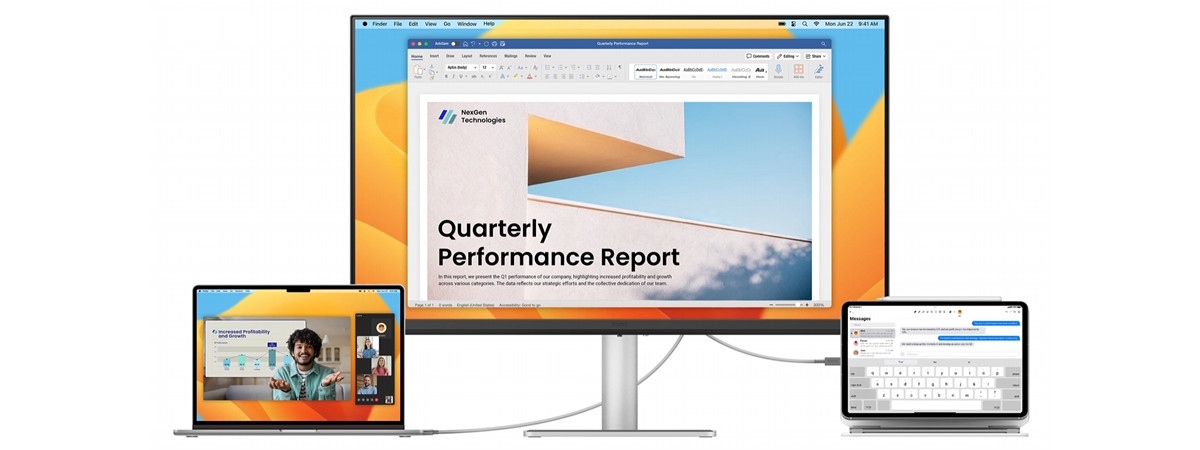
If you spend most of your day in front of a screen, working from home, coding, or handling productivity tasks, the BenQ MA270U could be a good fit, especially if you’re on a Mac. BenQ designed this monitor to integrate tightly with macOS, offering features like M‑book mode, keyboard-based brightness and volume control, and color matching with Apple’s displays. That said, Windows and Linux users can also benefit from its productivity capabilities. With a high 4K resolution and excellent ergonomics, this is an elegant and capable monitor built for real work. Read this review to learn more:

 The box of the BenQ MA270U is rather basic on the outside
Inside, everything is securely packed and protected. You’ll find the monitor, metal stand and base, power cable, HDMI cable, a quick start guide, and some warranty documents. Assembly is tool-free and quick: connect the stand to the base and attach it to the monitor.
The box of the BenQ MA270U is rather basic on the outside
Inside, everything is securely packed and protected. You’ll find the monitor, metal stand and base, power cable, HDMI cable, a quick start guide, and some warranty documents. Assembly is tool-free and quick: connect the stand to the base and attach it to the monitor.

 Inside, everything is packed neatly; assembly is easy and tool-free
Unboxing the MA270U monitor is a pleasant experience. While the packaging is rather basic in terms of looks and materials used, the build quality of the actual monitor feels premium, with a smooth surface and solid materials. In short, although the whole unboxing part isn’t extravagant at all, it gives you the proper “built to work” vibe.
Inside, everything is packed neatly; assembly is easy and tool-free
Unboxing the MA270U monitor is a pleasant experience. While the packaging is rather basic in terms of looks and materials used, the build quality of the actual monitor feels premium, with a smooth surface and solid materials. In short, although the whole unboxing part isn’t extravagant at all, it gives you the proper “built to work” vibe.

 The BenQ MA270U uses an IPS 4K panel
The panel supports HDR10 and is VESA DisplayHDR 400 certified, with a typical brightness of 400 nits and a native contrast ratio of 1200:1. Colors look vibrant and rich, covering 95% of the DCI-P3 color space and 99% of sRGB. Viewing angles are wide at 178° both vertically and horizontally, and the matte finish makes it usable even in bright rooms.
The BenQ MA270U uses an IPS 4K panel
The panel supports HDR10 and is VESA DisplayHDR 400 certified, with a typical brightness of 400 nits and a native contrast ratio of 1200:1. Colors look vibrant and rich, covering 95% of the DCI-P3 color space and 99% of sRGB. Viewing angles are wide at 178° both vertically and horizontally, and the matte finish makes it usable even in bright rooms.
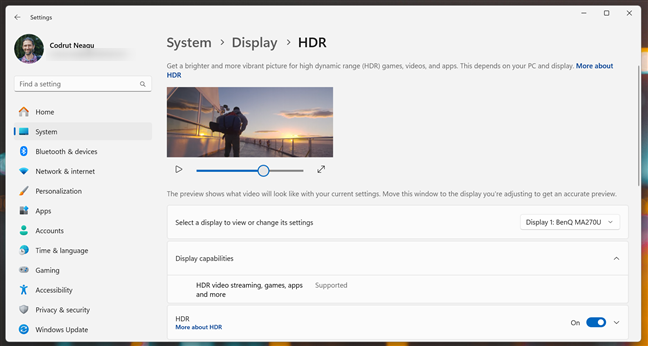
 This monitor comes with HDR support
Ergonomics are excellent: the stand supports height adjustment up to 115 mm, tilt from -5° to 20°, swivel ±15°, and pivot 90° for portrait use. The monitor is also VESA mount compatible (100 x 100 mm), so you can mount it on an arm or wall bracket.
This monitor comes with HDR support
Ergonomics are excellent: the stand supports height adjustment up to 115 mm, tilt from -5° to 20°, swivel ±15°, and pivot 90° for portrait use. The monitor is also VESA mount compatible (100 x 100 mm), so you can mount it on an arm or wall bracket.
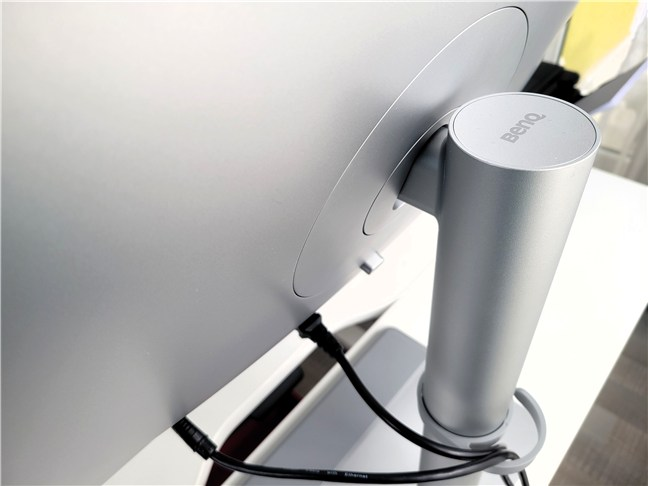 It can swivel, tilt, and pivot
On the back, connectivity is generous. You get one USB-C upstream (DP Alt Mode, 90W Power Delivery, data transfer), one USB-C downstream (15W), two USB-A 3.2 Gen 1, two HDMI 2.0, one DisplayPort 1.4, and one headphone jack. All these make it a capable docking solution for MacBooks and other USB-C laptops. The single-cable setup charges your laptop, outputs video, and connects peripherals.
It can swivel, tilt, and pivot
On the back, connectivity is generous. You get one USB-C upstream (DP Alt Mode, 90W Power Delivery, data transfer), one USB-C downstream (15W), two USB-A 3.2 Gen 1, two HDMI 2.0, one DisplayPort 1.4, and one headphone jack. All these make it a capable docking solution for MacBooks and other USB-C laptops. The single-cable setup charges your laptop, outputs video, and connects peripherals.
 The ports on the back of the monitor
Two 3W speakers are built in. They’re fine for calls or light media, but you’ll want external speakers or headphones for music or creative work.
BenQ’s eye-care technology is also fully integrated: Brightness Intelligence Gen2 adapts to your environment, Low Blue Light Plus helps reduce eye strain without overly distorting color, and the screen is flicker-free. There’s also an ePaper mode and Color Weakness mode for additional accessibility. The former adjusts the screen’s contrast, brightness and color tone to mimic the look of real paper, and feels easier on the eyes when reading documents or ebooks. The latter, Color Weakness, changes the monitor’s colors to make them more easy to distinguish by people who have certain color deficiencies (color blindness).
If you’d like to see more details about the features and specifications of this monitor, check out its official webpage: BenQ MA270U.
Overall, if I look at it like a productivity monitor, I can say that I like the design of the BenQ MA270U and I appreciate its specs and generous connectivity. It seems like a solid option for modern work setups involving a Mac. It may prove a decent choice for a Windows or Linux device, too, although some features can’t be accessed on these operating systems.
The ports on the back of the monitor
Two 3W speakers are built in. They’re fine for calls or light media, but you’ll want external speakers or headphones for music or creative work.
BenQ’s eye-care technology is also fully integrated: Brightness Intelligence Gen2 adapts to your environment, Low Blue Light Plus helps reduce eye strain without overly distorting color, and the screen is flicker-free. There’s also an ePaper mode and Color Weakness mode for additional accessibility. The former adjusts the screen’s contrast, brightness and color tone to mimic the look of real paper, and feels easier on the eyes when reading documents or ebooks. The latter, Color Weakness, changes the monitor’s colors to make them more easy to distinguish by people who have certain color deficiencies (color blindness).
If you’d like to see more details about the features and specifications of this monitor, check out its official webpage: BenQ MA270U.
Overall, if I look at it like a productivity monitor, I can say that I like the design of the BenQ MA270U and I appreciate its specs and generous connectivity. It seems like a solid option for modern work setups involving a Mac. It may prove a decent choice for a Windows or Linux device, too, although some features can’t be accessed on these operating systems.
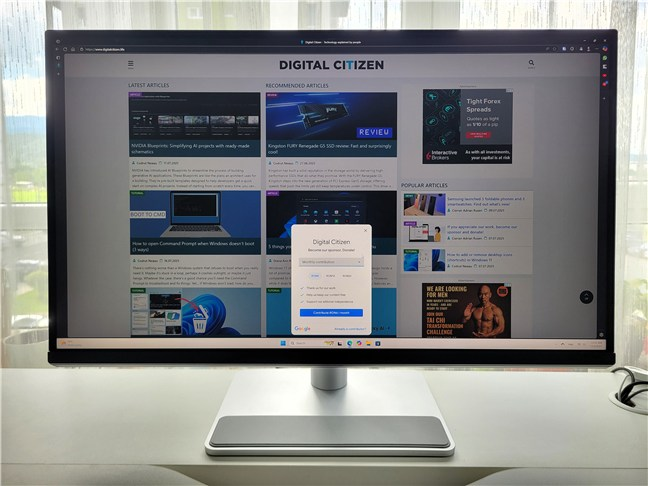 Using the monitor for productivity is great even on Windows
Colors looked vivid and well-balanced, and the wide viewing angles meant I didn’t have to stay perfectly centered. That said, out of the box, the color profile is clearly tuned for macOS, so creatives using Windows might find the color accuracy just a bit off. For general office work, web use, or casual photo editing, it’s perfectly fine.
One of the things that can prove very useful on this monitor is its main USB-C connection. On my Windows laptop, I was able to charge the device (up to 90W) and connect peripherals using just a single cable. Unfortunately, my laptop doesn’t support video output over USB-C, so I had to fall back on HDMI for the display signal. If your device does support full USB-C DisplayPort Alt Mode, this monitor can simplify your setup: power, video, and data all through one port. The USB-A ports on the back are useful for accessories, though they’re limited to Gen 1 speeds.
Using the monitor for productivity is great even on Windows
Colors looked vivid and well-balanced, and the wide viewing angles meant I didn’t have to stay perfectly centered. That said, out of the box, the color profile is clearly tuned for macOS, so creatives using Windows might find the color accuracy just a bit off. For general office work, web use, or casual photo editing, it’s perfectly fine.
One of the things that can prove very useful on this monitor is its main USB-C connection. On my Windows laptop, I was able to charge the device (up to 90W) and connect peripherals using just a single cable. Unfortunately, my laptop doesn’t support video output over USB-C, so I had to fall back on HDMI for the display signal. If your device does support full USB-C DisplayPort Alt Mode, this monitor can simplify your setup: power, video, and data all through one port. The USB-A ports on the back are useful for accessories, though they’re limited to Gen 1 speeds.

 The BenQ MA270U paired with a Windows laptop
The stand works well, offering full ergonomic adjustment, including portrait mode. I found that especially helpful for reading documents or long web pages. The matte screen finish kept reflections under control in my brightly lit room.
The BenQ MA270U paired with a Windows laptop
The stand works well, offering full ergonomic adjustment, including portrait mode. I found that especially helpful for reading documents or long web pages. The matte screen finish kept reflections under control in my brightly lit room.
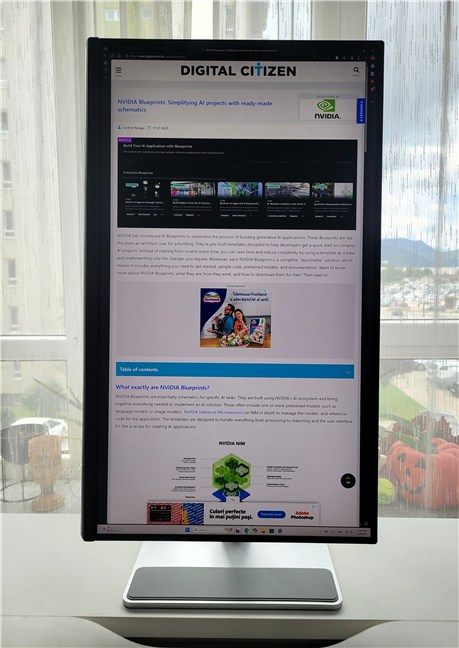
 Reading an article on the BenQ MA270U in portrait mode
As for what doesn’t impress me: the 60 Hz refresh rate is fine for productivity, but it’s insufficient for gamers and other types of users. The speakers are also basic: they’ll get you through a Teams call, and they’re okay for listening to music while working, but don’t expect much beyond that.
Reading an article on the BenQ MA270U in portrait mode
As for what doesn’t impress me: the 60 Hz refresh rate is fine for productivity, but it’s insufficient for gamers and other types of users. The speakers are also basic: they’ll get you through a Teams call, and they’re okay for listening to music while working, but don’t expect much beyond that.
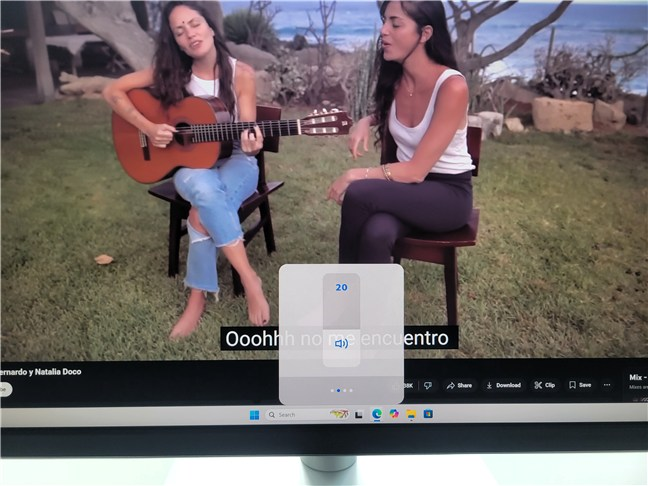 The built-in speakers are okay for daily activities but nothing more
Overall, even without the Mac-specific features, the MA270U performs well, even on Windows. It’s a clean, sharp, and versatile 4K monitor that works great in a work-from-home or office setup.
The built-in speakers are okay for daily activities but nothing more
Overall, even without the Mac-specific features, the MA270U performs well, even on Windows. It’s a clean, sharp, and versatile 4K monitor that works great in a work-from-home or office setup.
BenQ MA270U: Who is it good for?
This monitor hits the sweet spot for:- Mac users on the search for good integration and color tuning
- Professionals and remote workers who need sharp text clarity
- Anyone who appreciates eye-care features and works for long hours
Pros and cons
These are some of the best things about the BenQ MA270U:
- 27-inch 4K screen offers crisp, detailed image quality
- You can charge your laptop, send video to a monitor, and connect accessories all through a single USB-C cable
- M-book mode for MacBook color matching
- Brightness and volume control via Mac keyboard
- Vivid colors and HDR make visuals more lifelike in movies, photos, and graphic design software
- Matte (anti-reflection) coating and ergonomic stand
- Eye-care features to decrease harmful effects like blue light and flicker
- The built-in 3W stereo speakers are average at best
- A 60 Hz refresh rate won’t satisfy some users
- Not calibrated for color-critical design work on Windows
Verdict
The BenQ MA270U is purpose-built for Mac users who need a reliable monitor that helps them work productively. Its 4K resolution, macOS integration, ergonomic flexibility, and useful eye-care features make it ideal for long working hours. If you’re a Mac user looking for a clean, color-matched screen with a simple USB-C setup, the BenQ MA270U is a smart pick. Windows users can still enjoy much of what it offers, though they will miss out on the Mac-specific enhancements.Unboxing the BenQ MA270U
The MA270U arrives in a sturdy cardboard box. It looks rather basic and eco-friendly rather than premium, but that’s not a bad thing at all. What’s important is that the packaging is robust and can withstand even the most brutal couriers out there. 🙂Design and hardware specifications
The design of the BenQ MA270U is simple, modern, and clean. Its matte black and gray finish, as well as the slim bezels keep attention on the screen. It uses a 27-inch IPS panel with a native 3840 x 2160 resolution at a 60 Hz refresh rate, which results in sharp text and clear image scaling. These aspects should make it a good choice for both macOS and Windows devices.Using the BenQ MA270U with a Windows PC
While the MA270U is clearly tuned for Mac users, I tested it with a Windows PC to see how it holds up for those of us not living in the Apple ecosystem. And the short answer is: it’s still a great productivity monitor, though you won’t get the Mac-specific perks like brightness controls through your keyboard or M-book mode for perfect color matching. The 4K resolution on a 27-inch panel looks just as sharp on Windows. Text is crisp, user interface elements are well-scaled, and the pixel density makes everything easy to read without adjusting scaling settings. I worked in Microsoft Word, I used Excel spreadsheets, and I browsed the web with no visual issues of any kind.
Discussion (1)
Nice review. Just purchased this one but need a vesa mount for it with our folding desk. Been scratching my head trying to to figure out how it can work with VESA. The circular back attachment is just so different and the one that comes with the stand does not come apart for that use.