



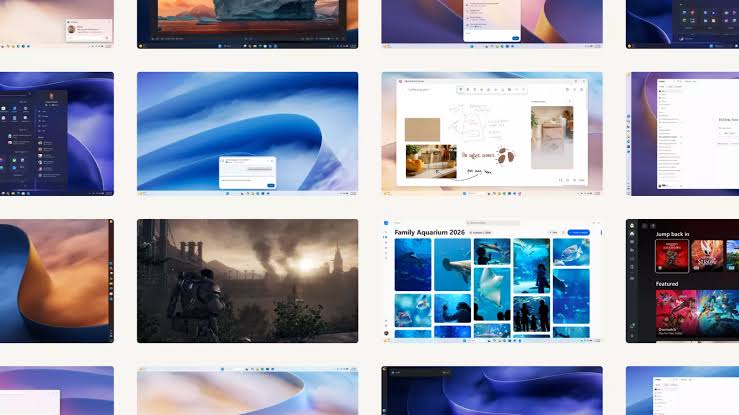
Microsoft says Windows 11 is now up to 20% more responsive after a series of performance and memory management improvements, with the company placing particular emphasis on PCs equipped with only 8GB of RAM.
The changes are designed to reduce unnecessary background memory usage and keep more active data in faster system memory instead of pushing it to slower storage through the page file.
Microsoft says the improvements should be noticeable across several parts of Windows, including Start, File Explorer, Search, Snipping Tool, Microsoft 365 and Edge.
Microsoft Targets Better Performance on 8GB Systems
The most important part of the update is a renewed focus on lower memory PCs.
Microsoft says its latest memory management changes can keep up to 2GB more active data in RAM instead of moving it to slower storage.
That should help Windows remain responsive when you have several applications or browser tabs open, especially on systems where available memory is limited.
| Windows 11 improvement | Claimed benefit |
|---|---|
| Overall responsiveness | Up to 20% faster |
| Extra active data kept in memory | Up to 2GB |
| Widget memory savings | More than 200MB |
| Main target | PCs with 8GB RAM |
| Areas affected | Start, Search, File Explorer, Edge, Microsoft 365 and more |
| Initial availability | Windows Insiders |
| Wider rollout | Later in 2026 |
The company says these changes are part of a broader effort to use memory and system resources more intelligently.
Widgets Will No Longer Consume as Much Memory in the Background
Microsoft is also changing the way Widgets behave on systems with 8GB of RAM or less.
Instead of remaining active and consuming memory in the background, Widgets will now load only when you open them.
Microsoft says this can free more than 200MB of RAM for applications and other tasks.
That is significant on lower memory systems, where a few hundred megabytes can make a noticeable difference when multiple programs are running at the same time.
The change also addresses criticism around Windows components consuming resources even when they are not actively being used.
Windows Should Feel Faster From Boot
Microsoft says the responsiveness improvements should be noticeable as soon as the PC starts.
The company specifically mentions improvements to the Windows shell and several common applications and interfaces.
These include Start, File Explorer, Search, Snipping Tool, Microsoft 365 and Edge.
The goal is not only to improve benchmark performance, but to reduce the small pauses and delays that can make a PC feel slow during everyday use.
That includes opening menus, launching apps, switching between windows and working with files.
Earlier Memory Improvements Did Not Help Lower RAM PCs Enough
Windows 11 26H2 had already introduced some memory related optimizations, but earlier reports suggested that much of the benefit was more visible on systems with 32GB of RAM or more.
That limited the practical value for people using affordable laptops and desktops with 8GB configurations.

The latest changes appear to address that problem more directly.
Microsoft now says low memory systems are an explicit focus, which is important at a time when memory prices and broader component costs remain a concern.
For many buyers, especially in entry level laptops, 8GB of RAM is still common.
Improvements Are Rolling Out Through Windows Insider First
The new performance changes are not yet available to every Windows 11 PC.
Microsoft says Windows Insiders will see the improvements first, with wider availability expected later in 2026.
The company has not provided an exact public release date.
As usual, the final experience may also vary depending on hardware, drivers, background software and the specific workload.
Still, Microsoft's focus on reducing background memory usage and keeping active data in RAM should be particularly useful for systems that do not have large memory capacities.
If the company's 20% responsiveness claim holds up in everyday use, the update could make Windows 11 feel noticeably smoother on entry level PCs that have traditionally struggled with limited RAM.

Discussion (0)
Be the first to comment.