



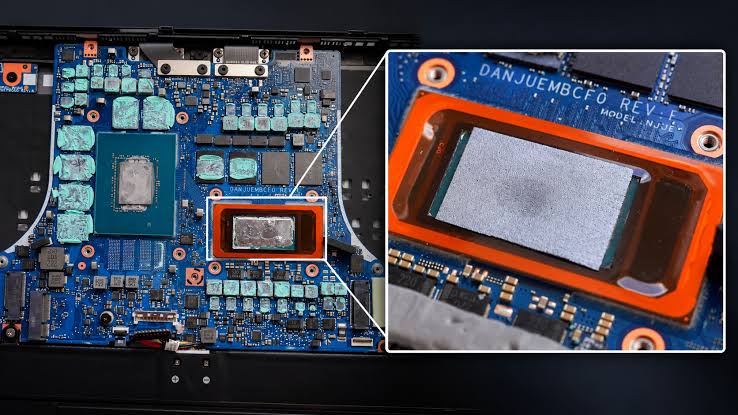
A laptop owner has reported a major performance improvement after replacing the factory liquid metal cooling material on an Intel Core Ultra 9 285H with a graphene thermal sheet.
Before the modification, the processor was reportedly reaching 105°C and thermal throttling even while consuming only around 35W. After the cooling material was replaced, the CPU was able to sustain roughly 85W under load and produced a Cinebench 2026 score nearly 35% higher than before.
The results come from an individual community experiment rather than controlled independent testing, so they should not be treated as representative of every Core Ultra 9 285H laptop.
CPU Was Hitting 105°C Before the Modification
The owner said the Core Ultra 9 285H was repeatedly reaching 105°C with its original liquid metal thermal interface.
At that temperature, the processor reduced its performance to stay within thermal limits.
In Cinebench 2026, the system initially scored 3,431 points while reportedly throttling at around 35W.
| Measurement | Before modification | After modification |
|---|---|---|
| Thermal interface | Liquid metal | Graphene sheet |
| Peak reported temperature | 105°C | Below 100°C |
| Average temperature change | Baseline | About 10°C lower |
| CPU power under load | Around 35W while throttling | Around 85W |
| Cinebench 2026 score | 3,431 | 4,634 |
| Performance improvement | Baseline | Nearly 35% |
The low sustained power despite the high temperature suggested that heat was not being transferred effectively from the processor into the cooling system.
Graphene Sheet Replaced the Factory Liquid Metal
The owner removed the existing liquid metal and replaced it with a graphene thermal sheet.
A 25mm by 25mm piece was cut to cover the processor surface.
Thermal putty was also applied to several nearby components as part of the servicing process, and dust was cleaned from the laptop before reassembly.
Graphene is thermally conductive but differs from liquid metal because it remains a solid sheet.
That means it cannot flow away from the processor surface or spill onto surrounding components.
Liquid metal can provide excellent thermal conductivity when applied correctly, but because it is electrically conductive, accidental leakage can potentially damage nearby electronics.
Cinebench Score Rose From 3,431 to 4,634
After the modification, the Core Ultra 9 285H reportedly stopped reaching the previous 105°C limit.
The owner said the CPU remained below 100°C, while the average temperature decreased by approximately 10°C.
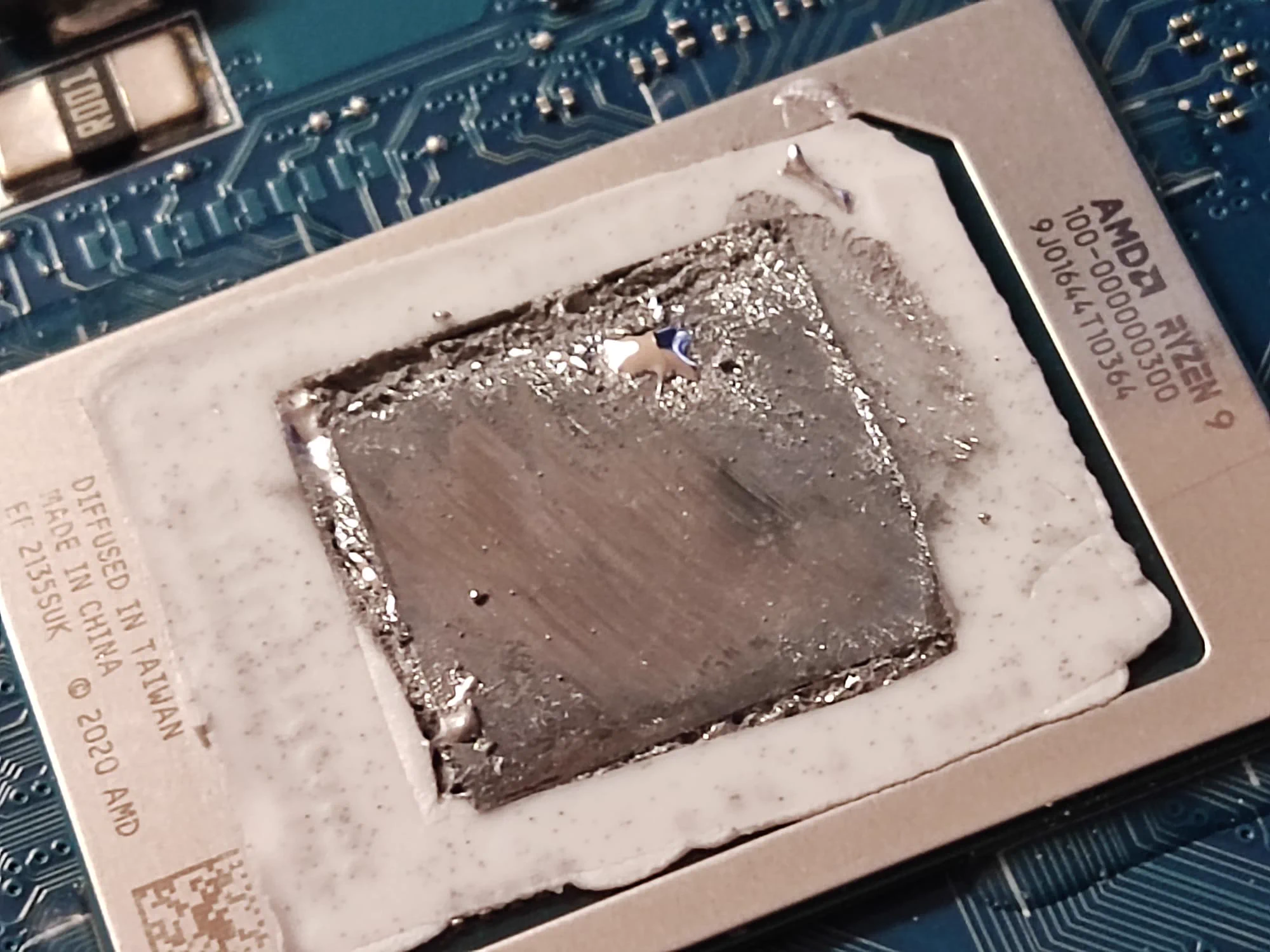
More importantly, the processor was reportedly able to sustain about 85W under load without the same degree of thermal throttling.
Cinebench 2026 performance increased from 3,431 points to 4,634 points.
That works out to an improvement of roughly 35%.
The performance increase appears to have come largely from allowing the processor to maintain substantially higher power and clock speeds rather than from the graphene material directly making the CPU faster.
The Result Does Not Mean Graphene Always Beats Liquid Metal
The experiment should not be interpreted as proof that graphene sheets are universally superior to liquid metal.
A properly applied liquid metal interface can provide very strong thermal performance.
The unusually poor results before the modification could have been influenced by the original application, uneven contact pressure, aging material, thermal pad placement, dust or other characteristics of the laptop's cooling assembly.
The user also changed more than one variable by applying thermal putty and cleaning the system during the process.
That makes it difficult to determine exactly how much of the improvement came from the graphene sheet alone.
Replacing Laptop Thermal Material Carries Risks
Opening a laptop and replacing its thermal interface is considerably more complicated than servicing many desktop CPUs.
Liquid metal requires particular care because it can damage components if it spreads onto the motherboard.
Graphene sheets avoid the problem of liquid material moving around, but the laptop still needs correct mounting pressure and proper contact between the processor and heatsink.
Disassembly can also affect warranty coverage depending on the manufacturer and region.
The reported experiment nevertheless shows how severely an ineffective thermal interface can restrict a high performance mobile processor.
In this particular system, removing the original liquid metal setup and switching to a graphene sheet coincided with a roughly 10°C reduction in average CPU temperature, a much higher sustained power level and a Cinebench 2026 performance gain of nearly 35%.


Discussion (0)
Be the first to comment.