




Microsoft has released an emergency out-of-band update for Windows 11 to fix serious issues affecting shutdown and sign-in behavior.
The out of band updates are titled "KB5077744" & "KB5077797", are available now via Windows Update and is rolling out to everybody. Once they are installed, your PC should go back to being able to shut down successfully, and signing-in via Remote Desktop should work again.
This isn’t a routine patch. Out-of-band updates are only released when something breaks in a way that disrupts normal system use. In this case, the problems were significant enough that waiting for the next scheduled update wasn’t an option.
What Went Wrong
The issue came from a recent update that introduced unexpected bugs into core system functions.
Some users experienced:
- PCs failing to shut down properly
- Systems hanging or freezing during shutdown
- Sign-in problems, including delays or failed logins
These aren’t minor inconveniences. They affect basic usability, which is why Microsoft moved quickly to address them.
What the Emergency Update Fixes
The out-of-band update focuses on stabilizing these core functions.
It addresses:
- Shutdown failures and system hangs
- Sign-in reliability issues
- Related system stability problems
The goal is simple. Restore normal behavior without waiting for the next monthly patch cycle.
What “Out-of-Band Update” Actually Means
Out-of-band updates are released outside Microsoft’s regular update schedule.
They’re typically used when:
- A widespread bug affects critical functionality
- A security issue needs immediate attention
- A previous update caused unintended problems
In this case, it’s clearly about fixing a broken experience rather than adding new features.
How to Get the Update
The update isn’t always pushed automatically right away.
To install it:
Go to Settings > Windows Update
Click Check for updates
Install any available updates
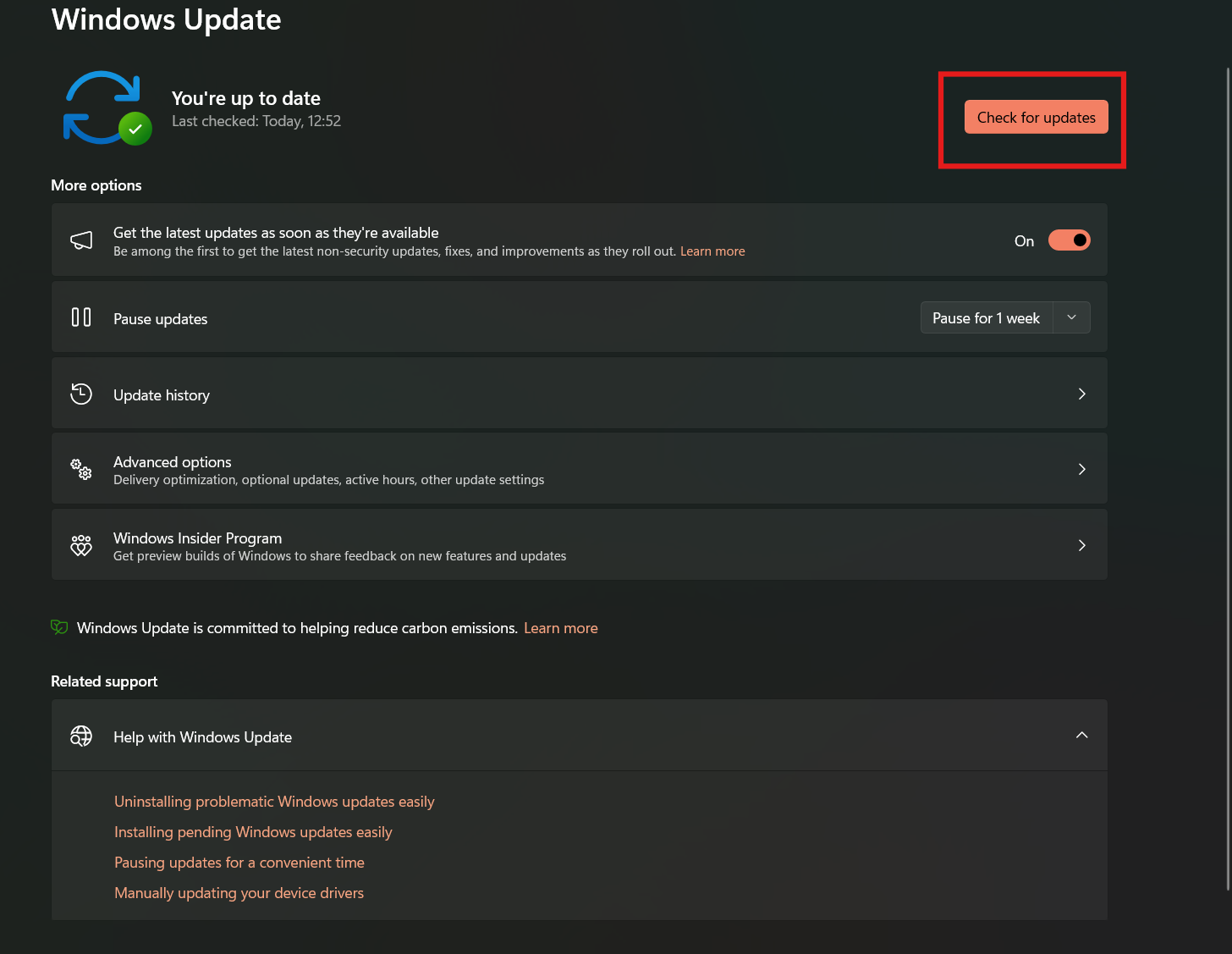
If the patch is available for your system, it should appear there.
In some cases, it may roll out gradually, so not everyone will see it immediately.
Real-World Impact: Should You Install It?
If you’ve experienced shutdown or sign-in issues, installing this update is important.
It directly addresses those problems and restores normal system behavior.
If your system has been working fine, it’s still worth installing. These fixes target underlying issues that could affect stability over time.
Why This Happens More Often Than You Think
Windows updates are complex.
They interact with a wide range of hardware, drivers, and configurations. Even well-tested updates can cause unexpected issues once deployed at scale.
Emergency patches like this are part of how Microsoft manages that complexity.
It’s not ideal, but it’s also not unusual.
Limitations You Should Know
While the update fixes major issues, it may not resolve every edge case.
Some users with specific configurations could still experience minor problems.
Also, like any update, it carries a small risk of introducing new issues, though that’s less likely with targeted fixes like this.
The Bigger Picture
This situation highlights a broader pattern.
Microsoft is releasing updates faster, but that also increases the chances of issues slipping through.
Out-of-band updates are becoming more common as a way to respond quickly when something goes wrong.
It’s a trade-off between speed and stability.
Final Thoughts
The Windows 11 emergency update is a necessary fix for problems that should never have reached users in the first place.
But once they did, Microsoft responded quickly, which matters just as much.
If you’ve been affected, installing the update should resolve the issue.
If you haven’t, it’s still worth keeping your system updated to avoid potential problems.
FAQs
What is an out-of-band update?
It’s an update released outside the regular schedule to fix urgent issues.
What problems did this update fix?
Shutdown failures, system hangs, and sign-in issues.
Do I need to install it?
Yes, especially if you’re experiencing related problems.
Why didn’t Microsoft wait for the next update?
Because the issues affected core system functionality.
Will this update introduce new issues?
It’s unlikely, but no update is completely risk-free.


Discussion (0)
Be the first to comment.