



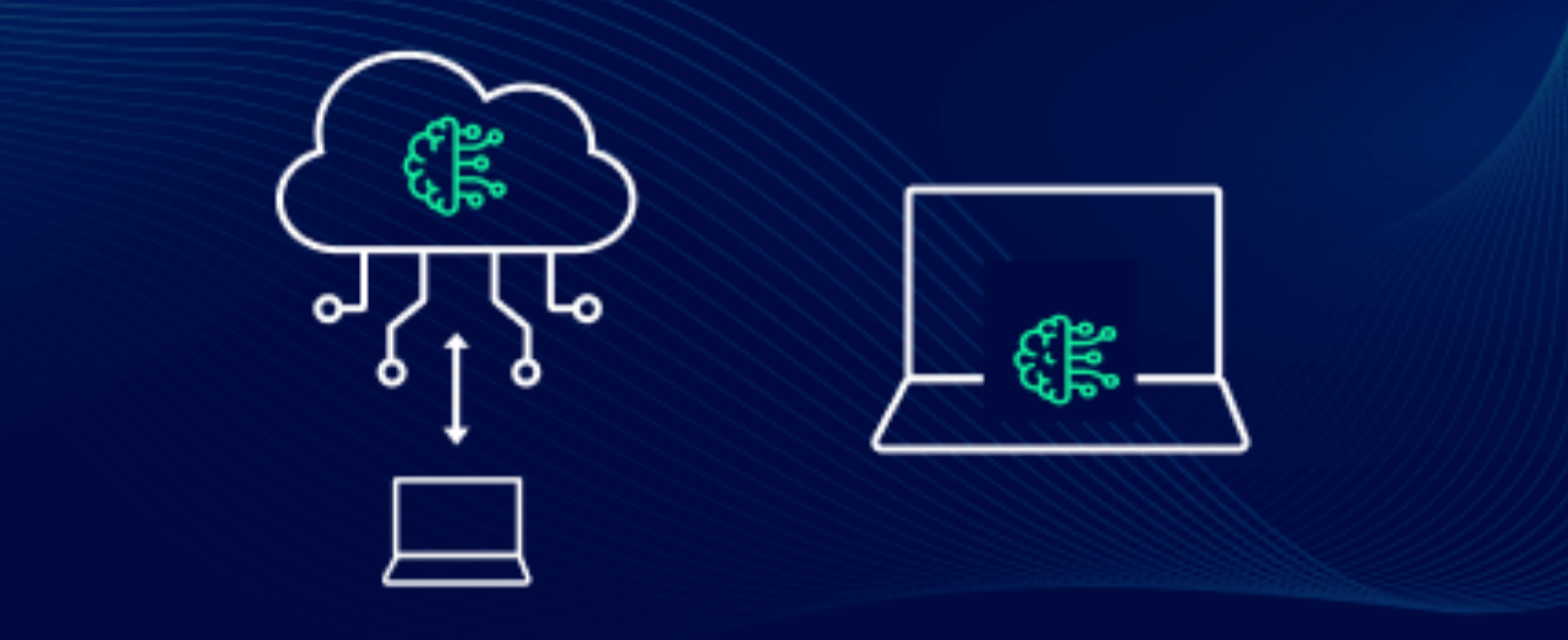
If you have bought a laptop recently or looked at PC specs in the past year, you have probably noticed something new in the processor description. Terms like NPU, AI PC, Copilot Plus, and TOPS appear in marketing materials alongside the usual CPU and GPU details. The pitch is that these new computers run AI directly on the device rather than sending your data to the cloud.
It sounds compelling. The reality is more nuanced. On-device AI is genuinely useful for specific tasks and genuinely limited for others. Understanding the difference helps you know what you are actually getting when you buy an AI PC, and when ChatGPT or any other cloud AI tool will still be the better choice.
What On-Device AI Actually Means
When you use ChatGPT, Claude, or any browser-based AI tool, nothing happens on your computer. You type a prompt, it travels over the internet to a data centre, a server processes it using large, powerful models, and the response travels back. Your laptop is just a screen for the interaction. The AI runs somewhere else entirely.
On-device AI reverses this. The AI model runs on your computer's own hardware. No internet connection required. No data sent to a server. The result arrives in milliseconds because nothing left the device.
This is made possible by a new type of processor chip called a Neural Processing Unit, or NPU. It sits alongside the CPU and GPU inside modern processors and is specifically designed to run AI inference tasks efficiently. Where a CPU handles general computation and a GPU handles parallel graphics and rendering work, an NPU is optimised for the specific mathematical operations that AI models require.
Microsoft introduced the Copilot Plus PC designation in 2024 to define a minimum standard for AI PCs. Any device carrying this label has an NPU capable of at least 40 TOPS, which stands for Trillion Operations Per Second. This threshold determines which AI features Windows 11 can run locally on that device. Qualcomm's Snapdragon X series, Intel's Core Ultra series, and AMD's Ryzen AI series all meet this standard. By 2026, the majority of new mainstream laptops ship with a certified NPU.
What the NPU Actually Does Well
The key to understanding on-device AI is matching the right task to the right tool. NPUs excel at specific, well-defined AI tasks that run continuously or need to respond instantly.
Background noise cancellation is one of the clearest examples. When you are on a video call and the NPU is processing audio in real time, filtering out keyboard sounds, background chatter, and ambient noise without any perceptible delay, that is exactly the kind of task an NPU handles better than cloud processing. Sending audio to a cloud server for processing would introduce enough latency to make the conversation awkward. The NPU does it locally in under a millisecond.
Live captions and real-time translation work the same way. Windows 11 on Copilot Plus devices can display live captions for any audio playing on the computer, including video calls, streaming content, and locally played files, all processed on the device without sending audio anywhere. The same feature translates from over forty languages into English in real time. This works offline and without any cloud dependency.
Cocreator in Paint and Restyle in Photos generate or modify images locally using the NPU. Describe a style change for a photo and it applies within seconds on the device. This differs from cloud image generation tools because nothing leaves the computer and the response is near-instant.
Windows Studio Effects, which include background blur, eye contact correction, and portrait lighting adjustment for your webcam, all run on the NPU continuously during video calls. These features are always-on and require sub-millisecond processing that cloud services could never provide.
Microsoft Recall, which remains controversial for privacy reasons, indexes everything you see on your screen to make it searchable later. When it runs on the NPU locally, at least the processing stays on your device rather than being sent to a server, which partially addresses the privacy concern inherent in the feature's premise.
Where On-Device AI Falls Short
The NPU in a consumer laptop is capable but not unlimited. Understanding its ceiling prevents disappointment.
The core constraint is memory bandwidth and model size. The large language models that power ChatGPT, Claude, and similar tools have billions of parameters and require enormous amounts of memory bandwidth to run quickly. A consumer laptop NPU delivering 45 to 55 TOPS sounds impressive, but cloud AI servers run hundreds of times faster and with far more memory available. Independent benchmarks published in early 2026 show that sustained NPU inference on models exceeding three billion parameters rarely exceeds 15 tokens per second on flagship mobile processors. Cloud services deliver 60 to 80 tokens per second on equivalent models.
This gap explains why on-device AI for open-ended conversation, complex writing assistance, code generation, and deep research is genuinely inferior to cloud AI in 2026. Smaller, optimised models running locally can handle basic tasks, but for anything requiring nuanced reasoning, broad knowledge, or complex multi-step responses, a cloud AI tool is significantly more capable.
The software fragmentation problem is also real. Qualcomm, Intel, and AMD each have different software stacks for their NPUs. A model optimised for one does not run on another without significant re-engineering. This limits the range of applications that support NPU acceleration, meaning much of the NPU's potential sits unused by software that was not written to take advantage of it.
When On-Device AI Is Better Than Cloud AI
The distinction comes down to four scenarios where local processing has structural advantages that cloud AI cannot match.
When You Need Instant Response
Cloud AI adds network round-trip time to every request. Even on a fast connection this is typically 100 to 500 milliseconds. For features that need to respond in real time, this latency is unacceptable. Background noise cancellation, live captioning, camera effects, and real-time translation all fall into this category. On-device processing responds in under ten milliseconds. Cloud processing cannot compete for these use cases regardless of how powerful the cloud servers are.
When You Are Offline
Cloud AI stops working without an internet connection. On-device AI does not care. Live captions work on a plane. Local image editing works in a location with no signal. Voice transcription works in a building with poor reception. For users who regularly work without reliable internet access, on-device features remain available where cloud features do not.
When Privacy Is the Priority
Sending data to a cloud server means that data travels over the internet, sits on a server, and is subject to the policies and security of the service provider. On-device processing means your data never leaves the device. For sensitive documents, private conversations, medical information, or confidential business content, processing locally provides a privacy guarantee that cloud services architecturally cannot offer.
This is not a marketing claim. It is a consequence of the architecture. Data processed locally never touches a server, which means it cannot be breached at a server level, cannot be subject to a legal request against a cloud provider, and does not contribute to training data unless you explicitly opt in.
When You Want No Ongoing Cost
Cloud AI features come with usage costs, either through a subscription like Microsoft 365 Copilot or through per-request charges. Once an on-device AI feature is built into your PC, using it costs nothing per request and does not require a subscription to continue working. For features you use frequently, the economics of local processing are compelling over time.
When Cloud AI Is Still the Better Choice
On-device AI's limitations make cloud tools the right answer for the tasks that most people associate with AI.
For open-ended conversation and reasoning, cloud AI is significantly more capable. The models running locally on a laptop are compressed, quantised versions of much larger models, optimised for efficiency rather than capability. If you want help writing a complex document, debugging a tricky piece of code, analysing a business problem, or researching a topic thoroughly, cloud tools like ChatGPT, Claude, or Gemini produce substantially better results.
For generating high-quality images, cloud services access models with vastly more parameters and training data than anything running locally on a consumer NPU. The gap in image quality between cloud image generation and local NPU image generation is visible and significant.
For tasks requiring up-to-date information, local AI models are frozen at their training cutoff. Cloud AI tools can access current information through web search integration. A local model cannot tell you what happened last week.
The Honest Picture for New PC Buyers
The NPU in a new laptop is a genuine and useful piece of hardware. It is not marketing fiction. The features it enables, background noise cancellation, live captions, real-time translation, local image effects, and instant processing of private data, are real and work as described.
What it is not is a replacement for cloud AI. The two serve different purposes, and the best experience in 2026 combines both. Your AI PC handles real-time, privacy-sensitive, and offline tasks locally. Cloud AI handles complex reasoning, broad knowledge retrieval, and capability-intensive generation tasks. Neither makes the other irrelevant.
When buying a new PC, the NPU specification matters if you plan to use Windows 11's Copilot Plus features. A device meeting the 40 TOPS threshold unlocks the full set. Below that threshold, some features fall back to slower CPU processing or are unavailable. Above that threshold, the difference between 45 TOPS and 55 TOPS in real daily use is marginal for most tasks.
What matters more than the TOPS number is whether the software you rely on has been updated to use the NPU. The hardware is ahead of the software ecosystem in 2026. Features will expand as developers write applications that take advantage of the dedicated AI silicon already sitting in the devices people are buying now.
Frequently Asked Questions
Do I need a Copilot Plus PC to use AI features on Windows?
No. AI features through cloud services like Microsoft Copilot, ChatGPT, and others work on any PC with an internet connection. Copilot Plus certification is specifically about which Windows 11 features run locally on the device using the NPU. If you primarily use browser-based AI tools rather than Windows-specific local features, the NPU specification matters less for your workflow.
What is the difference between an NPU and a GPU for AI tasks?
GPUs are powerful and can run AI models, but they are optimised for large parallel workloads and consume significant power. They are not designed for always-on, low-power inference. The NPU is designed specifically for running AI inference continuously at very low power consumption, which is why it is better suited for background features like noise cancellation and live captions that need to run constantly without draining battery. For large-scale AI training or running very large models, GPUs remain the appropriate tool.
Can I run ChatGPT or Claude locally on my NPU?
Not in their full form. The models powering these services have hundreds of billions of parameters and require far more memory and compute than any consumer NPU provides. Smaller, compressed versions of open-source models can run locally using tools like Ollama, but they produce noticeably less capable responses than the full cloud versions. The gap is real and significant for complex tasks.



Discussion (0)
Be the first to comment.