



Most people use Gmail without thinking much about it. It is fast, familiar, and free. But Gmail is free the same way television commercials are free. You get the content at no charge, and advertisers foot the bill by paying to reach you. Google scans your inbox, learns from it, and uses that knowledge to serve ads. You are not the customer. You are the product.
If that trade-off has ever made you uneasy, Proton Mail is worth knowing about. It is a free, encrypted email service built by scientists who decided email should not work that way. Over 100 million people now use it. This guide explains what it is, what makes it genuinely different from Gmail, and how to get started on Windows.
What Is Proton Mail?
Proton Mail is a free email service founded in Geneva, Switzerland in 2013 by scientists from CERN and MIT. It is encrypted by default, shows no ads, and cannot read your emails even if it wanted to.
It works like any other webmail. You open a browser, go to mail.proton.me, and use it. There are also apps for Android and iOS. The interface looks and feels familiar within minutes. The difference from Gmail is not in how it looks. It is in what happens behind the scenes.
The One Thing That Actually Matters
With Gmail, Google encrypts your emails in transit and stores them on their servers. That sounds reassuring until you understand what it means. Google holds the encryption keys. That means Google can decrypt and read your emails. This is how features like Smart Compose and spam filtering work, and it is why Gmail can serve you such eerily relevant ads. Google knows what is in your inbox because the system is designed to know.
With Proton Mail, your emails are encrypted on your device before they reach Proton's servers at all. Proton receives encrypted data they cannot open. They do not hold the decryption keys. You do. Even if Proton's servers were hacked tomorrow, the attacker would get encrypted data that is completely useless without your password.
This is called end-to-end encryption, and it is the core reason Proton Mail exists.
One honest caveat: email subject lines are not fully encrypted in all cases. The body and attachments of your emails are protected, but subject lines can appear in metadata. Proton is open about this limitation.
What You Get for Free
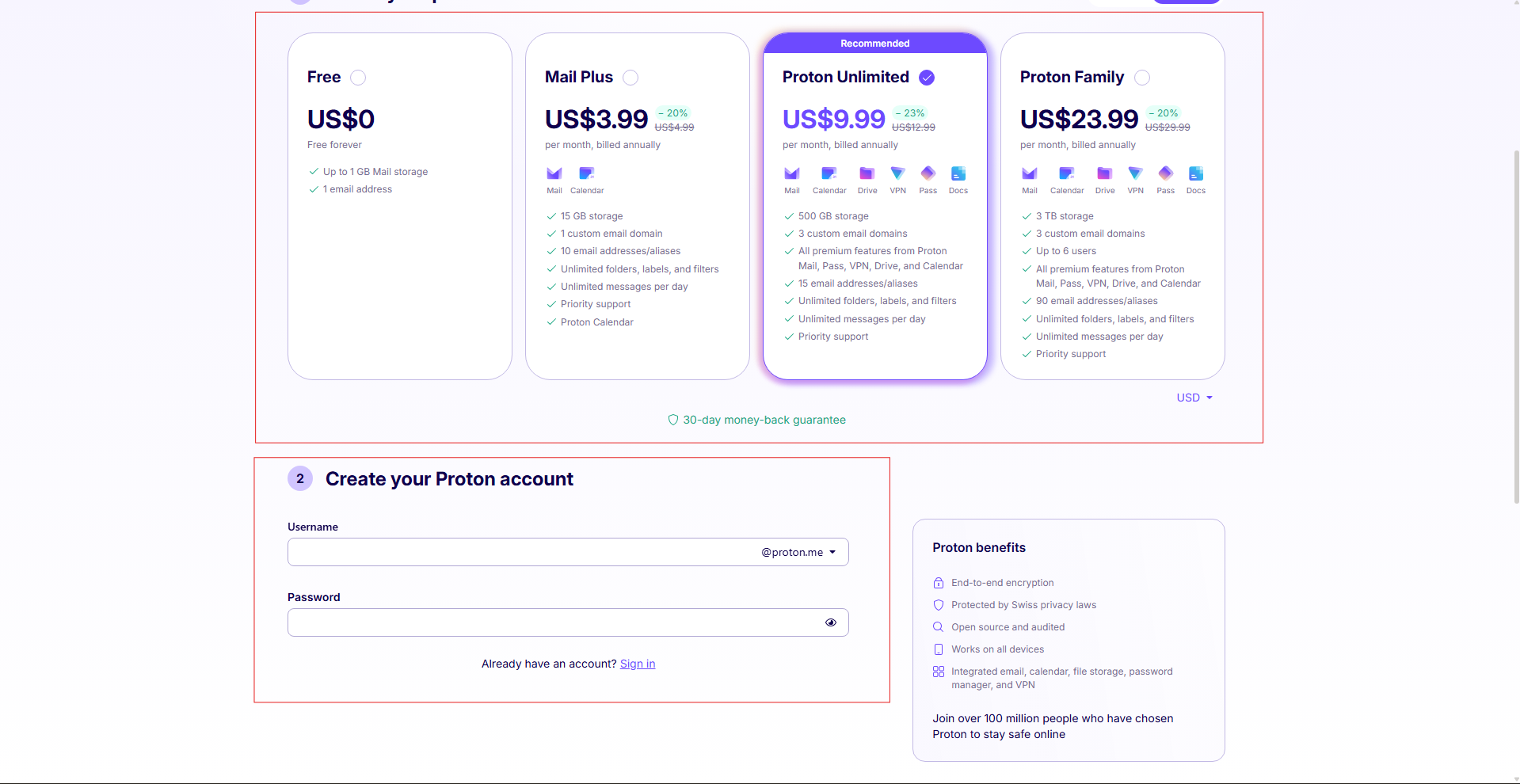
Proton Mail's free plan is genuinely usable, not a teaser designed to push you toward paying. You get a @proton.me address, 1GB of storage, and up to 150 emails per day. No ads anywhere. No credit card required. Further no phone number required to sign up either, which is a meaningful privacy detail in itself.
For a secondary email address or a gradual move away from Gmail, the free plan is more than enough to start.
Paid plans begin at around five euros per month and add more storage, custom domains, unlimited aliases, and desktop client integration. But there is no reason to pay before you have tried the free version and decided it works for you.
How to Create an Account on Windows
Go to proton.me in any browser and click Create a free account. Pick a username for your @proton.me address, set a password, and you are in. The whole process takes about two minutes. You land directly in your inbox, which will feel immediately familiar if you have ever used Gmail or Outlook.
How to Bring Your Gmail Emails With You
If you want your existing emails rather than starting fresh, Proton has a tool called Easy Switch. Find it in Settings under Import via Easy Switch. It connects securely to your Gmail account and transfers your emails, labels, and contacts directly into your Proton inbox. Large inboxes take a few hours to a day. You do not need to keep the browser open while it runs.
You can also set Gmail to automatically forward new incoming messages to your Proton address while you transition. That way nothing gets missed while you gradually update your accounts and subscriptions.
Features Worth Knowing About
Expiring emails let you set a time limit on a message. After the time you choose, it is automatically deleted from the recipient's inbox. You set it from the compose window using the three-dot menu at the bottom.
Password-protected emails to non-Proton users mean you can send an encrypted message to someone on Gmail or Outlook. They receive a link. When they enter a password you share separately, they read the message in a secure browser session. The contents never sit in their inbox in readable form.
Email aliases let you create extra addresses that forward to your main inbox. Useful for signing up to services without giving your real address. The free plan includes one alias.
The Proton ecosystem goes beyond email. The same account gives you access to Proton Calendar, Proton Drive for cloud storage, and Proton Pass for passwords. None of these are required. They are there if you want to take the privacy approach further.
Proton Mail vs Gmail at a Glance
| Feature | Proton Mail | Gmail |
|---|---|---|
| Can provider read your emails | No | Yes |
| End-to-end encryption | Yes, by default | No |
| Ads in the inbox | Never | Yes, free plan |
| Based in | Switzerland | United States |
| Free storage | 1GB | 15GB |
| Sign up without phone number | Yes | No |
| Search inside email body | Limited on free | Full |
| Third-party app integrations | Very limited | Extensive |
| Mobile apps | Yes | Yes |
Where Proton Mail Falls Short
The free storage is 1GB versus Gmail's 15GB. If you have years of email with large attachments, this is a real constraint. Paid plans offer more but cost money.
Search is limited on the free plan. Because emails are encrypted, Proton cannot index your entire inbox server-side the way Google does. Search works on senders, subjects, and recently downloaded messages, but deep historical search requires paying for the Bridge or downloading your messages locally.
Third-party integrations are minimal. Gmail connects to hundreds of apps. Proton's encryption architecture makes that kind of open access structurally difficult, so the ecosystem is much smaller.
Using Proton Mail with a desktop email client like Thunderbird or Outlook requires a paid feature called Proton Bridge. Free accounts are web and mobile only.
Final Thoughts
Proton Mail is not trying to replace Gmail for everyone. If you rely on Google Calendar, Google Drive, Google Meet, and the rest of the Google Workspace ecosystem, switching involves real trade-offs and some genuine inconveniences.
But if you want an email address where nobody except you can read what is inside it, where there are no ads, and where the Swiss legal system stands between your inbox and any government that wants a look, Proton Mail is the most polished and accessible way to get that. Creating a free account takes two minutes. Using it feels like any other webmail. The difference is entirely in what is not happening in the background.
Frequently Asked Questions
Is Proton Mail really free?
Yes. The free plan is permanent and includes a @proton.me address, 1GB of storage, up to 150 emails per day, end-to-end encryption, and mobile apps. No ads, no trial period, no credit card. Paid plans add more storage and features from around five euros per month.
Can Proton read my emails?
No. Your emails are encrypted with keys only you hold before they reach Proton's servers. Even a valid court order served to Proton would result in them handing over encrypted, unreadable data, because that is genuinely all they have.
Can I keep my Gmail address while switching?
Yes. Set Gmail to forward new emails to your Proton address while you transition. Use Easy Switch in Settings to import your existing emails and contacts. Most people run both side by side for a while before fully moving over.
Does Proton Mail work with Thunderbird or Outlook on Windows?
Yes, through a paid feature called Proton Mail Bridge. It creates a local encrypted connection between your Proton account and desktop email clients. This requires a paid Proton plan. On the free plan, you use Proton Mail through the browser or mobile apps.
Why is Proton Mail based in Switzerland?
It was a deliberate choice. Switzerland has strict privacy laws, sits outside US and EU jurisdiction, and any government wanting access to user data must argue its case through Swiss courts. This is a meaningful legal protection, not just a marketing point. It sets a significantly higher barrier for any authority wanting to access your emails compared to using a US-based email provider.



Discussion (0)
Be the first to comment.