




Most people buying a gaming monitor focus on one number: refresh rate. 144Hz. 240Hz. 360Hz. The bigger the number, the smoother the game. That logic is not wrong, but it is incomplete.
Refresh rate determines how many frames your monitor can display per second. Response time determines how cleanly each of those frames appears. A 240Hz monitor with a slow response time does not deliver the crisp motion you are paying for. The pixels cannot keep up with the frames, and the result is ghosting, those blurry trails left behind moving objects that make fast-paced games look like they are running through fog.
Response time is the specification most monitor buyers overlook and most manufacturers deliberately obscure. Understanding it properly saves you from expensive disappointments.
What Response Time Actually Means
Response time measures how long a pixel takes to change from one colour to another. It is expressed in milliseconds. A lower number means pixels transition faster. Faster transitions mean less ghosting and sharper motion.
Each pixel on an LCD monitor contains a liquid crystal that physically rotates to change the colour it produces. This rotation takes time. When a pixel cannot complete its transition before the next frame arrives, it shows the wrong colour momentarily. That residual colour from the previous frame is what you see as a ghost image trailing behind a moving object.
GTG vs MPRT: The Specification Nobody Explains
Two different measurements appear on monitor spec sheets, and they describe completely different things. Confusing them leads directly to buying the wrong monitor.
GTG, or Gray to Gray, measures the time a single pixel takes to transition between two shades of grey. This is the most commonly advertised specification and the most useful one for evaluating ghosting. When a manufacturer lists 1ms on the box, they almost always mean GTG.
The problem is that GTG is measured under the best possible conditions. Manufacturers test the pixel transition from one grey level to a nearby grey level, which is the easiest and fastest transition the panel can perform. Transitions involving dark colours, particularly from near-black to any other shade, can be significantly slower. Independent testing frequently reveals that a panel advertised at 1ms GTG averages 3 to 5ms across all colour transitions, with dark transitions reaching 10ms or higher on VA panels.
MPRT, or Moving Picture Response Time, measures something different entirely. Rather than measuring how long a pixel takes to change, it measures how long a pixel remains visible during each frame. MPRT is reduced by backlight strobing, a technique that briefly turns off the backlight during transitions so your eyes cannot see the pixels in their intermediate states.
A monitor with 1ms MPRT might have a 5ms GTG panel underneath. The backlight strobing hides the slow transitions from your eyes rather than making the pixels actually faster. This is a meaningful distinction. GTG tells you how fast the panel actually is. MPRT tells you how well the monitor hides its panel's limitations.
For most gaming situations, GTG is the more honest and useful specification. Focus on it rather than MPRT when comparing monitors.
What Ghosting Actually Looks Like
Ghosting manifests as a semi-transparent duplicate image trailing behind anything that moves quickly across the screen. In a first-person shooter, fast mouse movements leave a blurry smear around enemy outlines rather than a crisp edge. In a racing game, moving vehicles leave colour-shifted duplicates of themselves behind. In any game with fast camera movement, the entire scene momentarily softens before the pixels catch up.
On VA panels, ghosting in dark scenes is a particularly common complaint. The transition from near-black to any other colour is slow enough on many VA panels that dark objects leave visible trails in scenes with low ambient lighting. This is a panel physics limitation rather than a configuration problem.
How Overdrive Works and When It Goes Wrong
Every gaming monitor includes an overdrive setting in its on-screen display menu. It appears under names including Overdrive, Response Time, OD, AMA, or Trace Free depending on the manufacturer.
Overdrive works by applying additional voltage to pixels during transitions, forcing the liquid crystals to rotate faster than they would naturally. Without overdrive, an IPS panel might average 6 to 8ms GTG. With overdrive set to medium, the same panel can reach 3 to 5ms. The technology genuinely works and is responsible for most of the response time improvements in modern IPS gaming monitors.
The problem with overdrive is that it can be pushed too far. When overdrive is set too aggressively, pixels do not just reach their target colour faster, they overshoot it. They rotate past the intended position, display the wrong colour briefly, and then snap back. This produces a bright or discoloured halo that appears in front of moving objects rather than behind them. This artifact is called inverse ghosting or overshoot, and it is visually distinct from regular ghosting because the artefact appears on the leading edge of motion rather than the trailing edge.
Finding the right overdrive setting for your specific monitor is worth doing. Start at the medium setting and test at your typical refresh rate. If you see bright leading halos, reduce overdrive by one level. If you see trailing ghosts, increase it. The correct setting varies between monitors and is not always the highest available option.
How Response Time Relates to Refresh Rate
This is where the two specifications connect directly. Your monitor's refresh rate determines how often a new frame is displayed, measured in times per second. At 144Hz, a new frame arrives every 6.9 milliseconds. At 240Hz, a new frame arrives every 4.2 milliseconds.
If your panel's average response time is higher than the time between frames, pixels cannot complete their transitions before the next frame arrives. The previous colour bleeds into the current frame, producing ghosting regardless of how high your refresh rate is.
This relationship explains why pairing a high refresh rate with a slow panel produces a poor result. A 240Hz monitor with 8ms average GTG is delivering new frames every 4.2ms to pixels that need 8ms to complete a transition. The panel cannot keep up and the result is persistent ghosting at high frame rates.
It also explains why manufacturers have been forced to invest in panel speed as refresh rates have climbed. At 60Hz, a 16ms panel is fine because pixels have plenty of time to complete transitions. At 360Hz, you need average GTG below 3ms for clean transitions at all refresh levels.
Panel Types and What They Offer
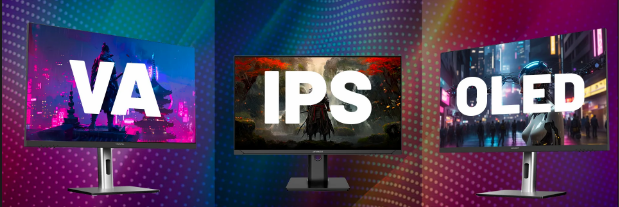
The three main LCD panel technologies handle response time differently and each makes a different compromise.
IPS panels offer wide viewing angles, accurate colours, and good contrast at 1000:1. Modern Fast IPS variants achieve 1 to 3ms average GTG across most transitions, making them competitive with TN for ghosting performance while offering significantly better image quality. IPS glow in dark corners and the 1000:1 contrast ratio remain the primary limitations. Fast IPS is the default choice for most gaming monitors in 2026.
VA panels deliver contrast ratios of 3000:1 or higher, making dark scenes look dramatically better than anything an IPS panel can produce. The trade-off is response time. VA panels average 8 to 12ms GTG across most transitions, with dark transitions frequently reaching 25 to 35ms. They produce visibly more ghosting than IPS in fast-paced games, particularly in scenes with dark backgrounds. VA panels are well suited to slower-paced games, cinematic single-player experiences, and media consumption where contrast matters more than motion clarity.
OLED panels sidestep the response time question entirely. OLED pixels produce their own light and switch states in under 0.1ms, which is effectively instantaneous. Zero ghosting under any conditions. The limitations are burn-in risk from static UI elements, higher cost, and the availability of larger desktop monitor sizes only from premium brands.
What Good Response Time Looks Like in Practice
For competitive first-person shooters, a 1 to 2ms average GTG is the target. At this speed, transitions complete within a single frame even at 360Hz, producing no visible ghosting during flick shots or rapid camera movement.
For mainstream gaming at 144Hz to 240Hz, 3 to 5ms average GTG is perfectly acceptable. New frames arrive every 4 to 7ms and a panel averaging 3 to 5ms keeps up cleanly for most transitions. Minor trailing on very dark transitions may be visible in specific scenes but will not affect the majority of gameplay.
For casual gaming and single-player experiences at 60Hz to 144Hz, anything under 8ms is adequate. The frame intervals are long enough that most panels complete transitions before the next frame arrives.
How to Test Your Monitor's Response Time
You do not need measurement equipment. TestUFO.com provides a motion test that makes ghosting immediately visible. The UFO test shows animated objects moving at consistent speeds. Trailing grey smears behind the objects indicate ghosting from slow response. Bright halos appearing in front of the objects indicate inverse ghosting from overdrive set too high.
Run this test at your monitor's maximum refresh rate with your current overdrive setting. Adjust the overdrive level and retest until you find the setting that produces the least visible artefacts in both directions.
Independent reviews from RTINGS and TFT Central measure real-world GTG performance across multiple transition types including dark-to-grey transitions that manufacturers do not advertise. Checking these reviews before purchasing gives you accurate average GTG numbers rather than the best-case figure on the box.



Discussion (0)
Be the first to comment.