



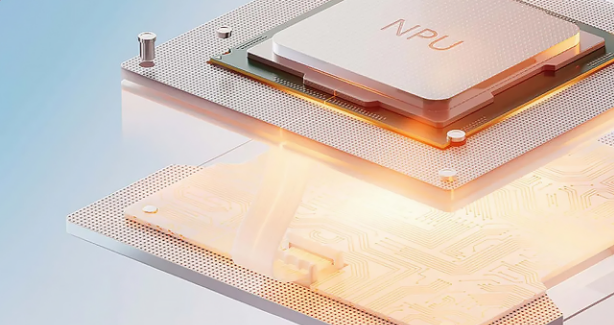
A few years ago, shopping for a laptop meant comparing three things: the processor, the RAM, and the storage. Maybe the GPU if you cared about gaming. Now there is a fourth item on every spec sheet that was not there before, sitting quietly between the CPU and RAM: the NPU.
Most people skip past it. Those who stop and look it up find a wall of marketing language about trillions of operations per second and on-device AI that says a lot while explaining very little.
Here is what an NPU actually is, what it does in practice, and how to think about it when buying a laptop.
Three Chips, Three Jobs
Your laptop has always had a CPU and, in most cases, some form of GPU. Understanding what an NPU is becomes much easier once you know the specific job each chip is designed for.
The CPU is the general-purpose brain of the machine. Running the operating system, opening apps, managing files, switching between tasks in milliseconds. It is versatile by design. The trade-off is that it is not especially efficient at any single type of work.
The GPU was originally built to render images for games and video. What makes it useful for graphics is that it can perform many smaller calculations at the same time rather than one after another. This parallel processing turned out to be equally useful for other mathematically intensive work, which is why modern GPUs handle video editing, 3D rendering, and increasingly AI tasks.
The NPU is purpose-built for one specific category: running AI models. Not general computing, not rendering pixels. Just the particular type of mathematics that underlies machine learning and pattern recognition. Because it is designed exclusively for that work, it does it far more efficiently than either a CPU or GPU could.
What AI Maths Actually Looks Like
AI models are doing enormous amounts of pattern recognition at their core. When your laptop converts speech to text, it runs audio through a model trained to recognise speech patterns. When your video call app blurs your background in real time, it runs your camera feed through a model that identifies the difference between you and what is behind you. When Windows suggests text completions as you type, something is analysing what you have written and predicting what comes next.
These tasks share a similar structure: a flood of incoming data, processed through a series of trained mathematical filters fast enough that you do not notice any delay.
A CPU handles this fine but uses significant power and has to neglect other tasks while it works. A GPU handles it faster but also draws substantial power. An NPU handles it fastest and most efficiently of all, because its circuitry is shaped specifically for this calculation type and nothing else.
The practical result is straightforward. AI features running on an NPU use less battery, produce less heat, and leave the CPU free to do everything else it would normally be doing.
Where NPUs Actually Came From
NPUs are not a new invention. Your smartphone almost certainly has one. Apple introduced its Neural Engine in the A11 chip back in 2017. Qualcomm, Samsung, and Google followed with their own equivalents. Face ID, portrait mode, offline voice assistants, all of these run on NPUs.
The technology moved from phones to laptops because AI features that once required cloud processing have become small enough to run locally. Cloud AI means sending your data to a server, waiting for a response, and depending on a stable connection. Local AI is faster, works offline, and keeps your data on the device. An NPU makes running it locally practical without draining your battery in the process.
The Copilot Plus Line in the Sand
Microsoft drew a specific hardware boundary in 2024 with the Copilot Plus PC category. To qualify, a laptop needs an NPU capable of at least 40 TOPS, which stands for trillions of operations per second. This threshold separates machines that can run Microsoft's newer Windows AI features from those that cannot, regardless of how fast the CPU is.
Qualcomm's Snapdragon X Elite and X Plus chips deliver 45 TOPS from their NPUs. AMD's Ryzen AI 300 series reaches around 50 TOPS. Intel's Core Ultra 200V series includes an NPU rated at 48 TOPS. All three qualify as Copilot Plus hardware.
Older Intel and AMD laptop chips that predate this generation either have no dedicated NPU or one too weak to meet the threshold. A laptop from 2022 might have a faster CPU clock speed than a 2025 Copilot Plus machine and still be locked out of certain Windows features because it lacks a qualifying NPU.
What the NPU Actually Does in Windows Right Now
This is where honesty matters. The NPU is real hardware with a real purpose, but the software taking advantage of it is still catching up.
Features available today
Windows Studio Effects is the most consistently useful. Background blur, automatic framing, eye contact correction, and noise suppression in video calls all run on the NPU rather than pulling on the CPU. Live Captions transcribes audio in real time across any language entirely on-device. Windows Recall, Microsoft's opt-in searchable visual history of your PC activity, uses NPU processing in the background continuously. Improved Windows search that understands natural language queries also runs through locally accelerated models.
Third-party support
Adobe Creative Cloud apps are optimised for Copilot Plus hardware. DaVinci Resolve Studio uses the NPU for certain video effects. CapCut uses it for background removal from video. The list is growing but is not yet the comprehensive ecosystem the marketing implies.
For most people on a Copilot Plus laptop today, the most noticeable NPU benefit is not any single AI feature. Video calls use less battery. Background tasks feel less intrusive. The machine runs cooler and quieter during work that used to draw heavily on CPU resources.
Does It Actually Matter When Buying a Laptop
The honest answer depends on what you are buying for and how long you plan to keep it.
Buying a laptop right now and planning to use it for four or five years? An NPU-equipped machine makes sense. Not necessarily because you need the AI features today, but because software increasingly assumes NPU capability. Machines without one will fall further behind on feature support as Windows updates continue to expand what Copilot Plus hardware can do.
Shopping for a budget laptop for basic tasks? Do not pay a significant premium specifically for NPU capability. The features it unlocks are still emerging and a modern budget laptop without one remains perfectly capable for everyday use.
Buying specifically for video calls, content creation, or regular AI tool use? An NPU is already delivering practical battery and performance benefits that are measurable right now, not theoretical.
What TOPS Actually Means
TOPS, trillions of operations per second, is the benchmark number attached to every NPU on a spec sheet. Higher TOPS means the NPU can run larger or faster AI models. The 40 TOPS threshold for Copilot Plus is Microsoft's minimum for its current feature set.
Beyond that minimum, the practical difference between a 45 TOPS and a 50 TOPS NPU is unlikely to be noticeable in everyday use. The limiting factor is rarely the NPU's raw speed. More often it is whether the software is optimised to use it at all. A 45 TOPS NPU running a well-optimised application will outperform a 50 TOPS NPU running software that barely uses it.
Qualifying versus not qualifying for Copilot Plus is a meaningful distinction worth checking. Treating TOPS as a differentiating factor between comparable modern laptops that both clear the threshold is not especially useful.
Final Thoughts
The NPU is a real and useful addition to laptop hardware. It exists because running AI models efficiently requires dedicated circuitry, and that circuitry pays dividends in battery life, thermal performance, and responsiveness that the CPU alone cannot match.
What it is not, yet, is the revolution that launch marketing implied. The features it enables today are genuinely useful, but the full application ecosystem is still catching up. Buying a laptop with a capable NPU in 2026 is a reasonable forward-looking decision when the price premium is modest and the machine needs to last several years.



Discussion (0)
Be the first to comment.