



If you have recently opened the app and felt unsure about what it actually does, you are not alone. Many users install it and then wonder how it is different from Adobe Express in the browser. So, let’s clearly understand what Adobe Express Photos app is and how to use it on Windows.
The Adobe Express Photos app is designed for quick, everyday image edits. It removes the complexity of professional tools and focuses on speed. You can open an image, apply changes, and export it within seconds, all from a simple interface.
What Is Adobe Express Photos App?
The Adobe Express Photos app is a lightweight image editing application for Windows that focuses on fast edits using simple tools and AI features.
Unlike full design software, this app is built for quick actions. You do not need to learn layers or advanced editing techniques.
You can use it to:
- Remove image backgrounds
- Enhance photo quality
- Remove unwanted objects
- Edit screenshots instantly
It is ideal for users who want quick results without spending time learning complex tools.
What You See When You Open the App
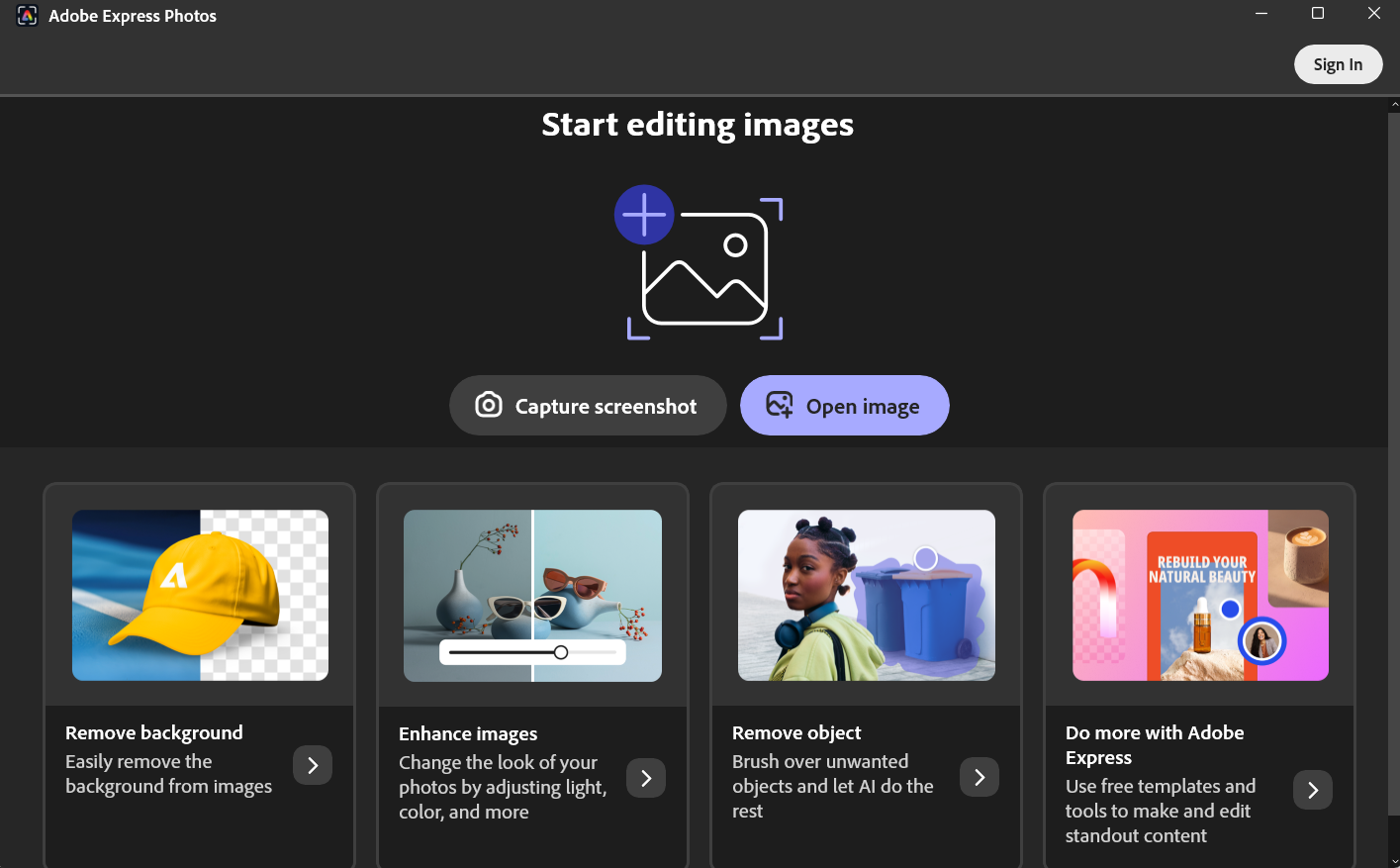
When you launch the app, you will notice a clean and simple layout.
You will typically see:
- Open image to start editing a photo
- Capture screenshot to quickly edit screen captures
- Quick tools such as:
- Remove background
- Enhance images
- Remove object
Everything is placed upfront so you can start editing immediately.
Key Features of Adobe Express Photos App
The app focuses on simplicity and speed.
Here are the main features:
- AI-powered background removal
- One-click image enhancement
- Object removal tool
- Screenshot capture and editing
- Quick save and export options
These features make it perfect for everyday editing tasks.
How to Use Adobe Express Photos App
Getting started is very easy.
Step 1: Open the App
Open Adobe Express Photos
Step 2: Choose What You Want to Do
You can either:
- Click Open image to edit an existing photo
- Click Capture screenshot to edit something on your screen
Step 3: Apply Edits
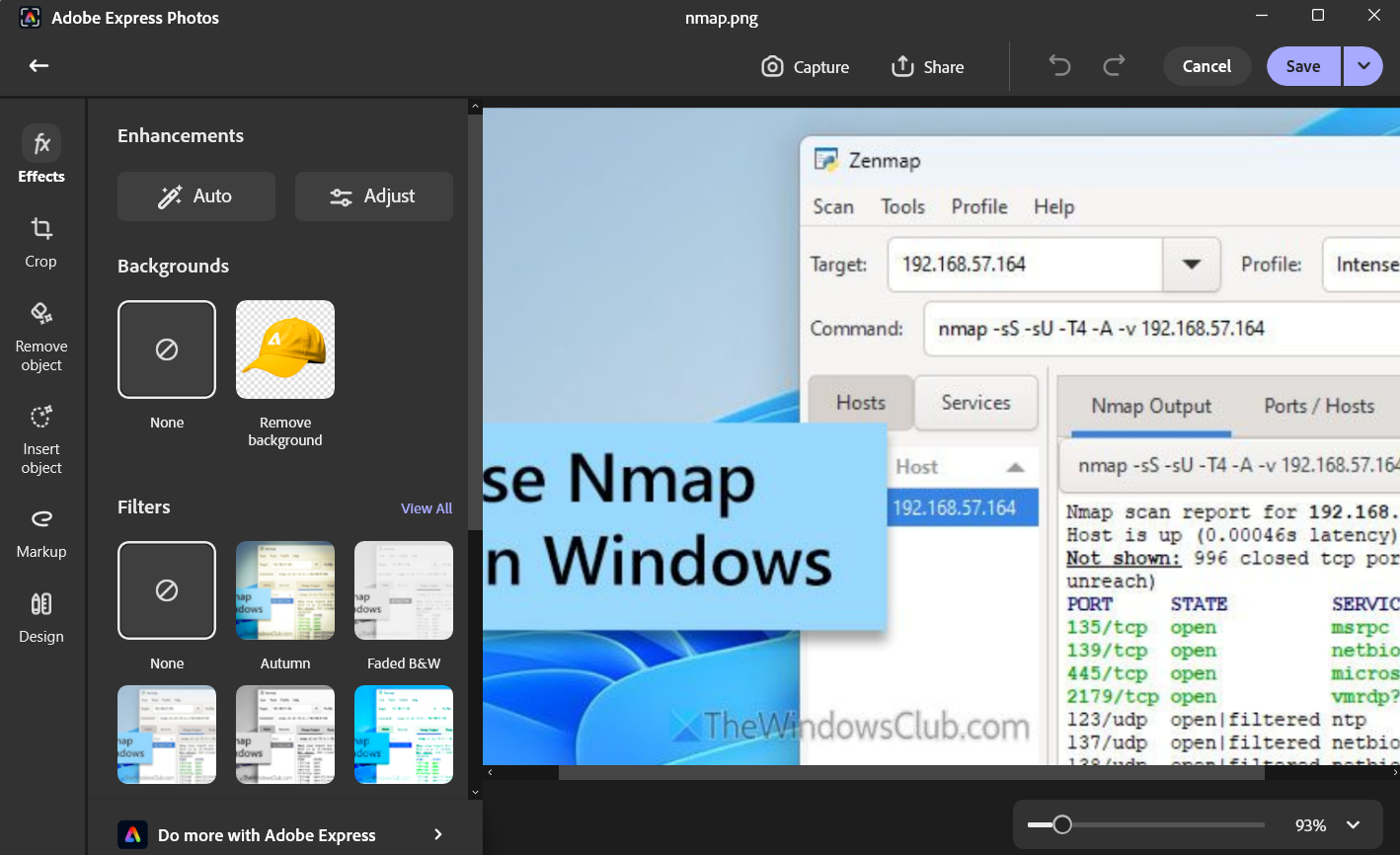
Once your image opens:
- Use Remove background to isolate subjects
- Use Enhance to improve lighting and colors
- Use Remove object to clean unwanted elements
Most tools work instantly, which makes editing fast.
Step 4: Save Your Image
After editing:
- Click Download or Save
- Choose where to save your file
Your image will be ready to use.
When Should You Use This App?
The Adobe Express Photos app is best for quick and practical use.
Quick Image Fixes
If you just need to improve a photo quickly, this app works well.
Social Media Content
You can prepare images for posts, thumbnails, or stories.
Screenshot Editing
You can capture and edit screenshots in one place.
Background Removal
It is useful for creating clean cutouts for presentations or designs.
Adobe Express Photos App vs Web Version
It is important to understand how the app differs from the web version.
Adobe Express Photos App:
- Faster and more direct
- Works like a normal Windows app
- Focused on quick edits
Web Version:
- More features and templates
- Better for full design work
- Requires a browser
If you want speed, the app is better. If you want more features, the web version is more powerful.
Limitations of the App
While useful, the app is not meant for advanced editing.
- Limited features compared to Photoshop
- Fewer design tools than the web version
- Some features require sign-in
- Not suitable for detailed professional work
It works best for simple and fast edits.
Final Thoughts
Now that you understand what Adobe Express Photos app is and how to use it, it becomes clear that it is built for speed and simplicity. It is not trying to replace advanced tools. Instead, it focuses on helping you get quick results with minimal effort.
For everyday editing, screenshots, and basic enhancements, the app is a very practical choice. If your needs grow beyond that, you can always move to more advanced tools.
FAQs
What is Adobe Express Photos app?
It is a simple Windows app for quick photo editing and enhancements.
Is Adobe Express Photos app free?
Yes, basic features are free, though some options may require sign-in.
Can I remove background using the app?
Yes, it includes an AI-powered background removal tool.
Is it better than Photoshop?
No. It is designed for quick edits, while Photoshop is meant for advanced editing


Discussion (0)
Be the first to comment.