




If you have ever used Word’s built-in “Send to Kindle” export to push a document straight to your Kindle library, that shortcut is going away next month. This means you'll now need to use the "Send to Kindle" feature on Amazon's website. Your Kindle will still support .docx files, but you'll now need to upload the files to your device from Amazon's Save to Kindle feature.
The feature first showed up in 2023 through Microsoft 365 Insider testing and later rolled out more broadly. It was designed to move Word documents to Kindle without leaving the app, which was especially useful if you read long drafts on a Kindle or annotate them on a larger device like the Kindle Scribe.
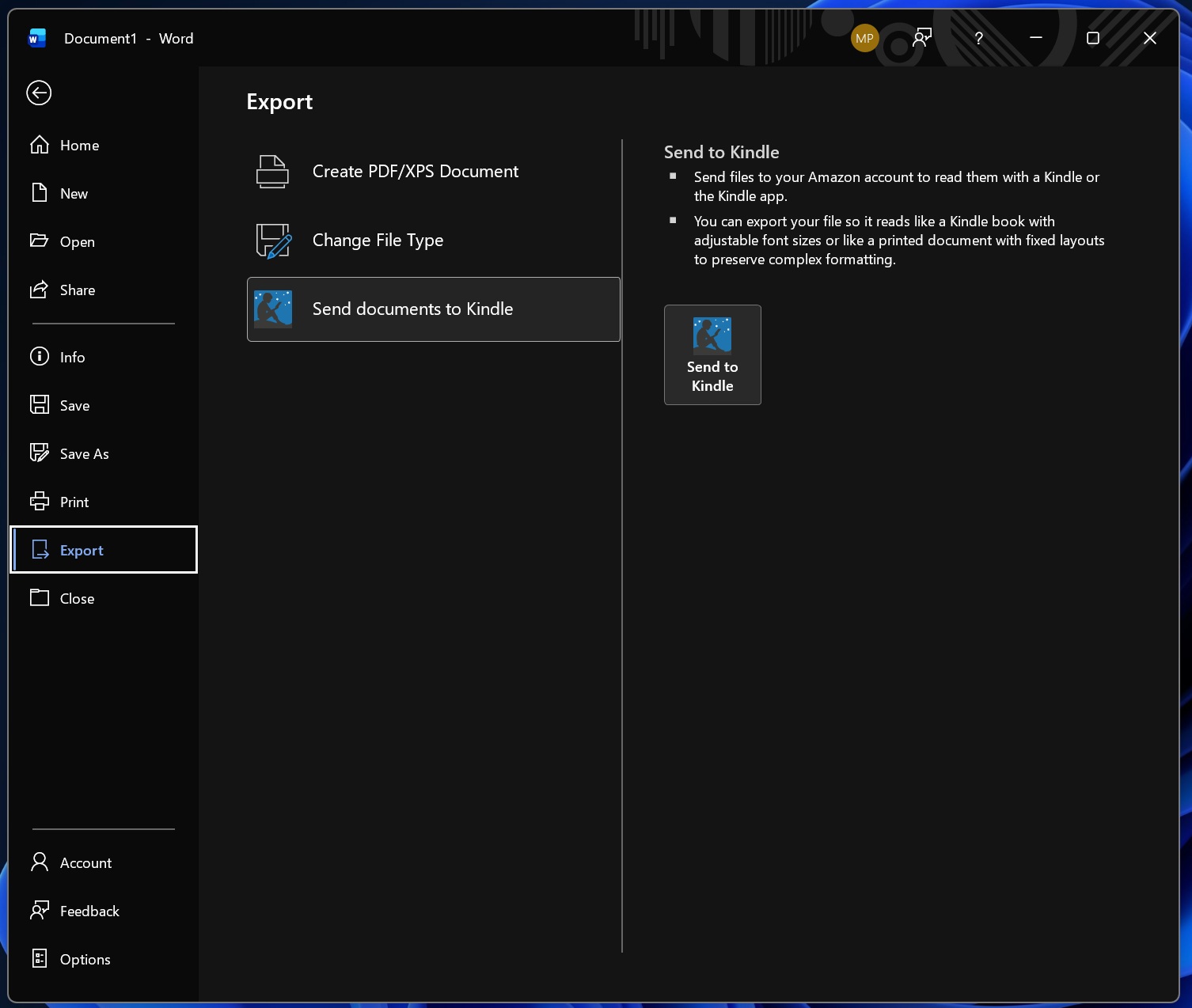
What made “Send to Kindle” different was the formatting choice. You could export your file as a fixed layout that keeps the original page design (margins, layout, and spacing), or convert it into a Kindle-style book where you can change font size and adjust the reading layout like a normal ebook.
What happens to "Send Documents to Kindle” option? in MS Word?
Microsoft has updated its Word support page with a notice that the “Send Documents to Kindle” option will be retired after February 2026. In practice, Microsoft says the retirement starts on February 9, 2026, and the option is expected to be fully removed by March 9, 2026. Once it is gone, you will no longer see it in Word’s Export menu.
This change applies across the places where the export exists, including Word for Microsoft 365 on Windows, Word for Mac, and Word on the web.
Microsoft’s guidance is simple, which is use Amazon’s Send to Kindle website to upload DOC or DOCX files instead.
| Date | MS Word "Send to Kindle" feature retirement timeline |
|---|---|
| February 9, 2026 | Retirement begins; Word’s “Send to Kindle” export stops being supported and starts disappearing. |
| March 9, 2026 | Feature is expected to be fully removed from Word’s Export menu. |
| After removal | You can still upload documents to Kindle, but you must do it through Amazon’s Send to Kindle tools. |
What this means for your Kindle
Your Kindle is not losing the ability to read personal documents. This is a Word integration change, not a Kindle platform shutdown. Documents you already sent before the cutoff will stay in your Kindle library, and you can keep reading them as usual.
The main loss is convenience: you will no longer be able to do the transfer from inside Word with one click.
- You lose: the in-Word Export shortcut that signs in and sends the file directly to your Kindle library.
- You keep: your existing Kindle documents and the ability to send new DOC/DOCX files using Amazon’s Send to Kindle tools.
It is a loss for those used the feature as a repeat workflow (editing in Word, then reading or annotating on Kindle Scribe).
How to send Word files (.docx) after the "Send documents to Kindle" shortcut disappears from Microsoft Word?
The recommended replacement is Amazon’s Send to Kindle website. You sign in with your Amazon account, upload your DOC or DOCX file, and it gets added to your Kindle library so you can download it on your Kindle devices or apps. Amazon also documents how Send to Kindle works and what to expect during upload and delivery.
- Open Amazon’s Send to Kindle page and sign in.
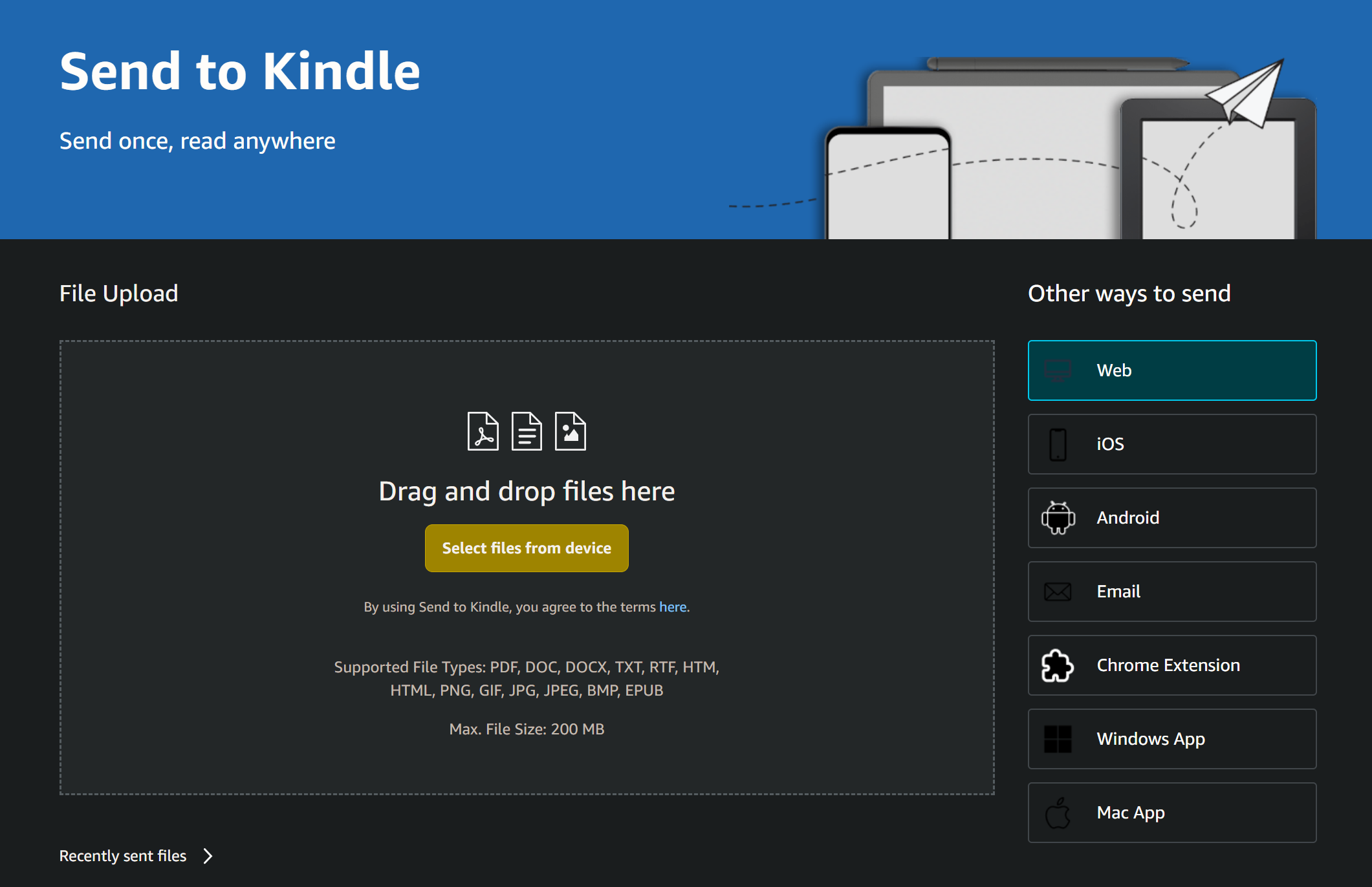

- Upload your DOC or DOCX file.
- Send it to your Kindle library or a specific linked device (depending on the option shown).
- Sync your Kindle device or app to download the document.
Do you use Send to Kindle in MS Word? Let me know in the comments below.


Discussion (0)
Be the first to comment.