




Unlocking phone for any SIM card lets you drop carrier restrictions, switch to cheaper plans, and use local networks when you travel. Instead of staying stuck on one provider, you turn your phone into a flexible, almost factory-unlocked phone that works with any compatible SIM card.
The good news is that for most users, a simple carrier unlock request is enough to get a network unlock code or remote unlock. In this guide, you will see how phone locking works, how to check if your device is locked, and how to unlock Android phones and iPhones safely without risking your data or warranty.
If you only want the quick answer: you usually contact your carrier, confirm eligibility, request a SIM unlock, enter the code (or wait for a remote unlock), then test a different SIM card. If that fails, you can consider a reputable third-party IMEI unlock service, but you should weigh the risks first.
How Phone Locking Works
Most carriers sell phones locked to their network, so you must use their SIM cards and plans. The lock lives in the phone’s software and checks every SIM card to see if it belongs to that network.
When you request a SIM unlock, the carrier usually removes that software restriction or provides a network unlock code based on your IMEI. Once unlocked, the phone accepts compatible SIM cards from other carriers that use compatible bands and technologies.
How To Check If Your Phone Is Locked
Before you start any SIM unlock guide, confirm whether your phone is actually locked. Many phones bought at full price now ship unlocked by default, especially in the US.
Use these quick checks to see if your device is locked to one carrier:
- Insert a SIM card from a different carrier and restart the phone. If you see messages like “SIM Not Supported,” “Network Locked,” or “Enter SIM Unlock Code,” the phone is locked.
- On iPhone, open Settings > General > About and look for any notes near “Carrier Lock.” If it says “No SIM restrictions,” the phone is already unlocked.
- On Android, open Settings, go to Network or Connections, and check if you can see and select other carriers when a different SIM is inserted.
- Dial *#06# to see your IMEI number, then ask your current carrier’s support if the device shows as locked or unlocked in their system.
- Check your original purchase paperwork or online account to see if you bought the device as “unlocked” or under a financing or contract plan.
What You Need Before You Unlock Your Phone
Carriers in the US and many other regions usually follow similar rules for SIM unlock requests. They want to see that you paid off the device and kept the account in good standing.
Gather this information before you start any unlock phone for any carrier request:
- Your IMEI number (dial *#06# or check in phone settings).
- The account holder’s name, phone number, and billing ZIP code.
- Confirmation that the phone is fully paid off or lease obligations are complete.
- Your account login details if you plan to unlock through an online portal or app.
- Backups of important data in case the process requires a factory reset on some models.
How To Unlock Your Phone For Any SIM Card Through Your Carrier
The safest way to unlock a phone for any SIM card is to go through your carrier. In the US, major carriers generally agree to unlock eligible devices after you pay them off and meet basic requirements.
Follow these steps to request an official SIM unlock from your carrier:
- Confirm that your account is in good standing and your device payments are complete.
- Dial *#06# or from the device settings screen.
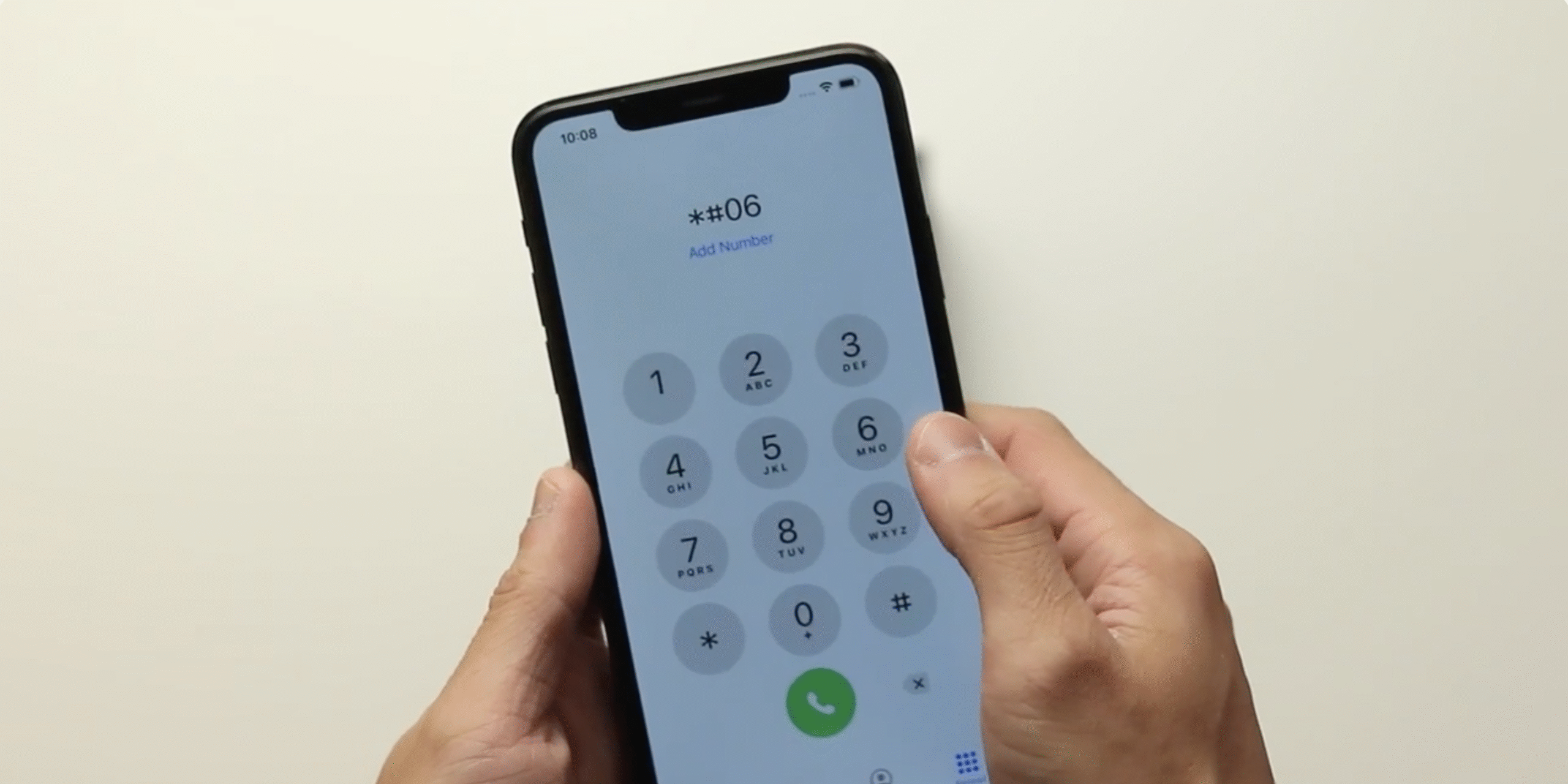
- Collect your IMEI.
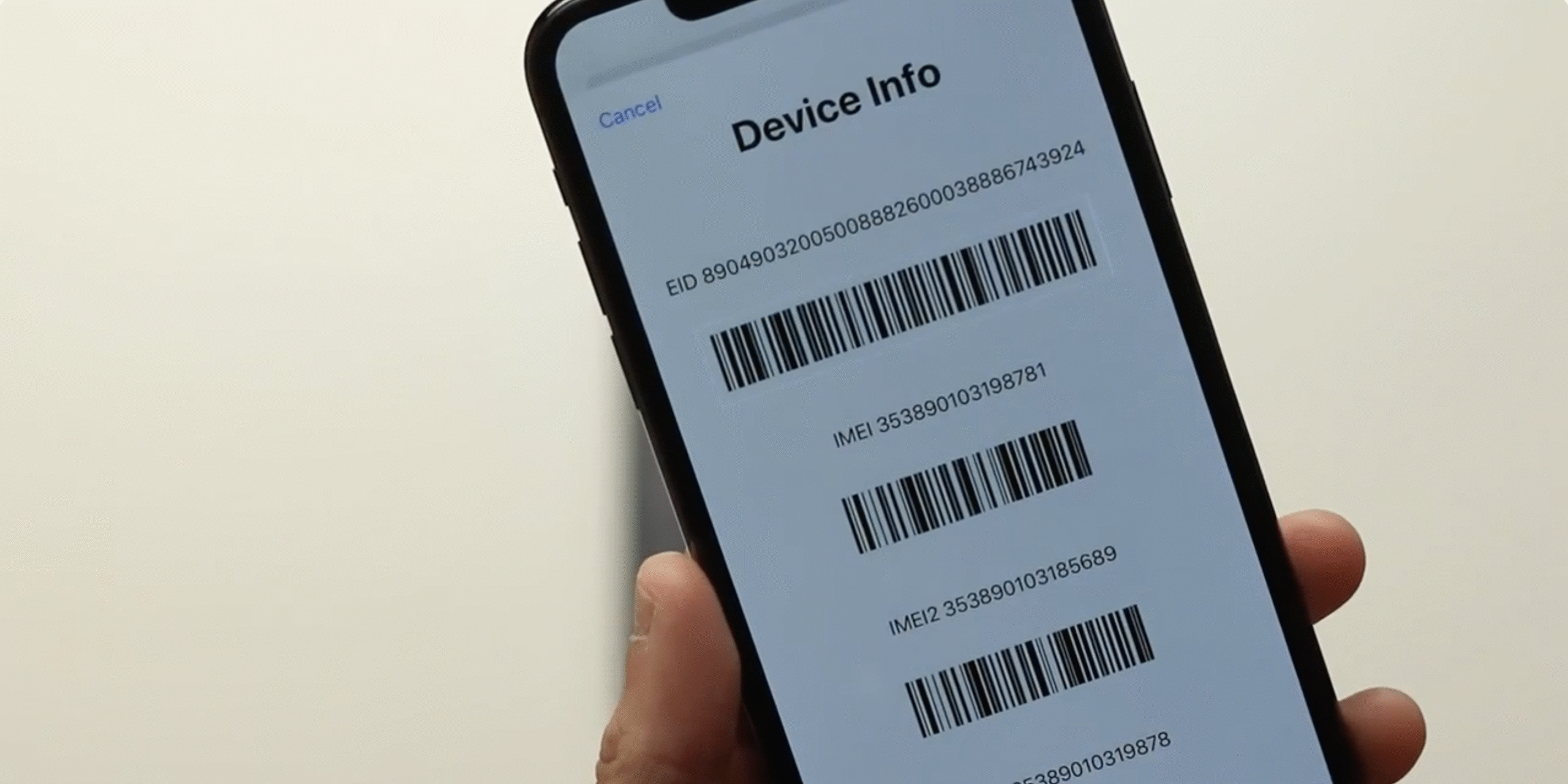
- Visit your carrier’s website or app and look for a “Device Unlock” or “Unlock Phone” section.
- If you do not see an online form, contact support by chat, phone, or at a retail store and ask for a network unlock.
- Provide your IMEI and account details when the agent requests them.
- Save any instructions, unlock code, or confirmation email you receive.
- If you receive a SIM unlock code, power off the phone and insert a SIM card from a different carrier.
- Power the phone back on and enter the network unlock code exactly as shown when prompted.
- Restart the phone again and test calls, texts, and mobile data with the new SIM card.
This process turns a locked device into something very close to a factory unlocked phone, but your phone still needs to support the right bands for the new carrier. Always confirm network compatibility first, especially if you switch between GSM and CDMA-style networks or between regions.
How To Unlock Your Phone With A Third-Party Service
If your carrier refuses to unlock your phone or the device does not meet their eligibility rules, you can consider a third-party IMEI unlock service. These services usually claim they can request unlocks through carrier databases on your behalf.
Because third-party options carry extra risk, move carefully:
- Research several IMEI unlock services and read recent user reviews from multiple sources.
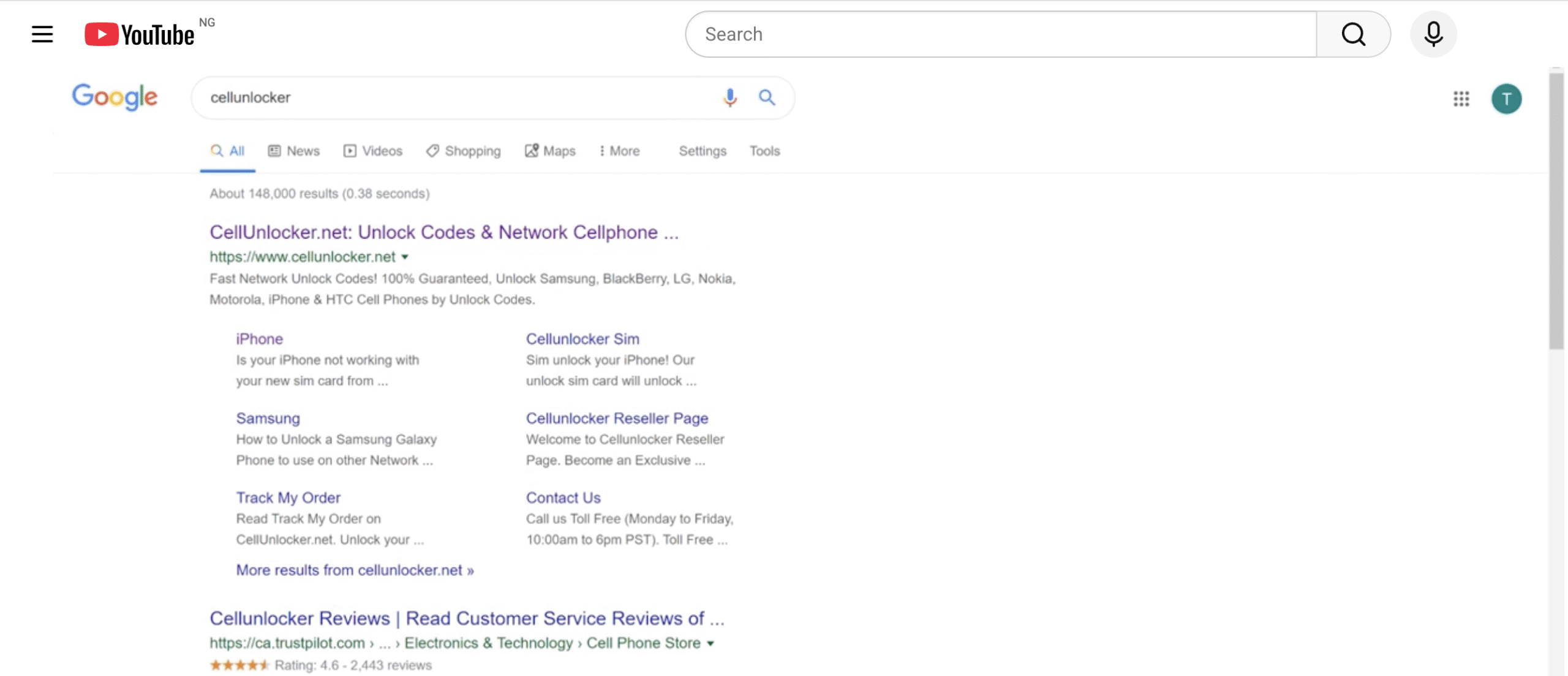
- Avoid any service that asks for remote access to your computer or phone to run unlock tools.
- Check that the service supports your exact phone model and current carrier.
- Provide only the required details, usually IMEI, phone model, and current network.
- Confirm pricing and refund policies before you pay any fee.
- Wait for the service to confirm that the unlock completed in the carrier database.
- Insert a different SIM card and restart the phone to test whether the phone now accepts any SIM card.
A legitimate IMEI unlock should behave like an official carrier unlock and survive software updates and factory resets. If you see instructions that involve flashing unofficial firmware or “jailbreaking,” avoid them because they increase the risk of bricking the phone or breaking security features.
Is Unlocking Your Phone Legal And Safe?
In many regions, including the United States, current rules allow consumers to unlock their phones as long as they follow local laws and carrier contracts. Carriers usually must provide a path to unlock phones that are paid off and not linked to fraud.
Unlocking itself does not remove device protections like screen locks or encryption, and it does not turn a stolen phone into a clean device. It simply lifts the carrier restriction so the phone can use any compatible SIM card. You still need strong passwords and good security habits to protect your information.
Troubleshooting Common Problems
Sometimes the SIM unlock process does not work on the first try. Use these quick fixes for common unlock issues.
Unlock Code Not Accepted
- Double-check that you typed the SIM unlock code exactly as shown, including any symbols.
- Confirm that the code matches your IMEI and carrier, not a different device on the account.
- Remove the SIM, restart the phone, reinsert the SIM, and enter the code again.
- If you see a message about “too many attempts,” stop and contact your carrier before trying more codes.
Phone Shows No Service After Unlock
- Make sure the new SIM card is active and works in another compatible phone.
- Check that the phone supports the new carrier’s bands and network type.
- Turn airplane mode on and off to force the phone to register on the network.
- Reset network settings from your device settings menu and restart the device.
- If needed, enter the carrier’s APN settings manually so mobile data works correctly.
Carrier Says Phone Is Unlocked But SIM Still Fails
- Ask the carrier to confirm the unlock again and note the date it went through in their system.
- Sign out of and back into any carrier apps that manage your line on the phone.
- Update your phone’s software to the latest version available.
- Back up your data and perform a factory reset only if the carrier or manufacturer recommends it.
- Test a second SIM from the new carrier to rule out a bad card.
Third-Party Unlock Service Did Not Deliver
- Review the promised timeline and confirm that enough time has passed.
- Check your email spam folder for any unlock confirmation messages.
- Contact the service’s support with your order number and IMEI details.
- If they do not respond or resolve the issue, request a refund through your payment provider.
- Avoid using the same service again, and consider working directly with your carrier instead.
Tips
- Buy factory unlocked phones whenever possible if you switch carriers often or travel frequently.
- Always verify band and network compatibility before you move to a new carrier with an unlocked phone.
- Keep screenshots or emails showing your carrier’s confirmation that the device is now unlocked.
- Use strong screen locks and account passwords; unlocking the network does not protect your data.
- When you travel, compare local prepaid SIM plans before you arrive so you can insert a new SIM card right away.
- For business use, consider dual SIM phones so you can keep work and personal lines on one unlocked device.
- Do not use unofficial tools that promise “one-click unlock” by modifying firmware or bootloaders unless you fully understand the risks.
FAQ
Does Unlocking My Phone Erase My Data?
Standard SIM unlocks through the carrier or IMEI unlock services do not normally erase your data. Some manufacturers, however, may request a factory reset in specific cases, so you should back up your phone before you start any unlock process.
Can I Unlock A Phone That Is Not Paid Off?
Most carriers will not unlock a phone that still has payments due or that is flagged for fraud or non-payment. You usually need to pay off the device or settle the account before a carrier will approve a SIM unlock request.
Will Unlocking My Phone Improve Signal Or Speed?
Unlocking does not boost the antenna or change the hardware. It only lets you move to another network that might have better coverage or faster speeds in your area. Any performance gains come from the new carrier, not the unlock itself.
Is It Safe To Use A Third-Party IMEI Unlock Service?
Many users successfully unlock phones with third-party services, but you should treat these services carefully. Always research the provider, avoid sharing unnecessary personal data, and prefer methods that work through official carrier databases instead of risky software hacks.
What Is The Difference Between Locked, Unlocked, And Factory Unlocked Phones?
A locked phone only works with the original carrier’s SIM cards. An unlocked phone has had that restriction removed and can use any compatible SIM card. A factory unlocked phone ships from the manufacturer without any carrier lock from day one.
Summary
- Phone locking limits your device to one carrier; unlocking lets you use any compatible SIM card.
- Check lock status first by testing another SIM, checking settings, and confirming with your carrier.
- The safest unlock method is an official carrier unlock request once your device is paid off.
- Third-party IMEI unlock services can help in some cases but require extra caution and research.
- After unlocking, always test calls, texts, and data on the new network to confirm everything works correctly.
Conclusion
Unlocking phone for any SIM card turns a carrier-locked device into a more flexible tool that matches how you actually use your mobile service. When you understand how phone locking works, how to request an official network unlock, and when to consider third-party options, you can move between carriers, travel with local SIM cards, and get better value from the same hardware.
Take time to confirm eligibility, protect your data with backups, and test everything after the unlock completes. With a careful approach, you can unlock your phone safely and enjoy real freedom to choose the network and plan that fits you best.


Discussion (0)
Be the first to comment.