




Smart home technology turns a regular house into a connected home by linking devices like lights, locks, cameras, and thermostats so you can control them from your phone, your voice, or an automation routine. Instead of managing each gadget on its own, a smart home system lets you manage everything from one place and automate everyday tasks so your home feels safer, more efficient, and more comfortable.
At the time of writing, the smart home market includes popular ecosystems such as Alexa, Google Home, and Apple Home, along with hundreds of compatible smart devices. Together, they create an Internet of Things (IoT) in your home, where smart home devices communicate over Wi-Fi, Bluetooth, Zigbee, Z-Wave, and newer standards like Matter.
How Smart Home Technology Works
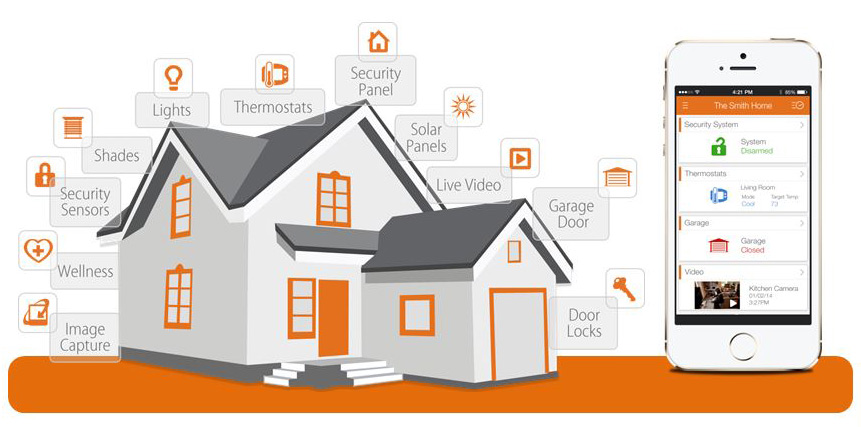
Smart home technology starts with a hub or ecosystem that ties devices together. That hub can be a smart speaker, a dedicated smart home hub, or a phone app that manages your smart home system in the background.
Most connected home technology uses your home Wi-Fi network or low-power wireless protocols to send small messages between devices. A smart thermostat, for example, sends temperature data to the cloud, receives updated schedules, and adjusts your HVAC system without any manual input from you.
Automation rules sit on top of this connection layer. You can create simple routines like turning on smart lights at sunset or more advanced smart home automation, such as locking the smart door lock, arming your smart home security system, and turning off all smart plugs when you leave home.
Core Parts Of A Smart Home System
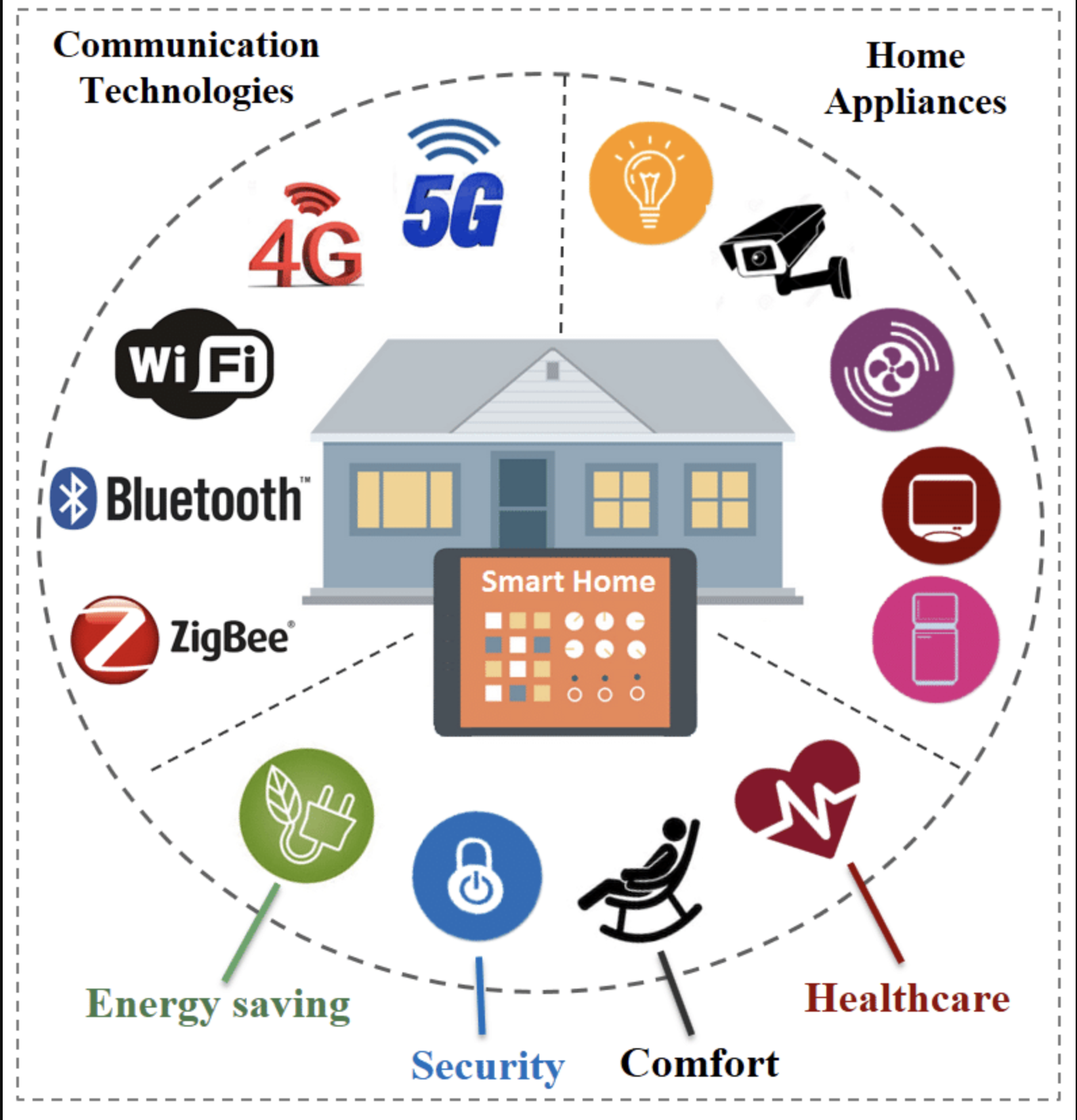
Every smart home setup looks a little different, but most rely on the same core building blocks. Understanding these parts helps you design a smart home technology stack that fits your budget and goals.
Smart Home Hub Or Ecosystem
The smart home hub or ecosystem acts as the brain of your connected home. It coordinates smart home devices, handles voice commands, and stores your automation rules. In many homes, a smart speaker doubles as the hub for smart home automation.
Smart Home Devices And Sensors
Smart home technology relies on small sensors and actuators scattered around your house. Motion sensors, contact sensors, smart plugs, smart thermostats, smart bulbs, and door locks all feed data into your smart home system so it can react to what happens in real time.
Smart Home Apps And Voice Control
Your phone app and voice assistant provide the main control panel for your smart home. You can check cameras, change the temperature, or turn on smart lighting scenes with a tap or a simple voice command, even when you are away from home.
Benefits Of Smart Home Technology
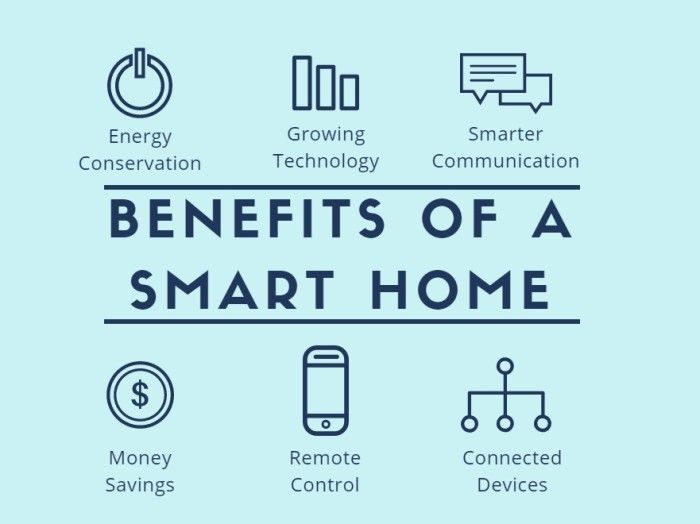
Smart home technology brings practical benefits that go beyond tech novelty. The right smart home devices make daily routines easier, safer, and more efficient.
First, smart home automation saves time. You can group actions together so your home responds automatically when you wake up, leave for work, or go to bed. Second, a smart home system can lower energy usage through smart thermostats, occupancy-based smart lighting, and energy monitoring smart plugs.
Third, a smart home security system adds peace of mind. Connected cameras, video doorbells, and smart locks help you see who is at the door, lock up remotely, and get alerts when something unusual happens, which matters for many US homeowners and renters.
Popular Smart Home Devices And Use Cases
The smart home category covers everything from simple smart plugs to advanced smart home security kits. These are some of the most common device types and how people use them in a modern connected home.
Smart Lighting And Smart Plugs
Smart bulbs and smart switches let you dim, schedule, and group lights across your home. Smart plugs turn ordinary lamps and appliances into smart devices, so you can cut phantom power draw, schedule coffee makers, or cycle power to a misbehaving gadget without walking across the room.
Smart Thermostats And Climate Control
A smart thermostat is the heart of many smart home energy-saving strategies. It learns your schedule, tracks local weather, and adjusts heating or cooling so your home stays comfortable while it trims wasted energy. Paired with smart fans and smart vents, it can support more advanced home automation scenarios.
Smart Home Security And Door Locks
Smart cameras, video doorbells, motion sensors, and smart locks build a layered smart home security system. You can see who unlocked the door, get alerts when a camera detects motion, and give guests temporary access codes instead of hiding a physical key.
Smart Speakers, TVs, And Entertainment
Smart speakers and smart displays provide hands-free control of your smart home devices and double as entertainment hubs. Smart TVs and streaming boxes integrate with your voice assistant so you can launch apps, change inputs, or dim lights for movie night with a single scene.
How Smart Home Technology Uses Automation
Automation turns separate smart home devices into a true smart home system. Instead of tapping buttons all day, you set rules that respond to time, motion, or your location.
For example, a basic smart home automation rule can trigger when your phone leaves a set area. The system can lock the doors, turn off smart lights, switch smart plugs off, and adjust your smart thermostat to an energy-saving mode. Similar routines can run in the morning, at sunset, or when a motion sensor detects activity in a room.
Security And Privacy In A Smart Home
Smart home technology introduces new security and privacy questions because your devices sit on your home network and often connect to cloud services. A smart lock, security camera, or voice assistant needs strong protection so only trusted people can control it.
To keep your smart home system safer, you can use unique passwords, enable multi-factor authentication when available, and keep router firmware and smart home apps updated. You can also review privacy settings for cameras, microphones, and cloud storage inside each smart home app so you only share what you feel comfortable with.
Challenges And Drawbacks Of Smart Home Technology
Smart home technology still brings tradeoffs. Devices from different brands may not always work together smoothly, especially if they use different standards. Newer standards like Matter aim to improve interoperability, but not every smart device supports them yet.
Cost can also slow smart home adoption. Smart home devices often cost more than basic versions, and a full smart home system can add up quickly. In some older homes, Wi-Fi coverage or electrical wiring may need upgrades before advanced smart home automation features work reliably.
Future Trends In Smart Home Technology
Smart home technology continues to move toward more automation with less manual setup. Voice assistants keep improving, smart home hubs get better at coordinating devices, and AI helps predict patterns so your home can adjust based on your routine rather than fixed schedules.
At the same time, energy-focused smart home systems are becoming increasingly critical in the US as electricity costs rise. Expect more smart home devices that track detailed usage, work with solar and battery storage, and coordinate with utilities for demand response programs.
Troubleshooting Common Smart Home Problems
Even a well-built smart home system can act up from time to time. These common issues and quick checks help you fix many smart home technology problems without needing to call support.
- Devices Show As Offline: Check your Wi-Fi router first, then power cycle the affected smart home devices and your hub or smart speaker.
- Automations Do Not Run: Confirm that each device still appears in the smart home app, then review the automation triggers and time windows.
- Voice Commands Fail: Make sure the device name in your smart home app matches what you say, and reduce similar names that confuse the assistant.
- Slow Responses or Lag: Move bandwidth-heavy devices off crowded 2.4 GHz networks or add a mesh router to improve coverage in larger homes.
- Random Device Triggers: Review motion sensitivity settings, camera zones, and any routines that share the same sensor to prevent false activations.
Tips For Building A Smart Home Technology Setup
- Start with one ecosystem and a few smart home devices, such as a smart speaker, smart bulbs, and a smart plug, before you expand to a full smart home system.
- Place your router in a central location so smart home devices like locks, cameras, and smart thermostats get a strong signal.
- Plan scenes and routines around daily moments, such as “Good Morning,” “Leaving Home,” and “Movie Night,” instead of programming each device separately.
- Label each smart home device clearly in your app using room names and functions so voice control works more reliably.
- Review security and privacy settings at least a few times a year, especially for smart home security cameras and smart locks.
FAQ About Smart Home Technology
What Is A Smart Home Technology In Simple Terms?
Smart home technology uses internet-connected devices to control and automate everyday systems in your house, such as lighting, heating, locks, and cameras, from your phone or voice assistant.
Do I Need A Hub For Smart Home Devices?
Some smart home devices connect directly to Wi-Fi and work without a hub, while others use Zigbee, Z-Wave, or Matter and need a compatible smart home hub or smart speaker to manage them.
Is Smart Home Technology Secure?
Smart home technology can be secure when you use strong passwords, keep firmware and apps updated, enable multi-factor authentication where available, and limit access to trusted users and devices.
Can Smart Home Devices Save Money On Energy Bills?
Yes, smart thermostats, smart plugs, and occupancy-based smart lighting can reduce wasted heating, cooling, and electricity use, helping lower energy bills over time.
What Is The Difference Between Smart Home And Home Automation?
A smart home usually refers to connected devices you can control remotely, while home automation focuses on routines and rules that let those smart home devices operate automatically in the background.
Summary
- Smart home technology connects devices such as lights, locks, cameras, and thermostats into a single controllable system.
- A central hub or ecosystem coordinates smart home devices, voice control, and automation routines for your connected home.
- Key benefits include convenience, energy savings, and enhanced smart home security enabled by cameras, sensors, and smart locks.
- Common challenges involve cost, wireless coverage, device compatibility, and ongoing security and privacy management.
- As smart home technology evolves, AI-driven automation and energy-focused features will make connected homes more efficient and responsive.
Conclusion
Smart home technology gives you more control over how your house feels, looks, and responds throughout the day. With a thoughtful plan and a few starter devices, you can build a connected home that fits your routine instead of forcing your routine to fit your house.



Discussion (0)
Be the first to comment.