




A Zigbee hub is a central device that enables communication between Zigbee-enabled smart devices in a home. It acts as a bridge between your smart home devices, ensuring they can all connect and work together seamlessly. If you have Zigbee lights, thermostats, or sensors, the hub ensures they stay connected, extending the range and reliability of the network.
In this guide, we have detailed everything you need to know about the Zigbee hub and how to get the best out of it.
1) How does Zigbee work in a smart home?
The Zigbee protocol
Zigbee is a wireless communication protocol that allows smart devices to communicate with each other. It uses a mesh network, meaning each device can act as a repeater, relaying signals to other devices. This helps ensure your devices stay connected, even in larger homes or spaces with physical obstructions.

Benefits of mesh networking
One of the main advantages of Zigbee’s mesh networking is that it extends coverage. Unlike Wi-Fi, which can be limited by range and interference, Zigbee devices communicate with each other, improving signal strength and reliability. This allows for better performance in larger homes, even in rooms that are far from the main hub.
2) Types of Zigbee hubs and their functions
Dedicated Zigbee hubs
A dedicated Zigbee hub is a stand-alone device designed specifically to manage your Zigbee network. These hubs often offer advanced features like detailed device management, custom automations, and secure connections for your smart home.
Built-in Zigbee routers
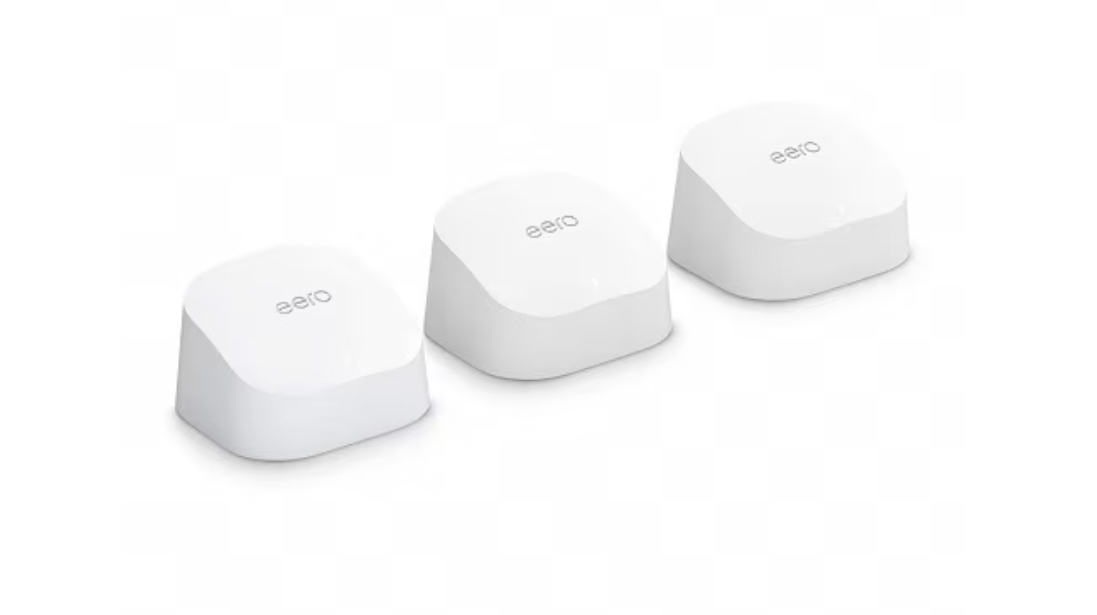
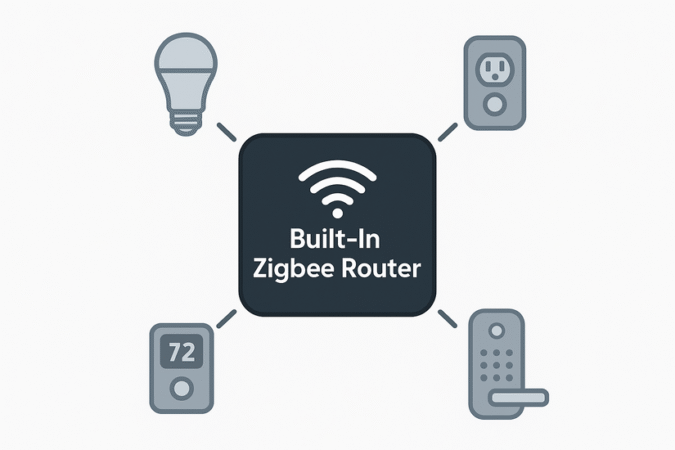
Some modern routers come with built-in Zigbee functionality. These routers eliminate the need for a separate hub, combining the functionality of both a router and a Zigbee hub. While convenient, they may offer fewer features compared to dedicated Zigbee hubs.
Hybrid hubs
Hybrid hubs support Zigbee and other protocols, such as Z-Wave or Wi-Fi. These hubs are ideal for users with a variety of smart home devices that may not all use Zigbee. By supporting multiple technologies, hybrid hubs provide greater flexibility.
3) Choosing the right Zigbee hub
Key considerations when selecting a hub
When selecting a Zigbee hub, you should consider several factors. These include the compatibility with your existing smart devices, the range coverage of the hub, and whether it integrates with popular home assistants like Alexa, Google Assistant, or Apple HomeKit. Some hubs also support multiple Zigbee versions, so be sure to choose one that fits your needs.
Price vs. features
Zigbee hubs vary widely in price. Higher-end models often include advanced features like extended range, extra device management options, and more complex automation capabilities. While these hubs are typically more expensive, they can provide greater flexibility and control, making them ideal for larger smart home setups.
4) The advantages of using a Zigbee hub
Improved device connectivity
Zigbee hubs create a stable, reliable network for all your Zigbee devices, ensuring they remain connected even in homes with many walls or other obstructions. The mesh network helps maintain a consistent connection across all devices.
Energy efficiency
One of Zigbee’s major benefits is its low power consumption. Zigbee devices, like motion sensors and smart bulbs, typically run on batteries and require less power compared to Wi-Fi or Bluetooth devices. This makes Zigbee an excellent choice for energy-conscious users looking to build an efficient smart home.

Scalability for larger homes
Zigbee’s mesh networking capabilities make it ideal for expanding your smart home. Whether you’re adding more devices or covering a larger area, Zigbee hubs allow you to easily scale your setup without compromising performance.
5) Potential drawbacks of Zigbee hubs
Limited device compatibility
Not all Zigbee hubs support every Zigbee-certified device, especially those from competing ecosystems. This can create compatibility issues if you already own devices from different smart home brands.
Security concerns
Although Zigbee is generally secure, there have been vulnerabilities identified in earlier versions of the protocol. It’s essential to ensure your hub is running the latest firmware updates to avoid potential security risks.
Range limitations
While Zigbee’s mesh network improves range, there are still limitations. Devices located far from the hub or surrounded by thick walls may experience connection issues. In such cases, you may need to add additional repeaters to strengthen the network.
6) How to set up a Zigbee hub in your Home
Installation Process
First, connect the hub to your home router, either via Ethernet or Wi-Fi. Then, follow the instructions provided with the hub to complete the setup, usually through a mobile app or web interface.
Adding devices to your Zigbee network
Once the hub is installed, you can begin adding Zigbee devices to your network. This is typically done by placing each device in pairing mode and using the hub’s app to connect them. The process is simple, and the app will guide you through each step to ensure proper setup.
7) Popular Zigbee hubs on the market
Amazon Echo Plus
The Amazon Echo Plus includes a built-in Zigbee hub, making it a convenient choice for those already in the Alexa ecosystem. You can easily pair Zigbee devices with Alexa and control them via voice commands.

Samsung SmartThings Hub
The Samsung SmartThings Hub supports Zigbee, Z-Wave, and Wi-Fi, making it a versatile option for users with multiple types of smart devices. It also integrates with popular voice assistants like Google Assistant and Alexa, giving you complete control over your smart home.
8) Zigbee vs. other smart home protocols
Zigbee vs. Wi-Fi
While both Zigbee and Wi-Fi are wireless communication protocols, Zigbee uses less power and operates over longer distances due to its mesh network. However, Wi-Fi devices connect directly to your router, making them easier to set up but often less reliable over long distances.
Zigbee vs. Z-Wave
Zigbee and Z-Wave are similar but operate on different frequencies. Z-Wave typically offers a larger range for individual devices but has fewer compatible devices than Zigbee. Zigbee, on the other hand, supports more devices and is generally better for homes with multiple smart devices.
FAQs
What is the difference between Zigbee and Z-Wave? Zigbee and Z-Wave are both wireless communication protocols used in smart home devices. Zigbee supports more devices and offers a mesh network, while Z-Wave offers better range but fewer compatible devices.
Can I use Zigbee without a hub? No, Zigbee requires a hub to connect and manage devices. The hub acts as a bridge to communicate with the Zigbee network and integrate devices into your smart home system.
Is Zigbee secure? Zigbee is generally secure, but older versions have had vulnerabilities. It's important to keep your hub’s firmware updated to ensure the highest level of security.
Can Zigbee work with Alexa or Google Assistant? Yes, many Zigbee hubs, such as the Amazon Echo Plus and Samsung SmartThings Hub, integrate seamlessly with Alexa and Google Assistant for voice control of your smart devices.
Conclusion
When choosing a Zigbee hub, consider your device needs, home size, and preferred smart home ecosystem. Zigbee offers an excellent solution for users looking to create a stable and scalable smart home network, but it's important to weigh its limitations and ensure compatibility with your devices.

Discussion (0)
Be the first to comment.