



A Radeon RX 5700 XT bought from a pawn shop has been restored to much healthier operating temperatures after its owner replaced worn thermal materials, added extra cooling, and undervolted the GPU.
Before the changes, the graphics card was reportedly reaching a hotspot temperature of 106°C and VRAM temperatures close to 104°C. The high temperatures caused thermal throttling, stuttering in games, and core clocks falling well below their intended level.
After several modifications, the hotspot dropped to 83°C while VRAM temperatures fell to around 85°C to 90°C.
| Measurement | Before | After |
|---|---|---|
| GPU hotspot | 106°C | 83°C |
| VRAM temperature | About 104°C | 85°C to 90°C |
| Core clock under load | 1630 to 1680MHz | Fixed around 2.0GHz |
| GPU voltage | 1.16V | 1.07V |
| Memory clock | Not specified | 1825MHz |
| Power limit | Not specified | Increased by 15% |
| Fan target | Near maximum | 100% at 75°C |
Old Thermal Pads Were in Poor Condition
The owner first opened the card and inspected its thermal materials.
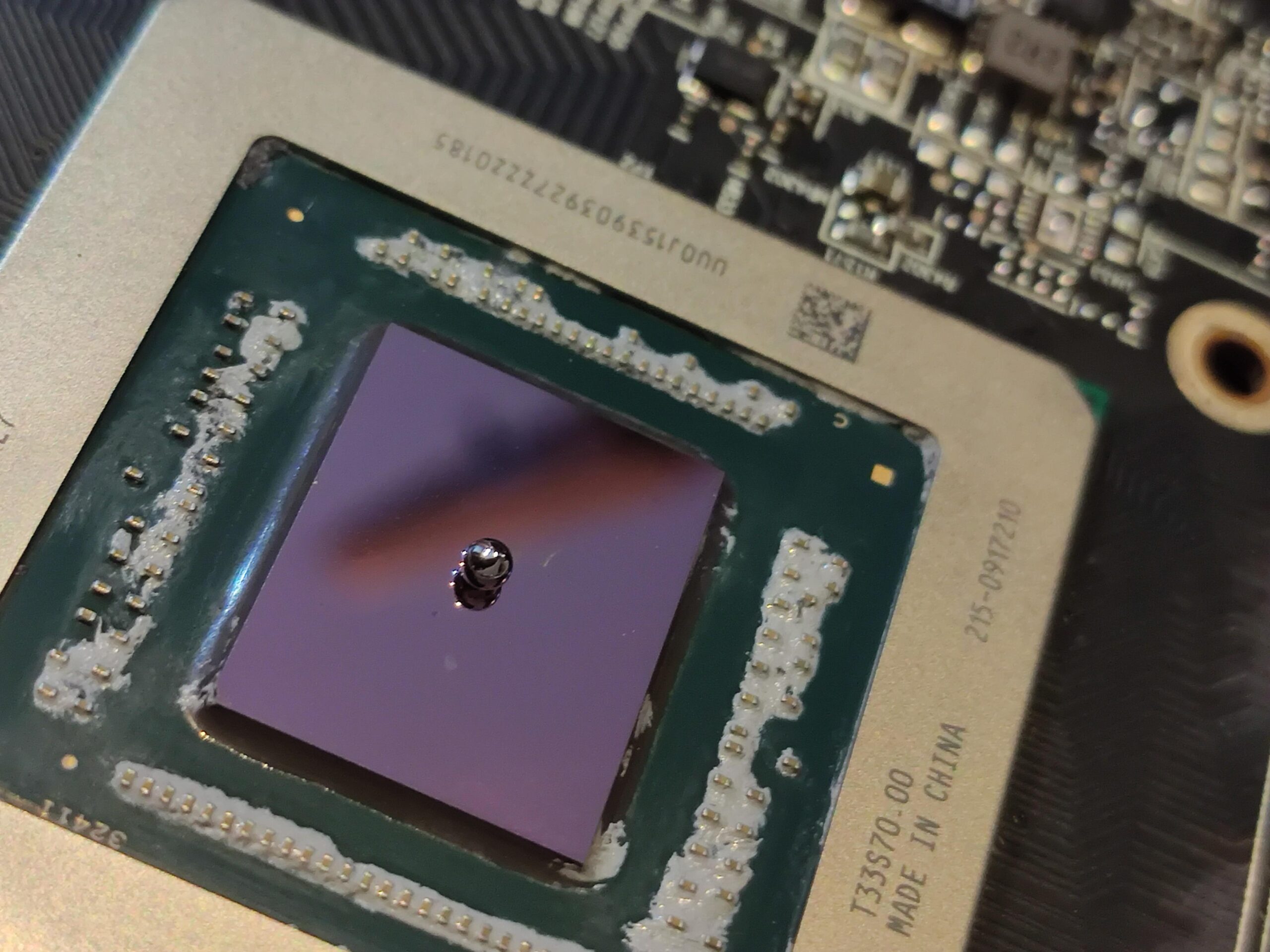
The thermal pads had degraded significantly and were described as having a sand like texture. They were replaced, while the old thermal paste on the GPU was also removed and reapplied.
Those changes alone did not solve the problem.
The card continued to run hotter than expected, suggesting that additional cooling was required around the memory and other components.
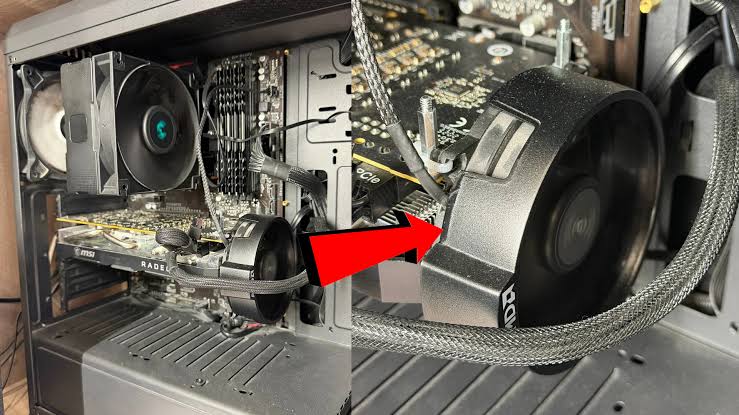
The plastic backplate was then removed, and a separate heatsink was attached around the VRAM area using zip ties.
An AMD Stock Fan Was Added for Extra Airflow
The most unusual part of the modification involved adding an AMD stock cooling fan to the end of the graphics card.
The fan was positioned to blow fresh air directly across the card's components while helping move hot air toward the openings near the rear I/O area.
The owner also changed the thermal paste again as part of the final setup.
This added airflow appears to have contributed significantly to the lower hotspot and memory temperatures.
The modification is clearly a custom solution rather than a standard repair method, but it worked in this particular system.
Undervolting Helped Reduce Heat
Cooling hardware was only part of the changes.
The RX 5700 XT was also undervolted from 1.16V to 1.07V.
The GPU frequency was fixed at around 2.0GHz, while memory was set to 1825MHz. The power limit was increased by 15%.
Undervolting can reduce heat generation and power consumption when a GPU remains stable at the lower voltage.
In this case, the owner reported that the card could maintain better performance after the changes instead of dropping to around 1630MHz to 1680MHz because of thermal throttling.
Fan Curve Was Made More Aggressive
A custom fan profile was also introduced.
The graphics card fans were configured to reach 100% once temperatures hit 75°C.
That is a much more aggressive cooling strategy than many factory profiles and will likely increase noise, but it can help prevent temperatures from climbing into the throttling range.
The final configuration reduced the hotspot by 23°C.
VRAM temperature improved by roughly 14°C to 19°C depending on the observed reading.
Gaming Stutters Reportedly Disappeared
Before the modifications, the card struggled to maintain its expected clock speeds during games because of the excessive heat.
The owner reported noticeable stuttering as the GPU repeatedly throttled itself.
After the cooling changes and undervolt, those stutters were reportedly eliminated.
The card could also maintain a much more consistent operating frequency.
For an older GPU, deteriorated thermal paste and pads can contribute to rising temperatures over time. Replacing those materials can sometimes restore normal operation without requiring more extensive modifications.
The additional heatsink and fan used in this RX 5700 XT project were more aggressive measures, but they show how targeted cooling changes can extend the useful life of aging hardware when the underlying GPU is still functional.


Discussion (0)
Be the first to comment.