


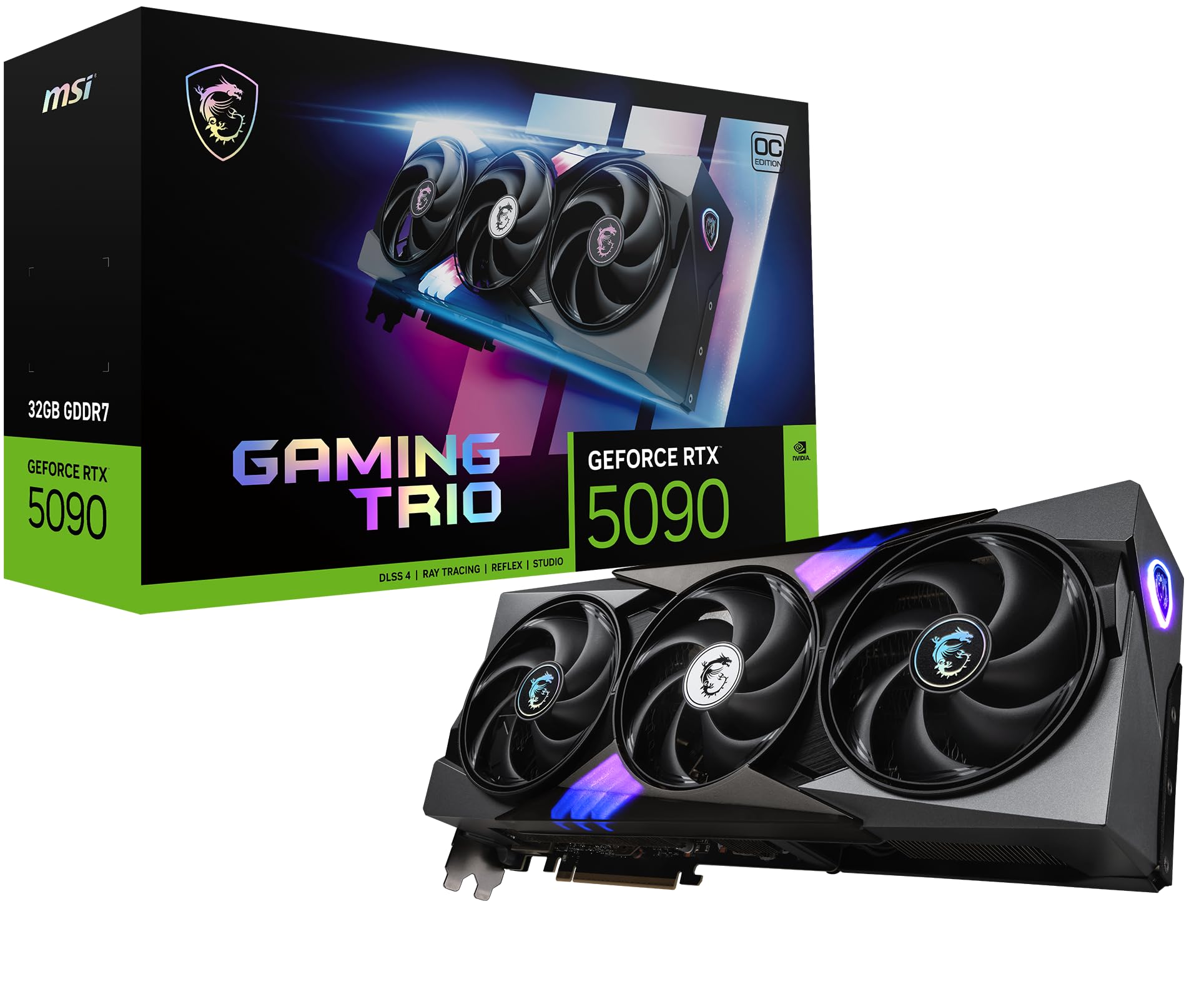
A PC enthusiast has demonstrated an unusual cooling configuration that keeps Nvidia's GeForce RTX 5090 graphics card running at temperatures as low as 32°C during demanding 3DMark benchmarks, without reducing its power limits or applying an undervolt.
The system uses 30 cooling fans inside a Corsair 7000D Airflow chassis, alongside the liquid cooling system fitted to a GIGABYTE AORUS GeForce RTX 5090 XTREME WATERFORCE graphics card.
The builder, known as u/FOR_000 on Reddit, shared benchmark results showing average GPU temperatures between 32°C and 35°C across several tests.
The graphics card also reportedly performed approximately 6.87% better than a selection of other RTX 5090 results on the 3DMark leaderboards.
However, the elaborate cooling arrangement requires extensive wiring, multiple controllers, and a substantial amount of space inside the PC case.
RTX 5090 Maintains Temperatures Below 40°C During 3DMark Tests
The most notable aspect of the build is its ability to maintain low temperatures during intensive graphics benchmarks.
The enthusiast tested the system using 3DMark Steel Nomad, Time Spy Extreme, and the standard Time Spy benchmark.
Across these workloads, the RTX 5090 maintained average temperatures between 32°C and 35°C.
Steel Nomad recorded an average GPU temperature of 33°C, while Time Spy Extreme reached 35°C.
The standard Time Spy test produced the lowest reported average temperature at 32°C.
These results are particularly interesting because the graphics card was running at stock power limits without manual undervolting.
Undervolting is commonly used to reduce GPU power consumption and temperatures, but the builder relied on cooling hardware rather than modifying the card's operating voltage.
The system also maintained strong benchmark performance, suggesting that the cooling configuration was sufficient to prevent temperature related performance limitations during the reported tests.
However, average GPU temperatures do not necessarily represent the highest temperatures reached by individual components.
Nvidia RTX 5090 Benchmarks Show Strong Performance at Stock Settings
The enthusiast published several benchmark results to demonstrate the cooling system's effectiveness.
The PC combines the RTX 5090 with an Intel Core Ultra 9 285K processor.
| Benchmark | Overall Score | Average GPU Temperature |
|---|---|---|
| 3DMark Steel Nomad | 14,938 | 33°C |
| 3DMark Time Spy Extreme | 23,899 | 35°C |
| 3DMark Time Spy | 39,718 | 32°C |
Steel Nomad also recorded a performance result of 149.38 FPS.
In Time Spy Extreme, the graphics card achieved a graphics score of 26,904.
The standard Time Spy benchmark produced a graphics score of 49,564.
According to the reported comparison with other RTX 5090 entries, the system achieved an average performance advantage of approximately 6.87%.
However, this figure should be treated cautiously because benchmark results can vary depending on processor performance, driver versions, system configurations, and other factors.
The available information does not establish how much of the reported advantage can be attributed specifically to the additional cooling fans.
GIGABYTE RTX 5090 Reaches 3,052MHz With GDDR7 Memory at 49°C
The graphics card used in the build is GIGABYTE's AORUS GeForce RTX 5090 XTREME WATERFORCE AIO model.
Unlike conventional air cooled graphics cards, this version includes an integrated liquid cooling system.
The builder supplemented that system with additional airflow generated by the 30 fan arrangement.
Monitoring data from GIGABYTE Control Center reportedly showed the GPU reaching a maximum boost clock of 3,052MHz.
The card's GDDR7 memory operated at approximately 28Gbps, while the memory temperature peaked at 49°C during extended stress testing.
The relatively low memory temperature is another important result because high performance graphics cards generate considerable heat across both the GPU and memory components.
However, the reported data does not include complete temperature measurements for every component, such as the GPU hotspot and voltage regulation circuitry.
These measurements would provide a more comprehensive understanding of the cooling system's performance.
Building a 30 Fan PC Requires Extensive Cable Management
The enthusiast installed the cooling configuration inside a Corsair 7000D Airflow case.
The chassis provides substantial internal space for cooling hardware, making it suitable for elaborate builds involving multiple fans and liquid cooling components.
The system uses magnetic stackable fan mounts and carefully adjusted fan speeds to direct airflow through the radiator.
Rather than using external cooling equipment, the builder arranged the components within the PC case.
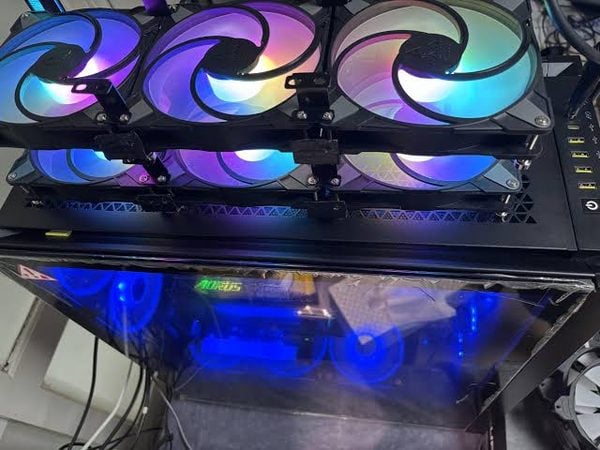
However, installing 30 fans introduced significant wiring challenges.
Each fan requires connections for power and speed control, while RGB equipped models also need lighting connections.
The builder used PWM repeaters, Corsair controllers, and additional hubs to manage the large number of connections.
Color coded tape and handwritten labels were added to help identify individual cables.
Despite those organizational efforts, photographs of the system show a dense collection of wiring behind the motherboard tray.
The arrangement is considerably more complicated than a conventional gaming PC, which commonly uses only a handful of case fans.
RTX 5090 Cooling Does Not Eliminate Power Connector Risks
The RTX 5090's substantial power requirements have also renewed attention on graphics card power connector reliability.
Some RTX 5090 owners have reported problems involving overheating or damage around high power connectors and cables.
However, maintaining a low GPU core temperature does not automatically prevent connector related failures.
Power connector overheating can result from separate electrical or mechanical issues, including poor contact, uneven current distribution, or connection problems.
Additional case airflow may help reduce surrounding temperatures, but it should not be treated as a guaranteed solution to electrical connector faults.
Proper cable installation, secure connections, and compatible power delivery equipment remain important considerations for high power graphics cards.
The enthusiast's results demonstrate effective cooling of the GPU and memory during testing, rather than proving that the entire system is protected from every potential hardware failure.
Extreme Fan Setup Shows the Limits of Conventional PC Cooling
The 30 fan arrangement demonstrates how far enthusiasts can go when prioritizing low operating temperatures.
The reported temperatures are impressive for a high performance graphics card operating under demanding benchmark workloads.
However, the setup introduces practical tradeoffs.
Thirty fans require additional power, create more wiring, increase system complexity, and may generate considerable noise.
The builder has not provided detailed measurements of total system power consumption or acoustic performance.
There is also no direct comparison showing how the same graphics card performs with its original liquid cooling system and a more conventional number of case fans.
Such testing would help determine how much benefit the additional fans provide.
For most RTX 5090 owners, a properly configured liquid cooling system or high quality case airflow arrangement will be considerably simpler to maintain.
The enthusiast's build nevertheless offers an interesting demonstration of thermal management, with the RTX 5090 maintaining average temperatures below 40°C while delivering strong 3DMark results.
Whether the builder will attempt additional overclocking remains unknown, but the current configuration already demonstrates the effectiveness of the elaborate cooling arrangement under the reported test conditions.

Discussion (0)
Be the first to comment.