



TP-Link is best known for its wireless routers and networking devices. Not many people know that the company has decided to produce smartphones too. In recent months, we have reviewed their Neffos X1 smartphone and, at the time, we were pleased with what it had to offer. Recently, the company sent us for testing their smaller Neffos X1 Lite smartphone with Android 7 Nougat. We were curious to see if this is a good smartphone and what it is the difference, other than the price, between this model and its bigger brother. If you are looking for an ultra-budget smartphone, read this review for the TP-Link Neffos X1 Lite:
What is the TP-Link Neffos X1 Lite smartphone good at?
The TP-Link Neffos X1 Lite smartphone is a suitable choice for:
- Essential smartphone needs like making phone calls, browsing the internet, or social media
- People who do not want to spend a lot of money on a smartphone
- Users who want a good-looking smartphone at a small price
Pros and cons
Here's what we liked about the TP-Link Neffos X1 Lite:
- Almost anyone can afford this smartphone
- It looks good for a smartphone that is so affordable
- It has a surprisingly good build quality, and a metallic body
- It has a fingerprint reader for comfort and security
- It is a Dual SIM smartphone, and it works with 4G LTE mobile networks
- It comes with Android 7 Nougat
- There are few useless apps bundled on it
There are some less positive aspects too:
- The hardware on this smartphone is underpowered, and that means it will likely get slower over time
- It is not a good choice for taking photos or filming videos
- Gaming is a poor experience on this smartphone
- The mobile reception could be better

Verdict
TP-Link Neffos X1 Lite is not a perfect smartphone and this is to be expected from most affordable devices. However, when looking at the whole package and what you get for a small amount of money, TP-Link Neffos X1 Lite is quite a bargain. You get a surprisingly good build quality, a good looking smartphone, a fingerprint reader, Android 7 Nougat and little bloatware. However, some compromises had to be made, to keep the cost small. As a result, the processor and the graphics chip are on the low-end of the performance spectrum (even though they perform better than on other smartphones with a similar price), and the camera is average at best. However, the biggest downside is the mobile signal reception, which should have been better. This issue is the only reason why we didn't give this smartphone our maximum rating.
Hardware specifications and packaging
The TP-Link Neffos X1 Lite arrives in a beautiful white box made from glossy cardboard. On the top of the box, there is a large X made from engraved thin lines and the Neffos X1 Lite name printed in gold ink.
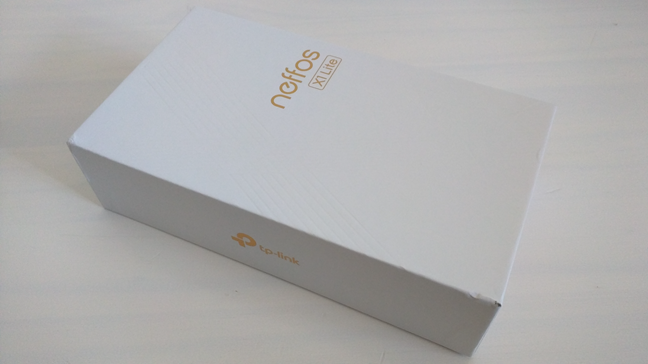
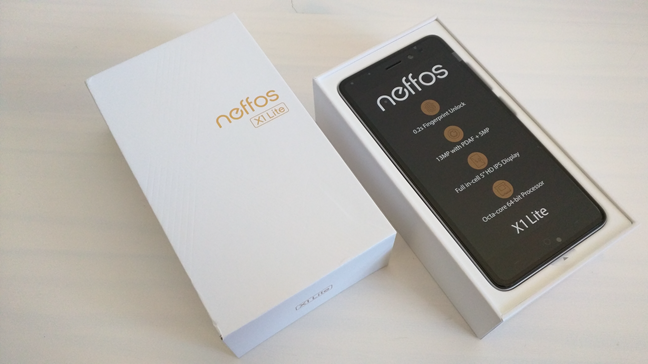
On the bottom, you can see the main hardware specifications and other technical information. Open the package, and you will meet your new TP-Link Neffos X1 Lite smartphone sitting on top of a paper tray.
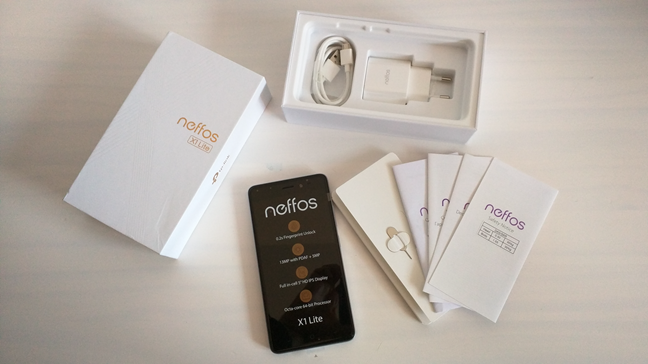
In the box, under the smartphone, you will also find the bundled accessories and documents: the power charger and its detachable USB to micro USB 2.0 cable, a small pin used for ejecting the SIM cards support, the quick start guide, warranty notice, declaration of conformity and the safety notice.
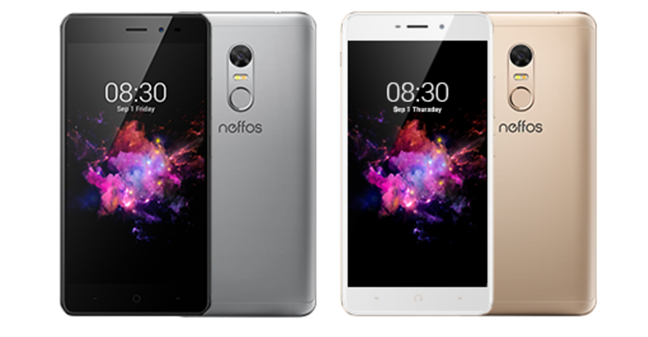
TP-Link Neffos X1 Lite smartphone is manufactured in two color variations: Cloud Grey and Sunrise Gold. The model that we tested is the gray one.
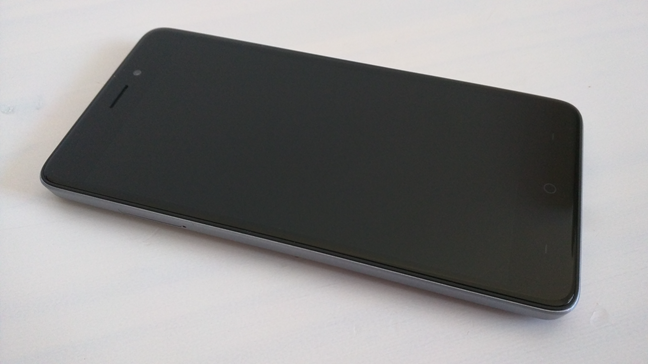
This smartphone has a 5-inch screen with a 720p HD display resolution of 1280 by 720 pixels and a pixel density of 293.7 ppi. The display uses IPS (In-Plane Switching) technology so the viewing angles are wide and the colors should be close to natural, although not as vivid as what you see on AMOLED displays. The screen is protected by 2.5D scratch-resistant curved glass.
On the inside, the TP-Link Neffos X1 Lite is powered by an eight-core Cortex-A53 processor running at 1.5 GHz, on a MediaTek MT6750 chipset. The video part is handled by a Mali-T860MP2 graphic chip running at 520 MHZ. As for memory, the smartphone has 2GB of RAM and 16GB of internal flash storage space. Also, you can expand the storage space by adding a microSD card with a maximum size of 128 GB.
This is a Dual SIM smartphone, meaning that you can use two different SIM cards (both have to be nano-SIMs) at the same time. However, although both SIM cards can connect to 3G WCDMA or 4G LTE, only one of them can be connected to 3G/4G at a time. The smartphone works in a Dual SIM Dual Standby implementation, which means that even if both SIM cards are active when you are not using them, once you take a call on one of them, the other becomes inactive. Furthermore, if you add a microSD card to the smartphone to increase its storage space, it occupies the secondary SIM card slot, which means that you will not be able to use two SIM cards on your smartphone.
The rear camera found on the TP-Link Neffos X1 Lite smartphone has 13 megapixels, a f/2.0 aperture, phase detection autofocus, and a dual LED flash for low light conditions. On the front, you get a selfie camera of 5 megapixels with 84° wide-angle lens.
TP-Link Neffos X1 Lite benefits from the information it gathers from a series of sensors: compass, gyroscope sensor, accelerometer, ambient light sensor, proximity sensor, and fingerprint reader. It looks like more low-budget smartphones are getting fingerprint readers these days and that is great.
To connect to the internet and other devices, the TP-Link Neffos X1 Lite has a Wi-Fi chip that is compatible with the Wi-Fi 802.11a/b/g/n standards and can connect to both 2.4 GHz and 5GHz wireless networks. Additionally, the smartphone also has a built-in Bluetooth 4.1 chip.
The TP-Link Neffos X1 Lite smartphone gets its autonomy from a built-in non-removable battery with a capacity of 2550 mAh.
Regarding size, you should know that the TP-Link Neffos X1 Lite is rather small and thin. Its dimensions are 5.61 inches (142.6 mm) in length, 2.80 inches (71.2 mm) in width, and 0.33 inches (8.5 mm) in thickness. It weighs 4.86 ounces or 138 grams.
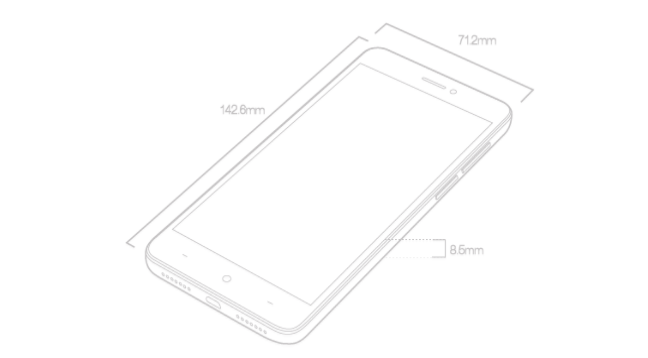
For more details about the hardware specifications and features of the TP-Link Neffos X1 Lite, visit this web page: TP-Link Neffos X1 Lite Specifications.
Design and build quality
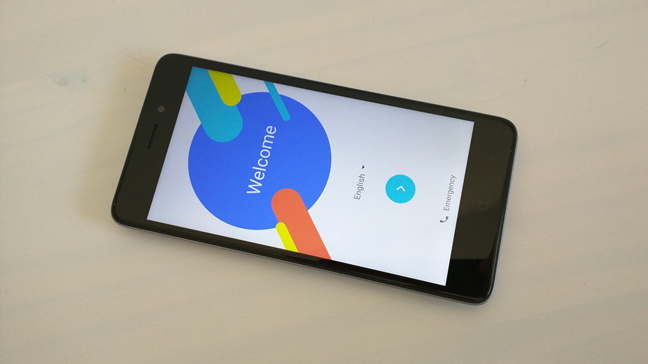
The TP-Link Neffos X1 Lite smartphone is a device for low budgets. However, that does not show in its design and build quality. In our opinion, this smartphone looks good, and you could easily mistake it for a mid-range device. The smartphone is made from metal and has a unibody design with symmetrical elements, which means that it is easy to use with either hand, regardless which you prefer.
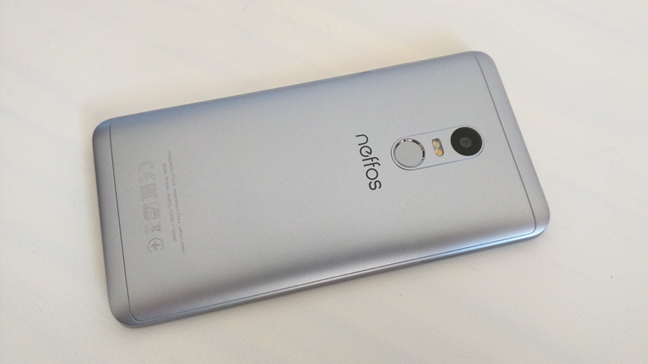
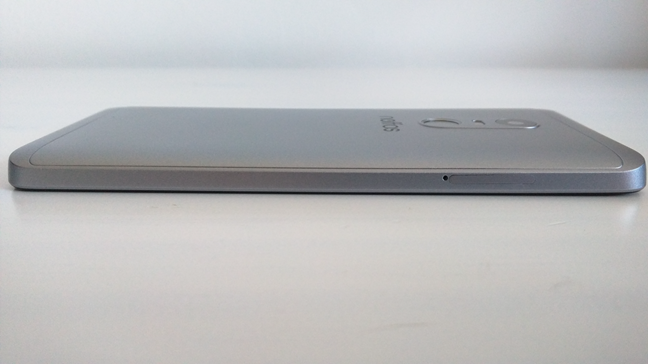
The back of the device has a metallic cover that curves towards the edges, giving you the impression that the smartphone is thinner than it is. The silky finish on the back and the curved design makes the smartphone fit perfectly in your palm.
On the front of the smartphone, thanks to the 2.5D glass used by TP-Link, you get the same user-friendly design with curved edges that makes the smartphone feel natural to hold in your hand.
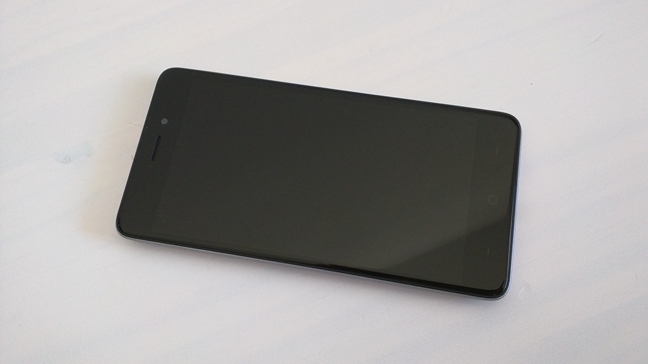
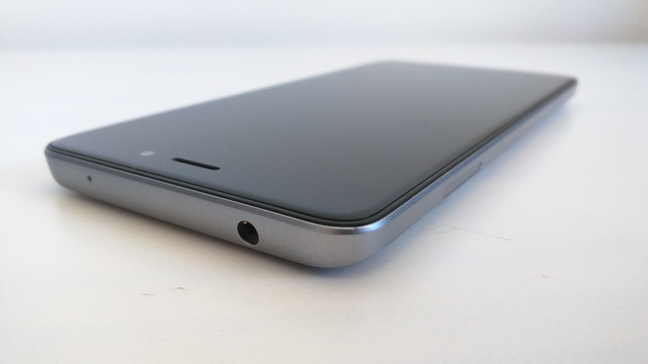
On the front of the TP-Link Neffos X1 Lite, towards the top, there is the ear speaker, the front camera and, to the left side, a small LED that lights up and changes colors depending on the notifications that you get. At the top, on the smartphone's edge, you can also find the 3.5 mm audio jack used for headphones.
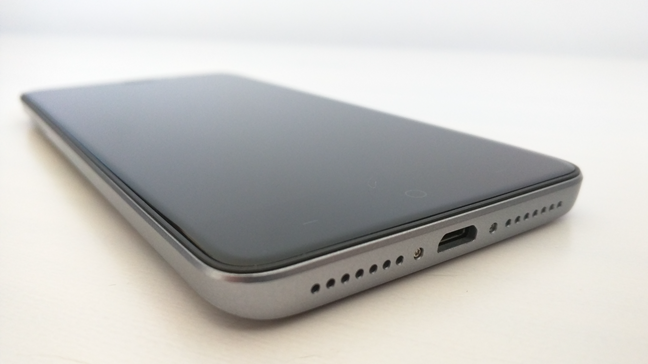
The bottom front area holds the default Android buttons: Back, Home and Recent apps. We like that TP-Link Neffos X1 Lite lets you configure the order you prefer having them, using the settings available in the operating system. Also, on the bottom edge, you can find the micro USB 2.0 port and, to its both sides, the grilles for the loudspeaker and microphone.
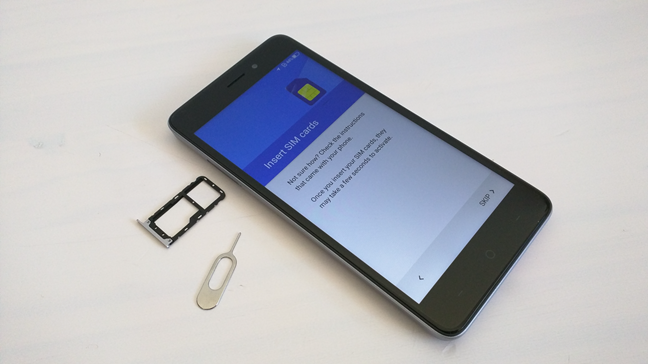
On the left edge of the smartphone, there is only one thing to be found: the SIM cards support. To take it out, you must use the pin ejector tool from the smartphone's package, or any paper clip that you have on your desk.
On its right edge, TP-Link Neffos X1 Lite has its power button and volume rocker, found in the same position as on most Android smartphones, slightly towards the top. You should have no issues in finding them easily.
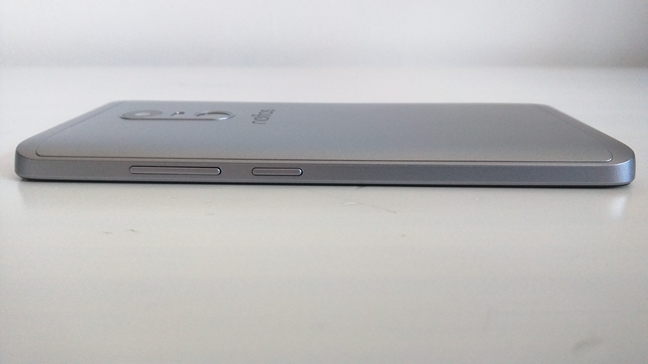
The back of the smartphone is home for the camera module with its dual LED flash towards the top. Also in the same area, placed symmetrically, there is the round fingerprint reader which is slightly sunk inside the case. That makes it easy to identify and differentiate from the camera when you are not looking at the back of the smartphone. Beneath these elements, you can also see the neffos brand name printed in dark gray.
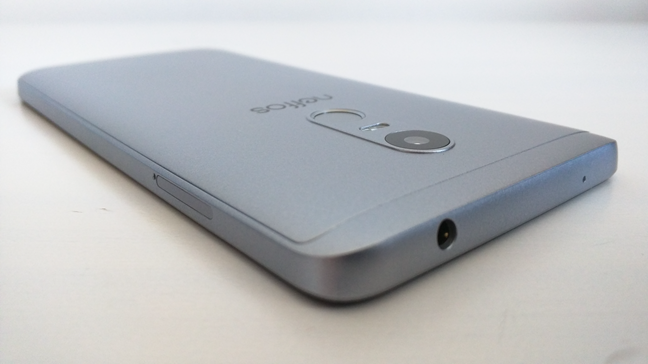
The TP-Link Neffos X1 Lite is an Android smartphone that is targeted at people with low spending budgets. However, the company has made no compromises when it comes to good design and the built quality of this device. They are surprisingly good for such an affordable device.
If you would like to read more about the smartphone experience offered by TP-Link Neffos X1 Lite, its camera, bundled apps, and performance in benchmarks, read the second page of this review.
The smartphone experience on the TP-Link Neffos X1 Lite
The TP-Link Neffos X1 Lite smartphone is not a big device by today's standards, and that is a positive for many people. It is, however, a bit heavier than you would expect, although it is not heavy. Its shape and dimensions make it ideal for almost everybody, regardless of hand size. Also, the TP-Link Neffos X1 Lite is comfortable to use and carry and fits in almost any pocket.
The screen looks good, with good contrast and vivid colors, and high levels of brightness that make it readable even outdoors, in sunlight.
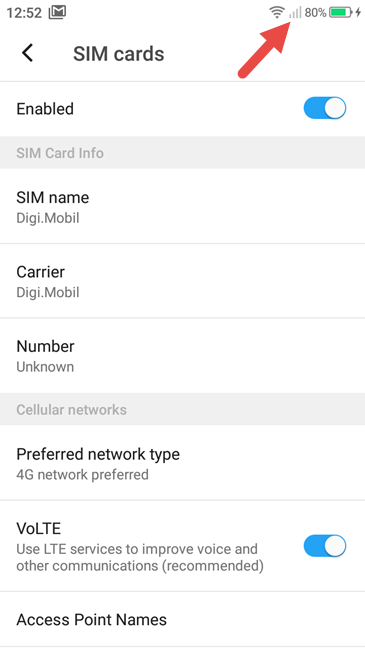
Regarding the quality of your phone calls, we had a decent experience using this smartphone. Phone calls usually offer enough voice clarity, and the background noise is somewhat canceled. However, the TP-Link Neffos X1 Lite does not offer very good signal reception. The culprit might be the radio antenna or maybe it is a firmware issue. We do not know why, but the smartphone has a weaker signal reception than other smartphones that we have tested in the past. Because of this issue, 4G data transfers are also affected when the radio signal from the mobile operator is weak. However, if you live in a big city and mobile coverage is excellent in your area, these aspects will probably not represent a problem for you.
The user experience you get on the TP-Link Neffos X1 Lite is generally pleasant. The operating system and the user interface do not lag, and apps are launched in a decent amount of time. Opening Chrome, for instance, takes two or three seconds. However, playing games is not a great experience on TP-Link Neffos X1 Lite. The Mali-T860 MP2 graphic chip is a low-end one, and that means that you should not expect demanding games to run well. This smartphone is well suited for running games with low visual requirements.

Watching a movie or YouTube video clip are pleasant experiences on the TP-Link Neffos X1 Lite. However, if you want to listen to music and enjoy it, we recommend that you use a pair of headphones. The loudspeaker is rather weak: it has no bass, and the sound is too high pitched. Furthermore, the maximum level is rather low, and when you push the volume to the maximum, the loudspeaker has the tendency to distort sounds. Unfortunately, you will have to either use a pair of headphones that you already own, or buy one, because there are none bundled with this smartphone.
The autonomy that we got from the TP-Link Neffos X1 Lite is good but not impressive. In normal use, it managed to keep us going for a day, but not more. That means taking phone calls and using the smartphone for a few hours in browsing the web, texting via Messenger and Skype, and scrolling through Facebook. By the end of the day, these activities drain the battery, and you have to charge it.
The TP-Link Neffos X1 Lite smartphone offers a reasonable phone experience. In daily tasks that everybody does on their smartphone, like browsing the web or checking your favorite social networks, it does well and it does not lag or stutter. Phone calls have good voice clarity, and the display looks good even in bright light. However, the loudspeaker is weak and, more importantly, the radio signal reception tends to be poor unless the area you live in has very good mobile coverage.
The camera experience on the TP-Link Neffos X1 Lite
The rear camera found on the TP-Link Neffos X1 Lite has an image sensor with a resolution of 13 megapixels, an aperture of f/2.0, phase detection autofocus and a dual LED flash to help it in low light conditions. The camera app and most likely the camera itself is the same as the one we have seen on the TP-Link Neffos X1. It is basic, with only a few settings to fiddle with and no complex manual controls.
The camera can shoot photos of average quality. Despite the fact that it has a phase detection autofocus which should focus as fast as only 0.2 seconds, the rear camera has issues focusing in some cases. The best photos that we took with the smartphone's main camera were those taken outdoors, in good lighting conditions. However, not even those were great looking, as many of them suffer from excessive contrast and are oversaturated. The photos we shot in low light tend to have a lot of noise. Also, managing to keep the smartphone steady enough to get a picture that is not blurry requires quite a bit of skill. If you want to get a better idea about how the photos taken with the TP-Link Neffos X1 Lite look, check the samples that we have included in the gallery below.
TP-Link Neffos X1 Lite can record videos at a maximum Full HD resolution of 1920 x 1080 pixels. Unfortunately, you do not image stabilization, so you will have to make sure that your hands are steady when recording videos. Otherwise, your videos will be quite shaky. To see how the smartphone records videos with a static scenery, check the video below:
If you are curious to see how the smartphone does when it has to record videos with movement involved, check the following video:
The camera experience you get on the TP-Link Neffos X1 Lite is not great. The rear camera shoots decent photos, but your videos have no stabilization options. Pictures tend to be oversaturated and suffer from excessive contrast, while the videos you record tend to be shaky.
Android 7 Nougat, NFUI 2 and bundled apps
TP-Link Neffos X1 Lite comes with a modern version of Android, namely Android 7.0 Nougat and with a proprietary user interface called NFUI, version 2.0.0. The user interface is not that different from how the stock Android interface looks and works. The only notable differences are the fact that you can easily apply different themes and that there is no app drawer. Unfortunately we did not enjoy the lack of an app drawer and we hope that TP-Link will implement one in future versions of their NFUI.
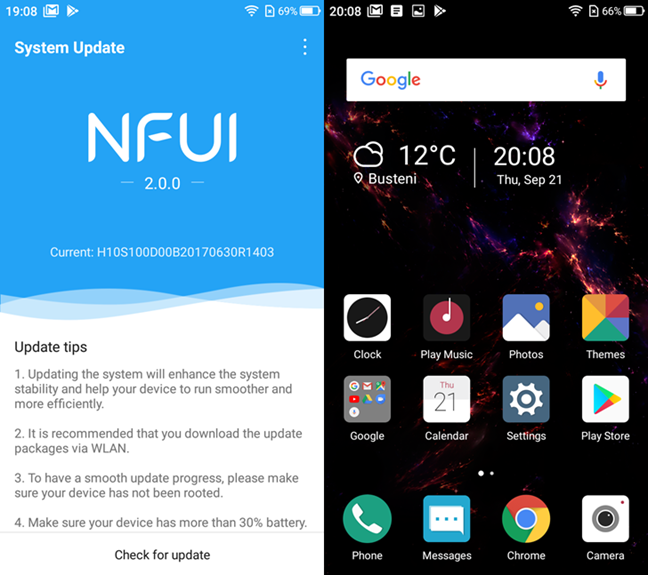
TP-Link also bundled a few apps on the smartphone, besides the default Android ones:
- Compass - shows you the cardinal directions.
- Feedback - useful if you want to send some feedback to TP-Link about your Neffos X1 Lite.
- File Manager - can be used to browse and manage the files stored on your smartphone.
- FM Radio - lets you listen to radio stations that are broadcasting in your area. You have to connect a pair of headphones to the smartphone if you want this app to function.
- Notes - you can use this app to make quick notes on your smartphone.
- Sound Recorder - useful for recording sounds using the smartphone's microphone.
- Themes - let you change the user interface theme to another that you like, with just one tap.
- Weather - shows the weather prognosis for your location or any other place that you choose.
TP-Link Neffos X1 Lite comes with the modern Android 7 Nougat operating system, and we like the fact that the smartphone does not have too many bundled apps. However, we would have preferred the NFUI user interface to have an app drawer.
Performance in benchmarks
The best way to confirm our impressions about the performance of the TP-Link Neffos X1 Lite is to run some benchmarks and compare results with other similar smartphones.
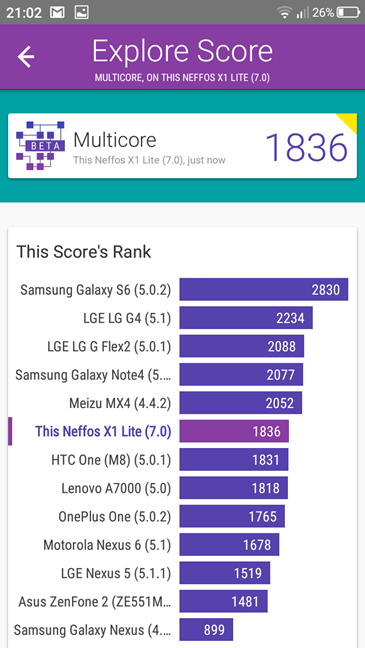
We began by running Vellamo, an app developed by Qualcomm. First, we executed the Multicore tests which ended with a score that reflects the processor's performance in multitasking. TP-Link Neffos X1 Lite got 1836 points, which is a a lot better than smartphones like Xiaomi Redmi 4A, Motorola Moto E4 or ASUS Zenfone Live. However, it is also 37% weaker than its bigger brother, the TP-Link Neffos X1.
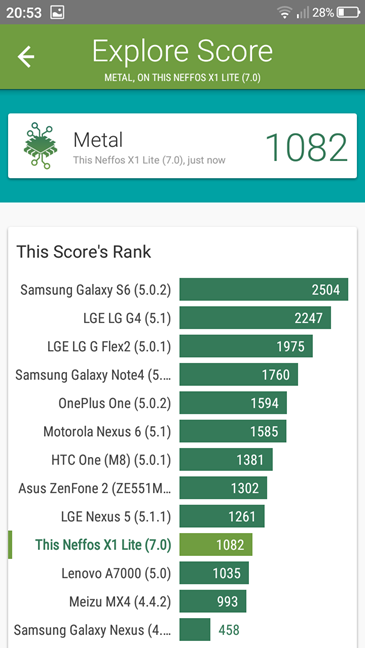
Then we ran Vellamo's Metal tests, which measure the processor's performance per core. This is important for apps like games, which demand good performance and a high frequency per core. TP-Link Neffos X1 Lite got 1082 points. This is a similar score to that of the Xiaomi Redmi 4A and Motorola Moto E4, and is a much better than that of an ASUS ZenFone Live. However, it is almost 11% weaker than the TP-Link Neffos X1.
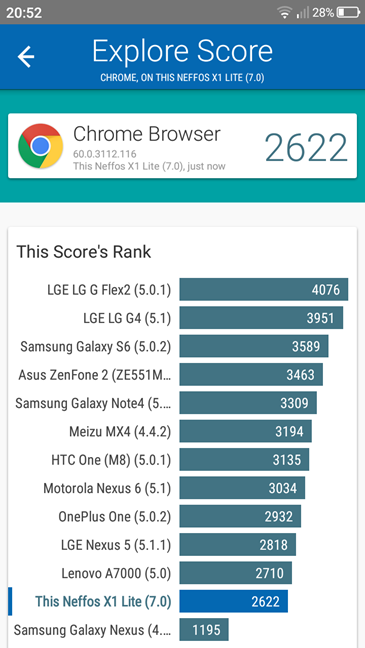
Vellamo also includes a series of tests that assesses the smartphone's performance in web browsing. On the TP-Link Neffos X1 Lite, the Browser tests ended with a score of 2622 points. This is much better score than that achieved by a Xiaomi Redmi 4A, Motorola Moto E4 or ASUS ZenFone Live. However, it is roughly 12% weaker than that of a TP-Link Neffos X1.
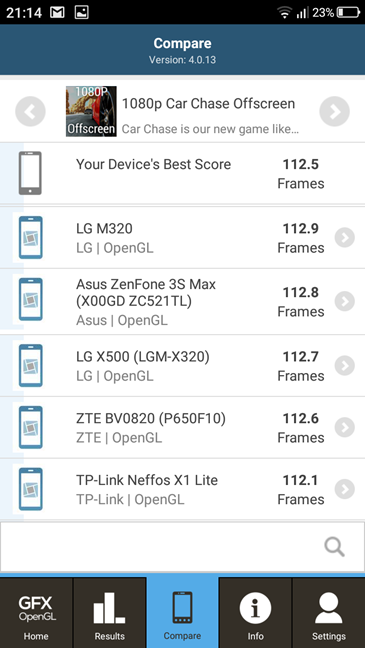
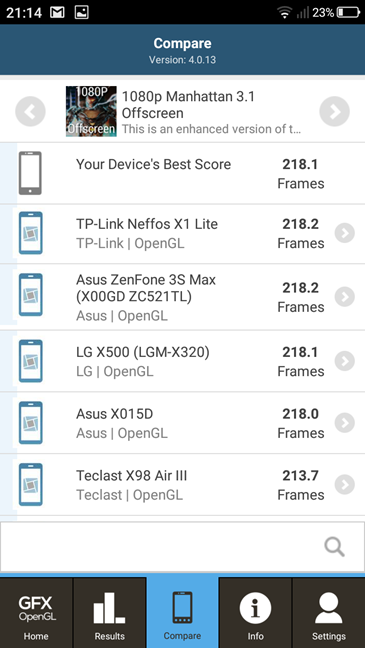
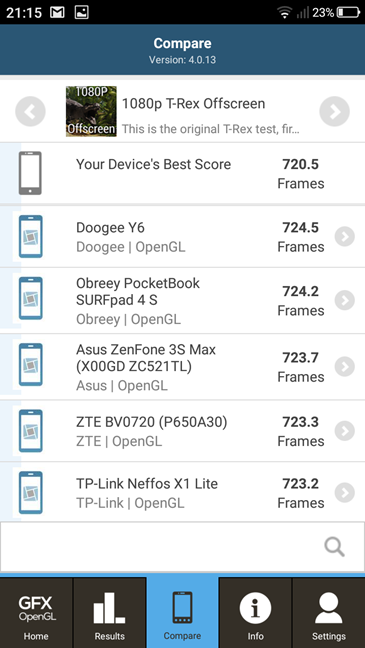
We then moved on to the gaming tests. To get an idea on the level of performance offered by TP-Link Neffos X1 Lite, we used the 1080p Car Chase Offscreen, 1080p Manhattan 3.1 Offscreen and 1080p T-Rex Offscreen tests provided by the GFXBench GL Benchmark app. We took into consideration only the 1080p Offscreen versions of these tests because they are run at the same resolution on any device, regardless of the native display resolution. It makes more sense when you compare the results you get with those of other devices.
In the 1080p Car Chase Offscreen test, the TP-Link Neffos X1 Lite managed to render 112.5 frames, which is a very weak result. Unfortunately, we cannot compare it with the same smartphones that we mentioned in the other tests, such as the Xiaomi Redmi 4A, Motorola Moto E4 or ASUS ZenFone Live. Those smartphones are not compatible with the OpenGL ES 3.2 graphics rendering API that is used by the Car Chase test. This is a plus for the Neffos X1 Lite, because it does offer support for this API.
In the 1080p Manhattan 3.1 Offscreen test, the TP-Link Neffos X1 Lite rendered 218.1 frames. It is a better score than that of a Xiaomi Redmi 4A or a Motorola Moto E4. Unfortunately, for the TP-Link Neffos X1 and for the ASUS ZenFone Live we have run the original 1080p Manhattan 3.0 Offscreen test that was available at the time, not the enhanced version Manhattan 3.1.
In the third and final gaming test we ran, 1080p T-Rex Offscreen, TP-Link Neffos X1 Lite rendered 720.5 frames. That is a result that is a lot better than that of the Motorola Moto E4 and it is more than double of what you get from an ASUS ZenFone Live. It is also better than the number of frames rendered by a Xiaomi Redmi 4A. Compared to the TP-Link Neffos X1, the Lite version rendered only about 50 frames less which is a difference of only 7 percent in performance.
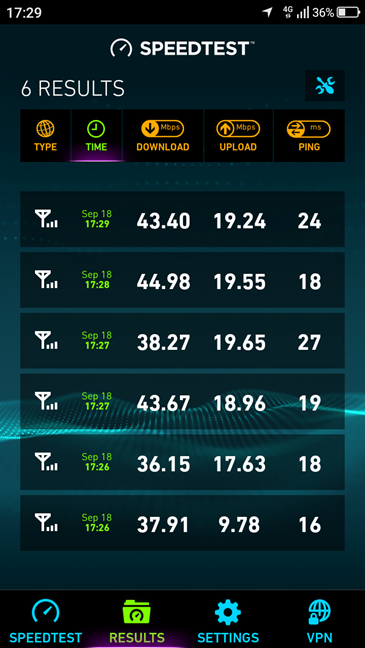
We also used Speedtest to check the 4G speed and reliability offered by the TP-Link Neffos X1 Lite. The measurements we made offered good results, similar to those of other smartphones that we reviewed.
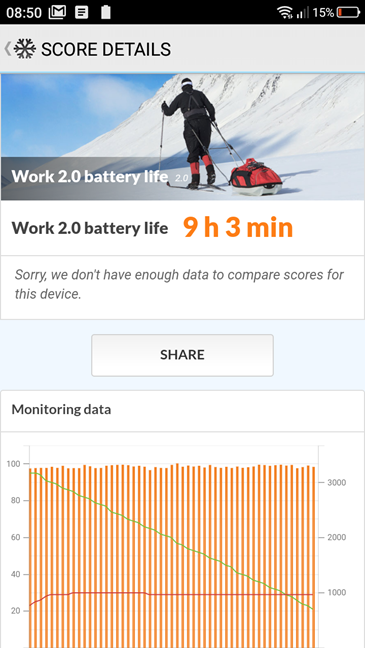
Before ending the review, we also tested the battery performance of the TP-Link Neffos X1 Lite. To do that, we used a benchmarking app called PCMark. Running the Work 2.0 battery life test, the TP-Link Neffos X1 Lite managed to stay on for 9 hours and 3 minutes. This is a good result, and it shows that the smartphone can last you for a day or even more on single battery charge.
The TP-Link Neffos X1 Lite is not a great device for gaming and other demanding activities. However, it does an honorable job when it comes to all the usual day-to-day tasks that everybody performs on a smartphone. When it comes to browsing the web, for instance, it is even better than other similarly priced smartphones.
What is your opinion about the TP-Link Neffos X1 Lite?
You have spent about ten minutes to read our opinion about this smartphone and how it fared in our benchmarks. At this point you should know whether TP-Link Neffos X1 Lite is a great choice for you or not. Before closing this article, share with us your view: are you interested in buying TP-Link Neffos X1 Lite? Does it look like a good choice for you? The comments form can be accessed below.
Discussion (1)
in this price, I think this phone is very good