At some point, you might want to sell your iPhone or iPad, or you might want to give it to someone else. Before doing anything like that, you should reset it to its default factory settings and delete all the content on it. After all, you do not want to gift all your personal data as a present, right? If you want to know how to make a factory reset of your iPhone or iPad, read this tutorial:
NOTE: Before resetting your iPhone or iPad to their factory settings, you might want to first backup their content, so that you don't lose your important data. However, even if you do not do it beforehand, iOS offers you the option to perform a backup during the reset procedure.
Step 1. Access the reset options on your iPhone or iPad
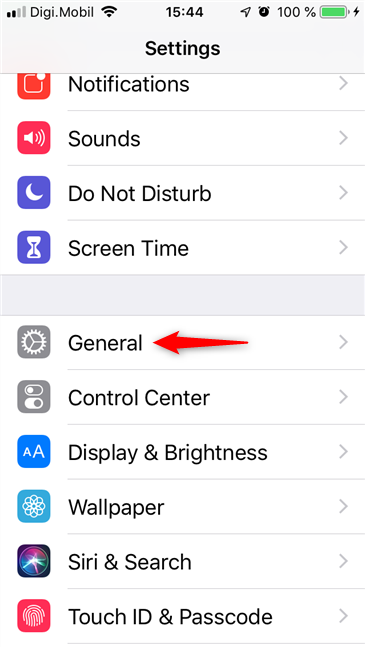
The first thing you must do is open the Settings. On the Settings screen, scroll until you find the General entry, and then tap on it.
General settings for the iPhone
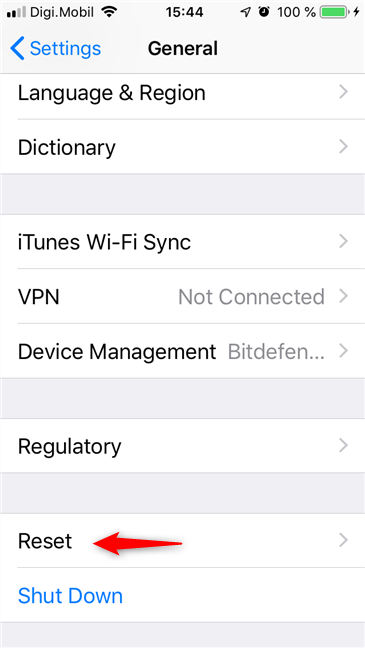
At the bottom of General settings, tap on Reset.
The Reset entry in the Settings of an iPhone
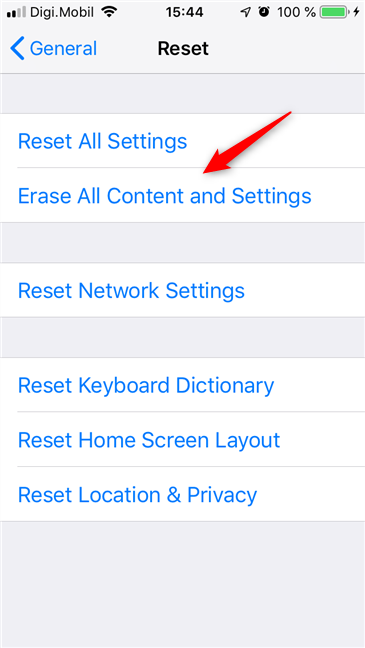
The Reset screen loads, giving you various options:
Reset All Settings - resets all the settings you have changed on your iPhone or iPad, including sound, general, Bluetooth, brightness, wallpaper, Wi-Fi, notifications, and privacy. However, it does not erase your photos, videos, documents and any other content you might have on your device.
Erase All Content and Settings - is the equivalent of a full factory reset, meaning it erases everything, from settings to content, leaving your iPhone or iPad like new. This is the "nuclear option" that completely erases your device.
Reset Network Settings - resets Wi-Fi networks and passwords, cellular settings, VPN and APN settings that you have used.
Reset Keyboard Dictionary - removes any custom words that you might have added to the keyboard dictionary.
Reset Home Screen Layout - returns your iPhone or iPad home screen to its default state.
Reset Location & Privacy - resets all your location and your privacy settings, so that apps stop using your location and personal data, until you grant them permission again.
Step 2. Factory reset your iPhone or iPad
On the Reset screen, tap "Erase All Content and Settings".
Erase All Content and Settings of an iPhone
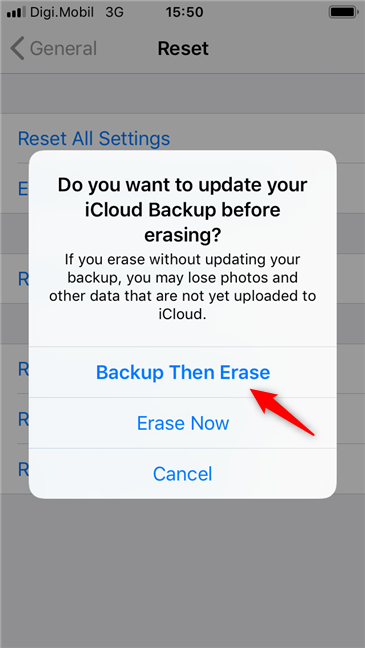
iOS asks if you want to "update your iCloud Backup before erasing". If you did not make a backup of your data before you began the reset process, choose to "Backup Then Erase". Otherwise, tap Erase Now.
Choosing to Backup Then Erase
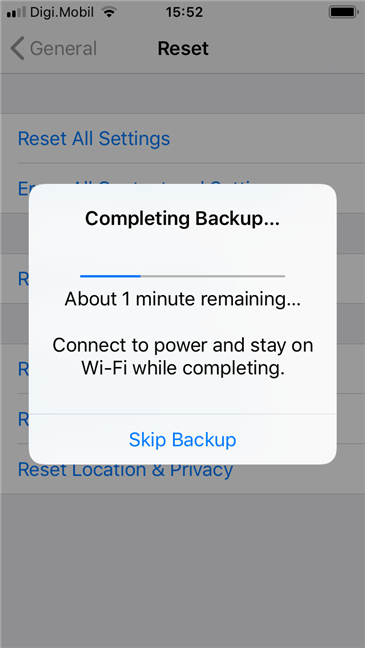
If you chose to create a backup first, make sure that your iPhone or iPad is connected to a Wi-Fi network, and wait for the backup to finalize.
iPhone backs up its settings and data
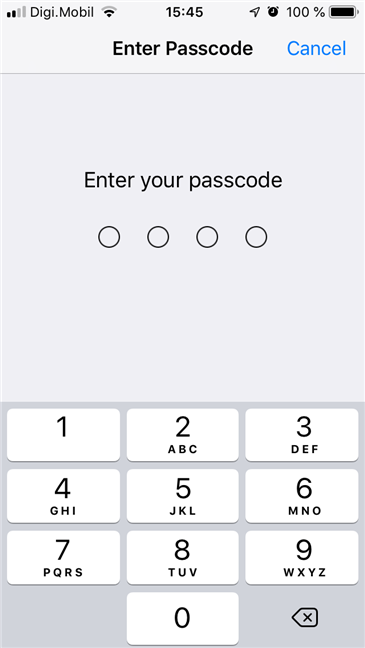
Once the backup is over, if you created a passcode on your iPhone or iPad, iOS asks you to enter it. It is a confirmation that the owner of the device is the person doing the reset.
iOS requires the passcode to continue
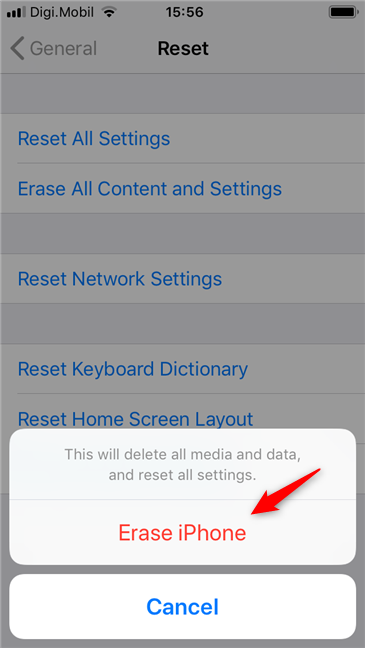
Then, your iPhone or iPad asks if you still want to "Erase iPhone" (or iPad).
If you still do, confirm your intention.
The Erase iPhone option
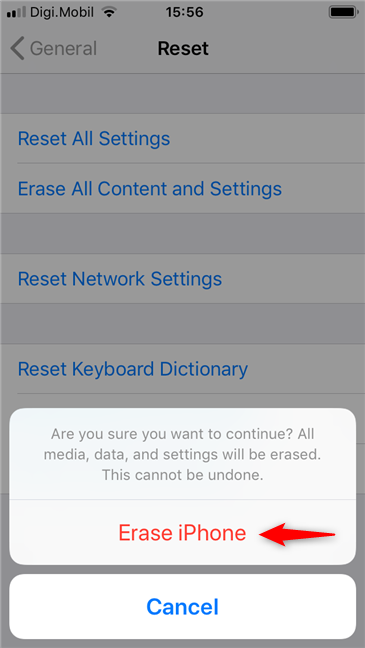
iOS asks a second time if that's really what you want. Tap "Erase iPhone" (or iPad) once more.
Confirming the reset
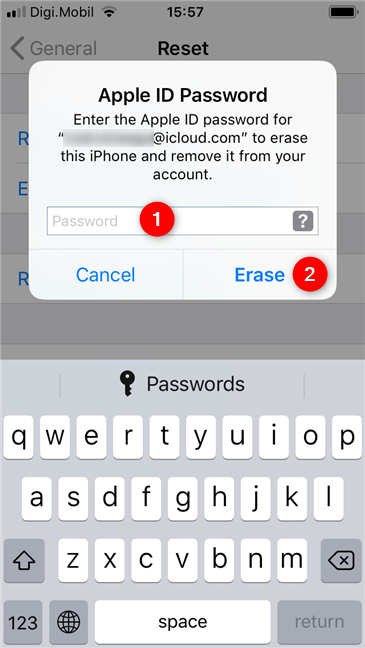
The final authentication step is to enter the password of your Apple ID. Once you do, tap Erase.
The Apple ID password is required by iOS
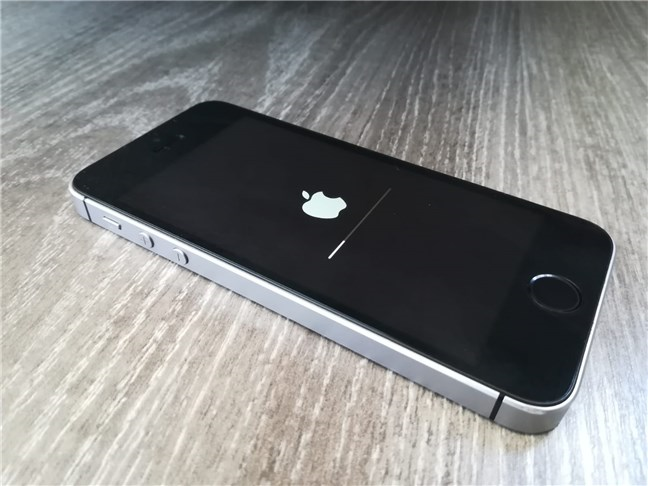
Your iPhone or iPad reboots and starts the reset process. Wait for it to finish. This process takes a while, so be patient.
An iPhone during the reset procedure
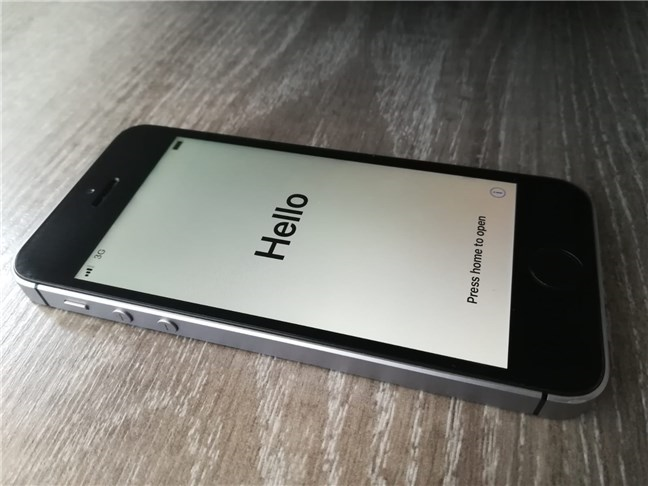
When the reset is finalized, your iPhone or iPad boots and greets you like it was a completely new device, coming straight out of an Apple Shop.
The reset was finalized and iOS has booted
That's all!
Why did you reset all settings and content, on your iPhone or iPad?
Was it because you want to sell or gift it? Or is it because you want a clean slate to work with? Did you encounter some annoying bugs and you tried to fix them by resetting your iPhone? Tell us your reasons for going ahead with the reset process, in a comment below.
I could not install my mails on the iPhone 6s. It tell me error “ username or password incorrect (535-5.7.8) username and password not accepted learn more at 5.7.8 at https//support .google.com/mail/?pbadcredential
I did everything step by step the owl have gave me . And I got everything to reset thank you. Now was that being said I took it to the carrier I wanted to use they told me that it was pulling up on another account with another carrier that it hadn’t paid off.. they said the person’s account was closed out but the phone wasn’t paid off.. so I have a question for how do I get around this. What do I do from here







Discussion (2)
I could not install my mails on the iPhone 6s. It tell me error “ username or password incorrect (535-5.7.8) username and password not accepted learn more at 5.7.8 at https//support .google.com/mail/?pbadcredential
I did everything step by step the owl have gave me . And I got everything to reset thank you. Now was that being said I took it to the carrier I wanted to use they told me that it was pulling up on another account with another carrier that it hadn’t paid off.. they said the person’s account was closed out but the phone wasn’t paid off.. so I have a question for how do I get around this. What do I do from here