




Requesting a new SIM card from Verizon helps you restore mobile service when your current card is lost, damaged, or incompatible with a newer device. This guide shows you how to check eligibility, choose the correct SIM size, request a replacement, and activate it without delays. At the time of writing, Verizon still supports online requests, in-store pickup, and mail delivery for replacement SIM cards.
Why You May Need A Verizon Replacement SIM Card
Before requesting a new SIM card from Verizon, confirm that you need a replacement. Several situations require a fresh SIM to keep your device connected and functioning properly.
- Lost, damaged, or faulty SIM card: A broken or missing card prevents calls, texts, and data access.
- Upgrading to a newer phone: Newer models use nano-SIM or eSIM, which may not match your current card.
- Switching to the Verizon network: Bringing your own device often requires a Verizon-compatible SIM.
- International travel needs: Some trips require a SIM with international roaming capability.
Evaluating your situation first prevents unnecessary delays and ensures you request the correct card the first time.
Confirming Eligibility For A New Verizon SIM
Before you submit a request, make sure your Verizon account and device meet the requirements for a replacement SIM card.
- Active Verizon account: Your account must be in good standing with no billing restrictions.
- Device compatibility: Check whether your phone uses a nano-SIM, micro-SIM, standard SIM, or eSIM.
- Plan requirements: Some plans or new line activations may require a specific SIM type.
- Security verification: Lost or stolen SIMs may require identity confirmation before replacement.
You can check your eligibility inside your Verizon account dashboard or by contacting Verizon support directly.
Selecting The Right Verizon SIM Card
Choosing the correct SIM is essential for proper network access and activation. Verizon offers multiple SIM formats depending on device type and technology.
- SIM size: Most devices use a nano-SIM, but older models may require micro-SIM or standard SIM.
- eSIM support: Many newer phones support digital eSIM activation instead of a physical card.
- 5G compatibility: If your phone supports 5G, ensure you request a 5G-ready SIM card.
- International roaming: Some SIM kits offer enhanced roaming compatibility for travel.
Checking your device specifications prevents activation issues later and ensures smooth setup once the new SIM arrives.
How To Request A New SIM Card From Verizon
Verizon provides multiple ways to request a replacement SIM card. Choose the method that fits your schedule and urgency.
- Request online: Go to the official Verizon website.

- Sign in to your Verizon account.
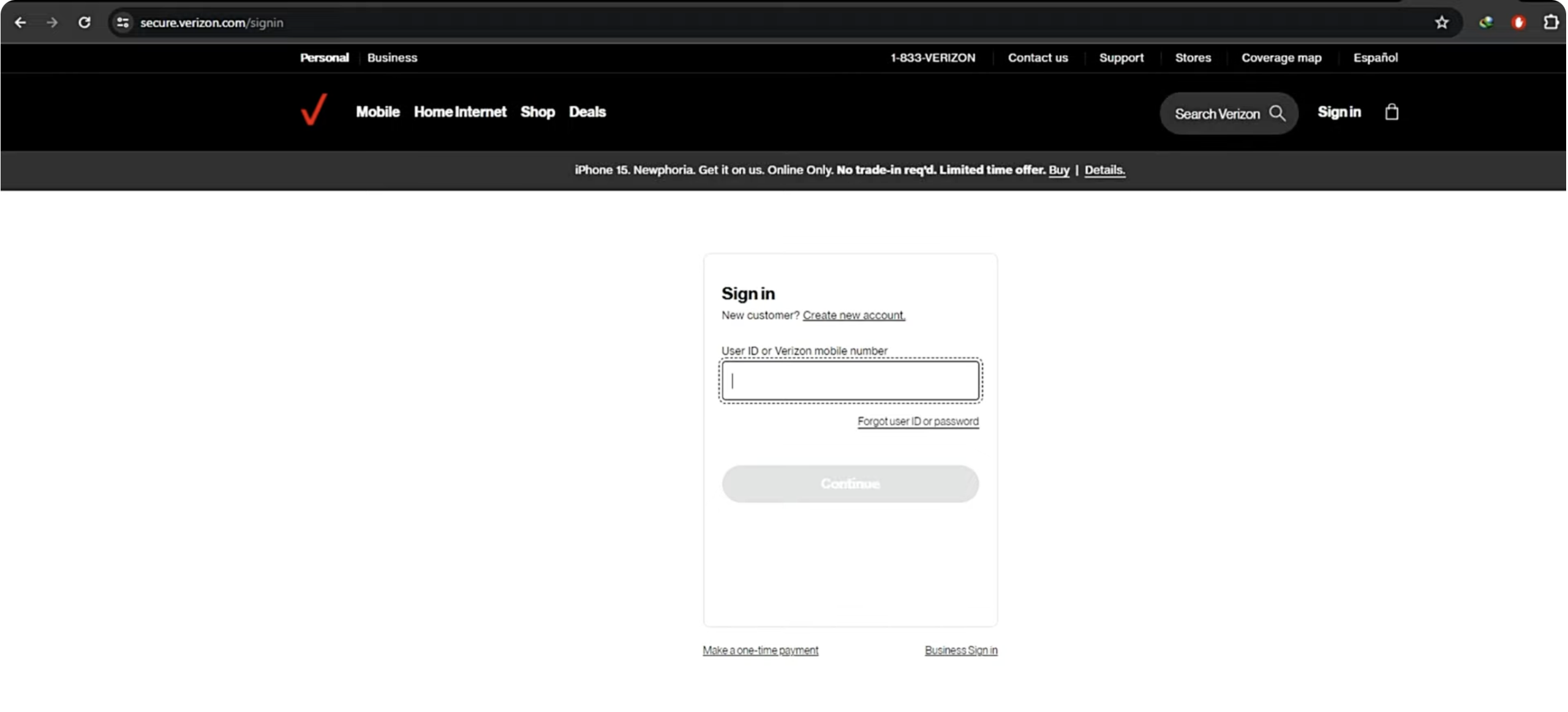
- Select Devices, and choose Order New SIM. Confirm your address and shipping method.
- Only the account owner can pick up the sim card.

- Contact customer support: Chat or call Verizon to request a replacement and verify your account details.
- Visit a Verizon store: Stores can issue a replacement SIM instantly and assist with installation.
- Mail-order SIM kits: Verizon offers shipped SIM kits for Bring Your Own Device customers.
Once your request is processed, Verizon ships the card or prepares it for pickup depending on the option you choose.
How To Activate Your New Verizon SIM Card
After receiving your replacement SIM, follow these steps to activate it and restore mobile service.
- Turn off your phone before swapping the SIM.
- Insert the new SIM card into the SIM tray or slot, following the correct orientation.
- Turn the phone back on to allow automatic SIM detection.
- Activate online: Sign in to your Verizon account, select your device, and choose Activate SIM.
- Use the My Verizon app: The app can guide you through activation step by step.
- Confirm network access: Place a test call or open a webpage to verify that service is active.
If activation fails, restarting the phone or contacting Verizon support usually resolves the issue.
Conclusion
Requesting a new SIM card from Verizon is straightforward when you know which type of card your device needs and how the activation process works. Whether you're replacing a damaged SIM, upgrading your phone, or switching to Verizon, these steps ensure a smooth setup with minimal downtime. With your new SIM card activated, your device is ready to use Verizon’s network for calls, messages, and data without interruption.


Discussion (0)
Be the first to comment.