



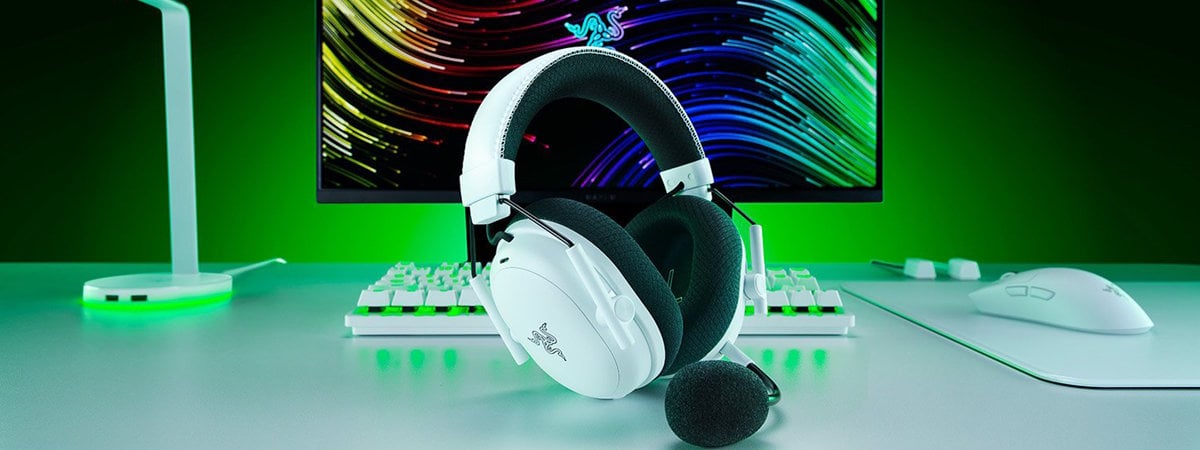
The Razer BlackShark V3 Pro headset has long been a favorite among competitive gamers for its accurate audio, comfortable fit, and reliable low-latency wireless connection. With this new iteration, Razer keeps everything that made the original so good and gives it a fresh, sleek look. Underneath the new design, you still get large, high-quality drivers, active noise cancellation, and near-instant wireless connections. Whether you want to pinpoint enemies in your favorite games or a headset you can wear all day comfortably, the Razer BlackShark V3 Pro does it all. In this review, I’ll walk you through what it’s like to use it, from unboxing to real-world performance, in order to help you decide if this is the wireless headset you should get next:
![Verdict]()


 The packaging does a good job of promoting this product
Open the box to find the headset resting on a solid support, with the wireless dongle in the center and all the other accessories nicely tucked away in a rectangular cardboard box at the top.
The packaging does a good job of promoting this product
Open the box to find the headset resting on a solid support, with the wireless dongle in the center and all the other accessories nicely tucked away in a rectangular cardboard box at the top.

 The Razer BlackShark V3 Pro White Edition
Taking everything out, you get the headset, its detachable microphone, the Razer HyperSpeed Wireless USB-C dongle, a USB-C to USB-A charging and data cable, and a 3.5 mm audio cable. While the sample I tested didn’t have any stickers or documentation, when you buy this headset from a store, you certainly get those too.
The Razer BlackShark V3 Pro White Edition
Taking everything out, you get the headset, its detachable microphone, the Razer HyperSpeed Wireless USB-C dongle, a USB-C to USB-A charging and data cable, and a 3.5 mm audio cable. While the sample I tested didn’t have any stickers or documentation, when you buy this headset from a store, you certainly get those too.

 The box includes all the accessories you need
Everything is neatly arranged inside the box, and my first impression was that I was unboxing a premium piece of hardware. The white finish looks great, and the headset seems to have a sturdy build, yet light enough to wear for hours.
The box includes all the accessories you need
Everything is neatly arranged inside the box, and my first impression was that I was unboxing a premium piece of hardware. The white finish looks great, and the headset seems to have a sturdy build, yet light enough to wear for hours.
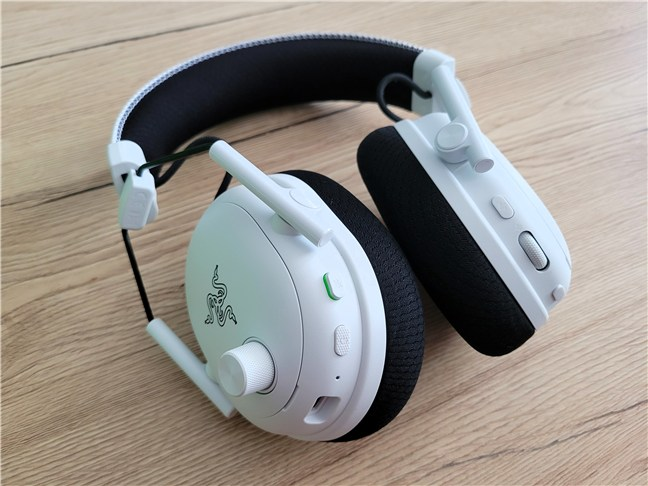
 The Razer BlackShark V3 Pro looks like it's made for pilots
The memory foam cushions are wrapped in soft fabric, which helps with breathability and noise isolation. The headband is well-padded, and the fit is easy to adjust thanks to the smooth sliding mechanism on the metal collars.
The Razer BlackShark V3 Pro looks like it's made for pilots
The memory foam cushions are wrapped in soft fabric, which helps with breathability and noise isolation. The headband is well-padded, and the fit is easy to adjust thanks to the smooth sliding mechanism on the metal collars.
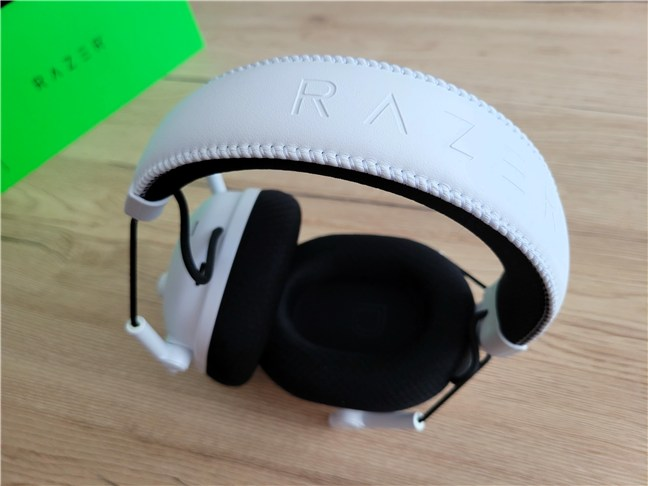 The headband and the cushions are comfortable
It weighs around 367 grams (~12.95 oz), which is reasonable for a wireless headset with this many features, and the clamping force is just right for a secure but comfortable fit.
The headband and the cushions are comfortable
It weighs around 367 grams (~12.95 oz), which is reasonable for a wireless headset with this many features, and the clamping force is just right for a secure but comfortable fit.
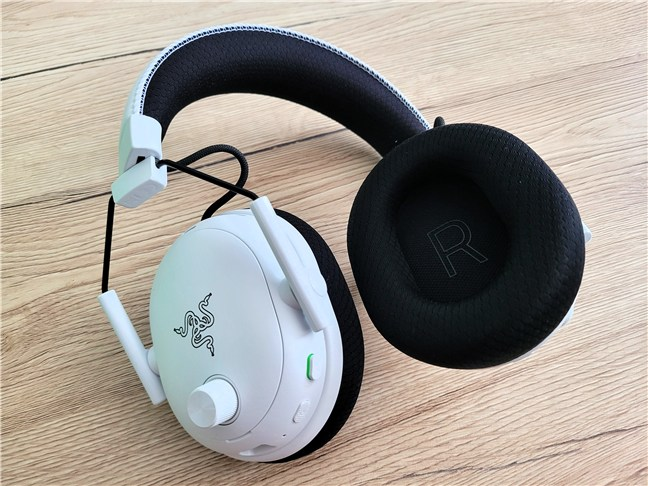 The headset is lightweight
Inside, the 50 mm TriForce Bio-Cellulose Gen 2 drivers deliver a frequency range of 12 Hz to 28 kHz, with a 32-ohm impedance. The detachable 12 mm HyperClear full-band microphone has a frequency response from 20 Hz to 20 kHz. It captures at a 48 kHz sampling rate, with a unidirectional pickup pattern that focuses on your voice.
The headset is lightweight
Inside, the 50 mm TriForce Bio-Cellulose Gen 2 drivers deliver a frequency range of 12 Hz to 28 kHz, with a 32-ohm impedance. The detachable 12 mm HyperClear full-band microphone has a frequency response from 20 Hz to 20 kHz. It captures at a 48 kHz sampling rate, with a unidirectional pickup pattern that focuses on your voice.
 The detachable microphone
The controls are split between the two ear cups. On the left, you get the power button, a mic mute switch, an LED indicator, and a textured volume wheel that’s easy to adjust mid-game. Oh, and you also find the USB-C port here.
The detachable microphone
The controls are split between the two ear cups. On the left, you get the power button, a mic mute switch, an LED indicator, and a textured volume wheel that’s easy to adjust mid-game. Oh, and you also find the USB-C port here.
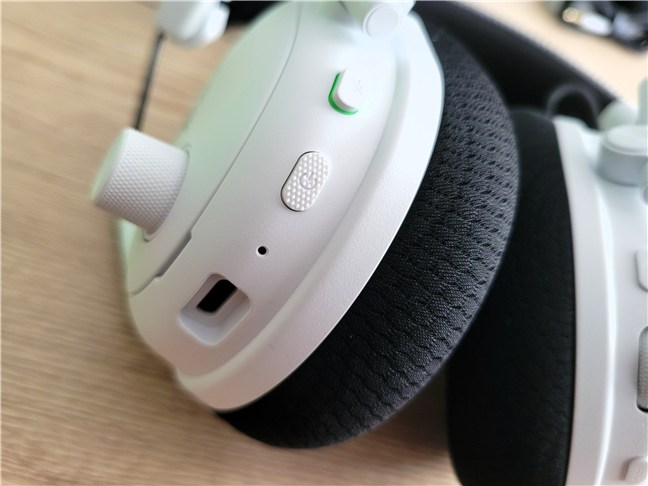 The controls on the left ear cup
On the right ear cup, you find the ANC toggle, the SmartSwitch button for cycling between connection modes, and a programmable roller that you can set for game/chat balance, adjusting your microphone’s sidetone, or even boosting in-game footsteps. All buttons and wheels are easy to find by touch once you get used to their placement.
The controls on the left ear cup
On the right ear cup, you find the ANC toggle, the SmartSwitch button for cycling between connection modes, and a programmable roller that you can set for game/chat balance, adjusting your microphone’s sidetone, or even boosting in-game footsteps. All buttons and wheels are easy to find by touch once you get used to their placement.
 The buttons and roller on the right ear cup
Battery life is excellent. On a full charge, the BlackShark V3 Pro can last up to 70 hours over 2.4 GHz wireless with ANC turned off. You’ll likely get around 40 to 45 hours with ANC enabled. Quick charging via USB-C gives you about six hours of playtime from just 15 minutes plugged in, which is great in those moments when you forget to charge overnight but still want an entire evening of gaming. A full charge will take around four hours.
The buttons and roller on the right ear cup
Battery life is excellent. On a full charge, the BlackShark V3 Pro can last up to 70 hours over 2.4 GHz wireless with ANC turned off. You’ll likely get around 40 to 45 hours with ANC enabled. Quick charging via USB-C gives you about six hours of playtime from just 15 minutes plugged in, which is great in those moments when you forget to charge overnight but still want an entire evening of gaming. A full charge will take around four hours.
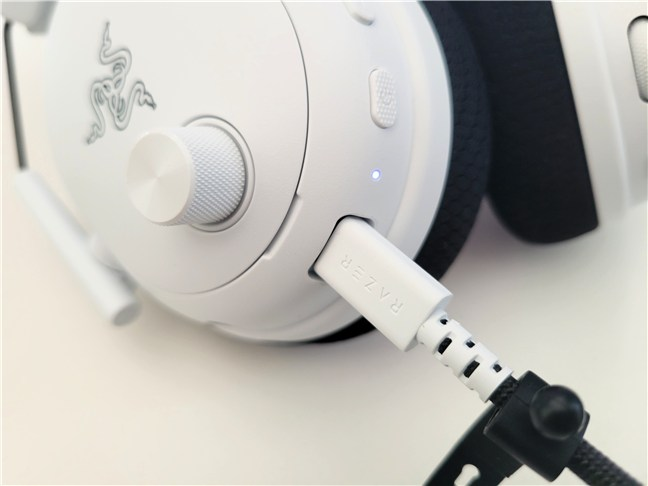 A 15-minute charge gives you 6 hours of playtime
In terms of compatibility, the headset works with a wide range of devices. Using the 2.4 GHz wireless dongle, it’s ready for PC, Mac, PlayStation, and handhelds like the Steam Deck. Bluetooth 5.3 makes it an easy match for smartphones and tablets, and the included 3.5 mm audio cable lets you connect to anything with a headphone jack, including Xbox controllers. You can also use it in wired USB-C mode on supported devices for digital audio and charging at the same time. For a complete list of specifications and features, visit this page: BlackShark V3 Pro.
Overall, the Razer BlackShark V3 Pro combines premium materials, well-placed controls, long battery life, and wide compatibility into a design that’s just as practical for serious gaming as it is comfortable for daily use.
A 15-minute charge gives you 6 hours of playtime
In terms of compatibility, the headset works with a wide range of devices. Using the 2.4 GHz wireless dongle, it’s ready for PC, Mac, PlayStation, and handhelds like the Steam Deck. Bluetooth 5.3 makes it an easy match for smartphones and tablets, and the included 3.5 mm audio cable lets you connect to anything with a headphone jack, including Xbox controllers. You can also use it in wired USB-C mode on supported devices for digital audio and charging at the same time. For a complete list of specifications and features, visit this page: BlackShark V3 Pro.
Overall, the Razer BlackShark V3 Pro combines premium materials, well-placed controls, long battery life, and wide compatibility into a design that’s just as practical for serious gaming as it is comfortable for daily use.

 Wearing the Razer BlackShark V3 Pro is very comfortable
In games, the audio is precise and immersive. I used it for a couple of hours while playing Dune: Awakening, and I can say that footsteps and other positional cues are easy to track, while ambient effects and dialogue also come through clearly. Bass is deep without being overpowering, mids are clear, and highs are sharp. For me, the default sound tuning seemed a bit too bright, favoring the higher tones a bit too much. Fortunately, that’s easily adjusted in Razer’s Synapse software.
Wearing the Razer BlackShark V3 Pro is very comfortable
In games, the audio is precise and immersive. I used it for a couple of hours while playing Dune: Awakening, and I can say that footsteps and other positional cues are easy to track, while ambient effects and dialogue also come through clearly. Bass is deep without being overpowering, mids are clear, and highs are sharp. For me, the default sound tuning seemed a bit too bright, favoring the higher tones a bit too much. Fortunately, that’s easily adjusted in Razer’s Synapse software.
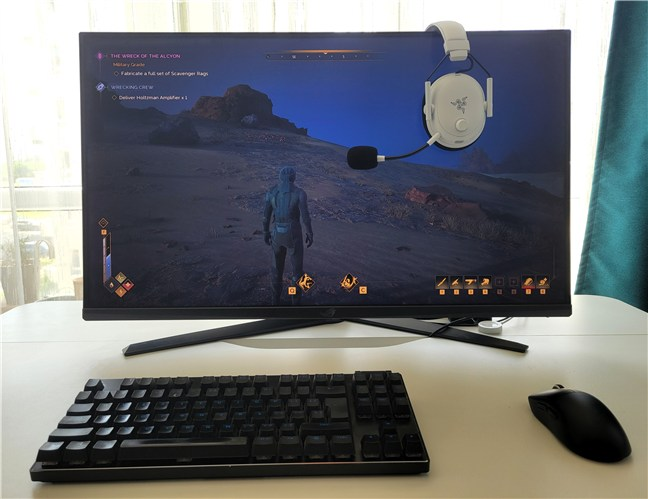
 Playing Dune: Awakening with the Razer BlackShark V3 Pro
The ANC (Active Noise Cancellation) does a good job of reducing constant background noise, such as air conditioning or distant chatter. If you want the opposite, the ambient mode is handy for hearing what’s happening around you. The microphone delivers clear, natural voice quality, and while some background noise can slip through, it’s more than good enough for in-game chat and streaming.
Playing Dune: Awakening with the Razer BlackShark V3 Pro
The ANC (Active Noise Cancellation) does a good job of reducing constant background noise, such as air conditioning or distant chatter. If you want the opposite, the ambient mode is handy for hearing what’s happening around you. The microphone delivers clear, natural voice quality, and while some background noise can slip through, it’s more than good enough for in-game chat and streaming.

 The ANC works great and the microphone is high-quality too
Comfort is excellent, even over long gaming sessions. The breathable ear cushions and well-balanced weight keep heat and pressure to a minimum, and the headset stays in place with no issues. The swappable faceplates also make it easy to keep the headset looking clean or customize it in the future.
The ANC works great and the microphone is high-quality too
Comfort is excellent, even over long gaming sessions. The breathable ear cushions and well-balanced weight keep heat and pressure to a minimum, and the headset stays in place with no issues. The swappable faceplates also make it easy to keep the headset looking clean or customize it in the future.
 You can detach the faceplates on the ear cups
The Razer BlackShark V3 Pro is easy to set up, delivers clear and immersive sound, and stays comfortable even if you wear it for several hours continuously.
You can detach the faceplates on the ear cups
The Razer BlackShark V3 Pro is easy to set up, delivers clear and immersive sound, and stays comfortable even if you wear it for several hours continuously.

 The Razer Synapse software
The Razer Audio mobile app offers similar controls for Bluetooth use, including ANC settings, EQ adjustment, and the option to enable Bluetooth Gaming Mode for lower latency. Both apps make it easy to save custom profiles and switch between them depending on what you’re playing or listening to.
The Razer Synapse software
The Razer Audio mobile app offers similar controls for Bluetooth use, including ANC settings, EQ adjustment, and the option to enable Bluetooth Gaming Mode for lower latency. Both apps make it easy to save custom profiles and switch between them depending on what you’re playing or listening to.

 The Razer Audio app for mobile devices
Both Razer Synapse and the Razer Audio app give you plenty of control over how the BlackShark V3 Pro sounds and behaves, whether you’re gaming on a PC or using it on the go.
The Razer Audio app for mobile devices
Both Razer Synapse and the Razer Audio app give you plenty of control over how the BlackShark V3 Pro sounds and behaves, whether you’re gaming on a PC or using it on the go.
Razer BlackShark V3 Pro: Who is it good for?
The Razer BlackShark V3 Pro is an excellent choice for:- Competitive gamers who want ultra-low latency wireless and accurate positional sound
- People who are looking for a good-looking headset with premium performance
- Those who want multiple connection options, including PC, consoles, and mobile devices
- Anyone looking for effective noise cancellation in a gaming headset
Pros and cons
These are the things I like most about the Razer BlackShark V3 Pro:- Crisp, detailed sound from the high-quality drivers
- Extremely low latency for smooth, lag-free gaming
- Active noise cancellation that helps block background distractions
- Detachable microphone with excellent clarity
- Multiple ways to connect, including 2.4 GHz wireless, Bluetooth, USB-C, and 3.5 mm analog
- Long battery life, up to 70 hours
- Comfortable ear cushions and a lightweight build for long gaming sessions
- Swappable ear cup faceplates to further customize its appearance
- More expensive than many other gaming headsets
Verdict
The Razer BlackShark V3 Pro is a high-end wireless headset that’s clearly built for immersive gaming experiences. It delivers accurate sound, excellent comfort, and good noise cancellation, all wrapped up in a practical and thoughtful design that looks great in any gaming room. It’s not cheap, but if you want one of the best competitive-grade headsets available right now, this one should definitely be at the top of your list.Unboxing the Razer BlackShark V3 Pro
The headset comes in a black and green box that highlights a large photo of the headset, as well as its key features: Razer’s own HyperSpeed Wireless Gen 2 technology, ANC (Active Noise Cancelation), detachable microphone, and wide platform compatibility. I received the White Edition, which looks awesome. However, there’s also a Black Edition available, with the same specs, for those who prefer a different look.Design and hardware specifications
The Razer BlackShark V3 Pro has the same “airplane pilot” vibe as the rest of the series, with oval ear cups connected to the headband by slim metal collars.Using the Razer BlackShark V3 Pro
Setting up the headset is simple: plug in the dongle and turn it on, or pair via Bluetooth if you’re on a phone or tablet. Switching between connections is quick, and the SmartSwitch button lets you change modes without digging into menus. The on-ear controls are easy to reach and have everything you need, including a volume wheel, a mic mute toggle, and an ANC button.Software bundled with the Razer BlackShark V3 Pro
On PC, the Razer Synapse software lets you fine-tune the headset’s audio and microphone. You can adjust the EQ, enable bass boost, tweak vocal clarity, and turn on THX Spatial Audio for a wider, more immersive soundstage. The microphone settings include presets for different voice profiles, sidetone adjustment, and noise reduction.


Discussion (0)
Be the first to comment.