



Microsoft has extended security update coverage for eligible Windows 10 consumer PCs until October 12, 2027, giving millions of people more time to keep older hardware protected after the operating system reached the end of normal support.
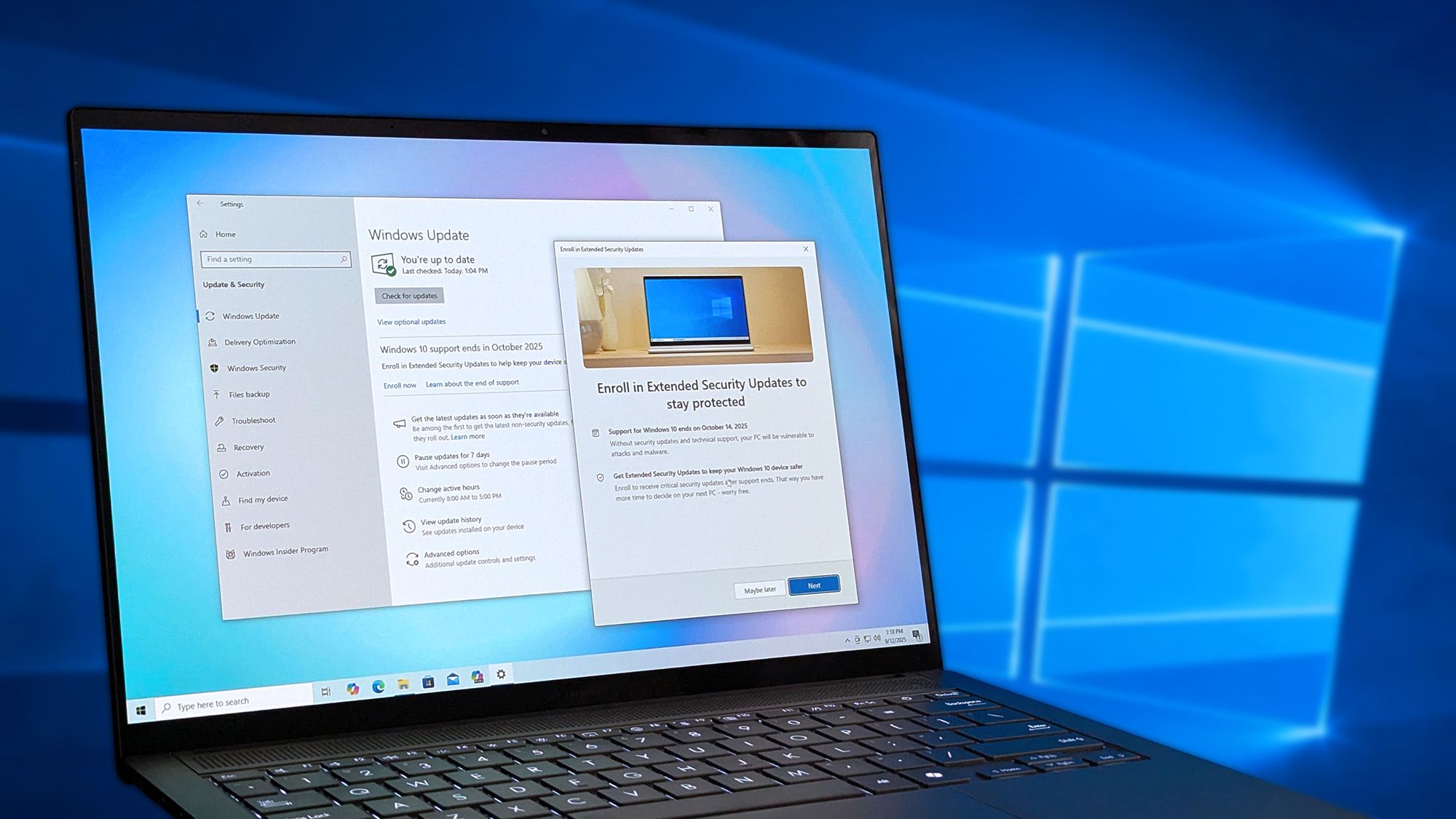
Windows 10 officially stopped receiving standard updates on October 14, 2025. The new Extended Security Updates program does not add new features, redesigns, or performance upgrades. Instead, it continues to deliver important and critical security patches for people who are not ready to move to Windows 11.
This will be especially useful for PCs that do not meet Windows 11’s official hardware requirements, including devices that lack TPM 2.0 support or compatible processors. Many of those systems still work well for browsing, office work, gaming, and general home use, but they would become more exposed to security risks without ongoing patches.
Windows 10 ESU Gives Older PCs More Time
The Extended Security Updates program is designed as a temporary safety option rather than a permanent replacement for upgrading. It allows people to keep using Windows 10 while deciding whether to buy a newer PC, upgrade internal components, or move to another operating system.
Microsoft is offering three ways for consumers to join the program. Two of the options are free, while the third requires a one time payment.
| Enrollment option | Cost | Requirement |
|---|---|---|
| Settings backup and sync | Free | Use a Microsoft account to back up and sync PC settings |
| Microsoft Rewards points | Free | Redeem 1,000 Microsoft Rewards points |
| Direct purchase | $30 | Pay for access without using sync or Rewards points |
One Extended Security Updates license can cover up to 10 eligible devices connected to the same Microsoft account. That could be useful for households with several Windows 10 PCs that are still in regular use.
Your PC Must Meet Specific Requirements
Not every Windows 10 device can use the consumer ESU program. Microsoft requires your PC to run Windows 10 version 22H2 and have the latest updates installed before enrollment.
Supported editions include Windows 10 Home, Professional, Pro Education, and Workstations. You also need to sign in with a Microsoft account that has administrator rights.
Child accounts cannot enroll directly. PCs joined to an Active Directory domain or managed through a workplace system are also not eligible for the consumer program. Those devices must use commercial Extended Security Updates options instead.
| Requirement | What you need |
|---|---|
| Windows version | Windows 10 version 22H2 |
| System updates | Latest Windows updates installed |
| Account type | Microsoft account with administrator access |
| Eligible editions | Home, Pro, Pro Education, and Workstations |
| Consumer exclusion | Domain joined or organisation managed PCs |
Security Updates Are Helpful but Windows 10 Still Has an Expiry Date
The extension is important, but it does not change Microsoft’s long term direction. Windows 10 will still reach its final supported end date in October 2027.
That means the program should be treated as extra time rather than a reason to ignore future upgrade plans. Security patches can reduce the risk from malware and newly discovered vulnerabilities, but they will not bring Windows 11 features or improve compatibility with future software.
For people with older but capable PCs, the free backup and sync option may be the easiest path. It keeps the system protected for longer without requiring immediate spending on new hardware.
Still, Windows 10 users should use the extension period wisely. By late 2027, the practical choices may be upgrading to a supported Windows 11 PC, replacing key components, or considering another operating system for hardware that can no longer run modern Windows versions officially.



Discussion (0)
Be the first to comment.