




When iPhone contacts disappear, the issue usually links to iCloud sync delays, account misconfiguration, or an iOS update glitch. In many cases, the contacts are not deleted but hidden due to incorrect settings or temporary sync failures.
This guide walks through reliable ways to restore missing contacts on an iPhone, starting with quick checks and moving to deeper fixes only if needed.
How To Fix iPhone Contacts Disappeared Issue
Follow these steps in order. After each step, open the Contacts app and check if your missing contacts have returned.
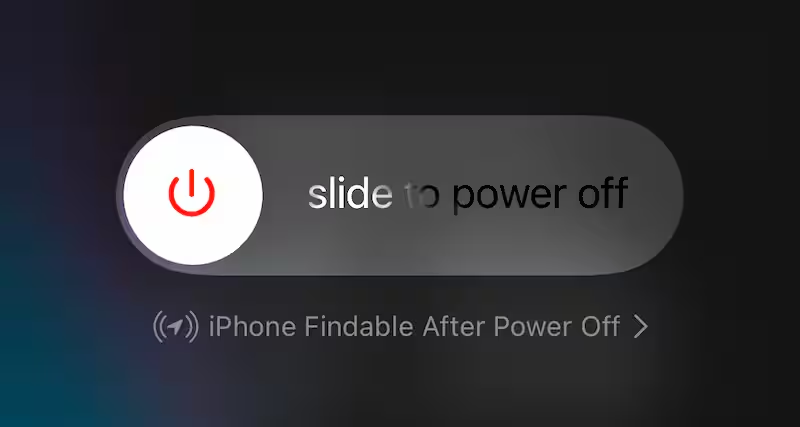
- Restart Your iPhone to clear temporary system glitches that can interrupt contact syncing.
- Toggle iCloud Contacts Off And On by going to Settings, tapping your Apple ID, and opening iCloud

- Turning Contacts off, then turn it back on and choose Merge.

- Check The Default Contacts Account under Settings > Contacts > Default Account and make sure iCloud or the correct email account is selected.
- Enable Contacts For All Accounts by opening Settings > Contacts > Accounts and turning Contacts on for iCloud, Gmail, or other linked accounts.
- Select All Contacts In The Contacts App to ensure contacts are not hidden under a specific list or group.
- Sign Out And Sign Back Into iCloud to refresh authentication and force a full contacts sync.
- Restore From An iCloud Backup if contacts disappeared after an update or device reset and were previously backed up.
- Reset All Settings to remove configuration conflicts without deleting personal data.
Troubleshooting Common Problems
If contacts still do not appear, make sure your iPhone has a stable internet connection and enough storage space. Syncing may pause if the device is offline or nearly full.
Contacts saved on a SIM card or a work account may not sync with iCloud and require separate account verification.
Tips
- Keep iCloud Contacts enabled at all times to avoid sync gaps.
- Regularly back up your iPhone to iCloud before installing iOS updates.
- Use one primary account for saving contacts to prevent confusion.
- Allow a few minutes after enabling sync for contacts to fully reload.
FAQ
Why did my iPhone contacts disappear after an iOS update?
This usually happens due to a sync delay, account reset, or temporary software bug introduced during the update process.
Are my contacts permanently deleted?
In most cases, no. The contacts still exist in iCloud or another account but are not displaying correctly.
Can I recover contacts without a backup?
If contacts were synced to iCloud or an email account, they can usually be restored without a backup.
Summary
- Most missing iPhone contacts are caused by sync or account issues.
- Restarting and checking iCloud settings solves the problem in many cases.
- Advanced steps like restoring from backup should be used only if needed.
Conclusion
When iPhone contacts disappear, the situation feels urgent, but the fix is often simple. By checking sync settings, account configuration, and backups, you can usually restore all missing contacts without data loss.
If none of these steps work, Apple Support can help verify whether the issue is account- or device-related.


Discussion (0)
Be the first to comment.