




TNT streams smoothly on Roku, and you have several ways to access live shows, sports, and on-demand content. You can install the TNT app, sign in with a TV provider, or use a live TV streaming service if you no longer have cable.
Roku devices handle TNT reliably, but setup varies depending on your subscription. This guide explains each method and shows how to fix common issues.
Table of contents
- Check if your Roku supports the TNT app
- Add the TNT app to your Roku
- Watch TNT on Roku without cable
- Activate TNT on Roku with your provider
- Use a live TV comparison to choose the best TNT option
- Watch TNT on Roku when traveling
- Troubleshooting TNT not working on Roku
- Tips for watching TNT on Roku
- FAQs
- Summary
Check if your Roku supports the TNT app
Most current Roku models run the TNT app without issues. Older devices with legacy firmware may fail to install it.
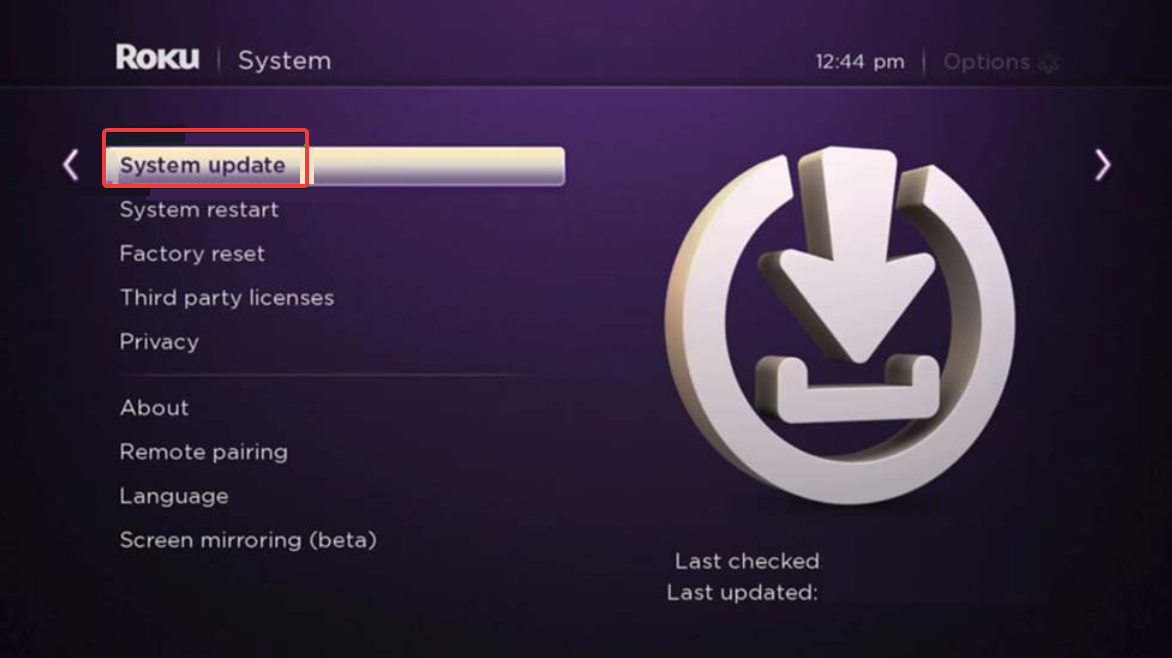
You can open Settings and check System to confirm your Roku OS version. Updating your device prevents many app errors and improves performance.
Add the TNT app to your Roku
Installing TNT only takes a moment and gives you access to the full channel lineup.
- Turn on your Roku and open the home screen.
- Scroll to Streaming Store.
- Use the search bar to type “TNT.”
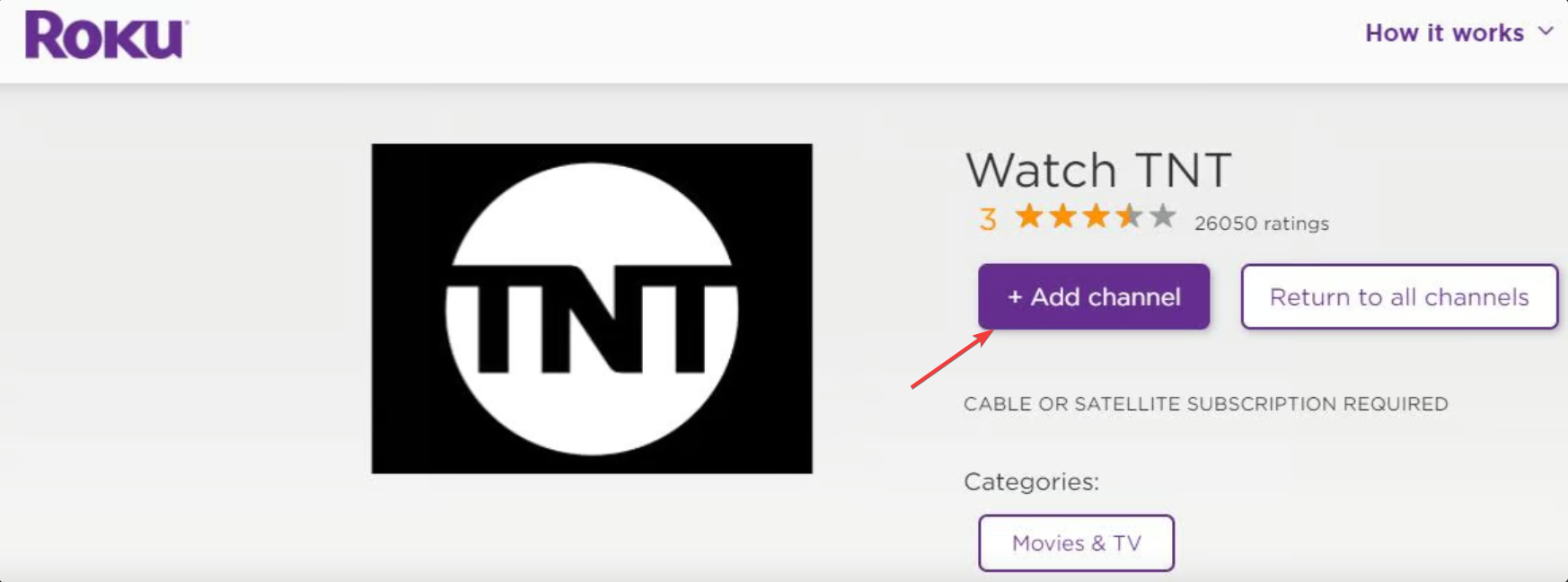
- Select the TNT app and choose Add channel.

- Launch the app from your home screen.
TNT loads immediately on most devices, and you can start browsing without signing in. Note that some content requires authentication. You can sign in by choosing Sign in inside the TNT app and entering your activation code on the provider portal.
Your TV subscription unlocks full live and on-demand access.
Watch TNT on Roku without cable
If you do not have a cable login, you can still stream TNT on Roku. You can find TNT inside well-known live TV apps such as Sling TV, Hulu Live TV, DirecTV Stream, and YouTube TV. Each service comes with its own price tier, DVR limits, and channel lineup.
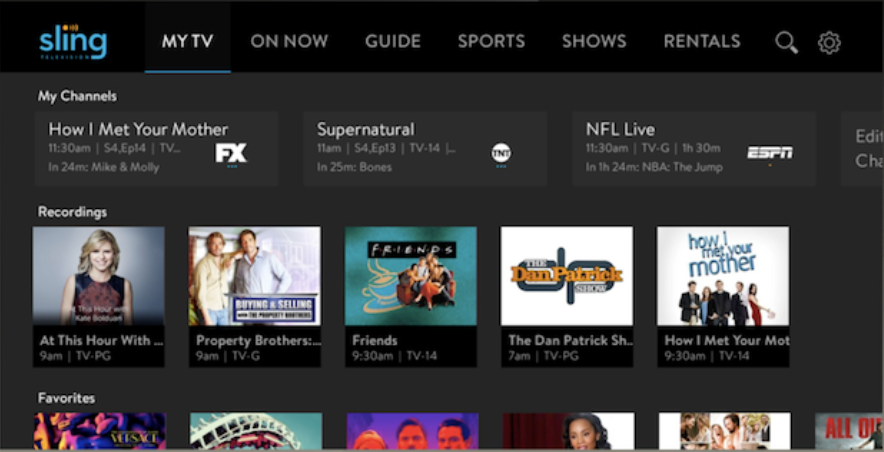
This flexibility helps you choose a plan that fits your viewing habits and budget.
Activate TNT on Roku with your provider
If the app prompts for activation, you can complete the process through the activation screen.
- Open the TNT app.
- Select Sign in.
- On the activation page, select your device, and click Continue.


- Copy the activation code shown on your TV.
- Enter the code on the provider website when prompted.
- Choose your TV provider and sign in.
Activation connects your subscription and refreshes the app with your full channel access.
Use a live TV comparison to choose the best TNT option
Plans that include TNT vary in price, DVR capacity, and simultaneous streams. Comparing these features helps you decide which service offers the best value.
A simple comparison table highlights the key differences so you can pick the option that fits your household.
Watch TNT on Roku when traveling
TNT content may not load if your Roku detects a region outside the United States. Your subscription still works, but location rules can limit access.
You can check your Roku account region and verify your home location before you travel. This prevents common access errors.
Troubleshooting TNT not working on Roku
- Sign-in or provider authentication errors: Sign-in failures often come from expired sessions or mismatched provider accounts. You can log out inside the TNT app, restart your Roku, and sign in again. Updating your Roku OS also resolves authentication issues that stem from outdated system components.
- Streaming or playback issues: Buffering or black screen errors usually point to slow Wi-Fi or app corruption. Restart your router, reduce other streaming traffic, and try opening TNT again. If playback still fails, remove the TNT app, restart your Roku, and reinstall it.
Tips for watching TNT on Roku
- Update your Roku OS regularly.
- Restart your Roku weekly to clear cached data.
- Organize your home screen to keep TNT at the top for quicker access.
- Use a 5 GHz Wi-Fi network when possible.
- Remove and reinstall the app after major Roku updates.
FAQs
Why is the TNT app missing on my Roku? Older devices or unsupported regions can prevent the app from appearing in the store.
Do I need a cable subscription to watch TNT? No, you can use a live TV streaming service that includes the channel.
Why can’t I activate TNT? Provider authentication issues often cause activation failures and require a sign-out and sign-in cycle.
Does TNT support on-demand content on Roku? Yes, the app includes full episodes, highlights, and movie selections.
Summary
- Check that your Roku model supports the TNT app.
- Install TNT from the Streaming Store and open the channel.
- Sign in with your provider or pick a live TV service that includes TNT.
- Activate the app if prompted to unlock full access.
- Use the troubleshooting steps if TNT fails to load or play.
TNT works reliably on Roku whether you have a cable plan or prefer a streaming service. You can switch between plans, improve playback quality, and use built-in Roku tools to keep the app running smoothly.


Discussion (0)
Be the first to comment.