




Facebook constantly suggests new connections through the People You May Know feature. While some users find it helpful, others consider it intrusive, especially when notifications and emails appear frequently.
Facebook allows you to turn off People You May Know notifications on mobile and desktop. You can also hide suggestions from your feed, although this requires manual action.
Turn Off People You May Know Notifications On Android Or iPhone
Disabling notifications is the most effective way to stop People You May Know alerts on Facebook mobile apps. The steps are nearly identical on Android and iOS.
- Open the Facebook app
- Tap your profile icon
- Tap the settings icon
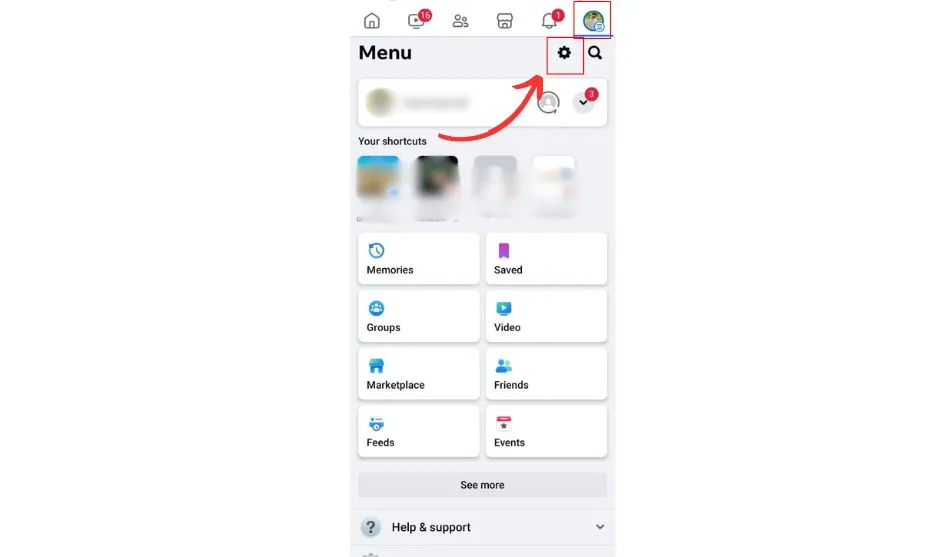
- Select Notifications
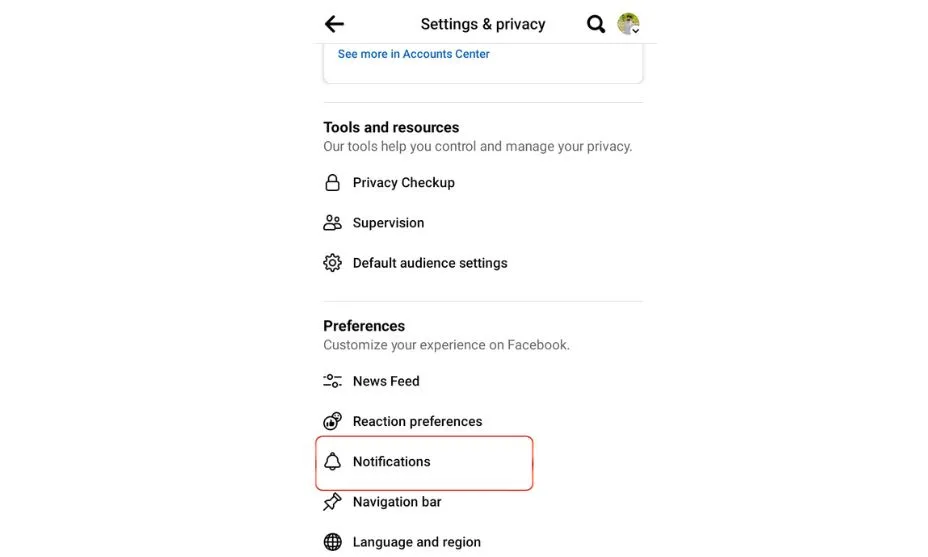
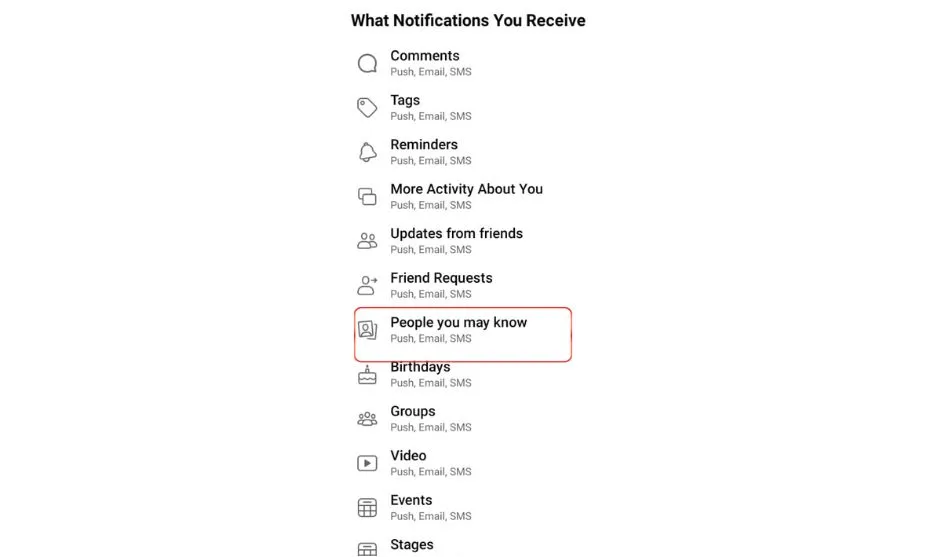
- Tap People You May Know
- Turn off Notifications
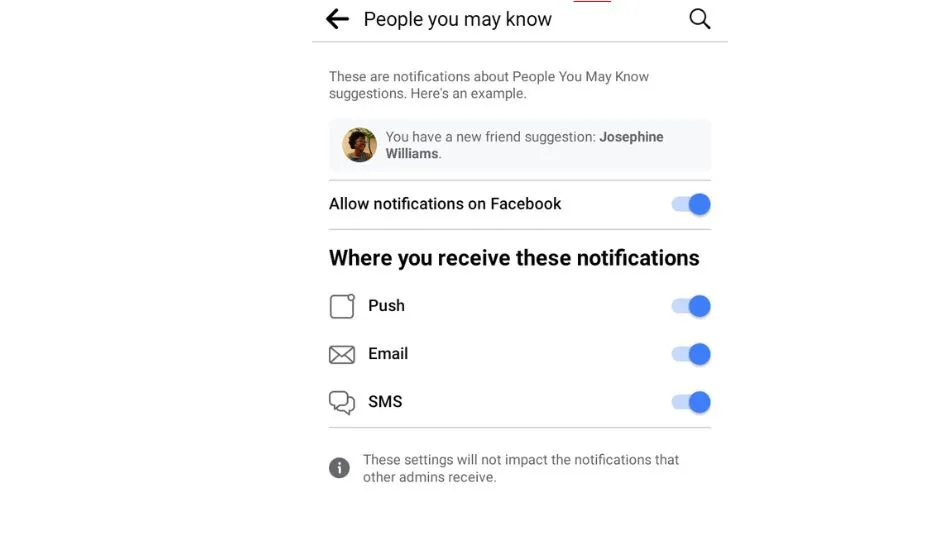
Once disabled, Facebook stops sending friend suggestion alerts and related emails.
Turn Off People You May Know Notifications On Desktop
You can also disable People You May Know notifications from Facebook’s desktop website.
- Log in to your Facebook account
- Click your profile icon
- Select Settings & Privacy
- Click Settings
- Choose Notifications
- Scroll to People You May Know
- Turn off Notifications
This prevents People You May Know alerts from appearing while you use Facebook on a computer.
Hide People You May Know From Your Facebook Feed
Turning off notifications does not fully remove suggestions from your feed. Facebook still displays People You May Know cards unless you hide them manually.
- Find the People You May Know section in your feed
- Tap the three dots icon
- Select Hide People You May Know
This hides suggestions temporarily and must be repeated when they reappear.
Troubleshooting Common Problems
If People You May Know notifications continue, double-check that both push notifications and email alerts are disabled. Facebook separates notification types.
App updates can reset notification preferences. Review settings again after major Facebook updates.
Tips
- Disable both app and email notifications for full effect
- Review notification settings after app updates
- Hide feed suggestions when they appear
- Limit profile visibility to reduce suggestions
FAQ
Why does Facebook keep suggesting People You May Know?
Facebook uses shared connections, profile data, groups, and activity to generate suggestions.
Can someone see if I remove them from People You May Know?
No. Facebook does not notify users when you hide or ignore suggestions.
Does turning off notifications stop all suggestions?
No. It only stops alerts. Feed suggestions still appear.
Are People You May Know users viewing my profile?
Facebook does not confirm profile views as a ranking factor.
Summary
- Facebook allows disabling People You May Know notifications
- Settings differ slightly between mobile and desktop
- Feed suggestions must be hidden manually
- Notification settings may reset after updates
Conclusion
Turning off People You May Know notifications helps reduce unwanted alerts and emails from Facebook. While the feature cannot be fully disabled, controlling notifications and hiding feed suggestions significantly limits its visibility.
By adjusting these settings, you regain more control over how Facebook presents friend recommendations.


Discussion (0)
Be the first to comment.