




Shipping with PayPal gives you a quick way to create labels, compare carrier rates, and track packages without extra tools. You can ship orders directly from PayPal transactions or create manual labels for non-PayPal sales. The guide below shows you how everything works.
Table of contents
How PayPal shipping works
PayPal uses the Shipping Center to help you generate discounted USPS and UPS labels. You can ship items tied to a PayPal order or create standalone labels for personal shipments, and the process stays similar across carriers.
Requirements before you start
You need a PayPal account, a saved payment method, and the package weight and dimensions. Keep this information nearby so the label calculates the correct price.
How to create a shipping label from a PayPal order
Creating a label from a transaction simplifies tracking, because PayPal links the tracking number to the buyer automatically.
Step-by-step process
- Sign in to PayPal.
- Open Activity.
- Select the transaction you want to ship.
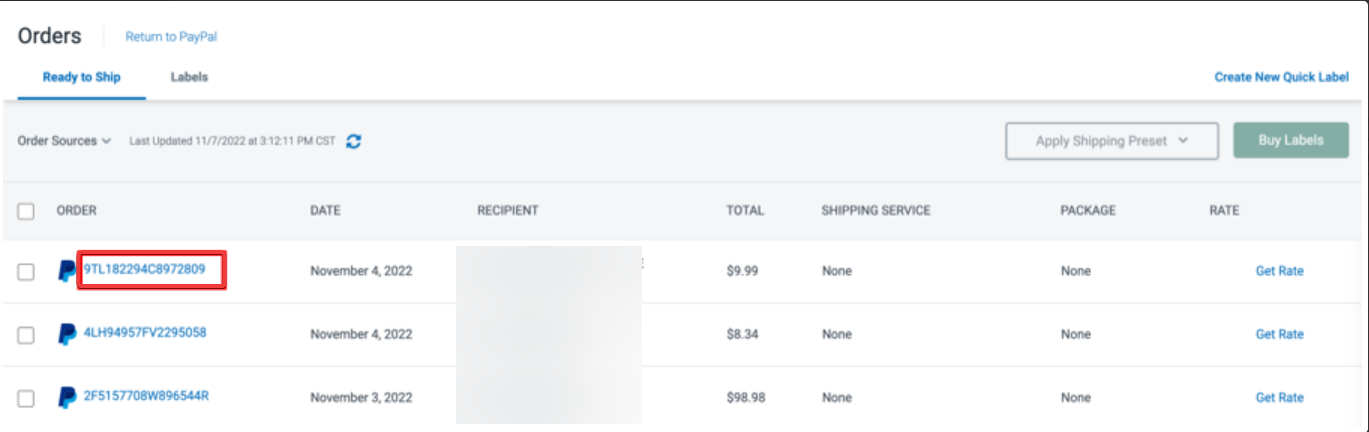

- Choose Print shipping label.
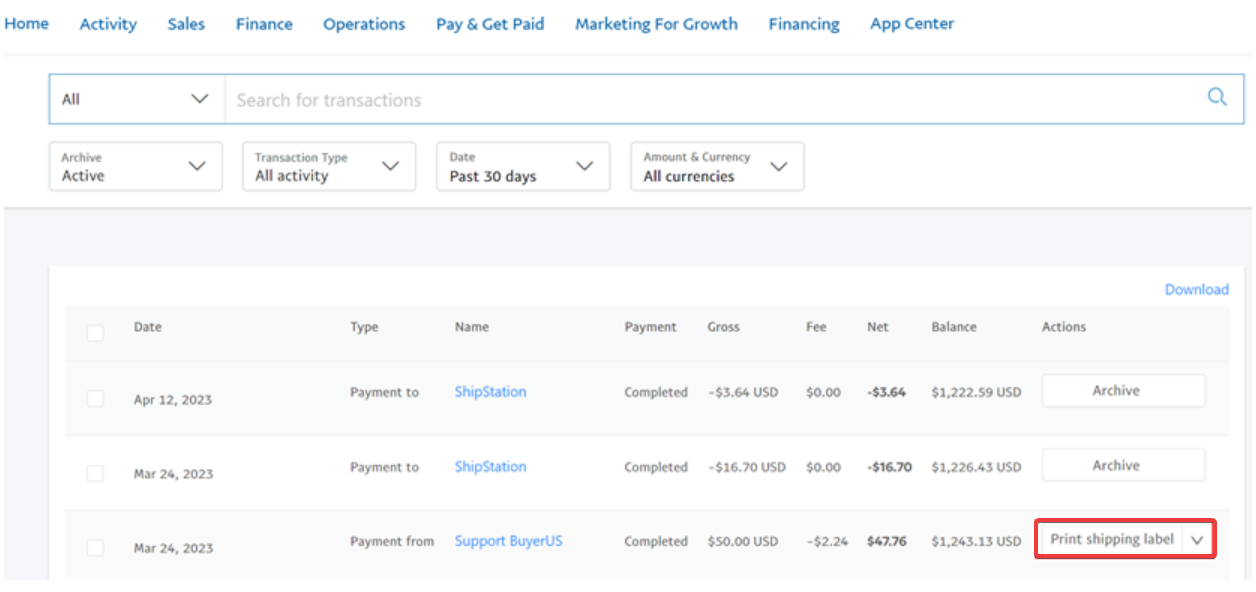

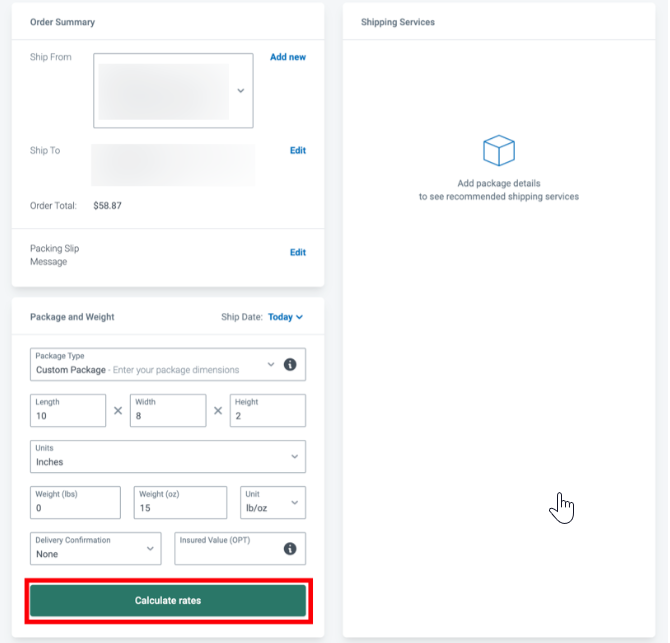
- Enter the package weight and dimensions.
- Pick a carrier and service level.
- Review the price.
- Pay for the label.
- Download or print the label.
Tracking and updating order status
After you pay for the label, PayPal adds the tracking number to the transaction. The buyer sees the update, and you can view delivery progress from your Activity page.
How to ship with PayPal without an order
You can also buy labels for shipments that do not originate from PayPal, which helps when you sell on local marketplaces or send gifts.
Steps to create a label manually
- Sign in to PayPal.
- Open the Shipping Center.
- Select Create Quick Label.


- Enter the sender and recipient addresses.
- Add package weight and dimensions.
- Choose a carrier and service.
- Pay for the label and print it.
When manual labels make sense
Manual labels work well when you ship replacement items, send care packages, or handle sales completed outside PayPal. You still receive the same discounted rates as order-based labels.
How to ship internationally with PayPal
International shipping requires customs information and often takes longer than domestic shipments. PayPal lets you handle labels and customs details in one place.
Filling customs forms correctly
Add a clear item description, accurate value, and the correct Harmonized System code. Choose what should happen if the package cannot reach the recipient, and keep the form consistent with the information on the label.
Carrier restrictions and limitations
Some carriers require drop off at specific hubs for international parcels. Hazardous items, perishables, and certain electronics may not ship to all countries.
Comparing carrier costs and delivery speeds
PayPal shows USPS and UPS rates so you can pick the right balance between cost and speed. Faster services cost more, while economy options help you keep expenses low.
How to estimate weight and dimensions
Use a kitchen scale or postal scale to measure weight. Measure the box in inches and enter the numbers exactly, because even small errors can change the price.
When to add insurance
Insurance protects items with a higher value or fragile contents. Claims usually require proof of value and proof of damage or loss.
Troubleshooting common PayPal shipping problems
- Label won’t generate: Verify that the address uses a valid format, remove special characters, and re-enter the weight. Refresh the page or try another browser session if the problem continues.
- Incorrect tracking updates: Confirm that you selected the correct carrier and service. Tracking may take a short time to activate after purchase, so wait a bit before you worry.
- Need to void or reprint a label: You can void unused labels within a short refund window from the Shipping Center. You can also reprint labels from the same page where you bought them.
Tips for smooth shipping with PayPal
- Weigh every package before buying a label.
- Use carrier-approved packaging.
- Compare multiple carrier options before checkout.
- Add insurance when you ship fragile items.
- Keep tracking confirmations for future reference.
FAQ
Is PayPal shipping free? PayPal does not charge you to create labels, but you pay postage based on weight and destination.
Can I ship from outside the United States? Availability depends on your region, because some areas have limited carrier support inside PayPal.
Does PayPal offer discounted rates? PayPal provides USPS and UPS discounts through the Shipping Center, which often beats retail counter prices.
Can I schedule pickups? UPS and USPS let many customers schedule pickups. Pickup availability depends on your location and the service level you choose.
Summary
- Open PayPal and choose an order or start a manual label.
- Enter addresses, weight, and dimensions.
- Compare USPS and UPS rates.
- Pay for the label and print it.
- Track the package from your Activity page.
PayPal gives you a fast, reliable way to manage shipping for domestic and international packages. When you enter accurate weights, provide proper customs information, and pick the right carrier, you reduce delays and keep buyers informed with clear tracking updates.


Discussion (0)
Be the first to comment.