



If you want to enjoy the hit social-deduction game without installing anything, several safe browser-based platforms now make it possible. This guide explains how to play Among Us without downloading, what you need to run it smoothly, and what limitations to expect when using cloud or web-based versions.
What You Need To Play Among Us Without Downloading
You can launch Among Us in your browser using supported online platforms that stream or emulate the game. These services remove the need for installation and work on most modern devices, including low-end laptops and school computers that restrict downloads.
- Use a stable, high-speed internet connection for smoother gameplay.
- Use an updated browser that supports HTML5 and WebGL for compatibility.
- Use headphones or a mic if the platform supports voice chat.
How To Play Among Us Without Downloading
The exact method varies depending on the browser platform you choose. Most options load the game instantly and only require basic account creation.
Use a Browser-Based Cloud Gaming Platform
Some online gaming portals stream Among Us directly through the browser. These services run the game remotely, so your device only displays the video feed.
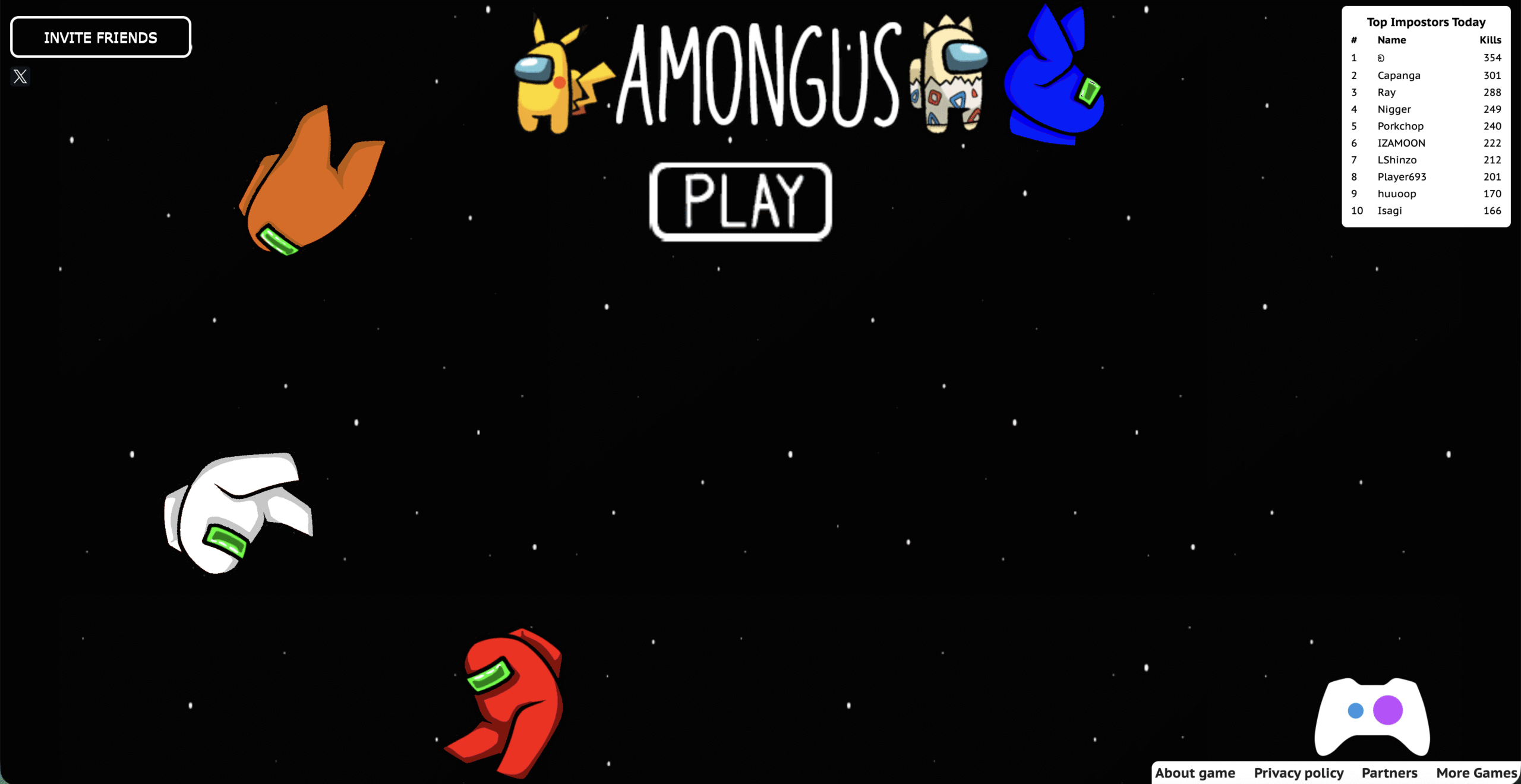
- Visit a trusted cloud gaming platform that lists Among Us. Click Play.
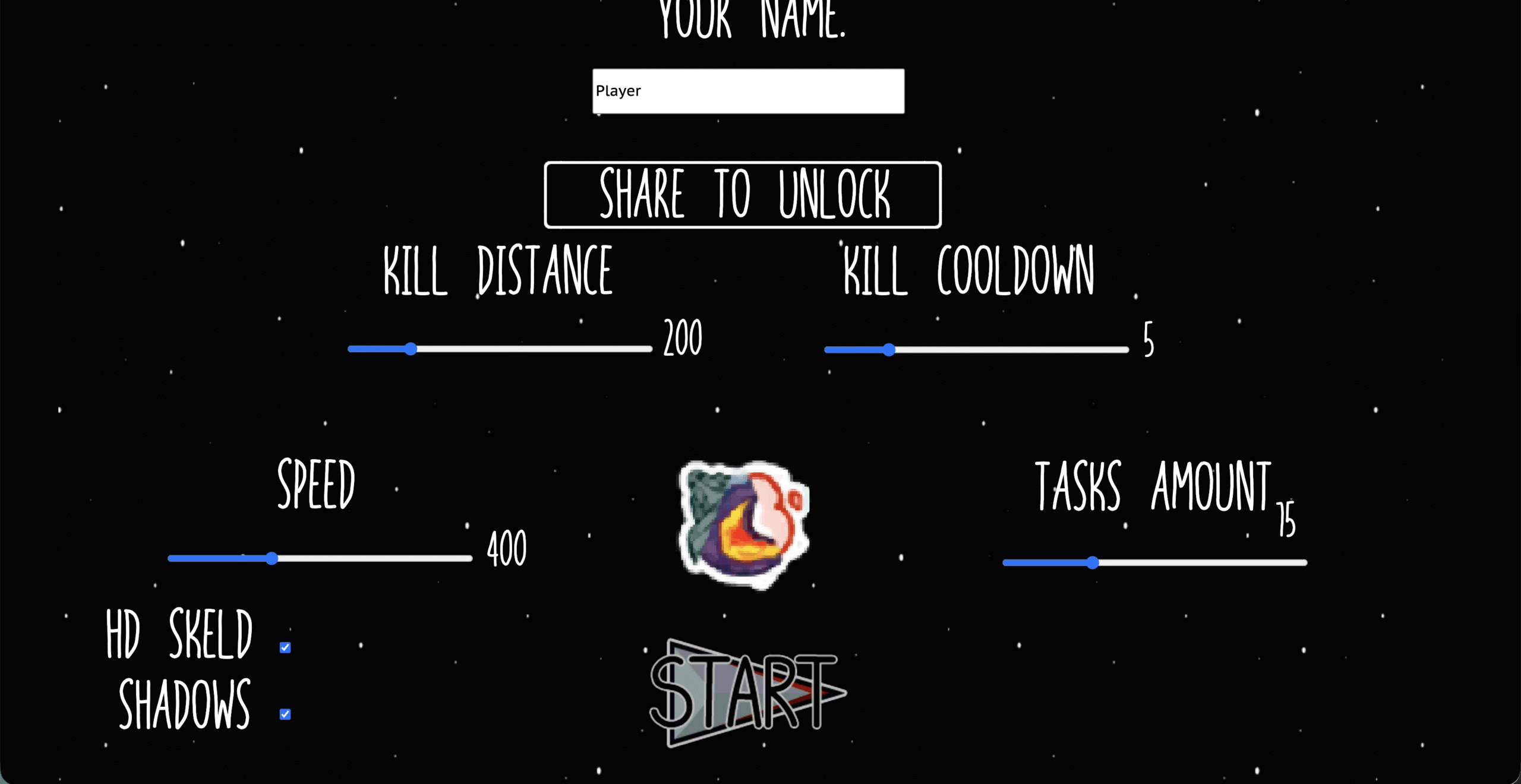
- Type your name and click Start.
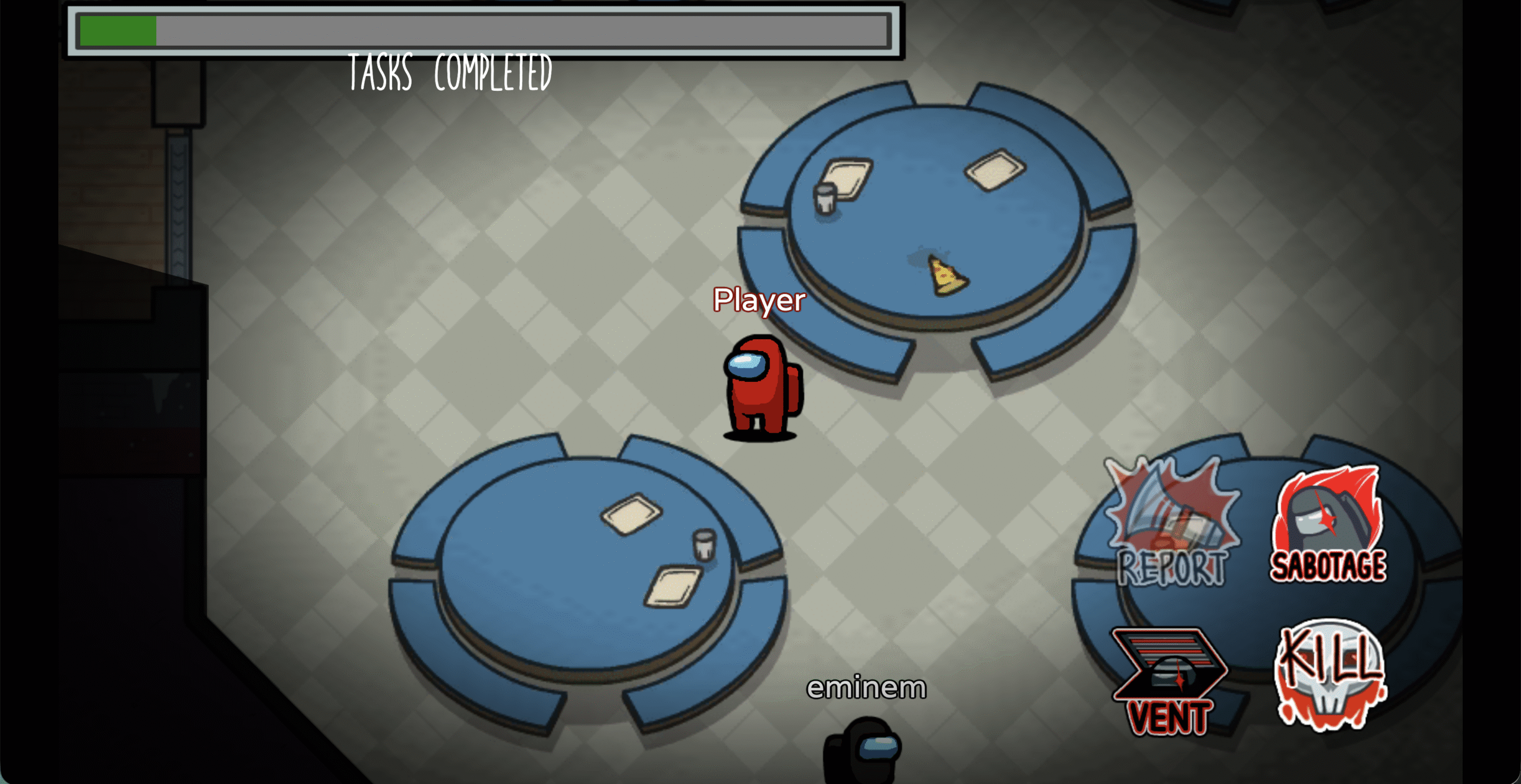
- Connect a keyboard or controller if supported for better control. Launch the game and join a public or private lobby.
Use an HTML5 Web Version Offered by Third-Party Platforms
Certain sites host HTML5 versions inspired by Among Us, designed for quick, no-download play. These versions are browser-based recreations and may not include all official features from InnerSloth.
- Open a browser gaming site that hosts a no-download version.
- Select the game and wait for the HTML5 engine to load.
- Play in quick-match mode or create a room if available.
Use a School-Friendly Browser Arcade
Some “unblocked” platforms host simplified versions designed for school networks. These often run entirely in-browser without plugins.
- Access a browser arcade site compatible with restricted networks.
- Select the Among Us variant on the catalog page.
- Play solo or join multiplayer depending on the site’s capabilities.
Limitations To Expect When Playing Without Downloading
Browser versions offer quick access but do not fully replace the official downloadable game. To set realistic expectations, keep the following in mind.
- Some game modes or maps may be missing on unofficial HTML5 versions.
- Cosmetics, skins, and paid add-ons may not sync with your InnerSloth account.
- Performance depends heavily on internet speed and browser compatibility.
- Cross-play may be limited compared to the Steam, mobile, or console versions.
Is Playing Among Us Without Downloading Safe?
Safety depends on the platform you choose. Cloud gaming sites with verified reputations are generally safe. However, unofficial HTML5 clones may contain ads or lack proper moderation.
- Use only trusted platforms to avoid pop-ups or unsafe downloads.
- Avoid any site asking for unusual permissions.
- Use browser tracking-protection or private mode when using unfamiliar gaming portals.
Conclusion
Knowing how to play Among Us without downloading gives you a fast and accessible way to jump into matches on almost any device. While browser-based options may not offer every feature from the official version, they provide a convenient alternative when you cannot install software or want quick gameplay at the time of writing. For the full experience, including cosmetics and online progression, the downloadable versions remain the best choice.


Discussion (0)
Be the first to comment.