



Snapchat does not send notifications when someone blocks you, which can make sudden changes confusing. If a friend disappears from your chats, Stories, or search results, it may indicate a block or account change.
At the time of writing, Snapchat still handles blocking quietly. However, there are reliable signs you can check to determine whether someone blocked you, unfriended you, or deactivated their account.
What Happens When Someone Blocks You On Snapchat
When someone blocks you on Snapchat, their profile effectively disappears from your account. Messages stop delivering, and previous interactions may vanish.
- Their profile no longer appears in search results.
- Chat history disappears from your conversations.
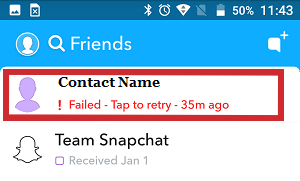
- Snaps fail to send or never deliver.
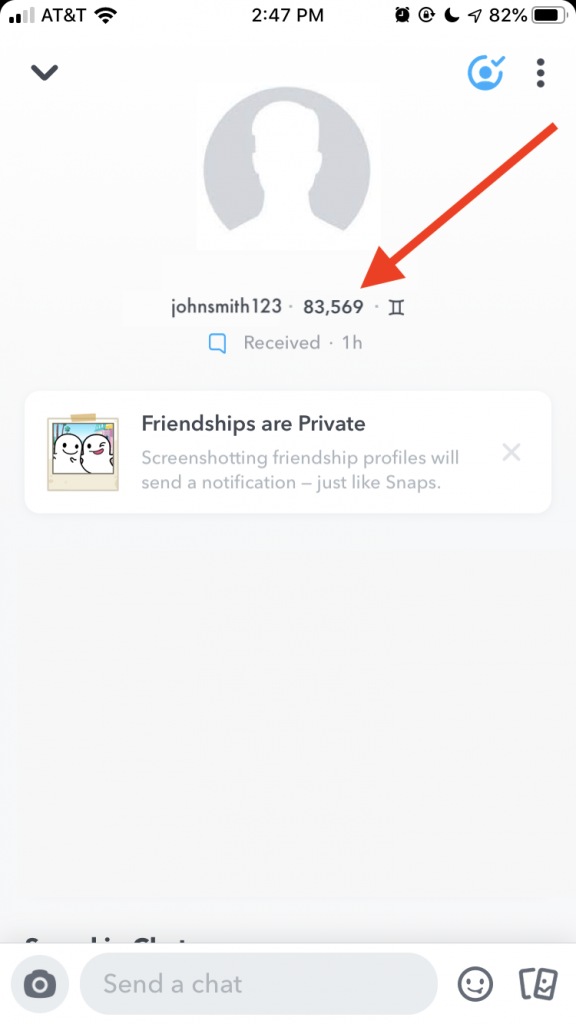
- Their Snapscore becomes invisible.
- You cannot view their Stories.
Blocked Vs Unfriended Vs Deactivated
Understanding the difference between these actions helps avoid confusion. Each status affects visibility and interaction in different ways.
If you are blocked, the user completely disappears from your Snapchat experience. If you are unfriended, you can still find their profile, but private details like Snapscore and Stories may be hidden. A deactivated account disappears for everyone.
How To Tell If Someone Blocked You On Snapchat
You can check several areas of the Snapchat app to confirm whether someone blocked you. Use more than one method for accuracy.
- Search for their username or display name using the search bar.
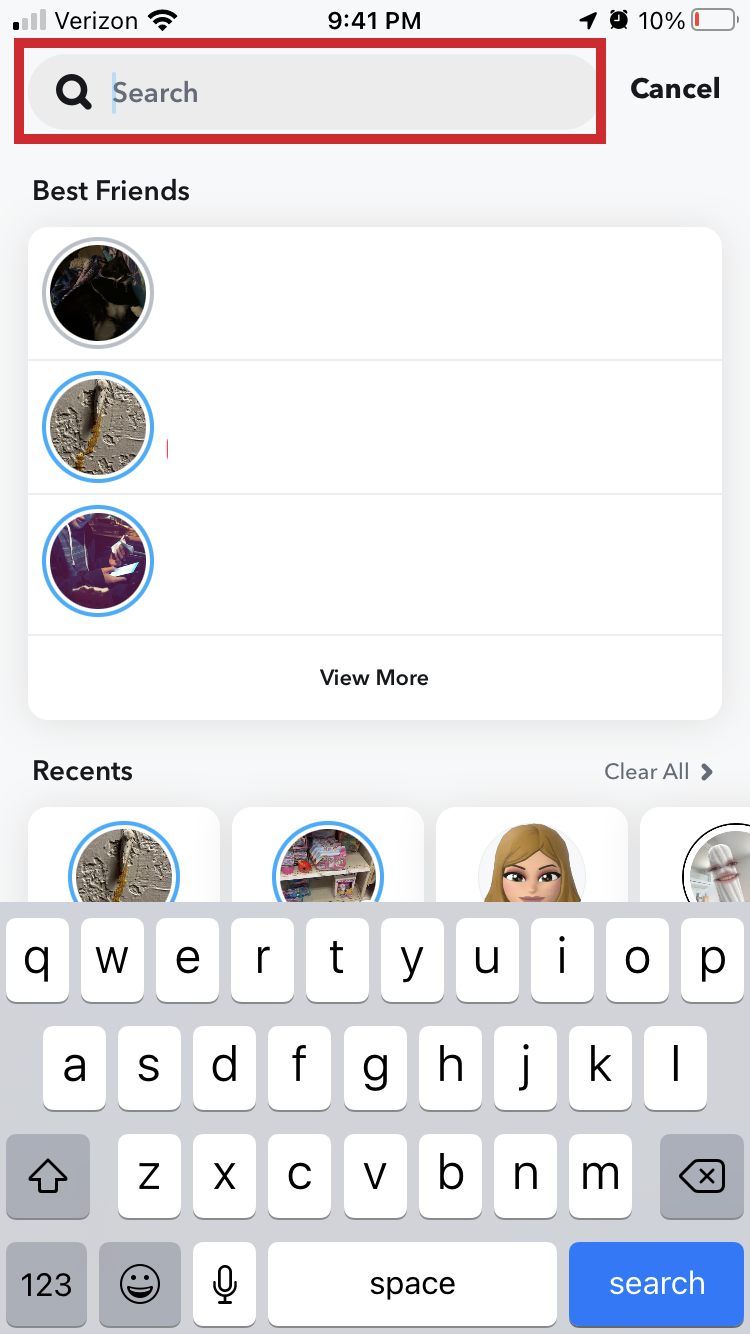
- Check your Friends list to see if their name is missing.
- Review past chat conversations to see if they disappeared.
- Try sending a snap or message and check the delivery status.
- Look for their Snapscore if their profile is still visible.
If the profile cannot be found anywhere and messages fail to send, a block is likely.
Use Another Account To Confirm
If you are still unsure, checking from another Snapchat account can help confirm what happened.
- Ask a trusted friend to search for the username.
- Use a secondary account to look up the profile.
- Compare whether the profile appears elsewhere.
If the account appears for others but not for you, blocking is the most likely explanation.
What To Do If You Are Blocked On Snapchat
If someone blocked you, it is best to respect their decision. Snapchat’s blocking tools are designed to protect user privacy.
If you believe the block was accidental or due to a misunderstanding, consider reaching out through another platform only if appropriate.
Troubleshooting Common Problems
Sometimes Snapchat glitches can temporarily hide chats or profiles. Logging out and restarting the app can help refresh your data.
If chats reappear after restarting, the issue was likely temporary rather than a block.
Tips
- Use multiple signs before assuming you are blocked.
- Avoid contacting someone through alternate accounts.
- Check Snapscore visibility for additional clues.
- Keep your own privacy settings updated.
- Do not rely on a single failed message as proof.
FAQ
Does Snapchat notify you when someone blocks you? No, Snapchat does not send block notifications.
Can you still see chats after being blocked? Chats usually disappear, but temporary app issues can delay removal.
Can you message someone who blocked you? No, messages will fail to send.
Summary
- Blocked users disappear from search and chats.
- Snapscore and Stories become unavailable.
- Multiple checks improve accuracy.
- Another account can confirm a block.
Conclusion
Knowing how to tell if someone blocked you on Snapchat removes uncertainty and helps you move forward. While Snapchat keeps blocking discreet, the signs are clear when viewed together. Focus on connections that remain active and respect user privacy when a block occurs.


Discussion (0)
Be the first to comment.