




Snapchat automatically marks snaps and messages as opened the moment you view them. That seen status is part of how Snapchat tracks engagement, but it can also create awkward situations when you want to check a snap without alerting the sender.
At the time of writing, Snapchat does not offer a built-in way to disable the "opened" indicator. However, there are still a couple of methods that let you see a snap without opening it, depending on whether you received a photo, video, or text message.
Use Airplane Mode To See A Snap Without Opening It
Airplane Mode is the only method that works for snaps, videos, and text messages. It relies on loading the snap in advance, then cutting off your internet connection before viewing it.
- Open Snapchat and stay on the chat screen for a few seconds.
- Wait until the snap finishes loading in the background.
- Enable Airplane Mode on your iPhone in Settings or the Control Center.
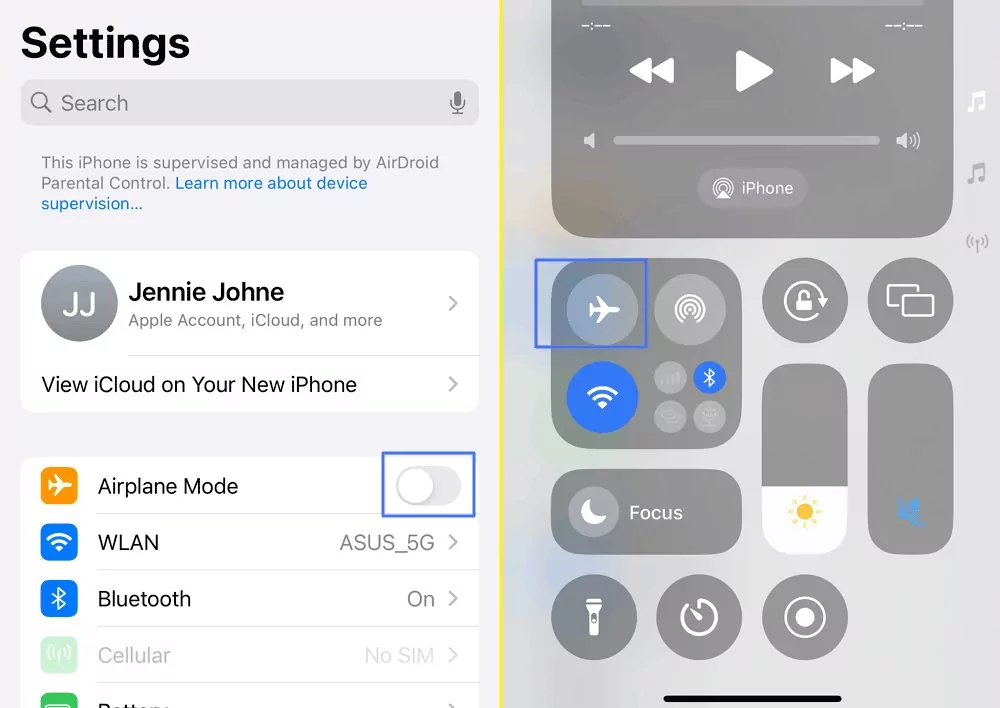
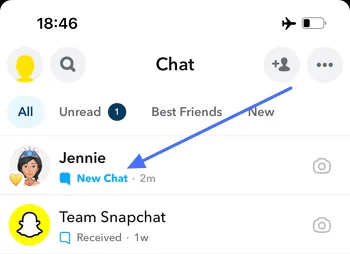
- Go back to Snapchat, and you'll see the snap labeled "New Chat".
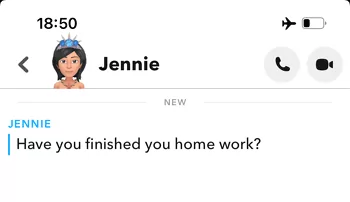
- Open and view the snap while offline.
- Log out of Snapchat before disabling Airplane Mode.
- Uninstall the app, then reinstall and log back in.
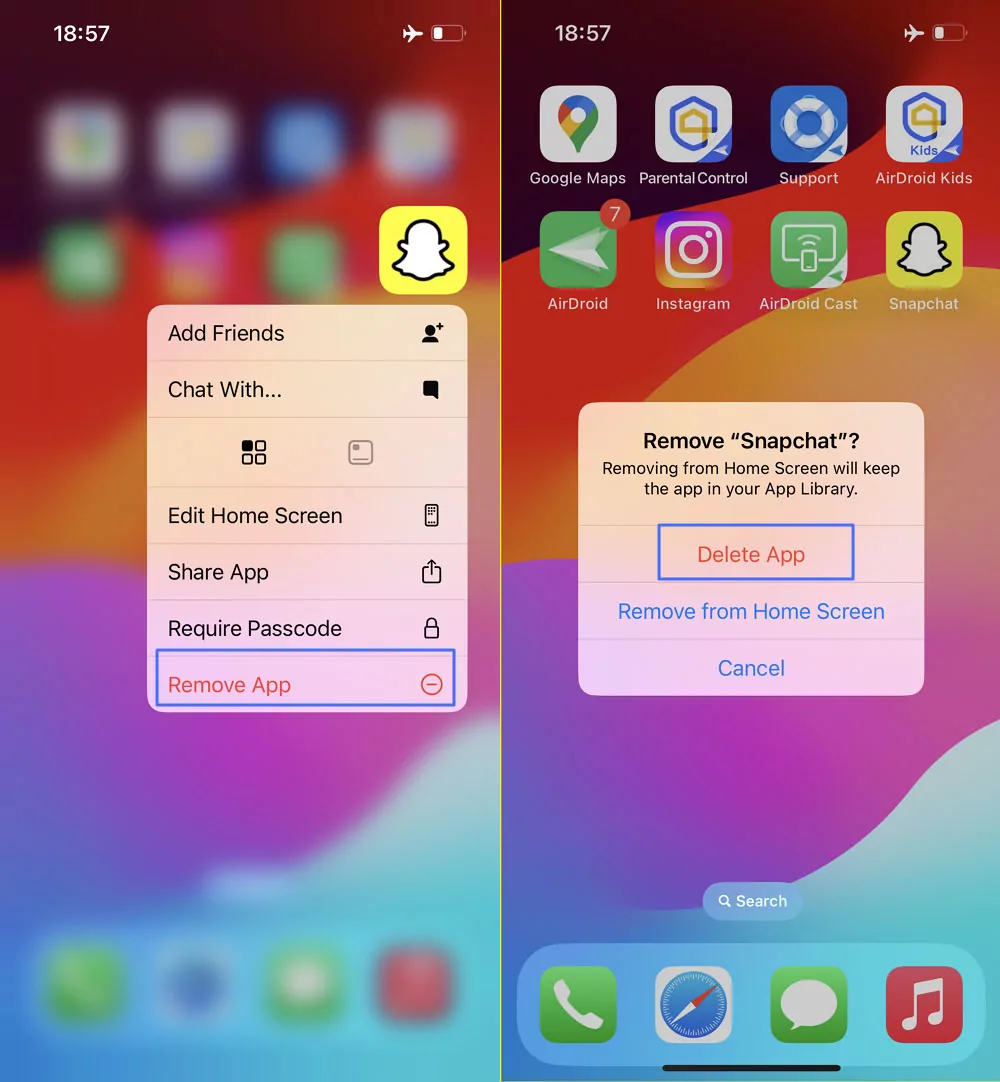
This prevents Snapchat from syncing the opened status back to its servers. You can only view the snap once using this method.
Use The Half Swipe Method For Snapchat Text Messages
The half-swipe trick only works for text messages, not for snaps or videos. It allows you to preview a message without fully opening the chat.
- Go to the Snapchat chat list.
- Press and hold the sender’s profile icon.
- Slowly swipe right without releasing your finger.
- Read the message preview without swiping too far.
- Slide back to the chat list before letting go.
Swiping too far will immediately mark the message as opened, so precision matters.
Why Snapchat Always Shows The Seen Status
Snapchat does not allow users to turn off seen indicators. Once a snap is opened while connected to the internet, the opened status updates instantly.
These workarounds exploit temporary offline behavior rather than official privacy controls.
Troubleshooting Common Problems
If the snap still shows as opened, it may not have fully loaded before enabling Airplane Mode.
If Snapchat logs you out automatically, reinstalling the app usually resets the sync state.
If half swipe marks the message as opened, the swipe likely went too far.
Tips
- Use Airplane Mode only when you truly need to stay unseen.
- Practice half-swiping carefully on less important chats.
- Avoid reconnecting to the internet before logging out.
- Remember that these methods are not guaranteed to be long-term.
FAQ
Can I turn off seen on Snapchat?
No. Snapchat does not offer an option to disable the "opened" status.
Does Airplane Mode work for videos?
Yes, as long as the video finishes loading before going offline.
Does half swipe work for snaps?
No. It only works for text messages.
Will Snapchat detect these methods?
Snapchat may change how syncing works, which could break these tricks.
Summary
- Snapchat always marks messages as opened when viewed online.
- Airplane Mode works for snaps, videos, and texts.
- Half swipe only works for text messages.
- Neither method is officially supported by Snapchat.
Conclusion
Seeing a snap without opening it is possible, but it requires careful timing and extra steps. While these methods still work at the time of writing, Snapchat can change its behavior at any moment. Use them sparingly and understand the risks before relying on them.


Discussion (0)
Be the first to comment.