



In a world where a fast, reliable connection is essential, it can be tempting to search for how to get Wi-Fi password of neighbors. But accessing someone else’s network without consent is illegal and unethical. This awareness guide explains, at a high level, how unauthorized access is commonly attempted and, more importantly, how to secure your own network. It’s for education only—not an endorsement of any illegal activity.
Legal and Ethical Considerations
Unauthorized access to a private wireless network violates privacy and may be a criminal offense in many regions. Beyond the legal risk, it undermines trust and can expose households to data loss, billing disputes, and service disruptions. Treat home Wi-Fi the same way you would treat a locked home—ask for permission or use legitimate alternatives.
How Unauthorized Access Usually Starts (High-Level Awareness)

This section is for awareness only. It does not provide step-by-step procedures or tool names. The aim is to help you recognize weak spots so you can close them.
- Network discovery: Nearby wireless names (SSIDs) are visible to anyone within range. Basic scanners and built-in OS tools reveal the SSID, signal strength, and security type. If a network shows outdated security or no password, it’s easy to misuse.
- Guessable or recycled passwords: Short passwords, dictionary words, phone numbers, or addresses are regularly tried because they’re easy to remember—and easy to guess.
- Unchanged defaults: Routers that keep their factory admin logins are vulnerable to someone signing in locally and viewing or changing the Wi-Fi key.
- Rogue look-alike networks: A copy of a familiar SSID can be broadcast to lure devices that auto-join. If a device connects, private traffic may be exposed on that network.
- Social prompts: Texts, calls, or doorstep requests that pretend to “verify” details can pressure someone into sharing a password they wouldn’t normally reveal.
Key takeaway: You don’t need technical tricks to improve safety—strong settings and careful sharing habits neutralize most risks.
Safer Alternatives Instead of Neighbor Wi-Fi

- Ask and use a guest network: If someone is willing to help, a separate guest SSID with its own password protects their main devices.
- Share by QR code: Modern phones display a join QR for quick, private sharing with consent, without reading the password aloud.
- Recover your own password: On devices already connected to your home Wi-Fi, built-in settings can show the saved password after you authenticate locally.
- Use your phone hotspot: Tethering is quick, private, and doesn’t involve anyone else’s network.
- Contact the ISP: Provider apps and router portals often let the account holder view or reset the Wi-Fi key securely.
Secure Your Home Wi-Fi (Actionable Steps)
- Use WPA2-AES or WPA3: Avoid open networks and outdated protocols. This is the single biggest upgrade you can make.
- Create a strong passphrase: At least 14–16 characters with mixed types. Avoid names, addresses, birthdays, and short words.
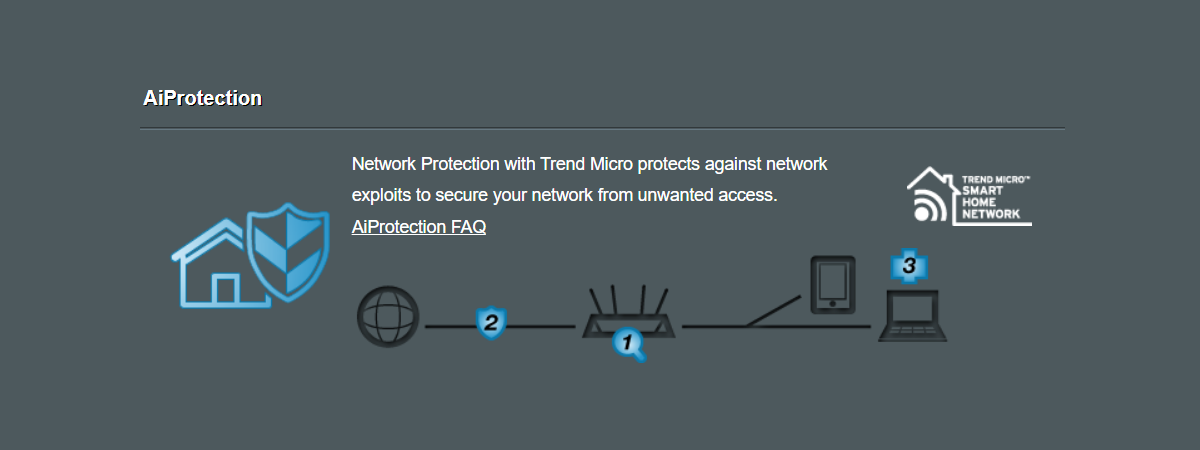
- Change the router’s admin login: Replace factory credentials and disable remote management you don’t need.
- Keep firmware up to date: Updates patch known issues. Check monthly.
- Turn off WPS: If you can share via QR or guest SSID, WPS isn’t necessary.
- Guest SSID for visitors and gadgets: Isolates less-trusted devices from laptops and phones you use for banking and work.
- Neutral SSID name: Don’t include your surname or apartment number.
- Monitor connected devices: Periodically review the device list in the router dashboard and remove unknown entries.
Spot Social Requests That Don’t Belong
- “Support” messages that ask for your Wi-Fi password or a verification code.
- Unexpected QR codes or links promising “free Wi-Fi boosts.”
- In-person requests to “borrow Wi-Fi for a minute.” Offer a guest SSID instead.
- Emails that link to pages imitating your provider’s login.
When in doubt, contact the service provider through an official channel before sharing anything.
If Something Feels Wrong
- Open the router dashboard and remove unfamiliar devices.
- Change both the Wi-Fi passphrase and the router admin password.
- Update firmware, disable WPS, and enable WPA2-AES or WPA3.
- Run security scans on computers and phones that have used the network.
- Ask your ISP for help if unexpected devices reappear or settings won’t stick.
FAQs
Is it okay to connect without permission if the network looks open?
No. Open Wi-Fi isn’t an invitation. Always ask first.
Do quick “button” methods make it acceptable?
Method doesn’t change consent. Only connect with permission.
What’s the safest way to share at home?
Use a guest SSID with a separate password, ideally shared by QR, and rotate it later.
Why not hide the SSID and call it a day?
Hiding helps a little, but strong encryption, a solid passphrase, and updates matter more.
Summary
- Searching for how to get Wi-Fi password of neighbors leads to legal and ethical problems; don’t do it.
- Common weak spots include guessable passwords, unchanged defaults, and look-alike networks.
- Prefer consent-based options: guest SSID, QR sharing, hotspot, or ISP tools.
- Lock down your own network with WPA2/WPA3, firmware updates, and strong credentials.
- Act quickly if something feels off: remove unknown devices, rotate passwords, and update.
Conclusion
The right way to approach home networking is simple: ask before connecting, share responsibly, and close the easy gaps. Understanding how unauthorized access is typically attempted helps you prevent it, without ever crossing a line. Keep your setup current, use strong security, and choose solutions that respect everyone’s privacy.


Discussion (0)
Be the first to comment.