




You can confirm your email address in several places, depending on your device and the service you use. This guide walks you through the fastest methods on webmail, phones, apps, password managers, and ISP portals.
Table of contents
- Check your email address in Webmail
- Find your email address on mobile devices
- Check your email address in mail apps
- Identify your email address using a password manager
- Check your email address through ISP or carrier portals
- Find your email address inside the apps you use
- Troubleshooting if you still can’t find your email address
- Tips for finding your email address
- FAQs
- Summary
Check your email address in Webmail
Webmail always shows your full address once you sign in. This gives you an immediate confirmation of the account you are using.
Gmail
Open Gmail and click your profile picture. You see your full Google email address under your name.

Outlook.com
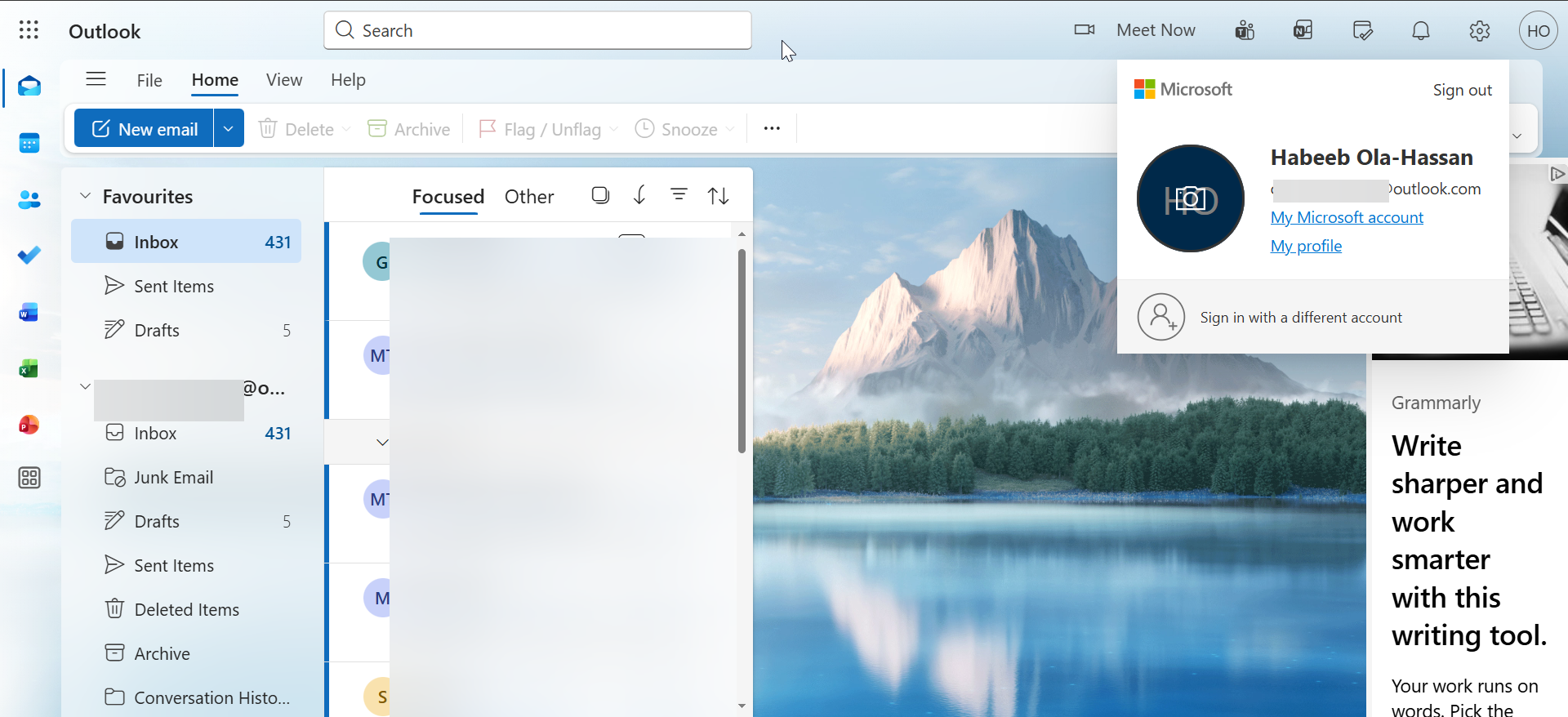
Click your profile icon, and Outlook displays the full address linked to your Microsoft account.
Yahoo Mail
Select your profile name from the upper right. Yahoo lists your primary email address under your account details.
iCloud Mail
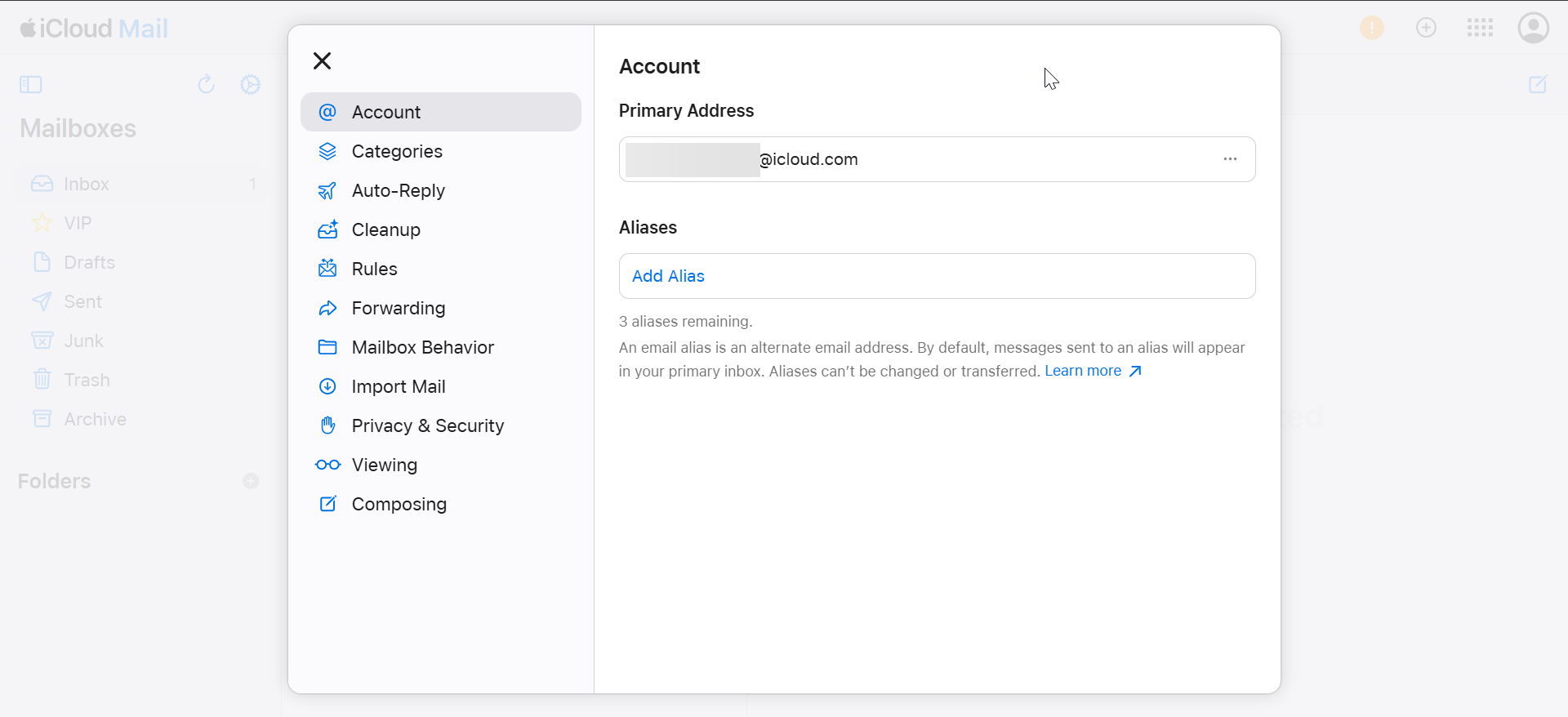
Open iCloud Mail, click the Settings icon, and choose Account Settings. Apple shows your iCloud address under the Apple ID section.
Find your email address on mobile devices
Your phone saves each email account in system settings. You can quickly confirm any address you added earlier.
iPhone and iPad
Go to Settings > Mail > Accounts. Tap each account to see the full email address.

Android phones
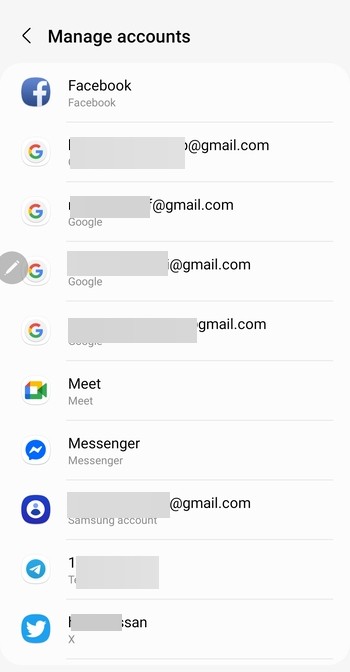
Go to Settings > Accounts and backup > Manage accounts or Passwords & accounts. Select each listed email service to view its address.
Check your email address in mail apps
Desktop and mobile mail apps store multiple accounts. You can open each profile to confirm the address.
Windows Mail app
Go to Settings > Manage accounts. Select an account to display the email address tied to it.
macOS Mail
Open Mail, then go to Mail > Settings > Accounts. Each account panel shows the full address.
Microsoft Outlook desktop
Select File > Account Settings. Outlook lists every email address configured on the device.
Mozilla Thunderbird
Open Account Settings from the menu. Thunderbird displays each identity and its email address.
Identify your email address using a password manager
Password managers store email usernames for every saved login. This helps when you forget which email you used.
Chrome Password Manager
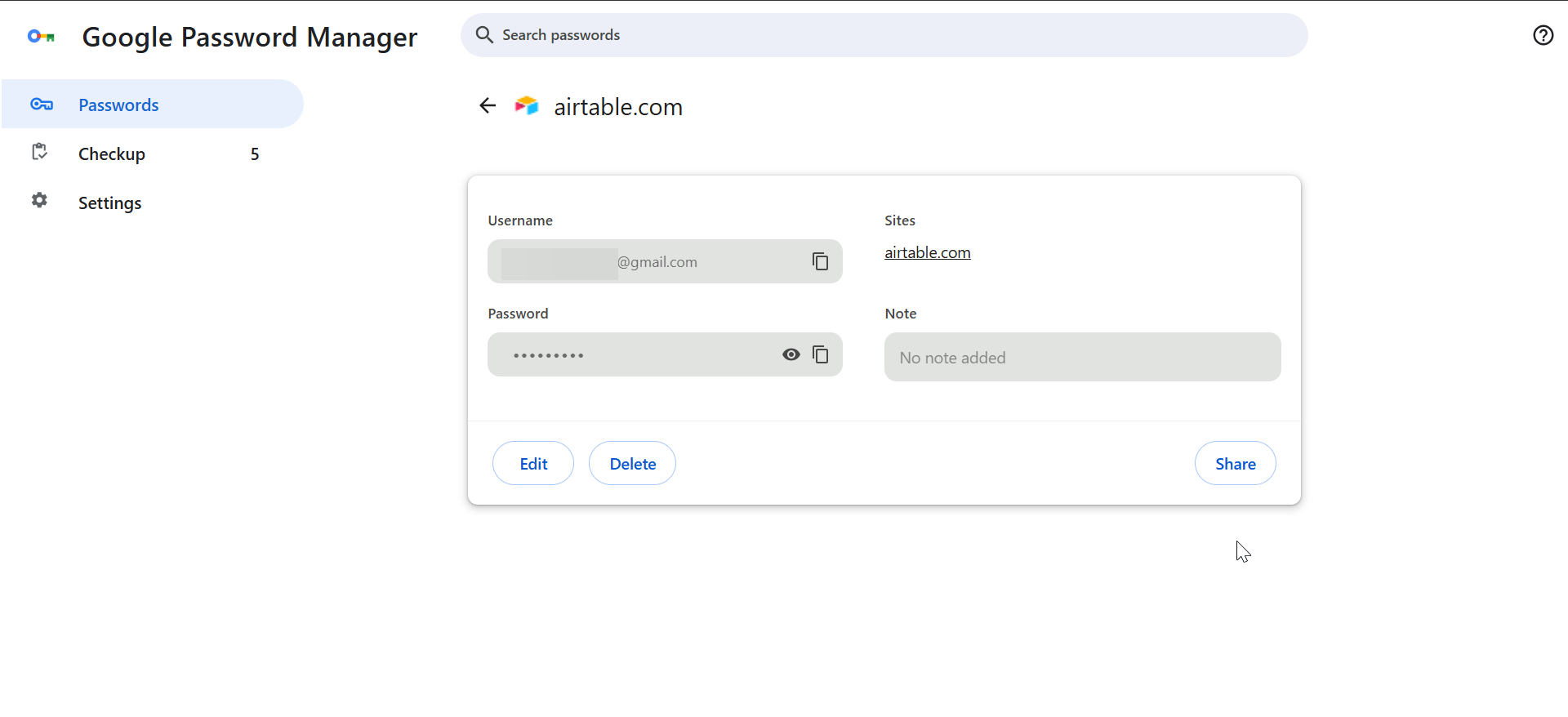
Go to Settings > Autofill and passwords > Google Password Manager. Each saved entry shows the email used as the username.
iCloud Keychain
On Apple devices, go to Settings > Passwords. You can view stored login entries that show your email.
1Password or Bitwarden
Open your vault and search for websites you use. Each saved login lists the email address tied to the account.
Check your email address through ISP or carrier portals
ISP and carrier accounts often include email addresses you created long ago. The customer dashboard usually lists them.
Comcast or Xfinity
Sign in to your Xfinity dashboard. Your primary and secondary email addresses appear under the email section or users and preferences.
Spectrum
Log in to your Spectrum account. Spectrum lists all associated email accounts under the services or internet section.
AT&T or Verizon
Carrier dashboards show your main email and any additional addresses connected to your account.
Find your email address inside the apps you use
Many apps attach your email to the profile or subscription section. This works even when your mail app is not set up.
Google apps
Open any Google app and tap your profile photo. Your active email address appears under your name.
Microsoft apps
Office apps display the email tied to your Microsoft subscription under the account menu. On apps like Edge, you only need to click the profile icon, and your Microsoft account email address will be displayed.

Social platforms
Facebook, Instagram, or X show your email under account or profile settings.
Troubleshooting if you still can’t find your email address
- Search device backups: Old iTunes, iCloud, or Windows backups may show saved account entries.
- Check browser profiles: Chrome, Edge, and Firefox store signed-in accounts under their profile sections.
- Try linked phone numbers: Recovery tools let you request account details using your phone number.
Tips for finding your email address
- Check your browser first because most people stay signed in.
- Look in social apps since they often display your full email.
- Inspect password managers to uncover forgotten accounts.
- Review ISP dashboards if you ever created a provider-issued email.
- Search your phone’s accounts section when you can’t sign in anywhere else.
FAQs
How do I find my email address on Windows? Open settings, go to accounts, and review the email under your info or email and accounts.
How do I find my Gmail address if I forgot it? Use Google’s account recovery tool and enter your phone number to reveal matching Gmail accounts.
How do I find the email connected to my Apple ID? Open settings on your iPhone or Mac. Your Apple ID email appears at the top of the screen.
Where do I find the email I used for subscriptions? Open each app’s account or profile page. Most apps show the email tied to the subscription.
Summary
- Open Webmail to view your full email address.
- Check iPhone or Android device settings for linked accounts.
- Review Windows Mail, macOS Mail, Outlook, or Thunderbird.
- Use password managers to discover stored email usernames.
- Use ISP dashboards, recovery tools, or app profiles when other methods fail.
You can find your email address easily once you check the right location. Start with your browser or phone settings because they store accounts automatically. If you still can’t locate your address, use recovery tools or subscription apps because they often reveal the email you used.
Finally, you can always create a new email address if you can't find or access your existing one.


Discussion (0)
Be the first to comment.