




Showbox was once a popular streaming app that let users watch movies and TV shows for free. Although the official app is no longer maintained, many still look for ways to install it on Android and iPad tablets. This guide shows how to safely download and install Showbox or find secure alternatives that actually work today.
Step 1: Check device compatibility
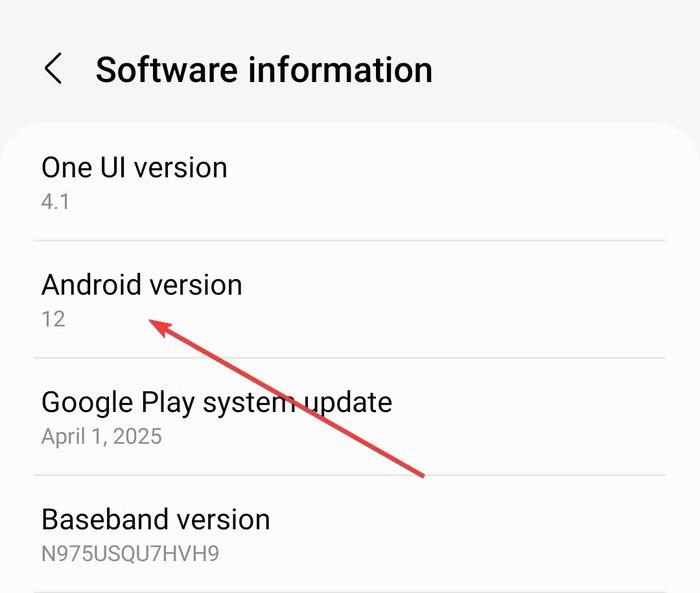
Before downloading anything, confirm that your tablet supports third-party apps. Showbox only runs on Android 5.0 or higher. iPad and iPad Pro models can’t use APKs, but you can install safe streaming alternatives instead. Checking compatibility first prevents wasted downloads and security warnings later.
Step 2: Enable app installs from unknown sources (Android only)
Because Showbox isn’t available on Google Play, you’ll need to allow installations from unknown sources. Open Settings on your tablet and go to Security & Privacy or Apps & Notifications. Next, select Install unknown apps.
Now, choose your browser or file manager and toggle Allow from this source. After installing Showbox, return and disable this option for safety.
Step 3: Download the latest verified Showbox APK
Search for a reputable APK source and download the latest verified Showbox APK. Ensure to avoid sites overloaded with pop-ups or unrelated downloads. Upload the file to a malware scanner VirusTotal before opening it.
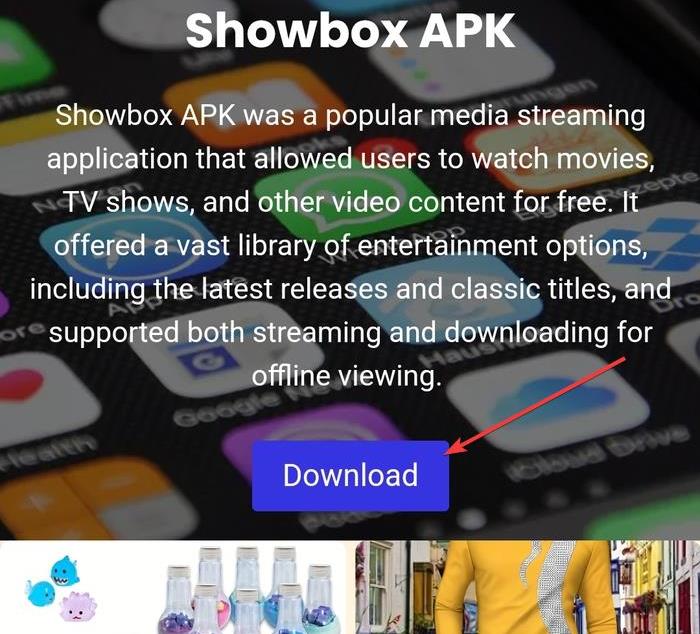
If the download triggers security alerts, delete it immediately.
Tip: Always double-check that the file name ends with .apk and matches the latest version of Showbox.
Step 4: Install Showbox on an Android tablet
Once the file is verified, open your tablet’s file manager and tap the APK to start installation. If prompted, tap Install and wait for the process to finish.

After installation, open Showbox from your app drawer. Grant access to media files when prompted so it can load content properly.
Stay safe while using Showbox on a tablet
Unofficial apps can expose you to malware or privacy risks. Always use antivirus protection, download from verified sources, and consider running a VPN to encrypt your traffic and hide your IP address. Avoid granting unnecessary permissions or sharing payment information inside these apps.
Best Showbox alternatives for tablets
If you prefer legitimate streaming options, many services offer free tiers or ad-supported catalogs that run smoothly on tablets.
| App | Type | Offline Mode | Supported OS | Why It’s Better |
|---|---|---|---|---|
| Tubi | Free | No | Android / iOS | No malware risk, large catalog |
| Crackle | Free | No | Android / iOS | Original content and HD playback |
| Pluto TV | Free | No | Android / iOS | Live channels, easy UI for tablets |
| Netflix | Paid | Yes | Android / iOS | Reliable, safe, constant updates |
Troubleshoot common Showbox tablet issues
If Showbox fails to load or crashes, the issue is usually linked to cache corruption or outdated servers. You can fix this with a few quick steps.
- Clear app cache and data in Settings > Apps > Showbox.
- Uninstall and reinstall the latest APK version.
- Use a VPN if the app is blocked in your region.
FAQs
Can I install Showbox on a Fire HD tablet? Yes. Since Fire OS is Android-based, enable Apps from Unknown Sources in settings, then follow the Android steps above.
Is Showbox legal to use? Streaming copyrighted content without permission can violate copyright laws. Stick to verified apps or free legal alternatives.
What if Showbox won’t update? Updates are no longer officially maintained. You may need to uninstall and reinstall a newer APK version from a reliable source.
Why does Showbox say “Server unavailable”? The Showbox servers often go offline. Using a VPN or switching to a different streaming app usually fixes the issue.
Summary
- Check your tablet’s OS and enable unknown sources if on Android.
- Download a verified Showbox APK and scan it for malware.
- Install and grant permissions carefully.
- For iPads, use legal streaming apps instead.
- Use a VPN and antivirus protection to stay safe.
Conclusion
Installing Showbox on a tablet still appeals to users who want free streaming, but it comes with real security and legal risks. Android users can sideload the APK after enabling unknown sources, while iPad owners should stick to legitimate streaming apps that offer similar features safely.
If you decide to try Showbox, always scan the APK, use antivirus protection, and connect through a VPN to protect your privacy. For a hassle-free experience, explore trusted alternatives like Tubi, Crackle, or Pluto TV - each delivers reliable entertainment without putting your device at risk.


Discussion (0)
Be the first to comment.