




The YouTube Audio Library gives you access to free, high-quality, royalty-free music you can download for videos, presentations, podcasts, and creative projects. You can use these tracks without copyright issues as long as you follow attribution rules when required. This guide explains how to access the library, browse tracks, download music, and manage your files with clear steps that work at the time of writing.
The library includes hundreds of tracks across genres, moods, instruments, and durations. You can filter and preview songs to match your project and avoid copyright claims. Once you get familiar with the interface, you can quickly build a library of safe and legal music assets for your content.
Access The YouTube Audio Library
YouTube Studio contains the built-in Audio Library, which offers free music and sound effects. Accessing it only takes a moment.
- Open YouTube in your browser and sign in.
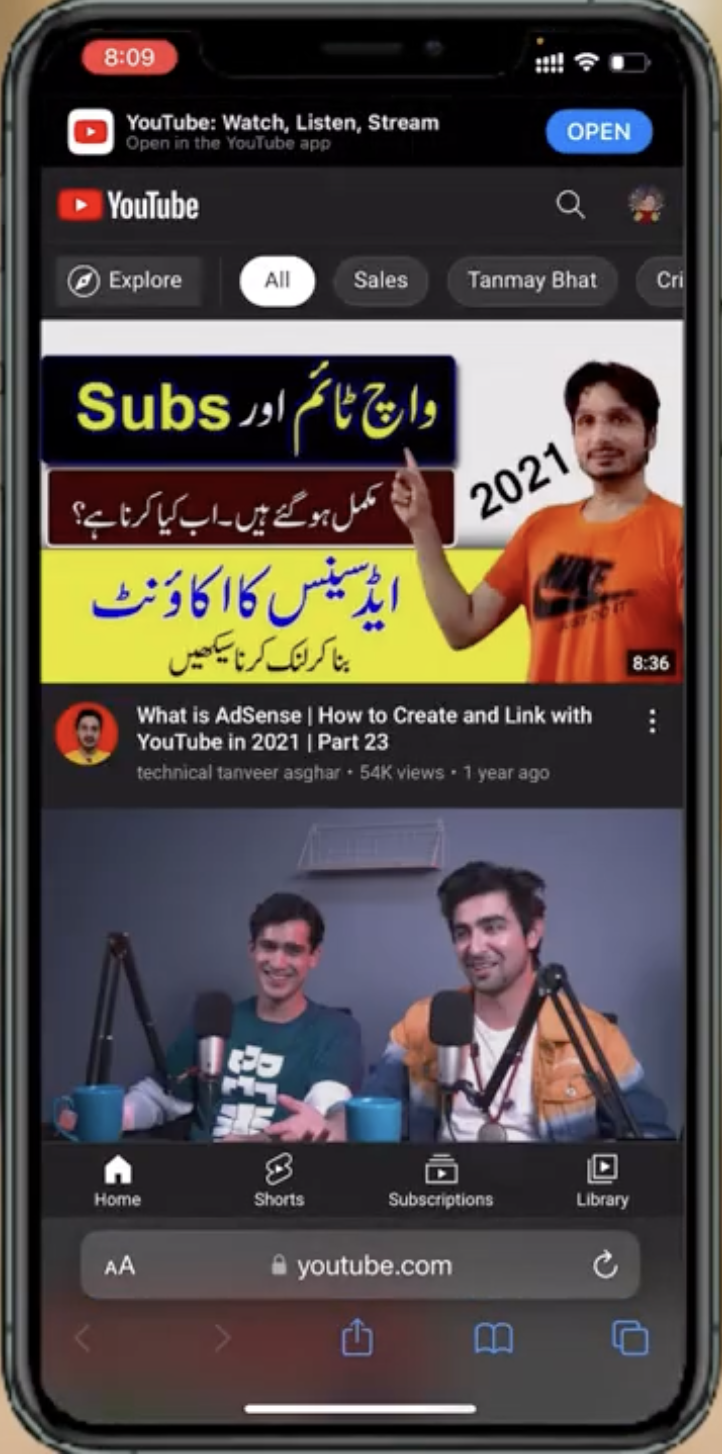
- Select your profile icon.
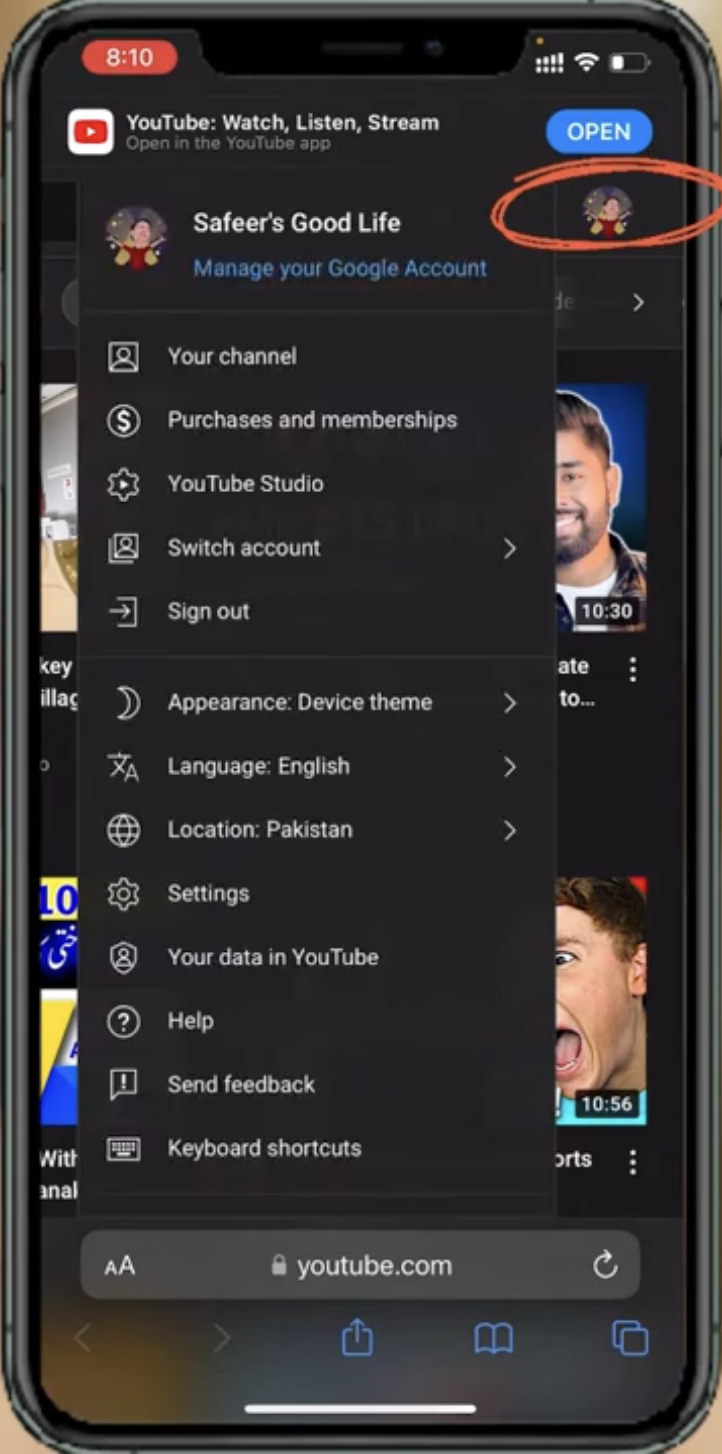
- Choose YouTube Studio.

- Click Audio Library in the left menu.
- Use the tabs to browse music, sound effects, and attribution-required tracks.
Select Music Tracks
You can narrow your search by genre, mood, instrument, duration, or attribution requirements. Filters help you find tracks that fit your video style or production needs.
- Use filters for genre, mood, duration, or instrument categories.
- Preview each track with the built-in player to check its pacing and tone.
- Review attribution requirements on the right side of each track.
- Choose tracks that best match your video style and intended audience.
Download Free Music From The Library
Every track includes an easy download button so you can save it directly to your device as an MP3 file.
- Select the track you want and click the Download icon.
- Save the MP3 file to your computer.
- Create a dedicated folder to keep all your downloaded tracks organized.
- Rename files with clear labels to simplify future searches.
Organize And Manage Your Downloaded Music
Organizing your library ensures you can reuse tracks across multiple projects without searching through cluttered folders.
- Create project-specific folders on your device.
- Add metadata such as track name, artist, and genre when supported.
- Back up your downloaded music to cloud storage for safekeeping.
- Remove unused or outdated tracks to keep your library clean.
Use YouTube Audio Tracks Legally And Responsibly
Even though the library is free, some tracks still require attribution. Always verify requirements before publishing content that includes music.
- Read licensing and attribution details for each track.
- Add credits in your video description when required.
- Never claim ownership of the music.
- Ensure other elements in your video do not violate copyright rules.
- Periodically recheck licensing terms in case YouTube updates them.
Troubleshooting Common Problems
If you run into issues downloading or using tracks, these quick fixes can help you get back on track.
- Download button not working: Refresh the page or try a different browser.
- Track won’t preview: Disable browser extensions that block media playback.
- Attribution missing in your video: Update your description and re-save your video.
- Track unavailable: Some tracks are removed over time; choose an alternative from the library.
Tips
- Download multiple tracks before editing so you can test different moods.
- Use headphones when previewing music to make accurate audio decisions.
- Save your most-used tracks in a “Favorites” folder for quick access.
- Choose attribution-free tracks if you want simpler publishing.
FAQ
Can I use YouTube Audio Library music for commercial videos?
Yes, you can, as long as you follow attribution rules when required.
Are the tracks really free?
Yes. YouTube provides them free for creators to use in projects without paying licensing fees.
Can I edit the music?
You may trim or adjust the audio, but avoid altering it in a misleading way that violates the artist’s intent.
Do these tracks trigger copyright claims?
No, as long as you use them according to YouTube’s licensing rules.
Summary
- YouTube’s Audio Library offers free, high-quality, royalty-free tracks.
- You can filter tracks by genre, mood, duration, and more.
- Downloading music takes one click and saves files as MP3s.
- Organizing your music files improves future project workflows.
- Always follow attribution and licensing rules to stay compliant.
You can now confidently download and use music from the YouTube Library for creative projects, student work, business videos, and more.
That’s everything you need to start building a reliable, copyright-safe music library for your content!


Discussion (0)
Be the first to comment.