




Yahoo Mail remains one of the most accessible free email platforms, offering simple setup and solid security. Whether you’re creating a new personal account or need a backup inbox for online services, the process only takes a few minutes. Here’s how to set up your Yahoo email account on both desktop and mobile devices.
1) Create a Yahoo email account on desktop
Step 1: Open the Yahoo sign-up page
Open your preferred browser and navigate to Yahoo’s official registration page. Using the direct sign-up link ensures you’re on the real Yahoo site and not a phishing copy.

Step 2: Fill in your personal information
Type in your first and last name, choose your preferred email address, and set a strong password. Use a mix of letters, numbers, and symbols. Add your mobile number and birth date - these details are required to activate your account.

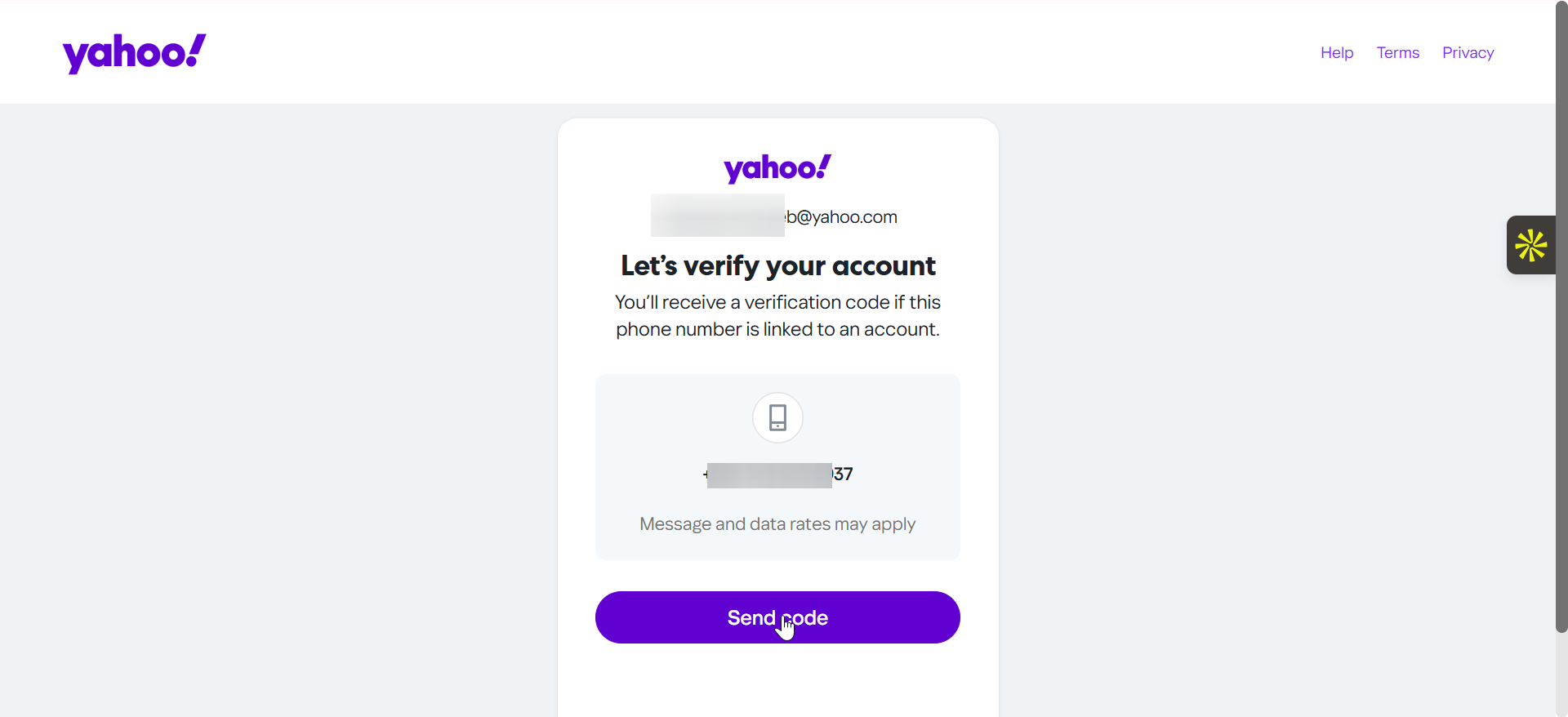
Step 3: Verify your mobile number
Yahoo will send a one-time verification code via SMS. Enter that code on the screen to confirm your number. If you don’t receive it, check your signal, correct country code, or try again after a few minutes.
Step 4: Complete the setup and log in
Once verified, click Continue to finish creating your Yahoo Mail account. You’ll be redirected to your inbox where you can start sending messages right away.
2) Create a Yahoo account on mobile
Download the Yahoo Mail app from your device’s app store. Open it and tap Sign up. The process mirrors the web version - just enter your name, email choice, password, and phone number for verification.
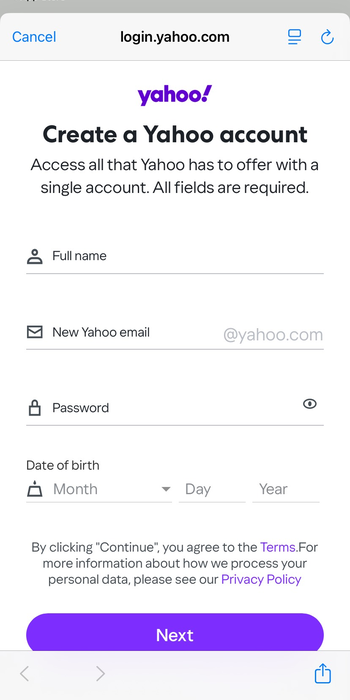
After entering the verification code from your SMS, Yahoo will take you directly to your inbox. You can now start composing emails or customizing your mailbox view.
Troubleshooting account creation issues
- Phone number already in use: If Yahoo reports that your phone number is already linked to an existing account, you can either recover that account or use a different number. Yahoo limits one active account per verified number.
- Verification code not received: Double-check that your device has a signal and that you selected the correct country code. Try resending the code or use a different browser or device if the issue persists.
- Username unavailable or rejected: Yahoo will suggest alternatives, if your preferred address is not available. Add numbers or adjust the spelling slightly to find an available username. Avoid using personal data like birth year for better security.
Tips to secure and customize your new Yahoo account
- Set up account recovery options
- Enable two-step verification
- Personalize inbox settings
- You can create multiple Yahoo addresses using account aliases. This helps separate work, personal, and shopping emails without logging in and out each time.
FAQs on create Yahoo email account
Can I create a Yahoo account without a phone number? Yahoo currently requires a valid mobile number for verification. It helps prevent spam and secures your account for future recovery. There’s no supported way to skip phone verification.
Is Yahoo Mail still safe to use in 2025? Yes. Yahoo has improved encryption and authentication features in recent years. Using two-step verification and unique passwords keeps your inbox protected.
Can I recover my old Yahoo email? If your old account was recently deactivated, you may still recover it using Yahoo’s account recovery tool. If it has been inactive for over 12 months, the address may have been recycled.
Summary
- Open Yahoo’s sign-up page on desktop or mobile.
- Enter your personal details and a secure password.
- Verify your mobile number with the code provided.
- Access your inbox and customize your settings.
- Enable two-step verification for better protection.
Conclusion
Creating a Yahoo email account is quick and secure when you follow these steps. Once set up, add recovery methods and two-step verification to keep your messages safe. With these best practices, your Yahoo Mail can serve as a reliable communication hub for years to come.


Discussion (0)
Be the first to comment.