




A Samsung QLED TV lets you tune in free over-the-air channels with the right antenna and a quick setup. Most users only need a coax connection and a channel scan to start watching local broadcasts.
This guide walks you through everything: the correct port, menu path, reception tips, model differences, and common fixes.
Step 1: Connect the coax cable to ANT IN
Attach the antenna’s coax cable to the ANT IN port and twist it until it feels snug. A tight connection gives you a cleaner signal and fewer scan failures.
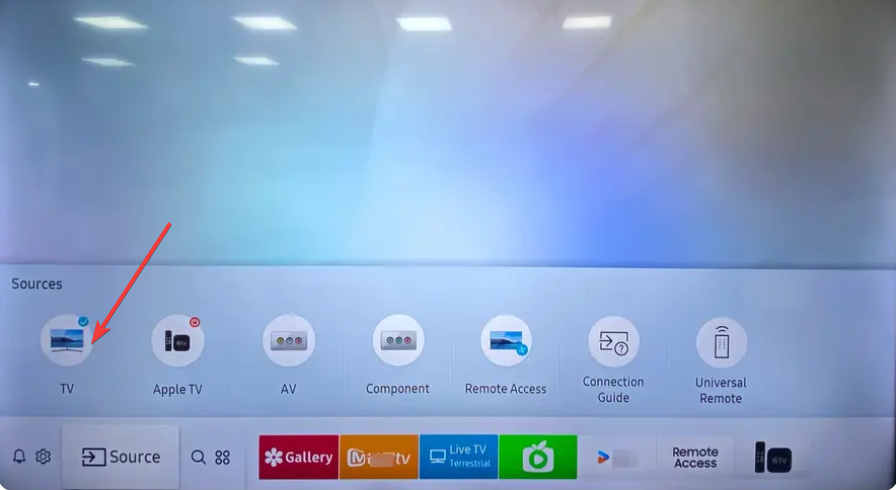
Step 2: Switch the TV source to "TV” or “Air”
Press Home on your remote, select Source, then choose TV or Air. This tells your QLED to read the over-the-air input instead of HDMI or streaming apps.
Step 3: Run Auto Program to scan for channels
Open Settings and select Broadcasting. Next, choose Auto Program or Auto Tuning and pick Air to start the scan. The TV adds all channels with enough signal strength to tune.

Samsung QLED model differences that affect antenna setup
Samsung’s interface and hardware layout have small differences across QLED lines and production years.
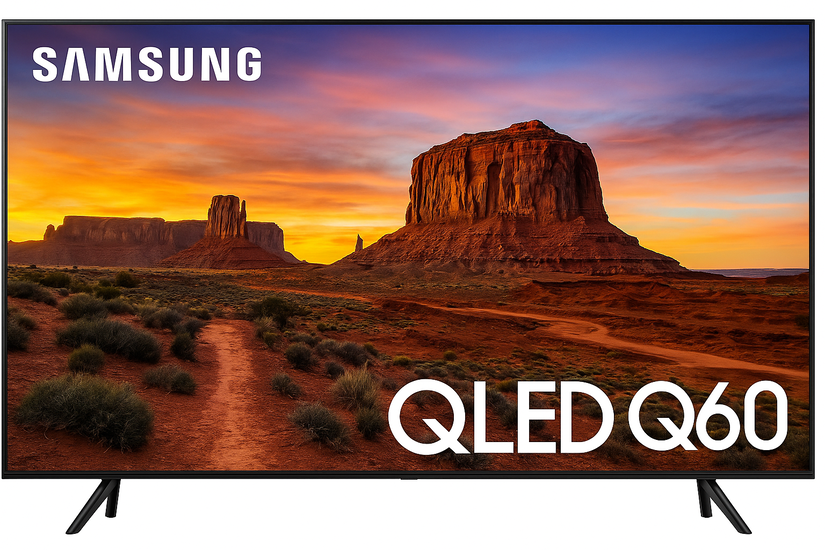
Q60, Q70, Q80, and Q90 series differences
Mid-range Q60 and Q70 models often keep the coax port on the TV body. Higher-end Q80 and Q90 models may shift the port to the One Connect Box.
2020–2024 Samsung QLED UI variations
Tizen menus changed slightly over the years. The channel scan lives under Broadcasting > Auto Program on most models, while some 2022–2023 QLEDs label it under All Settings > Broadcasting.
When to consider an external tuner or ATSC 3.0 upgrade
Some owners want better decoding, stronger tuners, or compatibility with new broadcast standards.
External ATSC tuners for older Samsung models
Older QLED models without strong tuners can benefit from an external ATSC box. These units often detect more channels and stabilize weak signals.
Understanding ATSC 3.0 (NextGen TV) compatibility
Only select Samsung QLED models include ATSC 3.0 tuners. Users who want improved picture quality and enhanced local broadcasts may consider upgrading their tuner or TV.
Troubleshooting common antenna issues on Samsung QLED TVs
- No channels found during scan: Verify the antenna is on ANT IN, not a cable or satellite port. Switch your source to TV, then run Auto Program again. Reposition the antenna and repeat the scan if the first run detects nothing.
- Weak or inconsistent signal quality: Move the antenna closer to a window and reduce nearby electronics that cause interference. Inspect the coax cable for damage and try a shorter or better-shielded cable.
- Missing Broadcasting menu on Samsung QLED: The Broadcasting menu grays out when the TV uses a streaming or HDMI source. Switch to TV mode first, and the menu appears again.
- Antenna not detected on the One Connect Box: Check that the coax cable is firmly attached to the box’s ANT IN port. Avoid using splitters, as they reduce signal strength.
Tips: Optimize your reception for better signal
- Correct antenna positioning and orientation: Place the antenna near a window or on a higher shelf if possible. Rotate the antenna slowly until your channels stabilize during testing.
- Consider cable length and amplifiers: Long coax runs can weaken reception. If your indoor antenna includes an amplifier, turn it on only if your signal is weak. Strong-signal areas often perform better without amplification.
FAQs
Does a Samsung QLED TV work with indoor antennas? Yes, indoor antennas work well if you live close to broadcast towers.
How often should I rescan channels? Rescan every few weeks. Stations move frequencies or add subchannels regularly.
Why don’t cable channels appear? Antennas only receive over-the-air broadcasts, not cable-only channels.
Do I need internet for antenna channels? No. Antenna channels work without Wi-Fi or apps.
Summary
- Connect the antenna’s coax cable to ANT IN.
- Switch the source to TV or Air.
- Run Auto Program in the Broadcasting menu.
- Reposition the antenna for better signal.
- Troubleshoot missing menus or weak reception.
- Consider an external tuner if your model struggles with channel detection.
Conclusion
A simple antenna connection gives your Samsung QLED TV free access to local news, sports, and major broadcast channels. Most users complete setup in under five minutes, and a few placement adjustments help you lock in stable reception.
If signal issues persist, upgrading the antenna or using an external tuner often solves the problem quickly.


Discussion (0)
Be the first to comment.