



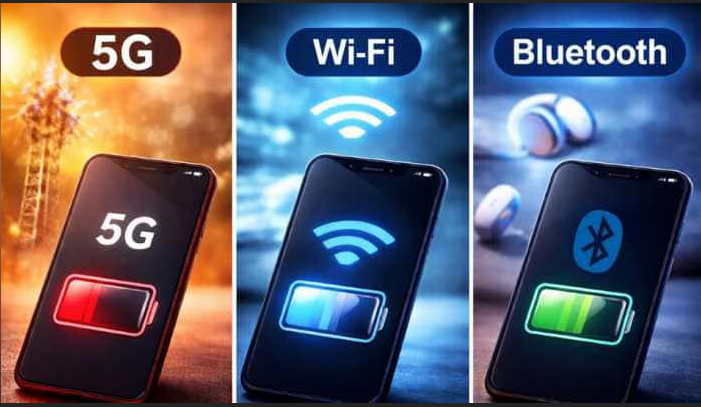
Your phone is making connectivity decisions dozens of times per hour without telling you. Walking out of your house, it notices the Wi-Fi signal weakening and starts preparing a handoff to mobile data. Pairing headphones, it chooses Bluetooth. Downloading a large file, it weighs whether the Wi-Fi connection is actually delivering faster speeds than your cellular signal right now.
None of this is random. Each decision follows a defined hierarchy of rules built into the operating system. Understanding how those rules work explains why your phone sometimes makes choices that seem counterintuitive, and what to change when the automatic decisions are not working in your favour.
The Hierarchy: How Your Device Prioritises Connections
Modern phones follow a clear preference order when multiple connection types are available.
Wi-Fi comes first when it is available and working. Mobile data costs money in most markets and uses battery-intensive cellular radios. Wi-Fi is free to use once connected and generally faster. The operating system connects to a known Wi-Fi network automatically whenever one is in range, treating it as the primary path for all internet traffic.
Mobile data is the fallback. When Wi-Fi is unavailable or when the connected Wi-Fi network cannot actually reach the internet, the phone falls back to cellular data. This is not instantaneous. The phone first attempts to verify that the Wi-Fi connection is functional before switching, which is why there can be a brief delay when you move between the two.
Bluetooth is not a fallback for internet traffic. This is a common misconception. Bluetooth handles device-to-device communication for peripherals: headphones, keyboards, speakers, smartwatches, and similar accessories. It does not carry general internet traffic. The exception is Bluetooth tethering, which is a deliberate manual setup rather than an automatic decision. Bluetooth and Wi-Fi operate simultaneously and independently of each other.
How the Wi-Fi to Mobile Data Switch Actually Works
The switch from Wi-Fi to mobile data is more intelligent than simply measuring signal bars.
Your phone continuously evaluates four things about any Wi-Fi network it is connected to. Signal strength is the most visible factor, but it is not the only one. The phone also tests whether the network can reach the internet at all, measures actual throughput rather than just signal quality, and checks whether the network requires a login page that blocks real traffic.
A coffee shop network might show full signal bars but be too congested to actually load a webpage. A home network might technically be reachable from a hundred metres away but deliver such a degraded signal that mobile data would be faster. Modern phones are designed to detect both situations.
On iPhone, this feature is called Wi-Fi Assist. When the connected Wi-Fi is judged to be providing a poor experience, iPhone automatically supplements or replaces it with mobile data without disconnecting from Wi-Fi entirely. You stay on the Wi-Fi network in settings, but traffic routes over cellular. On Android, Samsung calls the equivalent Smart Network Switch and Google Pixel devices have a similar capability built into Android's connectivity framework.
The threshold for switching varies. The phone is more likely to switch during active streaming or a download than during idle background activity. It weights the current task. A video call demands consistent latency and will trigger a switch more readily than a webpage that can tolerate a second of delay.
How the Mobile Data to Wi-Fi Switch Works
Switching from mobile data back to Wi-Fi when you enter range of a known network is almost always immediate, for good reason. Wi-Fi is cheaper, typically faster, and easier on battery life than maintaining a cellular data connection.
Your phone maintains a saved network list. When Wi-Fi hardware detects a network whose name matches an entry in that list, the phone attempts authentication automatically. For networks with simple password authentication, this typically takes under two seconds. For networks that require a login page, the phone detects the captive portal, which is the technical term for these login screens, and either opens it automatically or notifies you that sign-in is required.
Both Android and iOS maintain a quality score for saved networks. If a particular Wi-Fi network has repeatedly provided a poor experience at a specific location, the device deprioritises it in future. A home network that was unreliable for a period before a router upgrade may be scored lower than it deserves until the device accumulates enough positive experience to revise the assessment.
What Bluetooth Does in the Background While You Are Online
Bluetooth operates on a separate radio and completely independently of internet connectivity decisions. While your phone routes traffic over Wi-Fi or mobile data, Bluetooth maintains constant connections with paired devices simultaneously.
The key to understanding Bluetooth's role is recognising that it is optimised for different things. Wi-Fi and cellular carry large amounts of data over longer distances. Bluetooth carries small amounts of data over short distances very efficiently. This makes it ideal for accessories.
When you wear Bluetooth headphones, audio from your phone's streaming app travels over Wi-Fi or mobile data to your phone, then hops across Bluetooth to the headphones. The two wireless connections work in series. The streaming app does not know or care about the Bluetooth connection. The headphone connection does not affect how traffic flows over Wi-Fi.
Modern Bluetooth includes its own automatic intelligence. Bluetooth 5.0 and later use adaptive frequency hopping, which continuously scans the 2.4GHz frequency band for interference and shifts to cleaner channels automatically. This is why Bluetooth connections are more stable in 2026 than they were five years ago despite Wi-Fi, microwave ovens, and other 2.4GHz devices all sharing the same spectrum.
When the Automatic Decisions Go Wrong
Automatic network selection works well most of the time. There are specific situations where it reliably makes the wrong choice.
Connecting to a known but poor network. If you once connected to a hotel or café Wi-Fi and never explicitly told your phone to forget it, the device will reconnect automatically next time you are in range. These networks are often congested, slow, and unreliable. The phone may not realise the network has degraded significantly until after enough failed traffic attempts trigger a switch to mobile data, by which point you have already noticed the problem.
The fix is to regularly review and remove saved networks you no longer trust. On iPhone, go to Settings, Wi-Fi, and tap the information icon next to any network to forget it. On Android, long press the network name and select Forget.
Staying on poor Wi-Fi when mobile data would be better. Wi-Fi Assist and Smart Network Switch do not always trigger as quickly as you might want. If you are in a situation where your Wi-Fi signal is marginal but present, some streaming or call quality degradation might occur before the phone decides to switch. Temporarily turning Wi-Fi off entirely forces the phone to use mobile data immediately when you know your Wi-Fi is not performing well.
Bluetooth interference with Wi-Fi on 2.4GHz. Both Bluetooth and 2.4GHz Wi-Fi operate in overlapping frequency ranges. Under most conditions they coexist without issue because both have mechanisms to avoid each other. In environments with many Bluetooth devices active simultaneously or in locations where the 2.4GHz band is heavily congested, you may notice Wi-Fi stability issues that resolve when Bluetooth is temporarily disabled. Connecting to the 5GHz Wi-Fi band eliminates this interaction entirely, as 5GHz and Bluetooth do not share spectrum.
Useful Settings to Know
Turning off Wi-Fi Assist on iPhone prevents unexpected mobile data usage when walking near a weak Wi-Fi network you are connected to. Go to Settings, Cellular, and scroll to the bottom to find Wi-Fi Assist. Disable it if you are on a tight mobile data plan.
Turning off Smart Network Switch on Android keeps the phone on Wi-Fi even when it is performing poorly rather than automatically switching to mobile data. Go to Settings, Connections, Wi-Fi, Advanced, and turn off Smart Network Switch. This is useful in low-signal Wi-Fi situations where you prefer to wait for better Wi-Fi rather than use mobile data.
Setting Wi-Fi network priority on Android lets you tell the phone which known networks to prefer when multiple are in range. Go to Settings, Connections, Wi-Fi, and look for a network management option in your device's settings. On Samsung devices this is under Wi-Fi Preferences.
Frequently Asked Questions
Why does my phone sometimes stay on slow Wi-Fi instead of switching to faster mobile data?
The threshold for switching to mobile data is intentionally conservative because Wi-Fi is generally preferred. The phone needs to detect consistently poor performance rather than a brief slowdown before deciding to switch. If your Wi-Fi is slow but technically functional, the automatic switch may not trigger at all. Temporarily disabling Wi-Fi forces the switch immediately when you want it.
Can Wi-Fi and Bluetooth interfere with each other?
Yes, but modern devices handle this automatically in most cases. Both use the 2.4GHz frequency band and can interfere in dense wireless environments. Bluetooth uses adaptive frequency hopping to avoid channels occupied by Wi-Fi traffic. The interference becomes noticeable when many Bluetooth devices are active simultaneously in a small space, or when the 2.4GHz band is heavily congested. Connecting to 5GHz Wi-Fi removes the possibility of interference entirely.
Why does my phone sometimes connect to a weak saved Wi-Fi network instead of staying on mobile data with a strong signal?
Operating systems strongly prefer Wi-Fi over mobile data regardless of the quality difference. When a saved network is detected, the phone connects automatically unless you have specifically forgotten that network. The solution is to open your Wi-Fi settings and forget saved networks you no longer use, particularly those from public locations like hotels, airports, and cafes.



Discussion (0)
Be the first to comment.