




You can watch Fubo on most modern Vizio Smart TVs through the built-in SmartCast app store. Supported models let you install the native Fubo app, while older TVs rely on casting or an external streaming device. This guide walks through compatibility checks, installation, activation, and quick fixes when Fubo does not appear or fails to load.
Table of contents
Step 1: Check if your Vizio TV supports the Fubo app
Fubo works on Vizio SmartCast TVs from 2016 or newer. Older VIA and VIA+ models cannot install the app and require alternatives like casting or a separate streaming device.
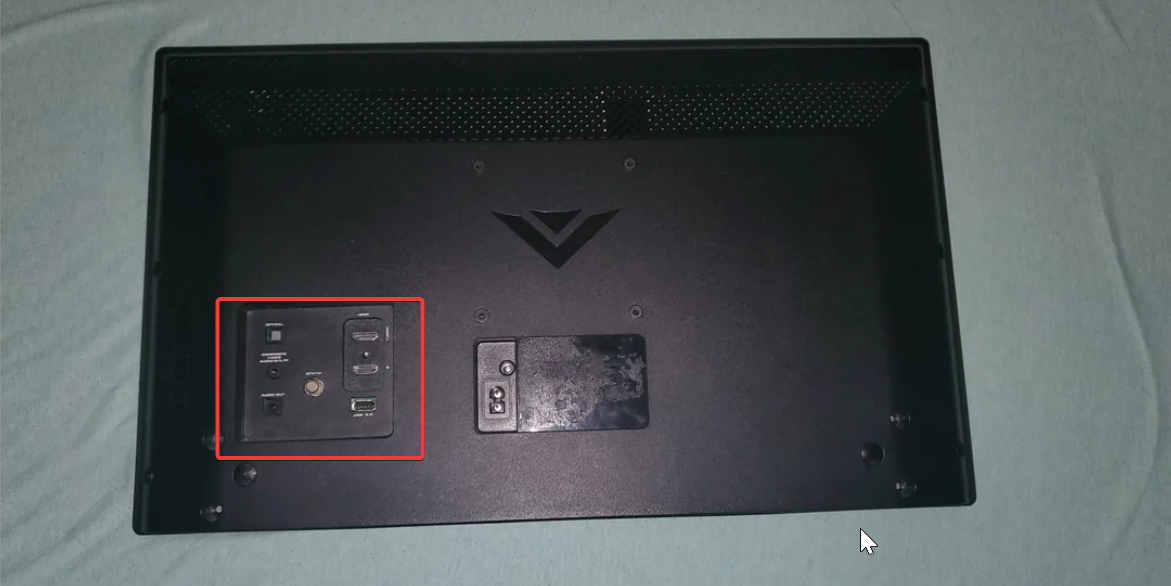
To find your Vizio model number, check the sticker on the back of your TV or open Menu > System > System information to confirm your model number and production year.
Step 2: Install Fubo from the Vizio SmartCast apps menu
SmartCast delivers apps through Vizio’s cloud-based catalog, so you do not manually download files. Once supported, the Fubo app appears in the Apps section automatically.

To get started, press the V key or Home button on your Vizio remote to open the SmartCast dashboard. Next, search for the Fubo app using the Apps or All apps section and scroll through the list. If your model includes a search field, type Fubo to locate the app faster.
Now, select the app to open it and SmartCast will pin it to your recent apps row for quick access. You can reorder app tiles based on your viewing habits.
Step 3: Sign in to Fubo on your Vizio TV
You need an active subscription to stream live TV or sports. SmartCast offers two fast ways to sign in.
You can either scan the QR code with your phone to complete activation, or choose the option to sign in using your email address and password.
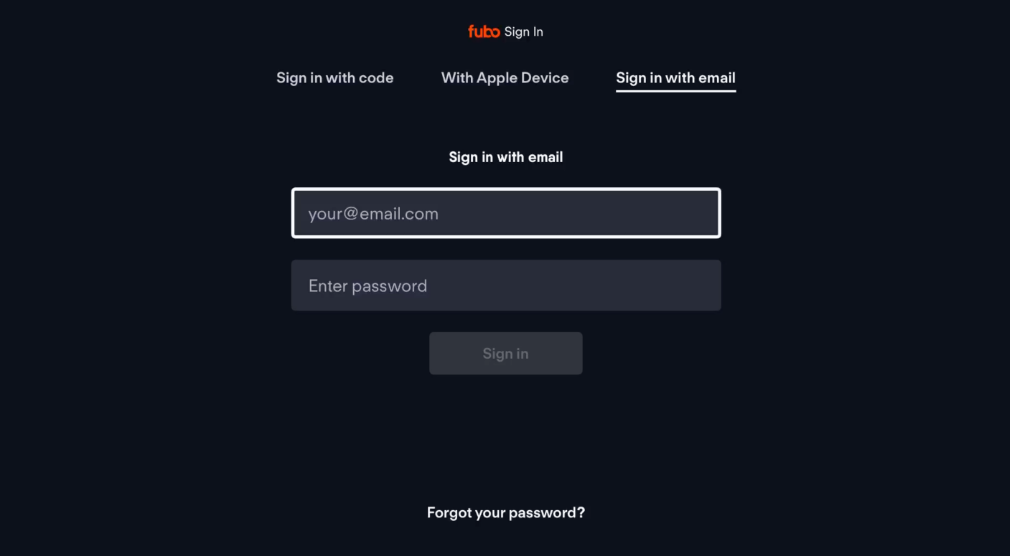
Tip: If the app loads but will not stream, make sure your account is active. Check your plan details or upgrade if needed.
What to do if your Vizio TV is too old for Fubo
Older VIA and VIA+ models cannot access the SmartCast app catalog. They also do not support modern casting features as reliably as newer SmartCast TVs.
Add a streaming device
Connect a Roku, Fire TV Stick, or Chromecast to an HDMI port on your TV. Install the Fubo app on that streaming device to get a modern interface and better performance.
Use HDMI from a laptop
Open Fubo in a web browser on your computer and connect it to the TV with an HDMI cable. Select the correct HDMI input on the TV to mirror your laptop screen and watch Fubo.
Cast Fubo from your phone
Open the Fubo app on your Android phone and connect to the same Wi-Fi network as your TV. Tap the Cast icon, then select your Vizio TV to start streaming.
On your iPhone or iPad, make sure Wi-Fi matches the TV network, then open Control Center. Choose Screen mirroring and select your Vizio TV to mirror Fubo to the screen.
Fix Fubo not loading or buffering on Vizio TVs
- Check Wi-Fi connection quality: Move your router closer to the TV or remove large obstacles that block the signal. If possible, use the 5 GHz band for faster and more stable streaming.
- Clear the SmartCast system cache: Restart the TV through Menu > System > Reset and admin > Soft power cycle. This clears temporary data and may improve app responsiveness and loading times.
- Restart the Fubo app: Return to the SmartCast home screen, wait a few seconds, then relaunch Fubo. A simple restart can resolve freezes, loading loops, or black screens.
Tips for better Fubo performance on Vizio TVs
- Use a wired Ethernet connection when possible for a more stable stream.
- Keep SmartCast firmware updated to ensure app compatibility and performance fixes.
- Restart your router regularly to maintain consistent speeds and reduce congestion.
FAQs
Why can’t I find Fubo on my Vizio TV? Your model may not support the Fubo app or SmartCast may need to refresh. A quick update or power cycle often restores missing apps and fixes catalog issues.
Does Fubo work on older Vizio VIA models? No. VIA and VIA+ TVs run an older operating system that cannot receive new apps, including Fubo. These models require casting, external streaming device, and you can check if you can install Peacock on your Vizio Smart TV, as it shows football matches too.
Can I install third-party apps manually? SmartCast does not support manual app installation or sideloading. You can only use apps delivered through Vizio’s cloud catalog.
Do all Vizio SmartCast TVs support casting? Most SmartCast TVs support Chromecast and many newer models support Apple AirPlay as well. Very early SmartCast versions may support only one casting method.
Summary
- Check whether your Vizio TV supports SmartCast and the native Fubo app.
- Install Fubo through the SmartCast apps menu and sign in to your account.
- Use casting from your phone or tablet if the app does not appear on your TV.
- Update SmartCast and restart your TV to fix missing, slow, or buffering apps.
- Add a streaming device if your TV is too old to run Fubo natively.
Fubo works well on most modern Vizio TVs when SmartCast stays updated and your network remains stable. A quick compatibility check and the right installation method help you start streaming live TV and sports on your big screen with minimal hassle.


Discussion (0)
Be the first to comment.