




Setting up an eWallet makes sending, receiving, and managing money fast and secure. Whether you want to pay bills, shop online, or send cash to friends, digital wallets simplify everything from your phone. Here’s how to set up and use one safely.
Step 1: Choose the right eWallet app
Start by comparing available wallets in your region. Pick one that supports your bank, preferred currency, and daily spending habits. Look for reliability, low transfer fees, and an easy interface.
Apps like PayPal, Venmo, and Google Wallet work well for most U.S. users. For business owners, options like Cash App for Business may suit better. Just ensure that your chosen wallet is verified by your app store and licensed under the financial authorities.
Step 2: Download and install the app
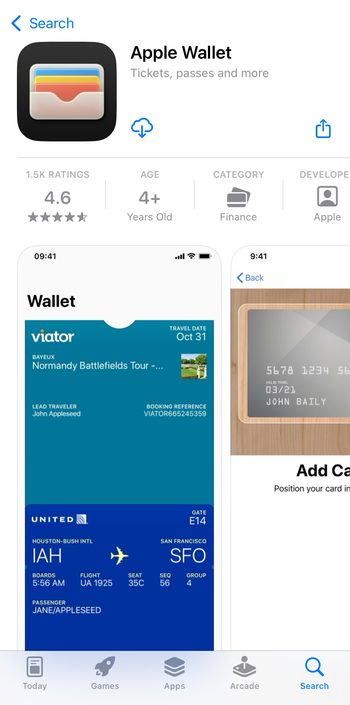
Download your eWallet from the official app store only. Avoid third-party APK sites or unofficial links. Once installed, allow only necessary permissions such as access to your contacts or camera for QR payments.
Step 3: Create and verify your account
Open the app and sign up using your phone number or email. Create a strong password and set up a secure PIN. You’ll receive an OTP or confirmation email to verify your account.

Many eWallets require ID verification to unlock higher transaction limits.
Step 4: Add or link a payment method
Most wallets let you link a debit or credit card, or connect directly to your bank account. This makes funding your wallet and paying online easier. Unbanked users can use prepaid cards or deposit through supported agents.
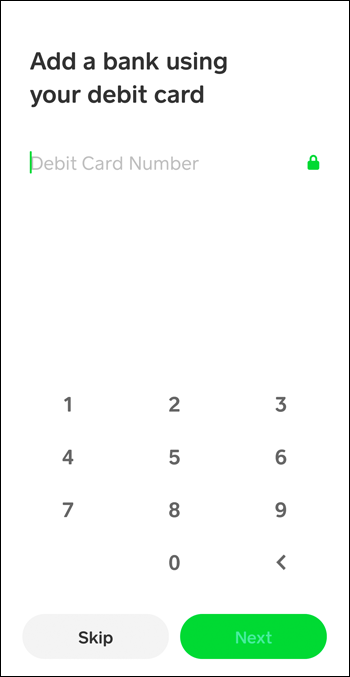
You can also top up your account through bank transfers, linked cards, or cash-in points. Some wallets offer instant deposits while others take a few hours. Always review any service fees before funding.
Step 5: Make your first payment or transfer
Once funded, try sending a small payment to test the system. Open your eWallet, select Send, enter the recipient’s username or number, and confirm. You can also pay for online purchases where the wallet logo appears at checkout.
Receiving money in your eWallet
Most apps generate a unique QR code, link, or username you can share with others to receive money. Funds usually appear instantly or within minutes, depending on your provider.
Step 6: Withdraw or spend offline
When you need cash, transfer money from your wallet to your linked bank account or withdraw through supported ATMs. You can also tap to pay in stores that accept NFC or contactless payments.
Top eWallet apps compared
| App | Region | Fees | Limits | Key Feature |
|---|---|---|---|---|
| PayPal | Global | Low–Medium | High | Cross-border transfers |
| Venmo | U.S. | Low | Medium | Social payments |
| Google Wallet | U.S./EU | Free | Medium | Tap-to-pay |
| Cash App | U.S./U.K. | Low | Medium | Investments & BTC |
| Apple Pay | Global | Free | High | Secure NFC pay |
Troubleshooting common eWallet issues
- Payment failure: Check your internet connection or verify that your wallet is funded.
- Delayed transfers: Wait a few minutes before retrying. Contact customer support if your transaction remains pending.
- Compromised account: Contact customer support quickly if you can't access your account, and ask them to freeze your account temporarily.
Security tips for safe eWallet use
- Always lock your app with a strong PIN or biometrics.
- Enable two-factor authentication and avoid using public Wi-Fi during transactions.
- If your phone is lost, immediately log in from another device to freeze or lock the wallet.
- To prevent scams, never share OTP codes or screenshots of your balance.
FAQs
Can I use an eWallet without a bank account? Yes. Many wallets let you deposit cash through agents or prepaid cards, though limits may apply until you verify your identity.
Are eWallets safe for large transactions? eWallets use encryption and fraud detection tools, but keep large transfers within verified limits. Always confirm recipient details before approving high-value payments.
Do I need the internet to use eWallets? Most wallets require an internet connection. However, some offer USSD or offline modes for basic balance checks and transfers.
Which eWallets work internationally? Global wallets like PayPal, Wise, and Skrill support international transfers with currency conversion. Check regional availability before sending money abroad.
Summary
- Download a licensed eWallet app from your app store.
- Create and verify your account securely.
- Link your bank card or add funds manually.
- Send, receive, and withdraw with confidence.
- Follow safety best practices to keep your wallet protected.
Conclusion
Setting up an eWallet is simple once you know the steps. Choose a trusted app, verify your identity, and start making secure digital payments. With good security habits, you can handle everyday money transfers from your phone with confidence.


Discussion (0)
Be the first to comment.