



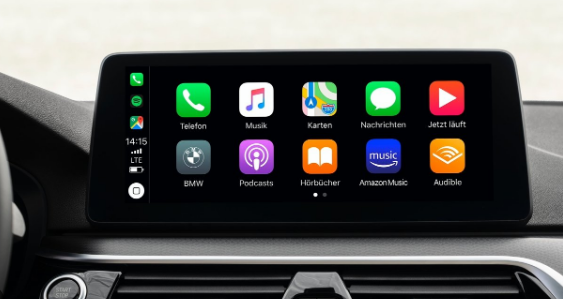
Google launched Meet on Apple CarPlay on April 2, 2026, giving iPhone users a way to join meetings directly from their car's dashboard. The rollout is available to all Google Workspace customers, Workspace Individual subscribers, and personal Google account holders. It began as a gradual release on March 23, 2026, and reached all users within two weeks.
Notably, Google launched on CarPlay before Android Auto, with the Android Auto version described only as coming soon at the time of the CarPlay release.
What Google Meet on CarPlay Actually Does
The integration appears in CarPlay's home screen like any other supported app, as long as the Google Meet app is installed on your iPhone and an account is signed in. When you connect your iPhone to a CarPlay-compatible vehicle, Meet becomes accessible from the dashboard without touching your phone.
The CarPlay interface shows a list of all your upcoming meeting invites in one place. Joining takes a single tap. Audio automatically transfers from your phone to the car's speakers the moment you connect.
All calls on CarPlay run in audio-only mode. This is a deliberate safety decision. Your camera is turned off and you cannot see incoming video content. You hear the meeting and your microphone is active, but the visual side of the meeting is completely absent.
Available controls while in a meeting are minimal by design. You can mute and unmute yourself, and you can leave the meeting. That covers everything you need to manage a call without taking your eyes off the road for more than a fraction of a second.
What It Does Not Support
Several standard Google Meet features are unavailable in the CarPlay version. Chat, Hand Raise, Polls, and Q&A are all absent. There is no pre-call screen before you join. Screen sharing is not supported. If someone shares their screen or has their camera on during the meeting, you hear them but see nothing on the car's display.
This intentional limitation keeps the interface simple enough to use safely while driving. A stripped-back experience that works with one tap is more useful in a car than a full-featured interface that demands sustained visual attention.
How to Set It Up
No special configuration is required beyond having the Google Meet app installed on your iPhone and an account logged in. Connect your iPhone to your CarPlay-compatible vehicle as you normally would. Google Meet appears on the CarPlay home screen alongside your other supported apps.
Make sure you have the latest version of the Google Meet app installed before connecting. Older versions may not surface the CarPlay integration. The feature is on by default for eligible users and requires no manual activation.
Why This Matters for Professionals
Joining a meeting from a car was previously an awkward process. You either pulled over to join properly from your phone, or you joined on the phone using Bluetooth audio while navigating the meeting interface on a small screen at arm's length, neither of which is particularly safe or convenient.
Google Meet on CarPlay removes both problems. The dashboard display handles the meeting controls and your upcoming schedule. The car's microphone and speakers handle the audio. Your phone stays in your pocket. You keep both hands on the wheel and both eyes on the road.
For professionals who commute or travel between appointments regularly, this changes what is possible during a drive. A morning commute that previously meant arriving late to the first meeting of the day now becomes a usable block of time for audio participation.
Android Auto Is Next
Google confirmed that a version of Meet for Android Auto is coming, without providing a specific date. The CarPlay launch ahead of Android Auto was unusual given that Android Auto is Google's own platform. It suggests CarPlay was a higher priority market for this particular integration, or that the CarPlay version was simply ready first.
When Android Auto support arrives, the experience is expected to mirror the CarPlay version, bringing the same audio-only, single-tap meeting access to Android users in CarPlay-compatible vehicles.
Frequently Asked Questions
Does Google Meet on CarPlay show video from other participants?
No. The CarPlay version of Google Meet is audio-only. Your camera is turned off and you cannot see incoming video from other participants. You hear the meeting audio and your microphone is active. This is a deliberate safety limitation to keep your attention on the road.
Do I need a Google Workspace account to use it?
No. The feature is available to all Google Workspace customers, Workspace Individual subscribers, and users with personal Google accounts. Any iPhone user with the Google Meet app installed and an account signed in can use it.
Does the audio automatically switch to the car speakers?
Yes. When you join a meeting through CarPlay, audio automatically transfers to the car's speakers. You do not need to manually switch audio output. If you were listening through earbuds before connecting to CarPlay, the audio transitions to the car's system.



Discussion (0)
Be the first to comment.