



When Android Wi-Fi is not turning on, the issue usually comes from system settings, power restrictions, software glitches, or corrupted network data. In most cases, the problem is not hardware-related and can be fixed with a few targeted steps.
Common triggers include Battery Saver mode, Airplane mode, buggy apps, or outdated system software. Before assuming serious damage, work through the fixes below in order.
How To Fix Android Wi-Fi Not Turning On
Follow these troubleshooting steps to restore Android Wi-Fi functionality. Start with the simplest fixes and move down only if the issue persists.
- Restart your Android phone to clear temporary system glitches.
- Turn off Battery Saver mode from Settings > Battery.
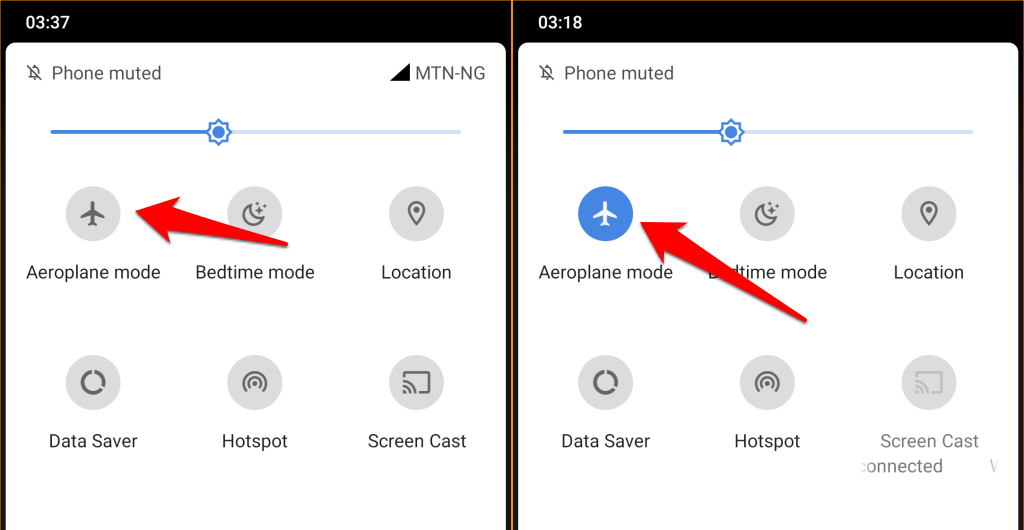
- Disable Airplane mode from Quick Settings or system controls.
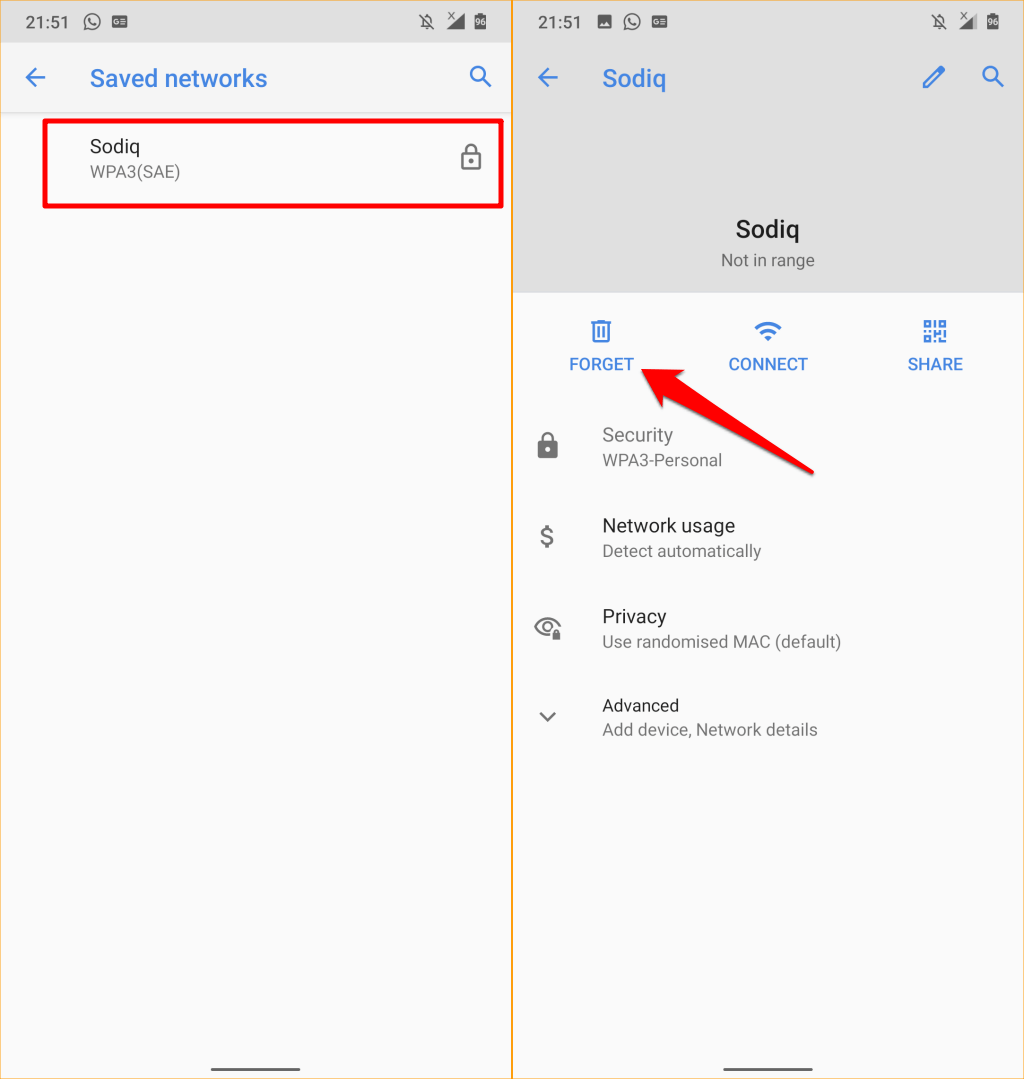
- Forget the saved Wi-Fi network and reconnect using the password.
- Power off the phone completely, wait several minutes, then turn it back on.
- Uninstall recently installed third-party apps that may interfere with Wi-Fi.
- Boot the phone into Safe Mode to check for app conflicts.
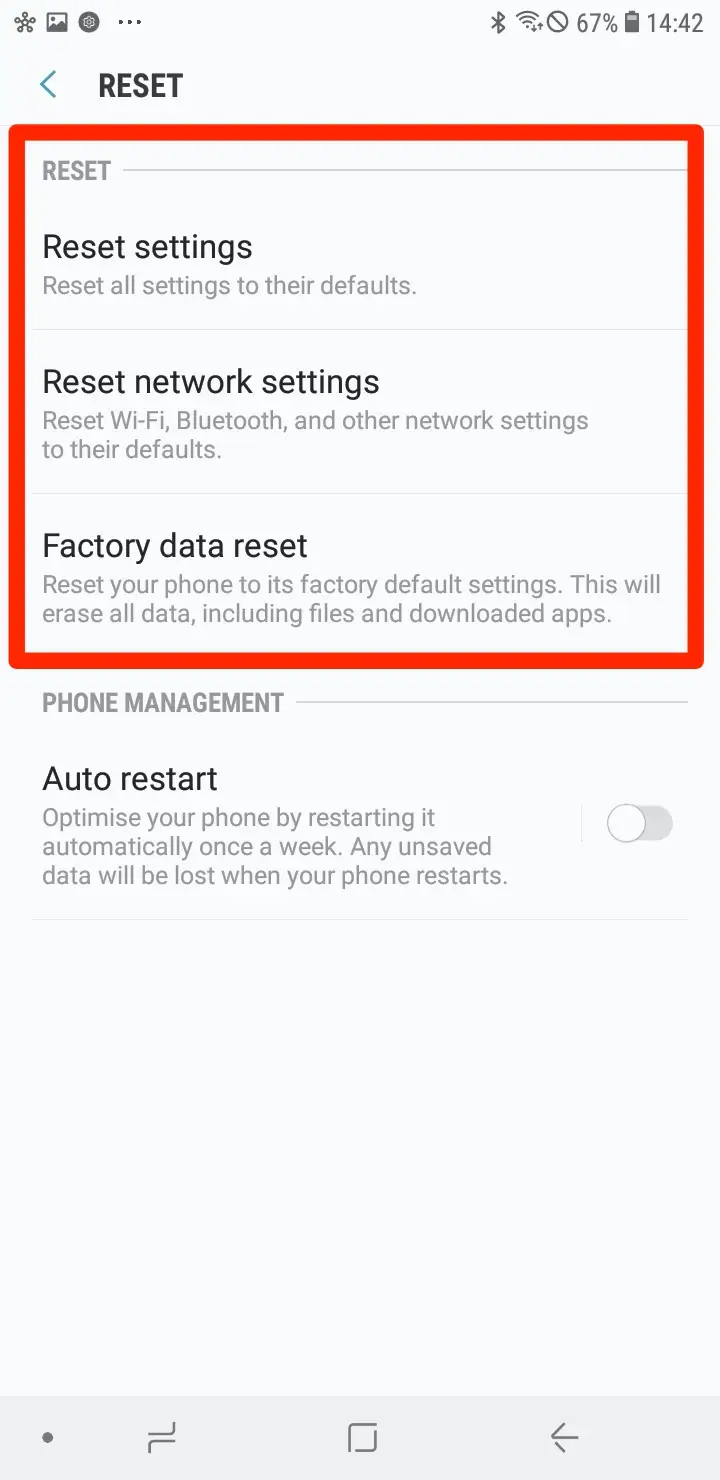
- Reset network settings from Settings > System > Reset Options.
- Install the latest Android software update if available.
- Perform a factory reset as a last resort after backing up data.
Troubleshooting Common Problems
If Wi-Fi works in Safe Mode but not normally, a third-party app is causing the issue. Remove recently installed apps one at a time until Wi-Fi works again.
If Wi-Fi remains disabled after a factory reset, the device may have a hardware fault requiring professional repair.
Tips
- Keep Android system updates installed to avoid known Wi-Fi bugs.
- Avoid aggressive battery optimization apps that disable wireless services.
- Restart your phone weekly to prevent system resource conflicts.
- Only install apps from trusted sources like the Play Store.
- Check router functionality to rule out network-side problems.
FAQ
Why is my Android Wi-Fi greyed out?
This usually happens due to Battery Saver restrictions, system glitches, or corrupted network settings.
Can a software update break Wi-Fi on Android?
Yes. In rare cases, updates introduce bugs that are fixed in later patches.
Does resetting network settings delete personal data?
No. It only removes Wi-Fi, Bluetooth, and mobile network configurations.
Is Wi-Fi hardware failure common on Android phones?
It is uncommon, but possible after water damage or physical impact.
Summary
Android Wi-Fi not turning on is usually caused by power restrictions, system errors, or app conflicts. Most users can resolve the issue without repairs.
Conclusion
When Android Wi-Fi refuses to turn on, methodical troubleshooting makes the difference. Start with basic system checks, move through network resets, and reserve factory resets for last. In most cases, Wi-Fi functionality returns without permanent damage.

Discussion (0)
Be the first to comment.