




Mozilla is testing a new security protection in Firefox that stops harmful websites from sending browser notifications. The protection is enabled by default in Firefox 149 Nightly. Any site flagged as malicious by Google Safe Browsing can no longer deliver notifications. The browser also removes notification permission granted earlier.
Firefox has relied on Google Safe Browsing for many years to warn users about dangerous pages, malware, and suspicious downloads. The new behavior extends that protection to web notifications. A harmful site cannot keep notification access after Safe Browsing marks it as unsafe. The rule applies as soon as the Safe Browsing service lists the site as malicious.
According to a bug report, Firefox blocks notifications and revokes permission for sites on Safe Browsing lists. The change stops background alerts that unsafe pages use for ads, spam, or phishing messages. These alerts often attempt to mislead users or push unwanted content outside the webpage.
The feature depends on the preference
dom.webnotifications.block_if_on_safebrowsing.
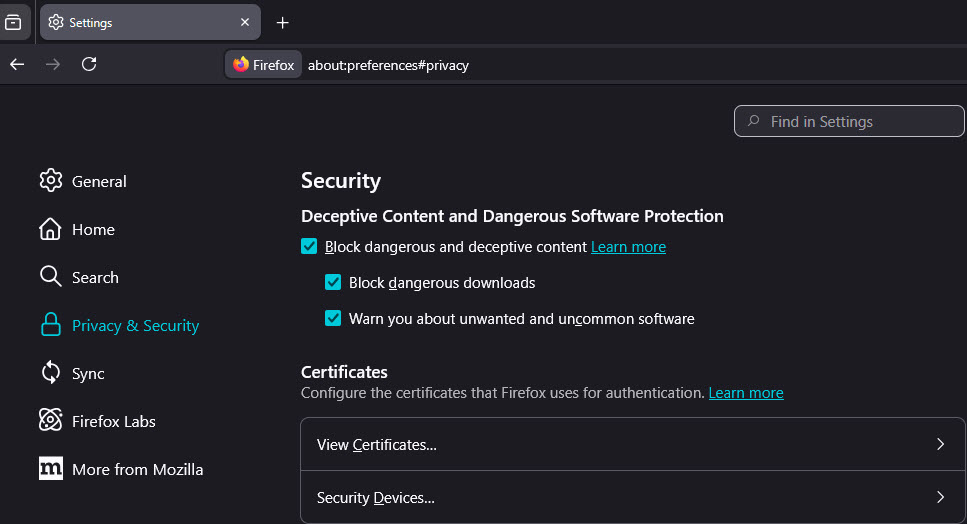
This preference is enabled by default in Nightly builds used for testing. Users who prefer not to use Google Safe Browsing can toggle this preference to false in about:config. It is unclear whether Firefox will provide a visible option in Settings, similar to the controls available for Deceptive Content and Dangerous Software Protection.
Mozilla targets this feature for Firefox 149. When it reaches stable users, Firefox will provide stronger protection against notification abuse that relies on browser permission access and background delivery of unwanted notifications.


Discussion (0)
Be the first to comment.