




DroidKit is an all-in-one Android toolset designed to fix common smartphone problems without requiring technical skills. It combines screen unlocking, data recovery, system repair, and device management tools into a single desktop application. After hands-on testing, this review breaks down what DroidKit does well, where it falls short, and which Android users benefit most.
DroidKit Features Overview

DroidKit includes multiple Android repair and recovery tools that target different problem areas. Each feature focuses on a specific task, which keeps the interface simple and avoids overwhelming first-time users.
Screen Unlocker
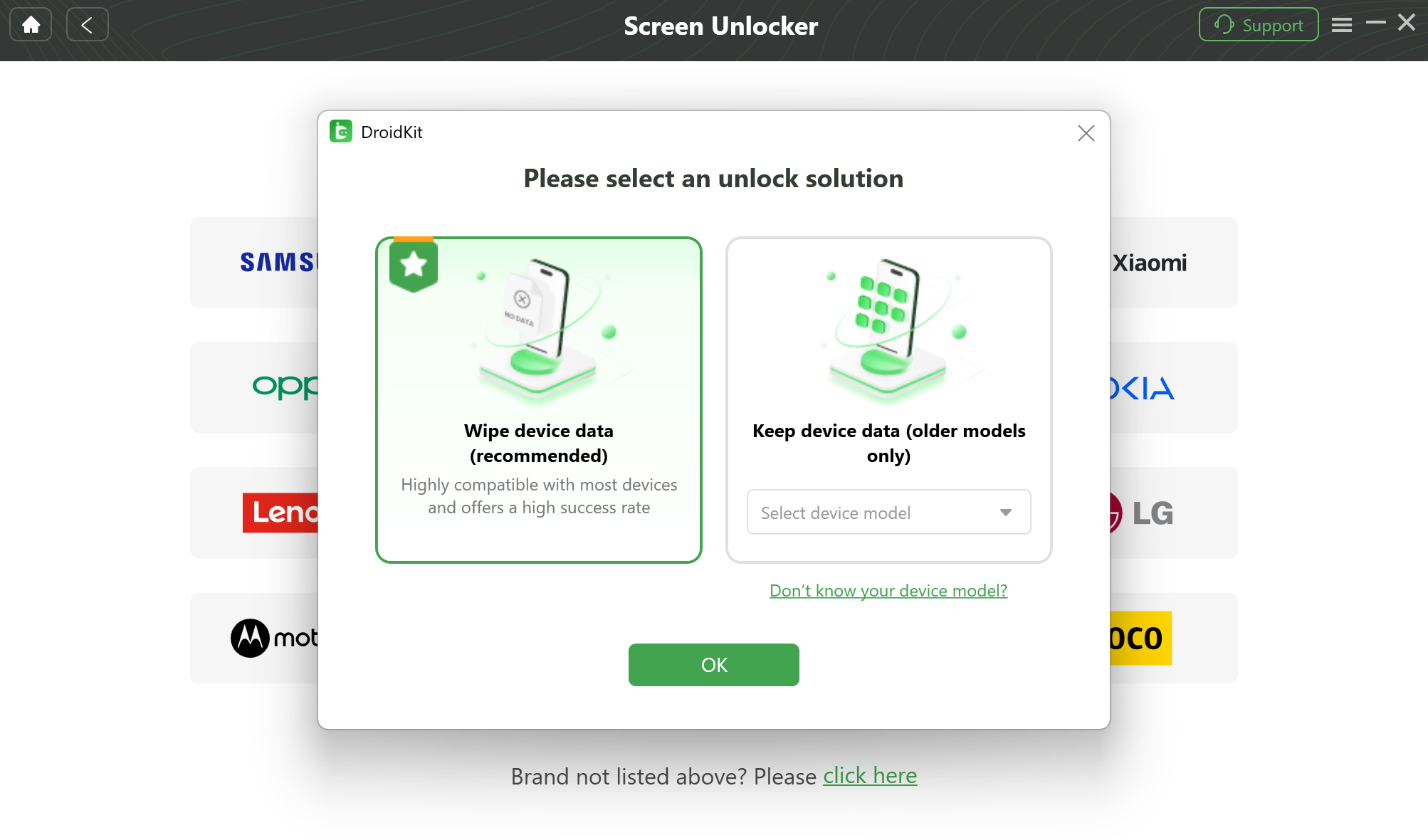
The DroidKit screen unlocker removes forgotten PINs, passwords, patterns, and biometric locks. During testing, the process was guided and easy to follow, but it works by erasing local data, similar to a factory reset.
This tool is most useful when standard Android recovery options fail or when the device is locked out completely.
FRP Bypass
Factory Reset Protection can block access after a reset if the original Google account is unknown. DroidKit’s FRP bypass tool simplifies this process, especially on Samsung devices and selected brands running Android 6 through newer versions.
The guided workflow makes it accessible to non-technical users, though device compatibility varies.
Data Recovery
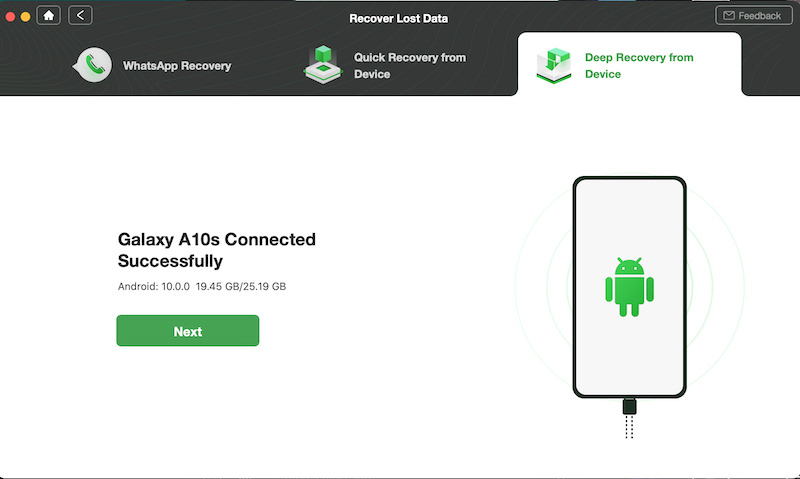
DroidKit offers several Android data recovery modes, including quick recovery, deep recovery, WhatsApp recovery, and SD card recovery. It supports common data types like photos, videos, messages, call logs, and documents.
In testing, quick recovery successfully restored deleted media and messages after USB debugging permissions were granted.
Data Extractor
The Data Extractor tool is designed for inaccessible devices, such as phones stuck on the boot logo or with damaged screens. This feature currently works only with Samsung devices and requires the device’s PDA code.
Once connected, DroidKit allows selective extraction of personal files to a computer.
Data Manager
DroidKit includes tools for file organization, device-to-device transfer, and WhatsApp data management. It supports Android-to-Android transfers and limited iPhone-to-Android migration.
This feature works best when setting up a new Android phone or cleaning up storage.
System Fix
The System Fix tool targets software issues such as boot loops, app crashes, frozen screens, and devices stuck on the Samsung logo. It requires no manual flashing or command-line input.
Support is limited primarily to Samsung phones, which reduces its usefulness for other brands.
System Reinstall
This feature reinstalls or upgrades Android system files when software corruption prevents normal use. DroidKit automatically matches the correct firmware once a supported Samsung device is connected.
It functions similarly to iPhone restore tools but remains brand-restricted.
System Cleaner
The System Cleaner removes junk files and temporary data that slow down Android devices. It allows selective deletion or full cleanup in a single action.
This tool helps improve performance without installing additional apps on the phone.
Interface And Ease Of Use
DroidKit’s interface is clean, responsive, and beginner-friendly. All tools are accessible from a single dashboard, with clear labels and visual prompts guiding each process.
Hover menus and contextual options make it easy to understand what each feature does before starting.
Pricing And Refund Policy
DroidKit offers individual feature licenses as well as bundled plans. Individual tools are priced separately, while the full toolkit is available under discounted annual subscriptions.
A money-back guarantee allows refunds within the stated period if the software does not meet expectations.
Troubleshooting Common Problems
Some features may not appear or may fail to detect a device if USB debugging is disabled or the phone model is unsupported. Ensuring the correct drivers are installed often resolves connection issues.
FRP bypass and system repair tools may not work on all Android brands or newer firmware builds.
Tips
- Back up your Android data before using screen unlocking or system repair tools.
- Check device compatibility before purchasing individual DroidKit features.
- Use quick recovery first before deep recovery to reduce scan time.
- Keep USB debugging enabled during recovery operations.
FAQ
Does DroidKit work on all Android phones?
No. Some tools are limited to specific brands, with Samsung receiving the most support.
Can DroidKit unlock a phone without data loss?
Screen unlocking removes the lock by erasing local data, similar to a factory reset.
Is DroidKit safe to use?
DroidKit operates locally on your computer and requires user permissions before accessing data.
Does DroidKit recover WhatsApp data?
Yes, it includes a dedicated WhatsApp recovery option.
Summary
- DroidKit combines multiple Android repair tools into one platform.
- It is easy to use and suitable for non-technical users.
- Feature availability depends heavily on device brand.
- Pricing is higher for individual tools but discounted in bundles.
Conclusion
DroidKit is a capable Android toolset for users dealing with locked devices, lost data, or system issues. Its biggest strength is simplicity, while its biggest limitation is device compatibility. For supported phones, especially Samsung models, it offers an effective all-in-one solution backed by a refund policy.
Discussion (0)
Be the first to comment.