



An iCloud email account gives Apple users a free, secure email address that syncs across iPhone, iPad, Mac, and the web. You can create an @icloud.com email address using an Apple ID on any Apple device or directly from a web browser.
This guide explains how to create an iCloud email account on iPhone, iPad, Mac, or through iCloud.com, and what to expect during setup.
Create An iCloud Email On iPhone Or iPad
If you already use an Apple ID, you can add an iCloud email address directly from your device settings. The process only takes a few minutes and does not require installing any apps.
- Open Settings on your iPhone or iPad
- Tap your Apple ID name at the top
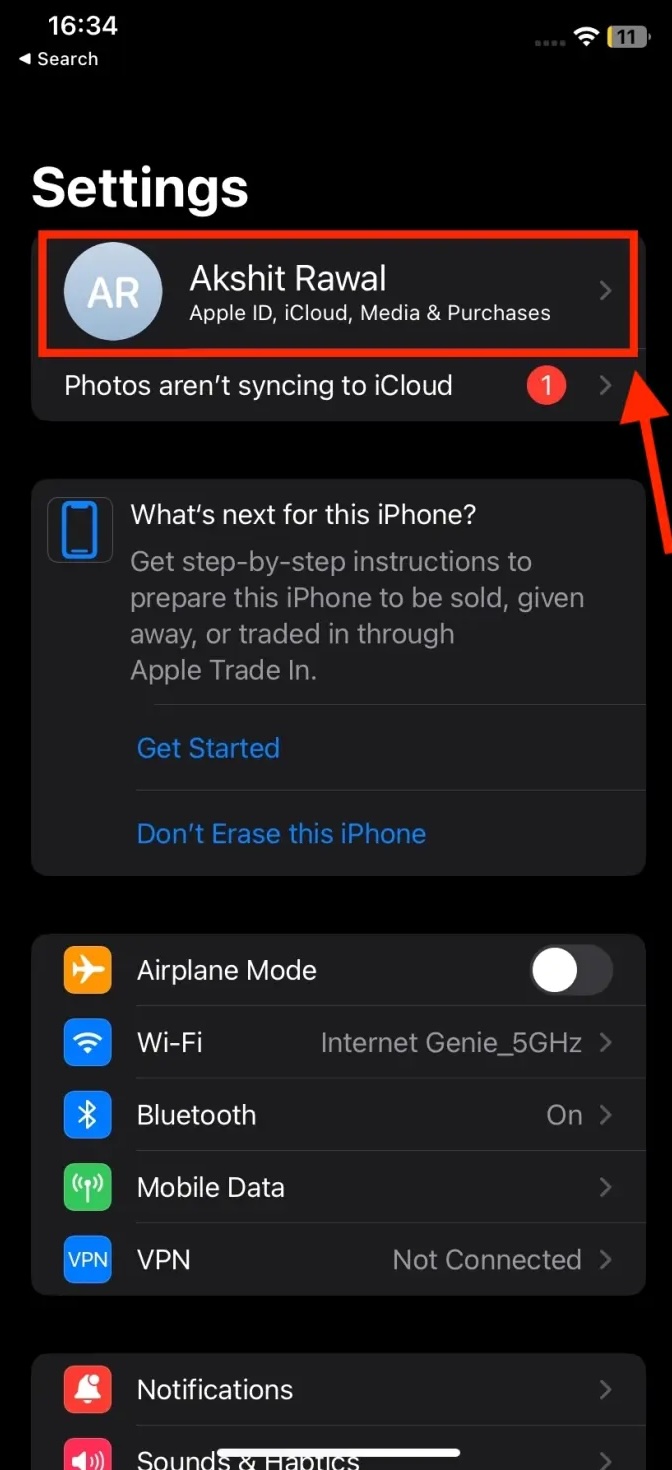
- Select iCloud

- Tap iCloud Mail
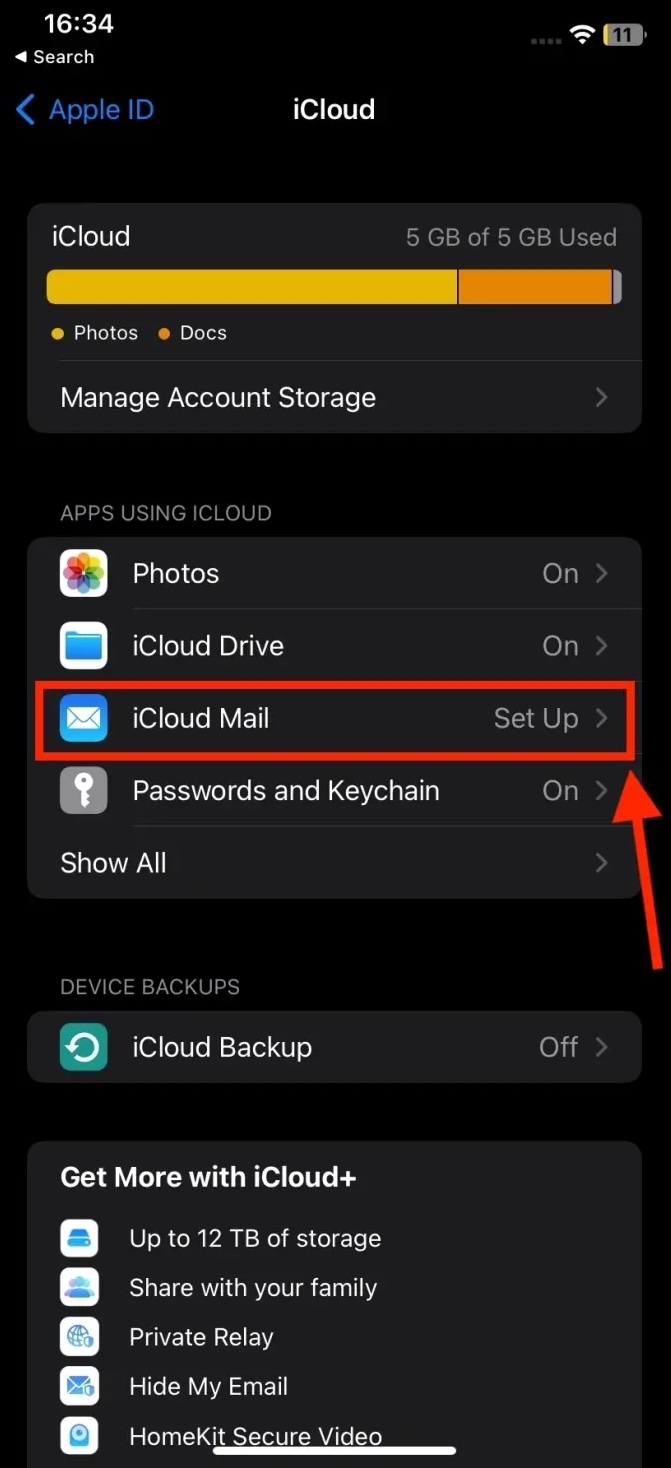
- Choose Create Email Address
- Enter your preferred email name or select a suggested option
- Tap Continue, then confirm the address
Once completed, the new iCloud email becomes your primary Apple Mail address and syncs automatically across devices.
Create An iCloud Email On Mac
Mac users can create an iCloud email address through System Settings using the same Apple ID tied to iCloud services.
- Click the Apple menu and open System Settings
- Select your Apple ID from the sidebar
- Click iCloud
- Choose Mail under Apps Using iCloud
- Turn on Sync This Mac if prompted
- Enter your desired email name and confirm
The iCloud email will appear in the Mail app automatically once setup finishes.
Create An iCloud Email Using A Web Browser
You can create an iCloud email address even if you do not own an Apple device, as long as you have an Apple ID.
- Go to iCloud.com/mail in any browser
- Sign in using your Apple ID
- Select Create Email Address
- Choose an available @icloud.com email name
- Confirm your selection
The account can then be accessed on Windows, Android, or any email client that supports IMAP.
Troubleshooting Common Problems
If the option to create an iCloud email does not appear, make sure iCloud Mail is enabled for your Apple ID. In some cases, regional restrictions or existing email aliases may delay setup.
Signing out and back into iCloud or updating your device software often resolves missing options.
Tips
- Choose a professional email name, as it cannot be changed later
- Enable two-factor authentication for better account security
- Use iCloud Mail rules to automatically organize messages
- Check iCloud storage if emails stop syncing properly
FAQ
Can I create more than one iCloud email address?
You can create email aliases, but only one primary @icloud.com address per Apple ID.
Does iCloud email work on Windows or Android?
Yes, you can access iCloud Mail using a browser or configure it with IMAP settings.
Is iCloud email free?
Yes, it is included with every Apple ID and uses the free 5 GB iCloud storage tier.
Summary
- An iCloud email can be created on iPhone, iPad, Mac, or the web
- The address syncs automatically across Apple devices
- Only one primary @icloud.com address is allowed per Apple ID
- The service includes built-in security and spam protection
Conclusion
Creating an iCloud email account is a quick way to unlock seamless email syncing across Apple devices. Whether you use an iPhone, Mac, or just a browser, the setup process is simple and integrates directly into the Apple ecosystem.


Discussion (0)
Be the first to comment.