




Chrome’s latest experiment doesn’t change how your bookmarks look, but it quietly changes who can see them. A new “Bookmarks Encryption” flag in Canary moves your saved sites into an encrypted store, so the old readable Bookmarks file simply vanishes once the strongest setting is turned on. The behavior described here has been verified on desktop builds in Chrome Canary.
Chrome already protects sensitive local data, such as saved passwords, with system-level encryption. Bookmarks have remained one of the few major data sets still stored in a readable file inside the profile. That makes them easier to access outside the browser and helps explain the push to encrypt them as well.
Chrome tests bookmark encryption that removes the readable file
The new flag includes three stages that define how bookmark data is written and read. In Stage 1 and Stage 2, Chrome keeps the existing bookmarks file in place, with URLs and titles still stored in plain text inside the profile.
In Stage 1, Chrome saves bookmarks in both readable and encrypted formats, while continuing to use the readable version. Stage 2 keeps both versions but begins using the encrypted data. Stage 3 removes the readable file and stores bookmarks only in encrypted form.
After switching to Stage 3, the file is no longer present in the profile directory, while bookmarks continue to work as expected. Chrome uses a different storage format that is encrypted on disk and not exposed as a readable file.
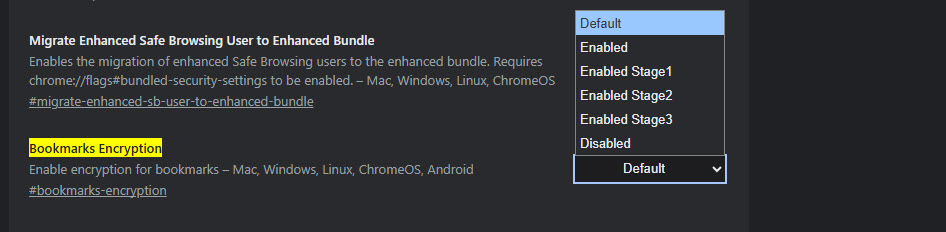
Currently, Chrome stores bookmarks in a file inside the user profile that can be opened with a text editor. The file shows saved links and titles in plain text. This allows the data to be accessed outside the browser if someone has access to the device. The new system removes that direct access point once the final stage is active.
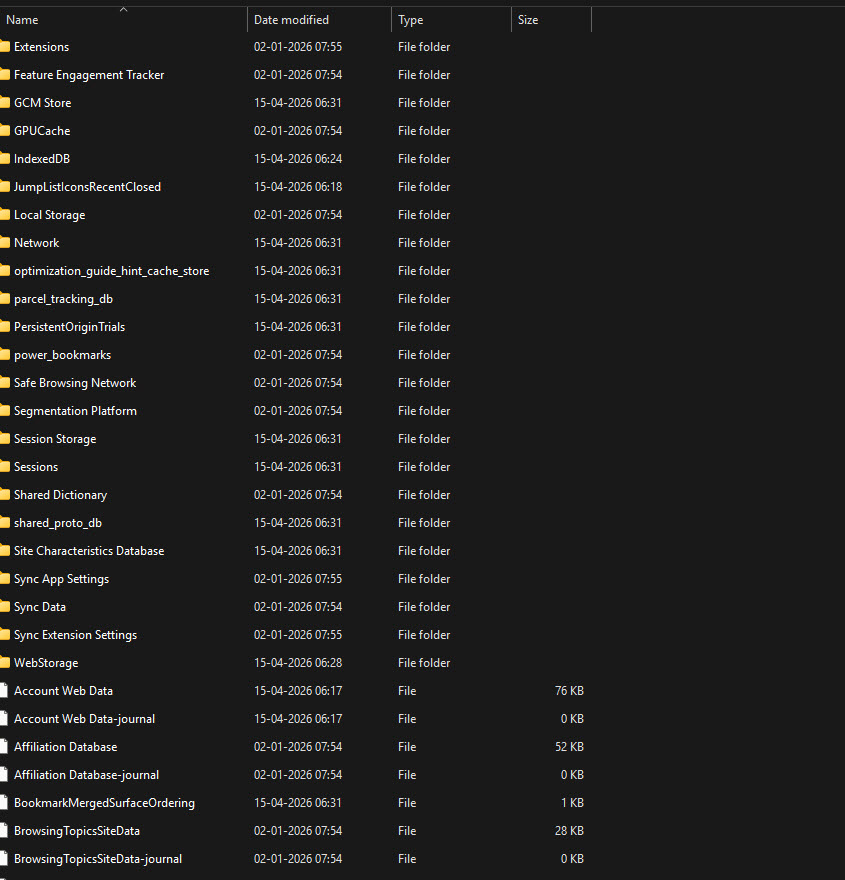
Chrome already offers encryption for synced data through a custom passphrase, but that does not protect the local bookmarks file. This change brings encryption to bookmarks stored on the device.
There are no visible changes tied to this feature. The bookmarks manager, sync behavior, and general usage remain the same. The change affects only how bookmark data is stored on disk.
Work on Chrome’s bookmarks encryption feature is ongoing, described as “encrypt bookmarks with os_crypt,” which uses the same system-level protection Chrome already applies to other sensitive data.



Discussion (0)
Be the first to comment.