



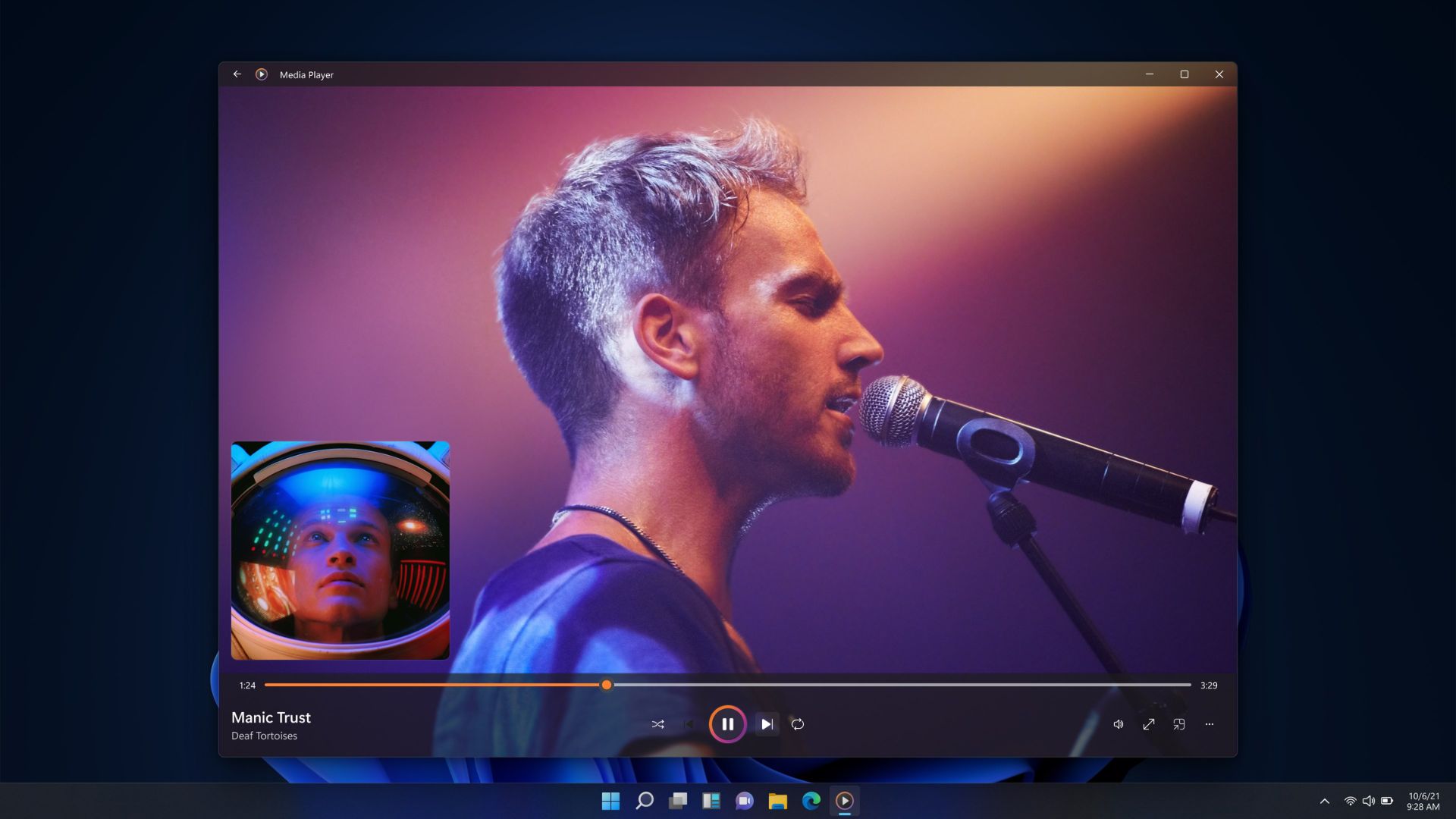
Windows 11 has built-in media support, but many users want more control, broader format support, and smoother 4K playback. Third-party media players solve those gaps with advanced codecs, hardware decoding, subtitle tools, streaming support, and performance options. A good media player plays local files and supports high-resolution video without lag.
Below is a ranked list of reliable media players for Windows 11, focusing on features that matter most: format support, 4K and UHD playback, customization, and ease of use.
Top Media Players for Windows 11
| Rank | Player | Key Strengths | Best For |
|---|---|---|---|
| 1 | VLC Media Player | Broad formats, strong 4K playback | All users |
| 2 | PotPlayer | Deep features, heavy customization | Advanced users |
| 3 | KMPlayer | Wide codec support, 4K and 3D | Mixed users |
| 4 | 5KPlayer | Free 4K and 8K playback | 4K video fans |
| 5 | PowerDVD | Blu-ray, HDR, premium tools | Home cinema |
| 6 | Windows Media Player | Built-in, simple use | Basic playback |
| 7 | CnX Player | Hardware-accelerated 4K HDR | UHD libraries |
| 8 | MediaMonkey | Playback and media management | Organizers |
| 9 | Kodi | Media hub with add-ons | Streamers |
1. VLC Media Player
VLC remains the most reliable free media player. It opens nearly any video or audio file without requiring extra codecs. VLC handles 4K and 8K playback smoothly on capable hardware and includes basic conversion and streaming tools. It runs on multiple platforms, so your library behaves the same across devices.
- Plays almost all formats without extra codecs
- Handles local files, discs, and network streams
- Supports subtitles and multiple audio tracks
- Includes video filters and playback controls
Best for most users who want a stable and simple player.
2. PotPlayer
PotPlayer focuses on flexibility. It supports a large list of formats and includes advanced hardware acceleration. Users can tweak video scaling, audio output, filters, and keyboard shortcuts. It also supports 4K and HDR playback when hardware allows.
- Highly customizable
- Strong format support
- Low-latency playback with acceleration
Best for users who want full control over playback.
3. KMPlayer
KMPlayer includes many codecs built in, so you rarely need extra downloads. It supports 4K, 3D, and UHD playback with video effects and subtitle tools. The app also includes online streaming and media capture features.
- Wide codec support
- Video enhancement options
- Subtitle and streaming tools
Best for users who want advanced features with a simple layout.
4. 5KPlayer
5KPlayer focuses on high-resolution media. It supports 4K and 8K video playback and includes surround sound and online streaming tools. It also allows screen casting and video downloads.
- Free UHD playback
- Supports many video formats
- Built-in streaming tools
Best for users who watch a lot of 4K content.
5. PowerDVD
PowerDVD is a premium media player with support for Blu-ray, DVDs, and HDR video. It includes a polished interface, casting to TVs, and strong media library tools.
- Blu-ray and DVD playback
- HDR and video upscaling
- Media library management
Best for home theater setups.
6. Windows Media Player
Windows Media Player comes pre-installed with Windows 11. It supports common formats like MP4, MP3, and AVI. It works well for simple playback but lacks advanced tools.
- No installation needed
- Clean interface
- Basic format support
Best for casual use.
7. CnX Player
CnX Player focuses on smooth 4K and HDR playback. It uses hardware acceleration from Intel, Nvidia, and AMD GPUs to reduce CPU usage and improve video quality.
- Optimized for UHD playback
- Hardware decoding support
- Lightweight performance
Best for users with large 4K libraries.
8. MediaMonkey
MediaMonkey combines playback with media organization. It manages large music and video libraries and supports syncing across devices.
- Strong file organization
- Cross-device sync
- Format conversion tools
Best for users who manage big collections.
9. Kodi
Kodi acts as a full media center. It plays local files, streams online content, and supports add-ons for TV, radio, and more.
- Supports plugins and themes
- Live TV and streaming
- Local and network playback
Best for users who want an all-in-one media system.
Quick Comparison
| Feature | VLC | PotPlayer | KMPlayer | 5KPlayer | PowerDVD |
|---|---|---|---|---|---|
| Free | Yes | Yes | Yes | Yes | No |
| 4K and UHD | Yes | Yes | Yes | Yes | Yes |
| Blu-ray | Limited | Yes | Yes | Yes | Yes |
| Streaming | Yes | Yes | Yes | Yes | Yes |
| Library Tools | Basic | Advanced | Moderate | Basic | Strong |
FAQs
What player handles almost all media formats?
VLC Media Player plays nearly every common video and audio format without extra downloads.
Can these players handle 4K or 8K files on Windows 11?
Yes. VLC, PotPlayer, KMPlayer, and 5KPlayer support 4K and 8K playback on supported hardware.
Do I need a separate codec pack?
Most modern players include their own codecs. You do not need extra packs.
Is Windows Media Player good enough?
It works for basic playback but lacks advanced features.
Summary
VLC Media Player gives the best balance of power and simplicity. PotPlayer suits users who want detailed control. KMPlayer and 5KPlayer work well for high-resolution files. PowerDVD fits home cinema users. Windows Media Player handles simple needs. Choose based on how much control, performance, and format support you want.


Discussion (0)
Be the first to comment.