


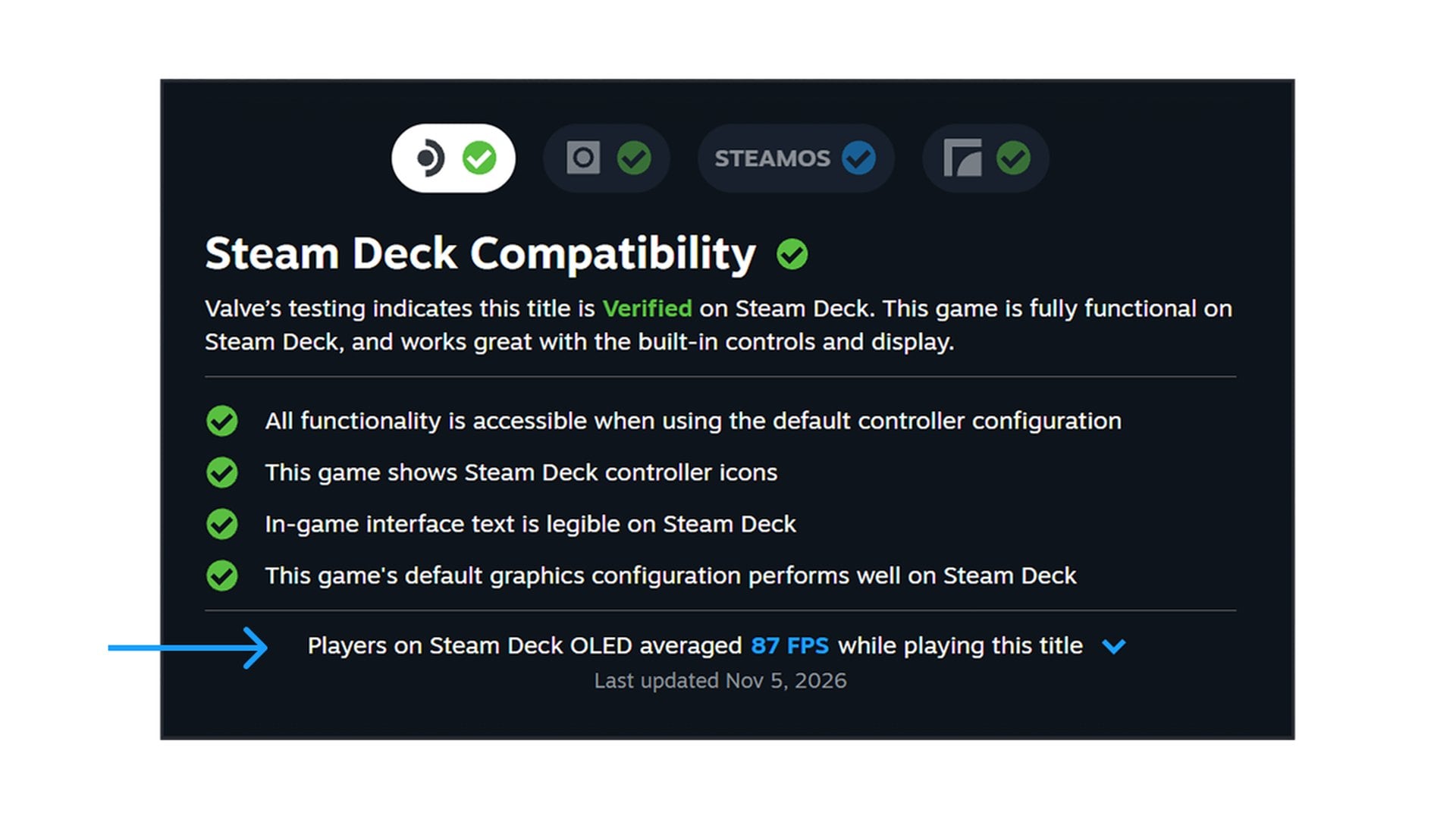
Steam store pages now tell you how smoothly a game really runs on Steam Deck, not just whether it passed Valve's checks. An update Valve announced on November 9 adds the average framerate Deck owners get to each game's compatibility section. The figures come from players who agreed to share anonymized performance data.
They cover games Valve has tested for the handheld, whether they are rated Verified, Playable or Unsupported, and thousands of titles already have one. Click Learn more under Steam Deck Compatibility on a store page. A line appears, such as "Players on Steam Deck OLED averaged 87 FPS while playing this title." The date it was last updated sits underneath.
The same numbers appear in the Steam Library for people on the Steam Client Beta. Everyone else sees them on the store.
Why a Steam Deck Verified badge never told you how smooth a game runs
The Verified badge has always set a low bar for performance. Valve's compatibility rules for developers ask only for "a playable framerate" at default settings, which on Steam Deck means 30fps at 800p. A game can clear that line and still feel sluggish on the OLED model's 90Hz screen. A demanding release can earn the badge while looking rough, as Monster Hunter Wilds did when it went Verified.
The announcement makes the same point. The rating is "based on standardized test criteria" that may not match every buyer's idea of acceptable play. A game marked Unsupported for unstable performance may suit some people. A Verified one "may not reach a framerate that some customers prefer to play at."
Developers have been studying these numbers for weeks. On October 1, framerate distribution charts reached the Steamworks partner dashboard for Verified games, when Valve gave Steam Deck developers a detailed breakdown on top of the averages they already had. They expanded to Playable and Unsupported titles on October 21. Buyers now get a version of what studios see.
How to read the Steam Deck framerate chart and its 90 and 45 gaps
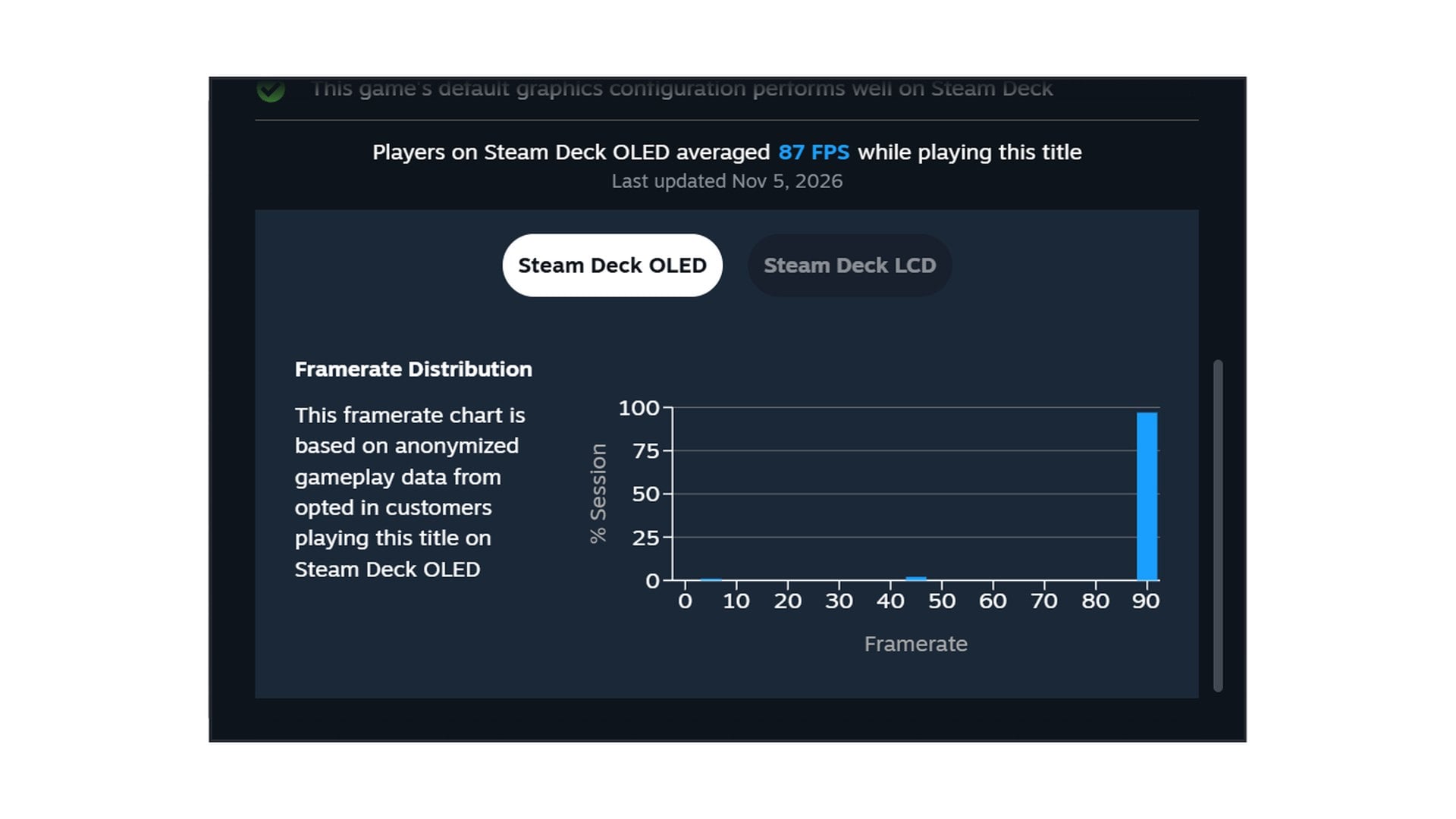
An expandable view under the average opens a histogram of play samples at each framerate. Separate tabs cover Steam Deck OLED and Steam Deck LCD. One tall column at the top means steady play. Small columns near the bottom are where hitches and stutter show up.
One pattern looks alarming but usually is not. Many charts show a large column at 90 and another at 45 with nothing in between, which Valve attributes to VSync. On a 90Hz display, a game running at 75fps alternates between 90 and 45 to avoid tearing. A game with its own 60fps cap does the same on an OLED Deck at default settings.
The averages only count Decks left at the default frame limit, 90 FPS on the OLED and 60 FPS on the LCD. That keeps the comparison fair. It also leaves out anyone who lowers the cap to stretch Steam Deck battery life on a long trip.
Custom in-game graphics settings are not accounted for, although Valve says the data still clusters in fairly narrow ranges. Games with few players get no figure until they pass a minimum number of samples, and that minimum has not been published. In its notes to developers, Valve adds that the samples include loading screens, where framerates can drop sharply.
Steam desktop framerate data is next, and you can opt out
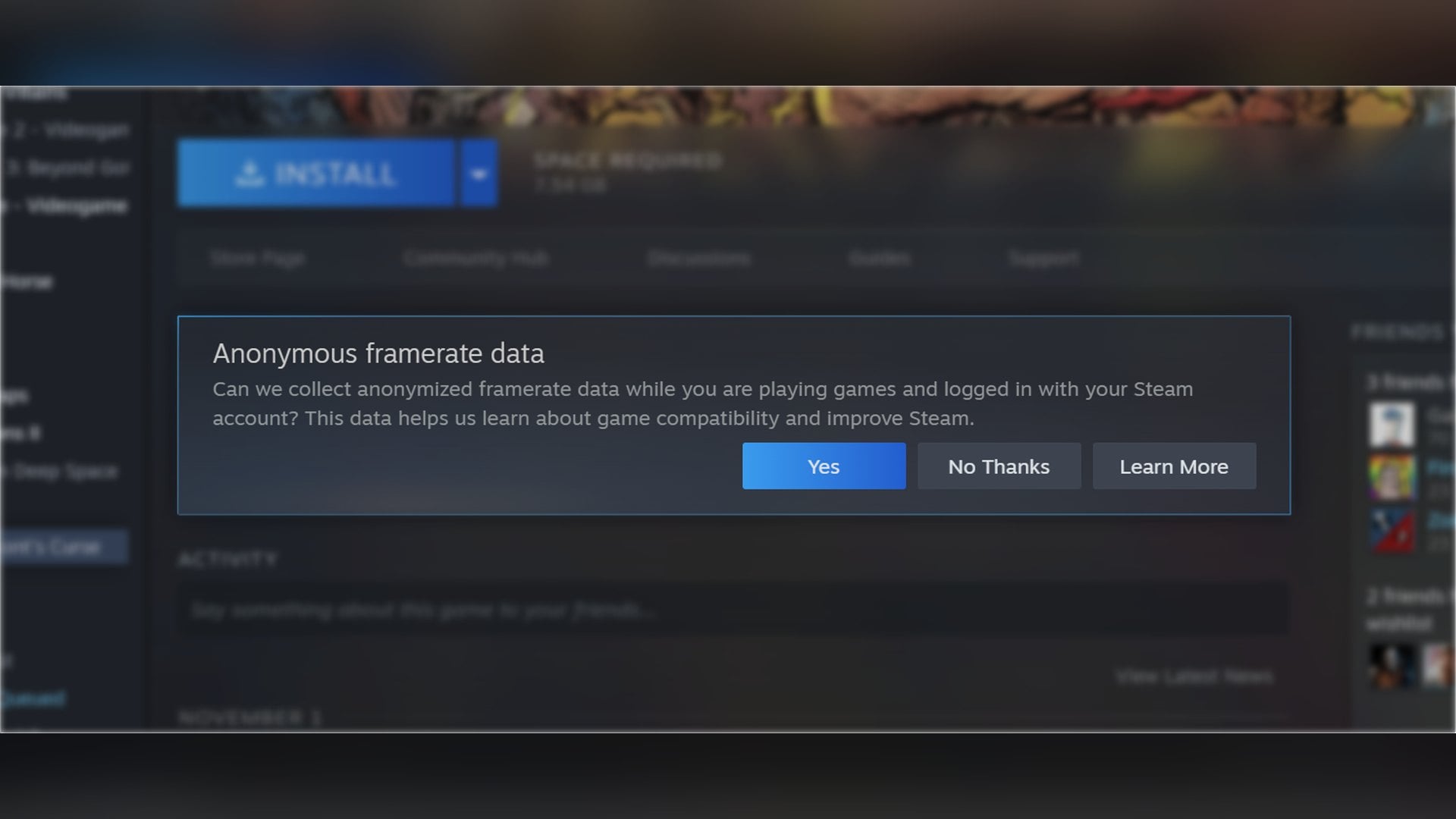
Valve calls the Deck figures "a stepping stone" toward framerate data for more devices. The desktop Steam client on the beta branch now asks whether it can collect anonymized framerate data while you play. Valve says that prompt "will ship to all customers in the future," with no date attached.
The Deck came first because every unit shares the same hardware, which makes a single average meaningful. A majority of Deck owners have already opted in, according to the company. The setting's own description says the data is stored without a connection to your Steam account and tagged with the kind of hardware you play on.
To change your answer, open Steam Account Settings, go to Data & Browsing and switch Anonymous Game Framerate Data on or off. No averages have been shown yet for desktop PCs, and Valve has not said which devices come after the Deck.
Until then, the useful habit before buying a demanding game for the Deck is to look past the badge and click Learn more. The Verified label says a game works on the handheld; the new number says how fast it runs for the people already playing it.

Discussion (0)
Be the first to comment.