




Scanning QR codes and barcodes on iPhone has become part of everyday tasks, from opening links to checking product details while shopping. While the built-in Camera app can handle basic QR codes, dedicated barcode scanner apps offer faster detection, better compatibility, and scan history.
At the time of writing, these iPhone barcode scanner apps continue to support modern QR code formats, product barcodes, and low-light scanning without requiring extra hardware.
Best Barcode Scanner Apps For iPhone
The apps below focus on speed, accuracy, and ease of use. Each option supports both QR code scanning and traditional barcode formats commonly used on products and packaging.
Scanner Unlimited
Scanner Unlimited combines barcode scanning with document scanning features. In addition to reading QR codes and product barcodes, it can scan receipts, business cards, and printed pages.
Cloud sync and text extraction make it useful for users who want more than a basic QR code reader.
MixerBox Barcode And QR Code Scanner
MixerBox focuses on fast scanning and wide code compatibility. It supports common 1D and 2D barcode formats and performs well in low-light conditions using the flashlight.
Scan history is saved automatically, making it easy to revisit previous results.
QR Code Reader and Barcode Scanner

This app prioritizes speed and simplicity. It scans QR codes and barcodes quickly and presents results without clutter.
Sharing options and history tracking make it suitable for casual daily scanning.
QR Code Reader – QrScan
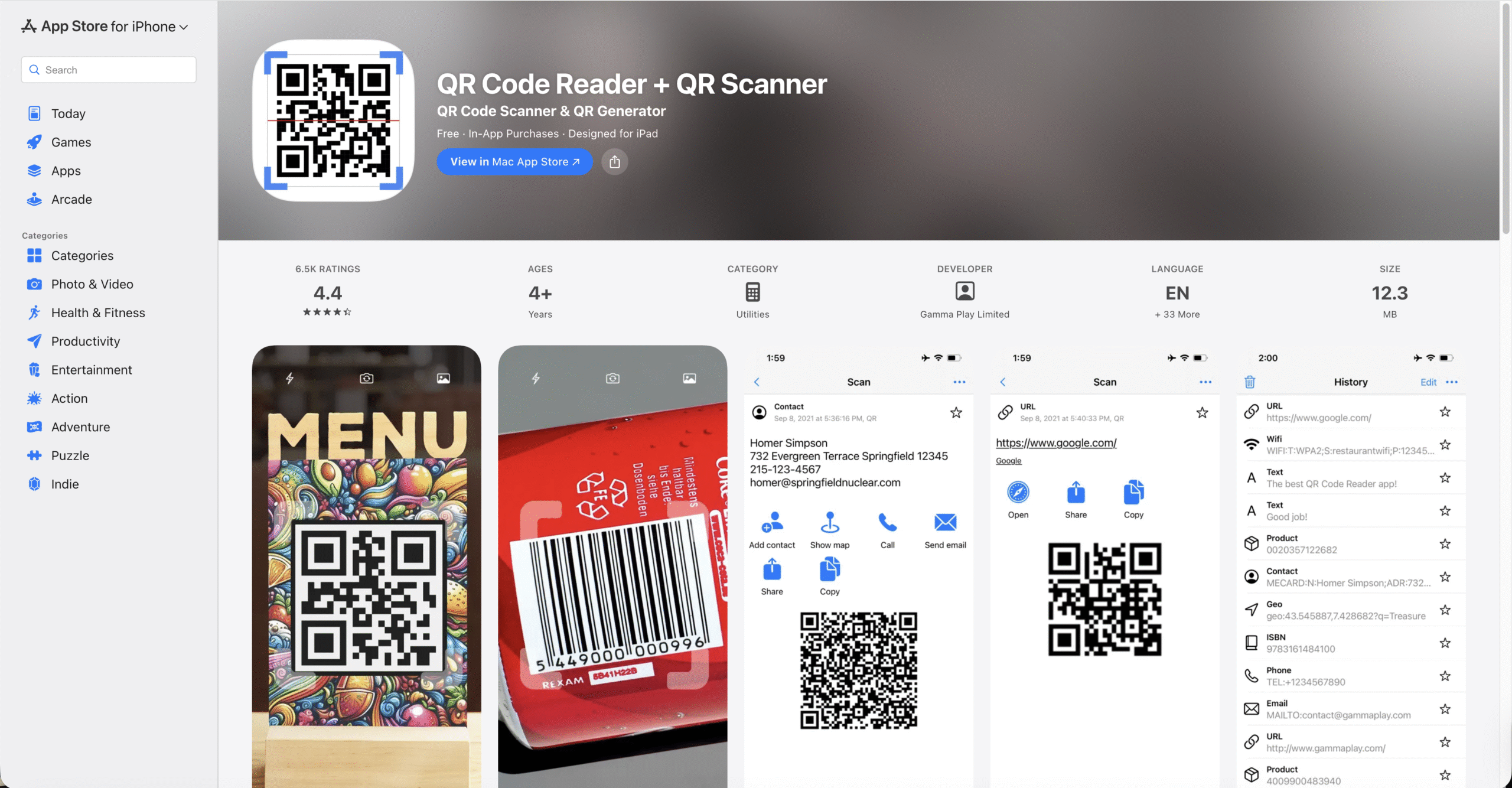
QrScan supports a broad range of QR code and barcode formats, including less common standards. Siri Shortcuts allow faster access to scanning.
Dark Mode support helps reduce battery usage on OLED iPhone displays.
QR Code and Barcode Scanner
This app relies on Apple’s native scanning technology for accuracy. It supports product codes like EAN, UPC, and Data Matrix formats.
Data export options make it useful for users who track scans over time.
Barcode Reader
Barcode Reader focuses on product lookups and scan history. The interface stays clean and functional without unnecessary features.
It works well for comparing products while shopping.
Bar-Code
Bar-Code offers a minimal experience for scanning QR codes and barcodes. It keeps a record of scanned items and allows saving images alongside scan results.
This simplicity appeals to users who want fewer distractions.
QR Code Maker

QR Code Maker allows both scanning and creating QR codes. Users can generate codes for links, contact details, or text.
This is useful for sharing information quickly without relying on third-party services.
Simple Scan
Simple Scan supports bulk scanning and reading QR codes from images. Visual and vibration feedback confirms successful scans.
It works reliably for both printed and on-screen codes.
How To Scan QR Codes And Barcodes On iPhone
Most barcode scanner apps follow a similar scanning process.
- Open the barcode scanner app.
- Allow camera access if prompted.
- Point the camera at the QR code or barcode.
- Wait for the app to detect and read the code.
Results usually appear instantly without pressing a shutter button.
Troubleshooting Common Problems
If scanning does not work as expected, a few adjustments often help.
- Clean the iPhone camera lens.
- Enable the flashlight in low-light conditions.
- Hold the phone steady and adjust distance.
- Check camera permissions in Settings.
Tips
- Use dedicated scanner apps for product barcodes.
- Enable scan history if you need past results.
- Dark Mode can improve battery efficiency.
- Bulk scan features help with inventory tasks.
- Disable ads if the app offers a paid option.
FAQ
Does iPhone have a built-in barcode scanner?
The Camera app scans QR codes, but product barcodes usually require third-party apps.
Are barcode scanner apps safe to use?
Most reputable apps are safe, but permissions should be reviewed before use.
Can barcode apps scan from photos?
Some apps support scanning QR codes and barcodes from saved images.
Do these apps work offline?
Basic scanning often works offline, but product lookups may require internet access.
Summary
- Barcode scanner apps expand iPhone scanning capabilities.
- Most support QR codes and product barcodes.
- Extra features include history, exports, and bulk scanning.
- Dedicated apps outperform the built-in Camera scanner.
Conclusion
Barcode scanner apps for iPhone make scanning QR codes and products faster and more reliable. Whether you need simple scans or advanced tracking features, the right app can turn your iPhone into a powerful everyday scanner.


Discussion (0)
Be the first to comment.