



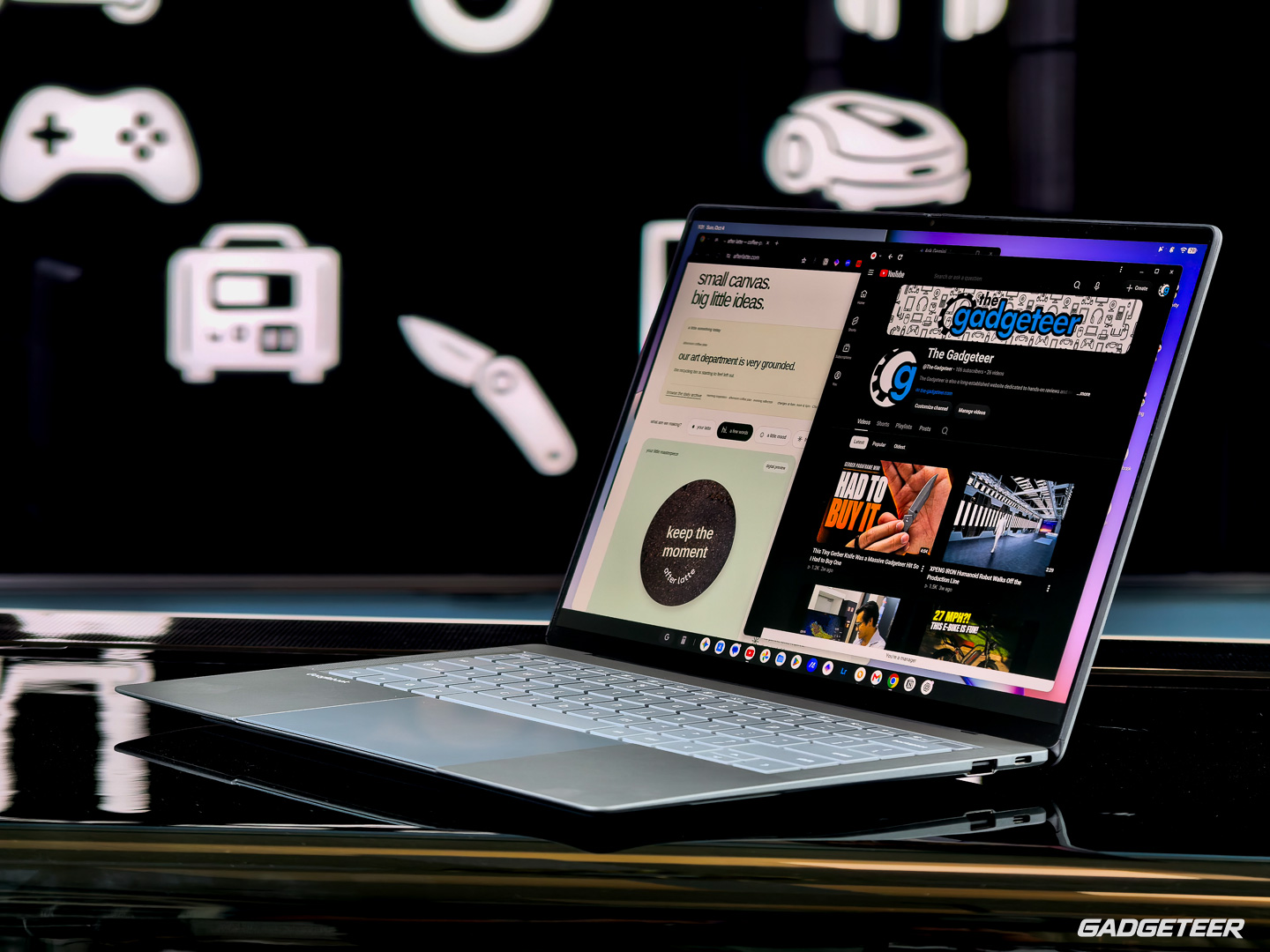
The ASUS Googlebook 14 makes a strong first impression as a piece of hardware, but Google's new desktop operating system still has clear limitations that could make it difficult to recommend over Windows or macOS.
Google introduced Googlebooks in September as premium laptops that sit alongside Chromebooks rather than replacing them. Google is not producing the hardware itself, with companies including Acer, ASUS, Dell, HP and Lenovo building the devices. The ASUS Googlebook 14 tested here costs $1,299 and runs an Android based operating system designed for larger screens.
ASUS Gets the Hardware Right
The Googlebook 14 uses a magnesium aluminum alloy chassis and weighs less than one kilogram.
ASUS officially lists the laptop at 0.99 kg, or 2.18 pounds, while the tested unit weighed about 0.97 kg, or 2.13 pounds. That puts it firmly in the lightweight premium laptop category.
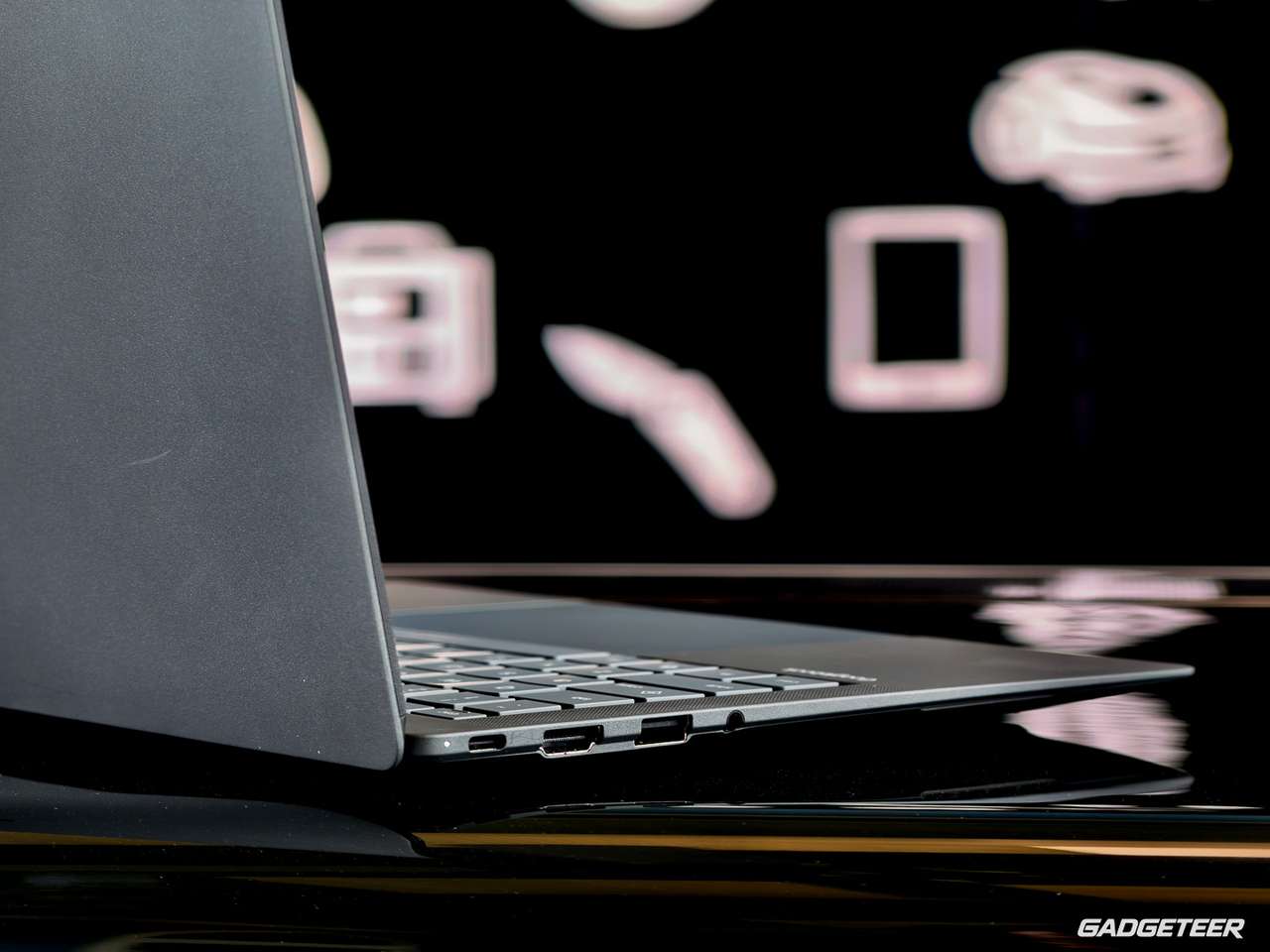
Its 14 inch OLED display uses a 16:10 aspect ratio, reaches up to 450 nits of brightness and covers 100% of the DCI P3 color gamut. The keyboard offers 1.5 mm of travel, while the six inch haptic touchpad allows clicking across its entire surface. ASUS has also retained USB Type A connectivity.
| Feature | ASUS Googlebook 14 |
|---|---|
| Price | $1,299 |
| Weight | 0.99 kg claimed, about 0.97 kg measured |
| Display | 14 inch OLED, 16:10 |
| Brightness | Up to 450 nits |
| Color coverage | 100% DCI P3 |
| Keyboard travel | 1.5 mm |
| Touchpad | 6 inch haptic |
| Operating system | Googlebook OS based on Android |
The physical design therefore appears competitive with premium Windows ultrabooks.
Googlebook OS Has Some Unusual Desktop Decisions
The bigger issues appear once Googlebook OS enters the picture.
Some controls behave differently from what longtime Windows users may expect. Pressing Caps Lock by itself opens a context menu instead of enabling capital letters. Caps Lock requires Fn plus Caps Lock.
There is also no dedicated Delete key, requiring Fn plus Backspace instead. The touchpad does not enable a traditional right click area by default, using a two finger tap unless the setting is changed.
None of these choices make the laptop unusable, but together they create a learning curve for people moving from conventional Windows laptops.
App Compatibility Is the Bigger Problem
Googlebook OS distributes software through the Google Play Store and ranks apps according to how well they work on a laptop.
The available categories include Made for desktop, Optimized for desktop, Compatible with desktop, Better on the website and Built for mobile.
That system helps set expectations, but it also exposes how uneven desktop software support currently is.
Slack falls into the Better on the website category, and its application experience was worse than simply running Slack through Chrome. Microsoft Edge, listed as Compatible with desktop, caused the tested Googlebook to become unresponsive enough that even Task Manager could not be opened until the machine was restarted.
DaVinci Resolve was not available at all.
These examples matter more than unfamiliar keyboard shortcuts because they directly affect whether someone can move an existing work setup onto the platform.
Google Is Also Pushing Gemini Throughout the OS
AI is another major part of the Googlebook experience.
The system repeatedly asks for AI permissions when opening applications and features for the first time, while Gemini is integrated throughout the operating system.
The laptop also includes phone integration features such as Cast my apps, although the initial hands on period had not yet explored those tools in detail.
There is also an RGB Glowbar on the lid, though its usefulness appears limited mainly to indications such as battery status.
Strong ASUS Laptop, Uncertain Google Platform
After the first 24 hours, the hardware appears to be the easier part of the Googlebook 14 to recommend.
ASUS has produced a lightweight premium machine with a strong OLED panel, comfortable input hardware and a well built chassis.
Googlebook OS is less convincing in its current form.
App compatibility, unfamiliar desktop behavior and heavy Gemini integration could limit its appeal, especially when buyers spending $1,299 can already choose from mature Windows laptops or a MacBook Air.
Some of the software problems may improve through updates, and the platform is still new. For now, however, the Googlebook 14 looks like a strong ASUS laptop attached to an operating system that still needs time before it can match the flexibility expected from a premium desktop computer.
Discussion (0)
Be the first to comment.