




Apple devices rarely go on sale, but students and educators can save money through the Apple Student Discount. The offer applies year-round through the Apple Education Store and reduces prices on Macs and select iPads. At certain times, Apple also adds bonus accessories, making the savings even more worthwhile.
This guide explains how the Apple student discount works, who qualifies, what you can save, and how to claim it correctly without running into verification issues.
What Products Are Eligible For The Apple Student Discount

The Apple Education Store focuses on devices commonly used for school and teaching. Discounts apply only to specific categories, not Apple’s entire lineup.
Eligible products include MacBook Air, MacBook Pro, iMac, Mac mini, iPad Air, and iPad Pro. Items like iPhone, Apple Watch, Apple TV, HomePod, and most accessories do not receive direct student pricing.
How Much You Can Save With Apple Education Pricing
Apple does not use a flat percentage discount. Instead, pricing varies by model and region, with most students saving roughly 10 to 15 percent compared to standard retail pricing.
At the time of writing, student discounts typically reach up to a few hundred dollars on Macs and offer smaller but still meaningful savings on iPads. Exact prices depend on configuration, location, and current Apple pricing.
Who Is Eligible For The Apple Student Discount
Apple limits education pricing to users connected to formal education. Eligibility applies to both higher education and K–12 staff.
You qualify if you are a college or university student, a newly admitted student, a parent purchasing for an eligible student, a teacher, school employee, or a homeschool educator. K–12 students themselves are not eligible unless purchasing through a parent or guardian.
How Apple Verifies Student Eligibility
Apple verifies eligibility differently depending on country. Some regions require third-party verification, while others allow direct checkout with later confirmation.
You may need to provide a student email address, student ID, acceptance letter, or school employment documentation. Apple can cancel or reprice orders if verification fails.
How To Get The Apple Student Discount
Claiming the Apple student discount only takes a few steps, but it helps to prepare proof of eligibility in advance.
- Open your country’s Apple Education Store in a web browser.

- Browse eligible Mac or iPad models with student pricing shown.
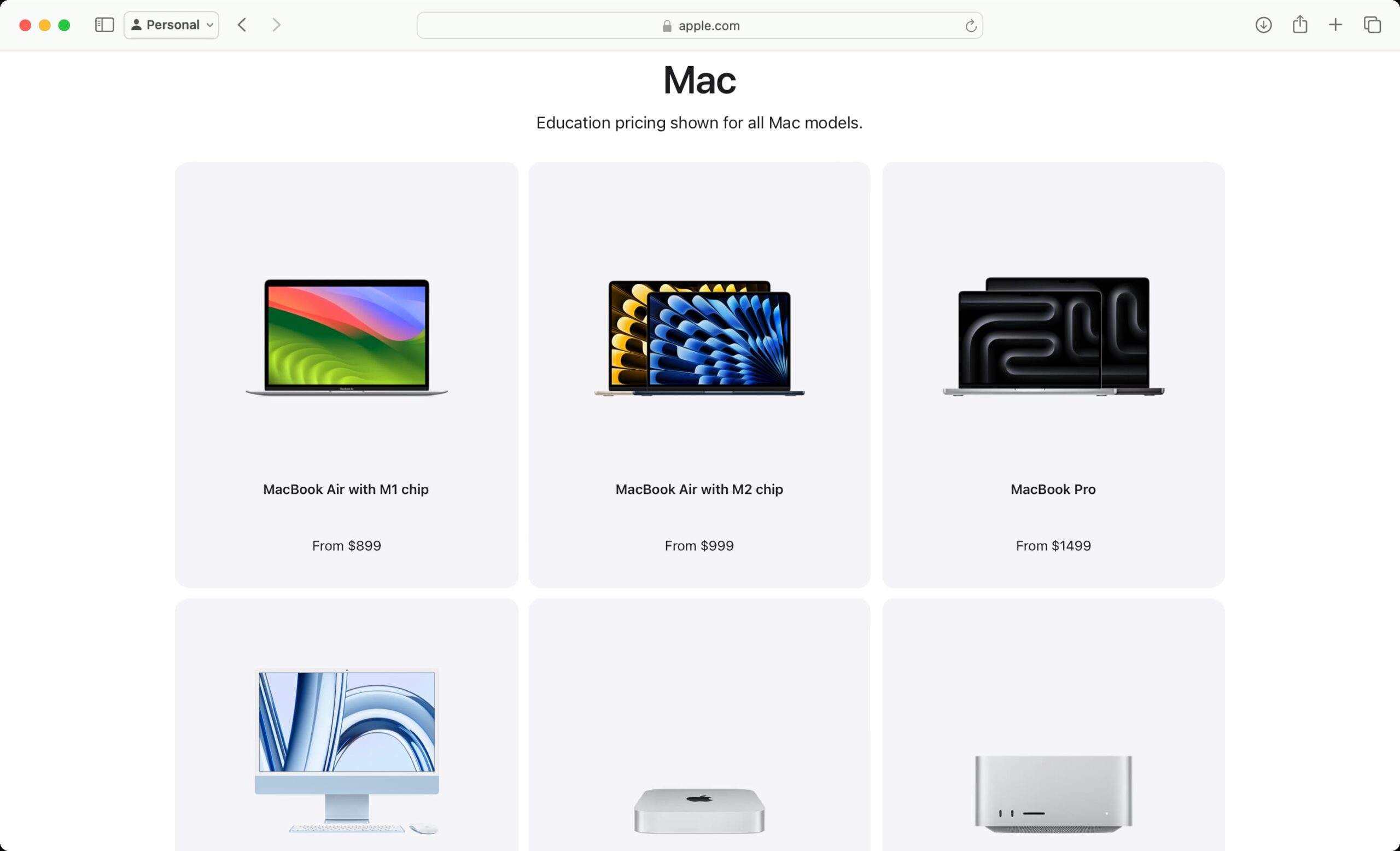
- Select your device and customize storage, color, and accessories.
- Add the item to your cart and continue to checkout.
- Complete verification if Apple requests student or educator proof.
In many regions, no login is required upfront, but Apple may still verify eligibility before shipping.
Apple Back To School Promotion Explained
Once a year, Apple runs a limited Back to School offer that stacks on top of student pricing. This promotion usually includes free or discounted accessories.
Depending on the device, Apple may include AirPods, Apple Pencil, or discounted input accessories. The promotion runs for a limited time and varies by country.
Bonus Apple Music Student Plan
Students can also subscribe to Apple Music at a reduced monthly rate. The plan costs roughly half the standard price and includes Apple TV+ at no additional cost.
Student status must remain verified to keep the discounted subscription active.
Troubleshooting Common Problems
Most student discount issues relate to verification or purchase limits.
- Use a valid school email address if available.
- Ensure your documents match the purchaser’s name.
- Check yearly purchase limits before placing another order.
- Confirm the Education Store, not the regular Apple Store, is used.
Tips
- Plan purchases around the Back to School promotion for extra value.
- Keep proof of enrollment or employment available during checkout.
- Avoid placing multiple orders in a short time to prevent review delays.
- Customize storage carefully since upgrades affect final pricing.
FAQ
Do students get discounts on iPhone purchases?
No. iPhones are not included in Apple’s education pricing.
Can parents use the Apple student discount?
Yes, parents can purchase on behalf of an eligible student.
Is the Apple student discount available year-round?
Yes. Education pricing is always available, separate from seasonal promotions.
Can Apple revoke the discount after purchase?
Yes. Orders may be canceled or repriced if eligibility cannot be verified.
Summary
- Apple offers year-round student discounts through the Education Store.
- Only Macs and select iPads qualify for reduced pricing.
- Eligibility includes students, parents, and educators.
- Verification may occur before or after checkout.
Conclusion
The Apple student discount remains one of the most reliable ways to save on Macs and iPads if you qualify. With consistent education pricing and occasional bonus promotions, students and educators can reduce costs significantly by purchasing through the correct channel.


Discussion (0)
Be the first to comment.